1. Introducció
Gràcies per la compraasing the VIVIBRIGHT GP100UP LED Projector. This manual provides essential information for the safe and efficient operation of your device. Please read it thoroughly before use and retain it for future reference.
The VIVIBRIGHT GP100UP is an Android 6.0-based LED projector featuring built-in Wi-Fi and Bluetooth, designed for home theater and office presentations. It supports Full HD content and offers a bright projection experience.
2. Informació de seguretat
- Font d'alimentació: Feu servir només l'adaptador de corrent especificat. Assegureu-vos que el volumtage coincideix amb la vostra font d'alimentació local.
- Ventilació: No bloquegeu les obertures de ventilació. Assegureu-vos que hi hagi un flux d'aire adequat al voltant del projector per evitar el sobreescalfament.
- Exposició líquida: Keep the projector away from water or other liquids. Do not operate in damp ambients.
- Neteja: Disconnect power before cleaning. Use a soft, dry cloth. Avoid liquid or aerosol cleaners.
- Inserció d'objectes: Never insert objects of any kind into the projector openings as they may touch dangerous voltage punts o parts curtes.
- Manteniment: No intenteu atendre aquest producte vosaltres mateixos. Consulteu tots els serveis a personal de servei qualificat.
- Protecció ocular: No mireu directament a la lent del projector quan estigui encès.amp està encès. La llum brillant pot causar lesions oculars.
3. Contingut del paquet
Verifiqueu que tots els elements que s'enumeren a continuació s'inclouen al vostre paquet:
- VIVIBRIGHT GP100UP Projector
- Cable d'alimentació
- Cable VGA
- Cable AV
- Control remot
- Manual d'usuari (aquest document)
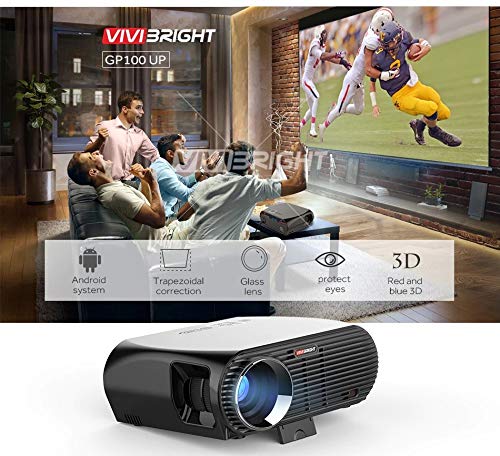
Figura 3.1: Included accessories with the VIVIBRIGHT GP100UP projector, including power cable, VGA cable, remote control, and AV cable.
4. Producte acabatview
4.1. Projector Dimensions
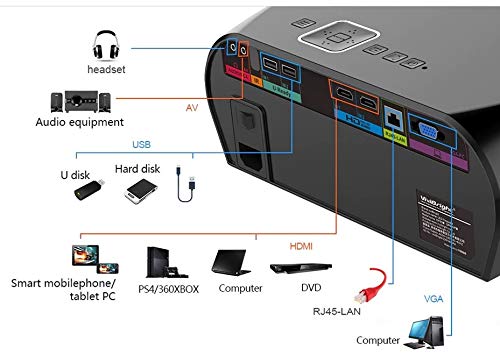
Figura 4.1: Davant i superior view of the VIVIBRIGHT GP100UP projector with approximate dimensions: 11 inches (length), 8.85 inches (width), and 4 inches (height).
4.2. Ports d'entrada/sortida
The projector features various ports for connecting external devices:
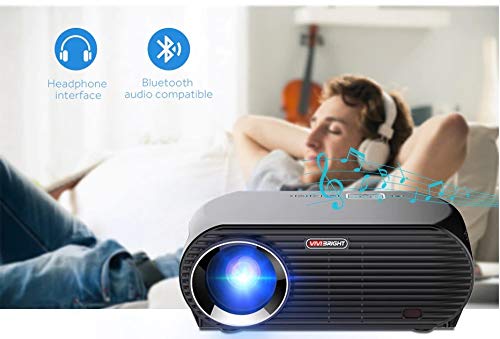
Figura 4.2: Detailed diagram of the projector's rear panel, illustrating connectivity options including headset, audio equipment (AV), USB ports for U disk and hard disk, HDMI ports, RJ45-LAN, and VGA port.
- HDMI: Connect to Blu-ray players, gaming consoles, laptops, or other HDMI-enabled devices.
- USB: For connecting USB drives (U disk) or external hard drives.
- DE: Per connectar dispositius antics que utilitzen vídeo compost i àudio estèreo.
- VGA: For connecting to computers or laptops with a VGA output.
- RJ45-LAN: Per a la connexió de xarxa amb cable.
- Auriculars Jack: Per connectar auriculars o altaveus externs.
4.3. Control remot
The included remote control allows for convenient operation of the projector.
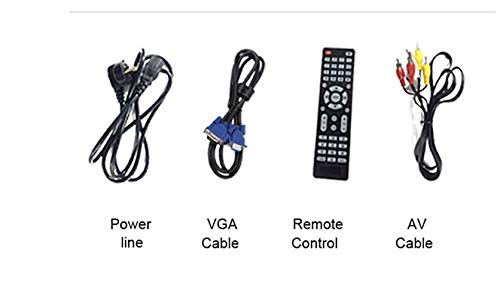
Figura 4.3: Remote control layout with key functions: ON/OFF, Volume Up/Down, OK, Menu, Home, Speed, Mute, Back, Mouse Mode, and the USB receiver.
- ON/OFF: Power on or off the projector.
- Volum +/-: Ajusteu el volum d'àudio.
- D'ACORD: Confirmeu la selecció.
- Menú: Access projector settings.
- Inici: Return to the main Android interface.
- Enrere: Torneu a la pantalla anterior.
- Mode ratolí: Activate/deactivate air mouse function (if applicable).
- Silenciar: Silencia o activa l'àudio.
5. Configuració
5.1. Col·locació
Place the projector on a stable, flat surface or mount it to the ceiling. Ensure there are no obstructions to the lens or ventilation ports. The optimal projection distance for a clear image is between 1 to 5 meters.
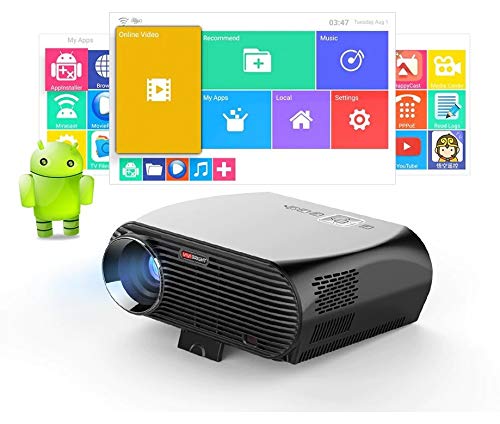
Figura 5.1: Illustration of projection distances and corresponding screen sizes, along with the location of the keystone correction and focus rings on the projector.
- For a 72-inch screen, the recommended distance is approximately 7.2 feet (2.2 meters).
- For a 120-inch screen, the recommended distance is approximately 11.8 feet (3.6 meters).
5.2. Connexió d'alimentació
- Connecteu el cable d'alimentació a l'entrada d'alimentació del projector.
- Connecteu l'altre extrem del cable d'alimentació a una presa de corrent adequada.
- L'indicador lluminós d'engegada del projector s'hauria d'encendre.
5.3. Enfocament i correcció Keystone
After powering on, adjust the image for clarity and proper geometry.
- Focus: Rotate the focus ring near the lens until the projected image is sharp and clear.
- Correcció Keystone: If the projected image appears trapezoidal (wider at the top or bottom), use the keystone correction ring or lever (usually located near the focus ring) to adjust the image until it is rectangular. The GP100UP supports +/- 15 degrees vertical keystone correction.
6. Instruccions de funcionament
6.1. Initial Power On and Android Interface
Press the power button on the projector or remote control to turn on the device. The projector will boot into its Android 6.0 operating system interface.
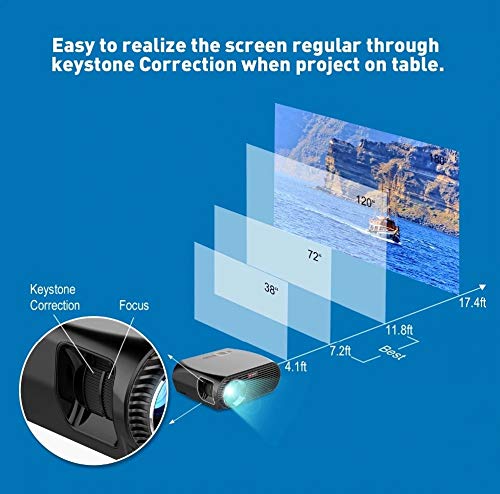
Figura 6.1: The VIVIBRIGHT GP100UP projector in operation, highlighting its Android system capabilities and other features.
Navigate the Android interface using the remote control. You can access pre-installed applications, settings, and media files.
6.2. Connexió de dispositius externs
To project content from external sources:
- Connect your device (e.g., laptop, gaming console, USB drive) to the appropriate port on the projector (HDMI, USB, AV, VGA).
- On the projector's Android interface, navigate to the "Input Source" or "Source" option.
- Select the corresponding input source (e.g., HDMI1, USB, AV, VGA) to display content from your connected device.
6.3. Wireless Connectivity (Wi-Fi, Bluetooth, Screen Mirroring)
The GP100UP supports various wireless functions:
- Wi-Fi:
- Go to "Settings" on the Android interface.
- Seleccioneu "Wi-Fi" i activeu-lo.
- Trieu la xarxa desitjada i introduïu la contrasenya per connectar-vos.
- Bluetooth:
- Go to "Settings" on the Android interface.
- Select "Bluetooth" and turn it on.
- Pair with Bluetooth audio devices like headphones or speakers.
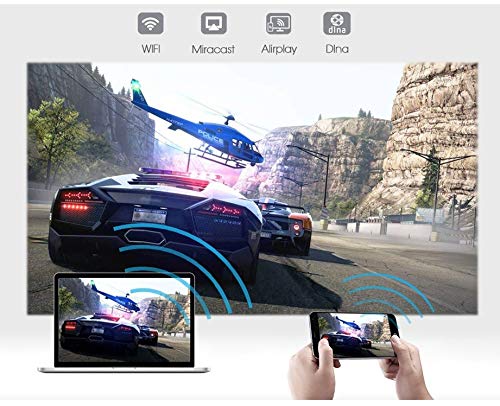
Figura 6.2: The projector's Bluetooth audio compatibility, allowing connection to wireless headphones or speakers.
- Screen Mirroring (Miracast/Airplay/DLNA):
The projector supports mirroring content from compatible smartphones, tablets, and laptops via Wi-Fi, Miracast, Airplay, and DLNA.
- Assegureu-vos que tant el dispositiu com el projector estiguin connectats a la mateixa xarxa Wi-Fi.
- On the projector's Android interface, open the relevant screen mirroring application (e.g., Miracast, Airplay, DLNA).
- On your smartphone/tablet/laptop, activate its screen mirroring function (e.g., "Screen Mirroring," "Smart View," "Cast," "AirPlay").
- Select the projector from the list of available devices to begin mirroring.

Figura 6.3: Wireless screen mirroring capabilities, enabling content from mobile devices and laptops to be displayed on the projector.
7. Manteniment
7.1. Neteja de la lent
Use a soft, lint-free cloth specifically designed for optical lenses. Gently wipe the lens to remove dust or smudges. Avoid using abrasive materials or harsh chemicals.
7.2. Neteja del projector Casing
Netegeu l'exterior del projector amb un drap suau i sec. Per a marques difícils, feu un drap lleugerament sec.amp cloth can be used, followed by a dry cloth. Ensure no liquid enters the ventilation openings.
7.3. Air Filter (if applicable)
While LED projectors typically have sealed optical engines, regularly check ventilation openings for dust accumulation. Use a soft brush or compressed air to clear any blockages.
8. Solució De Problemes
| Problema | Causa possible | Solució |
|---|---|---|
| No es mostra cap imatge |
|
|
| La imatge és borrosa |
|
|
| La imatge és trapezoïdal |
|
|
| Sense so |
|
|
| Problemes de connexió Wi-Fi/Bluetooth |
|
|
9. Especificacions
| Característica | Detall |
|---|---|
| Número de model | GP100UP |
| Tecnologia de visualització | LCD |
| Resolució nativa | 1280x800dpi (WXGA) |
| Brillantor | 3500 lúmens |
| Relació de contrast | 1000:1-2000:1 |
| Font de llum | LED |
| Vida de la font de llum | Not specified (typically 20,000+ hours for LED) |
| Distància de projecció | 1-5 m |
| Dimensió projectada | 40-300 inches (Best image size: 72-120 inches) |
| Escala de pantalla | 4:3/16:9 |
| Correcció de pedra clau | Manual Correction, +/- 15 degrees (vertical) |
| Sistema | Android 6.0.1, CPU: Quad core ARM Cortex-A53 |
| Memòria (RAM/ROM) | RAM: 1G / ROM: 8G |
| Connectivitat sense fil | Wi-Fi, Bluetooth, DLNA, Miracast, Airplay |
| Ports d'entrada | HDMI, USB, AV, VGA, RJ45-LAN |
| Font d'alimentació | CA 90-240V, 50/60Hz |
| Consum d'energia | 140W |
| Dimensions (aprox.) | 37 x 30.5 x 15.9 cm |
| Pes (aprox.) | 2.6 kg |
| Funció 3D | Red-blue 3D |
10. Garantia i Suport
The VIVIBRIGHT GP100UP Projector comes with a 1 anys de garantia des de la data de compra. Aquesta garantia cobreix els defectes de fabricació en condicions d'ús normal.
For technical support, warranty claims, or service inquiries, please contact your retailer or the official VIVIBRIGHT customer service channel. Please have your product model number (GP100UP) and proof of purchase ready when contacting support.


