1. Introducció
Thank you for choosing the Xvive U3C 2.4GHz Wireless System. This manual provides detailed instructions for the setup, operation, and maintenance of your wireless system, designed for use with condenser microphones, audio mixers, and PA systems. Please read this manual thoroughly before use to ensure optimal performance and longevity of your device.
2. Producte acabatview
2.1 Components
The Xvive U3C system includes the following components:
- U3C Transmitter (XLR male)
- U3C Receiver (XLR female)
- Cable de càrrega USB
- Manual d'usuari

Figure 2.1: What's in the Box - Xvive U3C wireless system, charging cable, and user manual.
2.2 Característiques clau
- Potència fantasma: Supports both +12V and +48V phantom power for condenser microphones.
- Àudio d'alta resolució: Delivers 24-bit/48kHz audio with a broad frequency response from 20Hz to 20kHz.
- Optimized 2.4GHz Wireless Band: Provides a solid RF connection over a 90-foot (27.4 meters) range.
- Latència ultra baixa: Less than 5ms latency for real-time performance.
- Canals múltiples: Supports up to 6 simultaneous channels.
- Bateria de llarga durada: Up to 5 hours of battery life for both transmitter and receiver.
- Ràtio senyal / soroll: Up to 107 dB for clear, detailed audio.

Figure 2.2: Xvive U3C Transmitter (left) and Receiver (right).
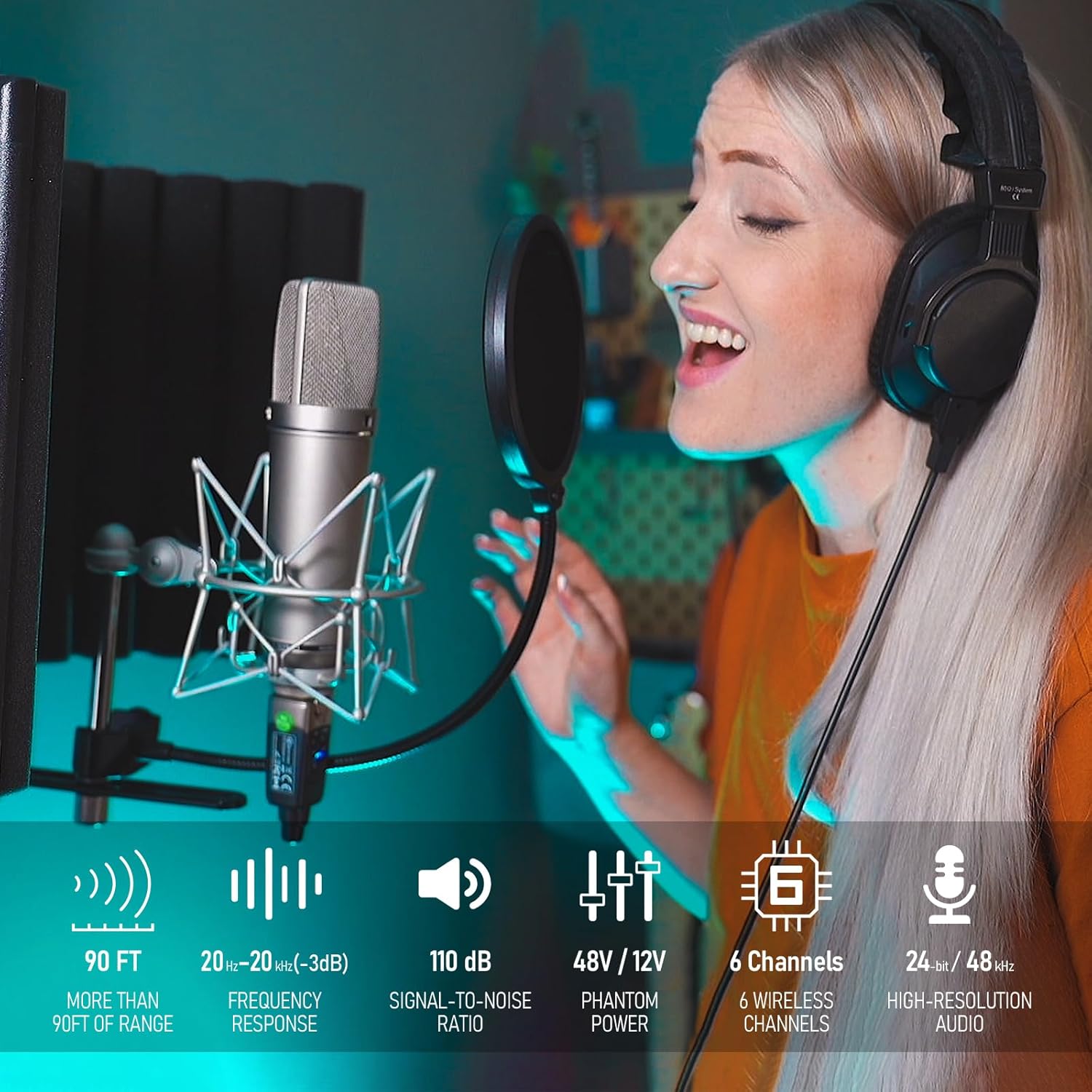
Figure 2.3: Key features of the Xvive U3C system.
3. Instruccions de configuració
3.1 Càrrega de les unitats
Before first use, fully charge both the transmitter and receiver using the provided USB charging cable. Connect the cable to a standard USB power adapter (not included). The charging indicator light will show charging status.
3.2 Connexió del transmissor
- Connect the U3C Transmitter directly to the XLR output of your condenser microphone.
- Assegureu-vos que el micròfon estigui ben connectat.
- Select the appropriate phantom power (+12V or +48V) on the transmitter to match your microphone's requirements. Refer to your microphone's manual for its phantom power needs.

Figure 3.1: Transmitter connected to a condenser microphone.
3.3 Connexió del receptor
- Connect the U3C Receiver to an XLR input on your audio mixer, PA system, or other audio interface.
- Ensure the receiver is firmly seated in the input.

Figure 3.2: Receiver connected to an audio mixer.

Figure 3.3: Transmitter and receiver in a typical setup with a PA system.
4. Instruccions de funcionament
4.1 Engegada/apagada
- Per encendre, premeu i manteniu premut PODER button on both the transmitter and receiver until the indicator lights illuminate.
- Per apagar-lo, manteniu premut el botó PODER button on both units until the indicator lights turn off.
4.2 Selecció de canals
- The U3C system offers 6 channels. To change the channel, briefly press the CANAL button on both the transmitter and receiver.
- Ensure both units are set to the same channel for proper operation. The channel number will be indicated by illuminated LEDs.
- Si experimenteu interferències, proveu de canviar a un altre canal.
4.3 Mute Function (Transmitter Only)
- The transmitter features a MUT button. Press it once to mute the microphone signal. Press again to unmute.
4.4 Phantom Power Selection (Transmitter Only)
- The transmitter has dedicated buttons for +12V i +48V phantom power. Select the appropriate voltage required by your condenser microphone.
- Precaució: Ensure the correct phantom power is selected to avoid damage to your microphone.
4.5 Indicadors d'estat de la bateria
Both units have LED indicators to show battery status. Refer to the device for specific light patterns indicating charge level and low battery warnings.
5. Manteniment
5.1 Càrrega
Recharge the units when the battery indicator shows low power. Use only the provided USB cable or a compatible USB power source. Avoid overcharging by disconnecting once fully charged.
5.2 Neteja
Wipe the units with a soft, dry cloth. Do not use liquid cleaners or solvents, as these may damage the finish or internal components.
5.3 Emmagatzematge
Store the Xvive U3C system in a cool, dry place away from direct sunlight and extreme temperatures. If storing for extended periods, ensure units are partially charged (around 50%) to preserve battery health.
6. Solució De Problemes
| Problema | Causa possible | Solució |
|---|---|---|
| Sense so |
|
|
| Interferències/Caigudes |
|
|
| Durada de la bateria curta |
|
|
7. Especificacions
| Característica | Detall |
|---|---|
| Pes de l'article | 13.7 unces |
| Dimensions del producte | 1.2 x 1.1 x 3.9 polzades |
| Número de model de l'article | U3U3C |
| Bateries | 2 bateries d'ions de liti (incloses) |
| Dispositius compatibles | Audio Mixer, Condenser Microphone, PA System |
| Tipus de connector | XLR |
| Tipus de material | Acrilonitril butadiè estirè (ABS), acer d'aliatge |
| Font d'alimentació | Funciona amb bateria |
| Característica especial | Latència baixa |
| Tecnologia de connectivitat | XLR, 2.4GHz Wireless |
| Suport d'alimentació fantasma | +12V, +48V |
| Resposta de freqüència | 20 Hz - 20 kHz |
| Resolució d'àudio | 24 bits / 48 kHz |
| abast sense fils | Fins a 90 peus (27.4 metres) |
| Latència | Menys de 5 ms |
| Simultaneous Channels | Fins a 6 |
| Durada de la bateria | Fins a 5 hores |
8. Garantia i Suport
For warranty information and technical support, please refer to the official Xvive weblloc web o poseu-vos en contacte amb el vostre distribuïdor local. Conserveu el rebut de compra com a comprovant de compra per a qualsevol reclamació de garantia.
Per a més ajuda, visiteu: Xvive Official Store on Amazon


