1. Introducció
This manual provides essential information for the safe and efficient operation of your Tesvor Robot Vacuum. The Tesvor X500Pro is a versatile 2-in-1 robotic vacuum and mop cleaner designed to provide thorough cleaning on various floor types, from hard floors to low-pile carpets. It features strong suction, smart navigation, and convenient control options via Wi-Fi, app, and voice commands.
Si us plau, llegiu atentament aquest manual abans d'utilitzar el producte i guardeu-lo per a futures consultes.
2. Informació de seguretat
To reduce the risk of injury or damage, read these safety instructions carefully and keep them at hand when setting up, using, and maintaining your robot vacuum.
- The robot vacuum is for indoor use only. Do not use it outdoors or on commercial surfaces.
- Do not use the robot vacuum in wet environments or on floors with standing water.
- Traieu els cables d'alimentació, els objectes petits i els articles fràgils del terra abans de netejar-los per evitar que s'enredin o es facin malbé.
- Mantingueu els cabells, la roba solta, els dits i totes les parts del cos lluny de les obertures i les parts mòbils.
- No feu servir el robot aspirador a prop de flames obertes o materials inflamables.
- Ensure the charging dock is placed against a wall on a level surface and is not easily moved.
- The robot vacuum is not suitable for high-pile carpets over 0.6 inches, dark-colored rugs, or carpets with black strips/edges, as these may interfere with sensors.
- Only use the original power adapter and charging dock provided by the manufacturer.
- Supervise children and pets when the robot vacuum is operating.
3. Contingut del paquet
Verifiqueu que tots els components siguin presents i en bon estat:
- Tesvor Robot Vacuum Unit
- Base de càrrega
- Adaptador d'alimentació
- Raspalls laterals (2 parells)
- Pinzell principal
- Escombraria
- Dipòsit d'aigua amb drap de fregona
- Eina de neteja
- Control remot
4. Producte acabatview
Familiarize yourself with the main components of your Tesvor Robot Vacuum.

Image: The Tesvor Robot Vacuum main unit, showing its sleek white design, accompanied by its charging dock, a mop cloth, and the transparent water tank.

Imatge: El professional primfile of the Tesvor Robot Vacuum, measuring 75mm in height, allowing it to easily clean under low-clearance furniture like sofas and cabinets.

Image: A close-up of the Tesvor Robot Vacuum's electronic water tank, highlighting its 350ml capacity and water distribution system for mopping.
5. Configuració
5.1 Càrrega inicial
- Place the charging dock against a wall in an open, uncluttered area. Ensure there are no obstacles within 1 meter (3 feet) to the front and 0.5 meters (1.5 feet) to the sides of the dock.
- Connect the power adapter to the charging dock and plug the other end into a wall outlet.
- Place the robot vacuum onto the charging dock. Ensure the charging contacts on the robot align with those on the dock. The indicator light on the robot will show charging status.
- Fully charge the robot before its first use (approximately 4-5 hours).
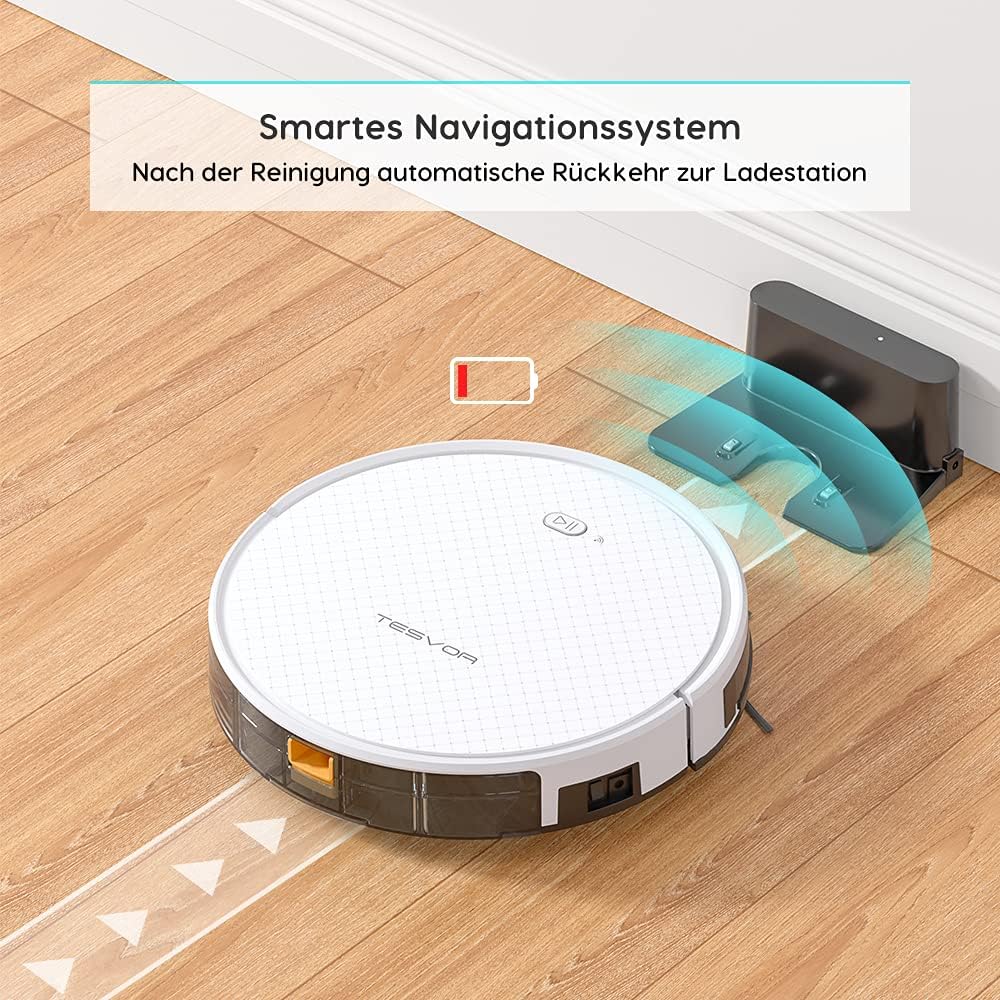
Image: The Tesvor Robot Vacuum intelligently navigating back to its charging station when its battery is low or cleaning is complete, indicated by a battery icon.
5.2 Installing Side Brushes and Dustbin/Water Tank
- Gira el robot aspirador cap per avall.
- Align the side brushes with the corresponding posts (L and R) and press them down until they click into place.
- For vacuuming, ensure the dustbin is securely inserted into the robot.
- For mopping, fill the water tank with clean water (and a small amount of cleaning fluid if desired, as per manufacturer's guidelines) and attach the mop cloth. Insert the water tank into the robot.
6. Instruccions de funcionament
6.1 modes de neteja
The Tesvor X500Pro offers various cleaning modes:
- Neteja automàtica: The robot intelligently navigates in an S-shape path to cover the entire area.
- Neteja de punts: Se centra en una zona bruta específica.
- Neteja de vores: Neteja les parets i les vores dels mobles.
- Neteja programada: Set a cleaning schedule via the app.

Image: The Tesvor Robot Vacuum demonstrating its systematic S-shaped cleaning path, ensuring comprehensive coverage of the floor area.
The robot provides intense 1800Pa suction, effective for dust, crumbs, and pet hair on hard floors and low-pile carpets.

Image: The Tesvor Robot Vacuum actively cleaning a wooden floor, demonstrating its strong suction power by collecting scattered debris.
6.2 Control per aplicació i veu
The Tesvor X500Pro can be controlled via the Tesvor Smart App or voice commands through Alexa and Google Assistant.
- Download the "Tesvor Smart" app from your mobile app store.
- Ensure your Wi-Fi network is set to 2.4GHz for connection.
- Follow the in-app instructions to connect your robot vacuum.
- Once connected, you can use the app for scheduling, changing cleaning modes, real-time monitoring of the cleaning path, and direction control.
- For voice control, enable the Tesvor skill in your Alexa or Google Home app and link your Tesvor account.

Image: A smartphone displaying the Tesvor app interface, showing a real-time map of the robot's cleaning progress and various control options, along with icons for 2.4G Wi-Fi, Amazon Alexa, and Google Home compatibility.
7. Manteniment
Un manteniment regular garanteix un rendiment òptim i allarga la vida útil del teu robot aspirador.
7.1 Neteja del cubell de pols i del filtre
- Premeu el botó d'alliberament del contenidor de pols i traieu-lo.
- Obriu la tapa de la paperera i buideu-ne el contingut en una paperera.
- Remove the HEPA filter and foam filter. Tap them gently to remove dust. Do not wash the HEPA filter with water.
- Esbandiu el contenidor de pols amb aigua si cal, assegurant-vos que estigui completament sec abans de tornar-lo a inserir.
- Reassemble the filters and dustbin, then reinsert into the robot.
7.2 Neteja del raspall principal i dels raspalls laterals
- Gira el robot aspirador cap per avall.
- Traieu la coberta del raspall principal i aixequeu el raspall principal. Feu servir l'eina de neteja per eliminar els cabells i les restes.
- Pull the side brushes upwards to remove them. Clean any hair or debris wrapped around them.
- Reinstall the main brush and side brushes.
7.3 Neteja del dipòsit d'aigua i del drap de fregona
- Traieu el dipòsit d'aigua del robot.
- Buideu l'aigua restant i esbandiu bé el dipòsit.
- Remove the mop cloth and wash it by hand or machine. Allow it to air dry completely.
- Assegureu-vos que el dipòsit d'aigua estigui sec abans de guardar-lo o reomplir-lo.
8. Solució De Problemes
| Problema | Causa possible | Solució |
|---|---|---|
| El robot no s'encén. | Bateria baixa; interruptor apagat. | Carregueu el robot; engegueu l'interruptor principal. |
| El robot es queda encallat sovint. | Obstacles (cords, small objects); High-pile carpet. | Clear the area; Avoid using on unsuitable carpets. |
| Mal rendiment de neteja. | Cubell de pols ple; filtre obstruït; raspalls enredats. | Empty dustbin; Clean/replace filter; Clean brushes. |
| No es pot connectar a la Wi-Fi/aplicació. | Incorrect Wi-Fi band (not 2.4GHz); Incorrect password. | Ensure 2.4GHz Wi-Fi; Re-enter password; Restart router/robot. |
| El robot no torna a la base de càrrega. | Moll obstruït; Robot massa lluny del moll. | Clear area around dock; Manually place robot closer to dock. |
9. Especificacions
| Característica | Detall |
|---|---|
| Marca | Tesvor |
| Número de model | Tesvor X500Pro |
| Potència d'aspiració | 1800 Pa |
| Durada de la bateria | Fins a 100 minuts |
| Capacitat de la paperera | 0.6 litres |
| Capacitat del dipòsit d'aigua | 350 ml |
| Mètode de control | Aplicació, Veu (Alexa, Assistent de Google) |
| Dimensions del producte | 19.69 x 19.69 x 11.02 polzades |
| Pes de l'article | 11 lliures |
| Característiques especials | 2-in-1 Vacuum & Mop, Anti-Collision Sensors, Smart Navigation |
10. Garantia i Suport
For warranty information, technical support, or further assistance, please refer to the official Tesvor weblloc web o contacteu directament amb el seu servei d'atenció al client.
També podeu visitar el Tesvor Brand Store on Amazon per obtenir més informació sobre el producte i recursos d'assistència.


