Introducció
The DJI Osmo Pocket Part 1 Extension Rod is designed to enhance your Osmo Pocket experience by providing extended reach and versatile mounting options. This manual provides essential information for the safe and effective use of your extension rod.
Què hi ha a la caixa
- DJI Osmo Pocket Extension Rod
- Manual d'usuari (aquest document)
Note: The DJI Osmo Pocket camera is sold separately.
Característiques clau
- Integrated Control Stick and Buttons: Control gimbal movement, switch modes, and access other functions directly from the rod.
- Disseny extensible: Reach new angles and perspectives with its telescopic extension.
- Titular del telèfon: Securely mount your smartphone for live view and advanced control.
- 1/4" Thread Mount: Attach additional accessories or mount the rod to a tripod.
- Compacte i portàtil: Folds down for easy storage and transport.
Configuració
1. Attaching the Osmo Pocket
- Locate the universal port on the bottom of your DJI Osmo Pocket.
- Align the connector on the top of the extension rod with the Osmo Pocket's universal port.
- Gently push the Osmo Pocket onto the extension rod until it clicks securely into place. Ensure a firm connection.

Image: The DJI Osmo Pocket camera securely connected to the extension rod, with a smartphone mounted in the integrated holder, ready for use.
2. Mounting a Smartphone
- Extend the smartphone holder arms located on the side of the extension rod.
- Place your smartphone into the holder, ensuring it is securely gripped by the arms.
- Connect your smartphone to the Osmo Pocket using the appropriate adapter (sold separately) for live view and control via the DJI Mimo app.

Imatge: Un angle view of the DJI Osmo Pocket and a smartphone both mounted on the extension rod, illustrating the setup for remote control and monitoring.
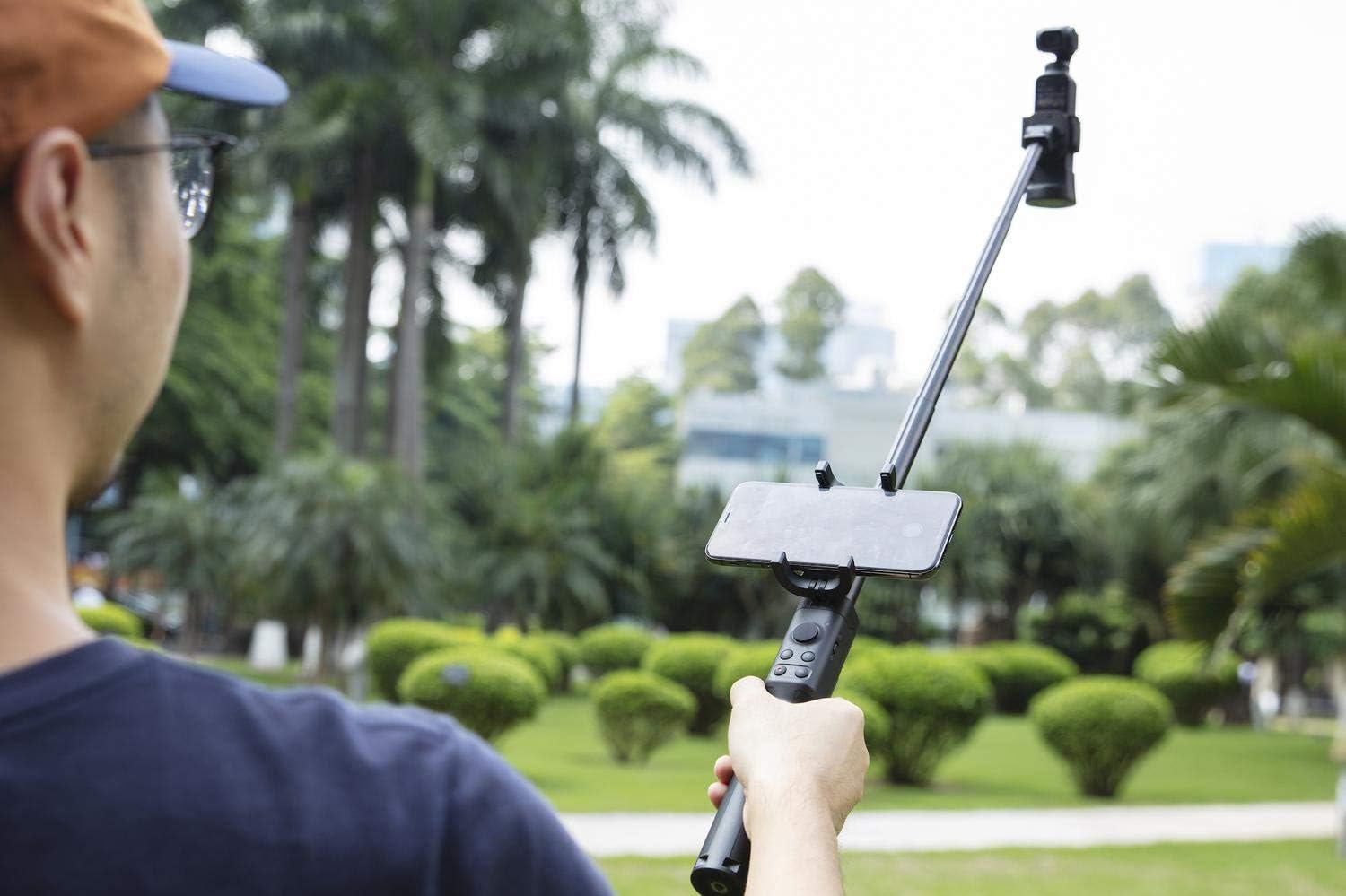
Image: A user holding the fully extended DJI Osmo Pocket Extension Rod, with the Osmo Pocket camera and a smartphone attached, demonstrating its use for capturing wider shots.
Operating the Extension Rod
1. Extending and Retracting
To extend the rod, gently pull the top section upwards. To retract, push the sections back down until fully collapsed. Ensure all sections are securely locked when extended or retracted.
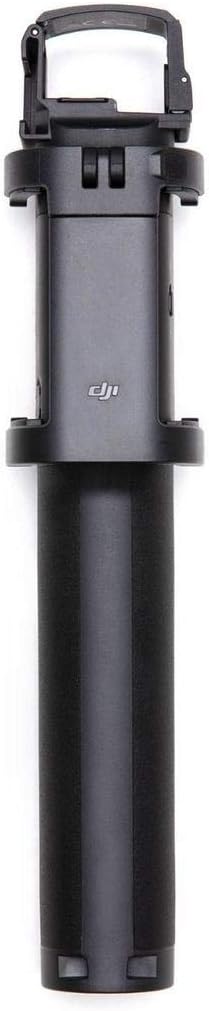
Image: The DJI Osmo Pocket Extension Rod shown fully extended, providing an overview of its maximum length.
2. Using the Integrated Controls
The extension rod features a control stick and several buttons for direct control of your Osmo Pocket. Refer to your Osmo Pocket user manual for specific button functions and customization options.

Image: The DJI Osmo Pocket Extension Rod, showcasing its integrated control buttons and joystick, along with the foldable phone holder.
3. Ús com a trípode
The base of the extension rod can unfold to form a small tripod. To deploy, gently pull the legs outwards from the handle. Ensure the legs are fully extended and stable before placing on a surface. To fold, push the legs back into the handle until they are flush.
Video: This video demonstrates the unfolding and folding of the extension rod's legs to function as a tripod, and how to attach the Osmo Pocket camera.
Manteniment
- Keep the extension rod clean and free from dust and debris. Use a soft, dry cloth for cleaning.
- Avoid exposing the rod to extreme temperatures or direct sunlight for prolonged periods.
- Do not attempt to disassemble the rod, as this may void your warranty and cause damage.
- Emmagatzemar en un lloc fresc i sec quan no s'utilitzi.
Resolució de problemes
Issue: Osmo Pocket not connecting securely.
Solució: Ensure the universal port on the Osmo Pocket and the connector on the extension rod are clean and free of obstructions. Push firmly until a click is heard.
Issue: Extension rod sections are stiff or difficult to extend/retract.
Solució: Check for any foreign objects or debris lodged between the sections. Clean the rod thoroughly. Avoid forcing the sections, as this can cause damage.
Issue: Integrated controls are unresponsive.
Solució: Ensure your Osmo Pocket is properly attached and powered on. Check the connection between the Osmo Pocket and the extension rod. If the issue persists, consult the DJI Osmo Pocket user manual or DJI support.
Especificacions
| Model | CP.OS.00000003.01 |
| Dimensions (plegades) | 49.2 mm × 48 mm × 235 mm (1.94 polzades × 1.89 polzades × 9.25 polzades) |
| Dimensions (desplegada) | 49.2 mm × 48 mm × 755 mm (1.94 polzades × 1.89 polzades × 29.72 polzades) |
| Pes | 199 g (7 oz) |
| Tipus de bateria incorporada | LiPo |
| Capacitat de la bateria | 65 mAh |
| Interval de temperatura de funcionament | De 0 °C a 40 °C (32 °F a 104 °F) |
| Charging Environment Temperature Range | De 5 °C a 60 °C (41 °F a 140 °F) |
| Compatibilitat | DJI Osmo Pocket |
Garantia i Suport
For detailed warranty information and technical support, please visit the official DJI weblloc web o poseu-vos en contacte amb el servei d'atenció al client de DJI. Conserveu el rebut de compra per a reclamacions de garantia.
Oficial de DJI Weblloc: www.dji.com


