1. Introducció
This manual provides detailed instructions for the ipega PG-9162 Mini Wireless Game Controller. This controller is designed for use with the Nintendo Switch console, offering both wireless and wired connectivity options. It features a compact design, six-axis gyroscope, dual motor vibration, and a TURBO function to enhance your gaming experience.

Imatge 1.1: Frontal view of the ipega PG-9162 Mini Wireless Game Controller.
2. Característiques del producte
- Compatibilitat: Designed for the Nintendo Switch host, supporting both wireless and wired connections to the Switch dock.
- Disseny ergonòmic: Small and exquisite handle for comfortable grip during extended gaming sessions.
- Six-axis Gyroscope: Built-in six-axis gyro chip for precise motion control and fine-tuning assistance in games.
- Vibració de doble motor: Integrated dual motors provide immersive feedback based on in-game actions.
- Funció TURBO: Supports continuous TURBO function for rapid button presses.
- Llarga vida útil de la bateria: Built-in 380mAh battery capacity provides over 8 hours of continuous play.

Imatge 2.1: acabatview of key features including vibration, gyroscope, and TURBO function.
3. Contingut del paquet
- ipega PG-9162 Mini Wireless Game Controller
- Cable de càrrega USB (tipus C)
- Manual d'usuari

Image 3.1: Retail packaging of the ipega PG-9162 controller.
4. Producte acabatview
The ipega PG-9162 controller features standard gamepad buttons and joysticks, designed for intuitive control. Familiarize yourself with the layout:

Imatge 4.1: Part superior view of the controller highlighting its button layout.
- Stick analògic esquerre: Per al moviment i el control de la càmera.
- D-Pad: Entrada direccional.
- Botó d'inici: Returns to the Switch home menu.
- Botó de captura de pantalla: Fa captures de pantalla.
- Stick analògic dret: For camera control or specific in-game actions.
- Botons d'acció (A, B, X, Y): Per a accions dins del joc.
- Botons d'espatlla (E, R) i gallets (ZL, ZR): Per a diverses funcions del joc.
- Plus (+) & Minus (-) Buttons: For menu navigation and options.
- Indicadors LED: Mostra l'estat de la connexió i el nivell de la bateria.
5. Configuració i connexió
5.1 Connexió sense fil a la Nintendo Switch
- Assegura't que la consola Nintendo Switch estigui engegada i actualitzada amb el programari del sistema més recent.
- Al menú INICI, seleccioneu "Controlants" > "Canvia l'empunyadura/l'ordre".
- On the ipega PG-9162 controller, press and hold the Botó d'inici i Botó Y simultaneously for a few seconds until the LED indicators start flashing rapidly. This indicates pairing mode.
- The Switch console will detect the controller. Once detected, the LED indicators on the controller will become solid, indicating a successful connection.
- You can now use the controller wirelessly with your Nintendo Switch.
5.2 Wired Connection to Nintendo Switch Dock
- Place your Nintendo Switch console into its dock.
- Connect one end of the USB charging cable to the ipega PG-9162 controller and the other end to an available USB port on the Nintendo Switch dock.
- The controller will automatically connect to the Switch console via the wired connection.
- Ensure that "Pro Controller Wired Communication" is enabled in the Switch System Settings (System Settings > Controllers and Sensors > Pro Controller Wired Communication).
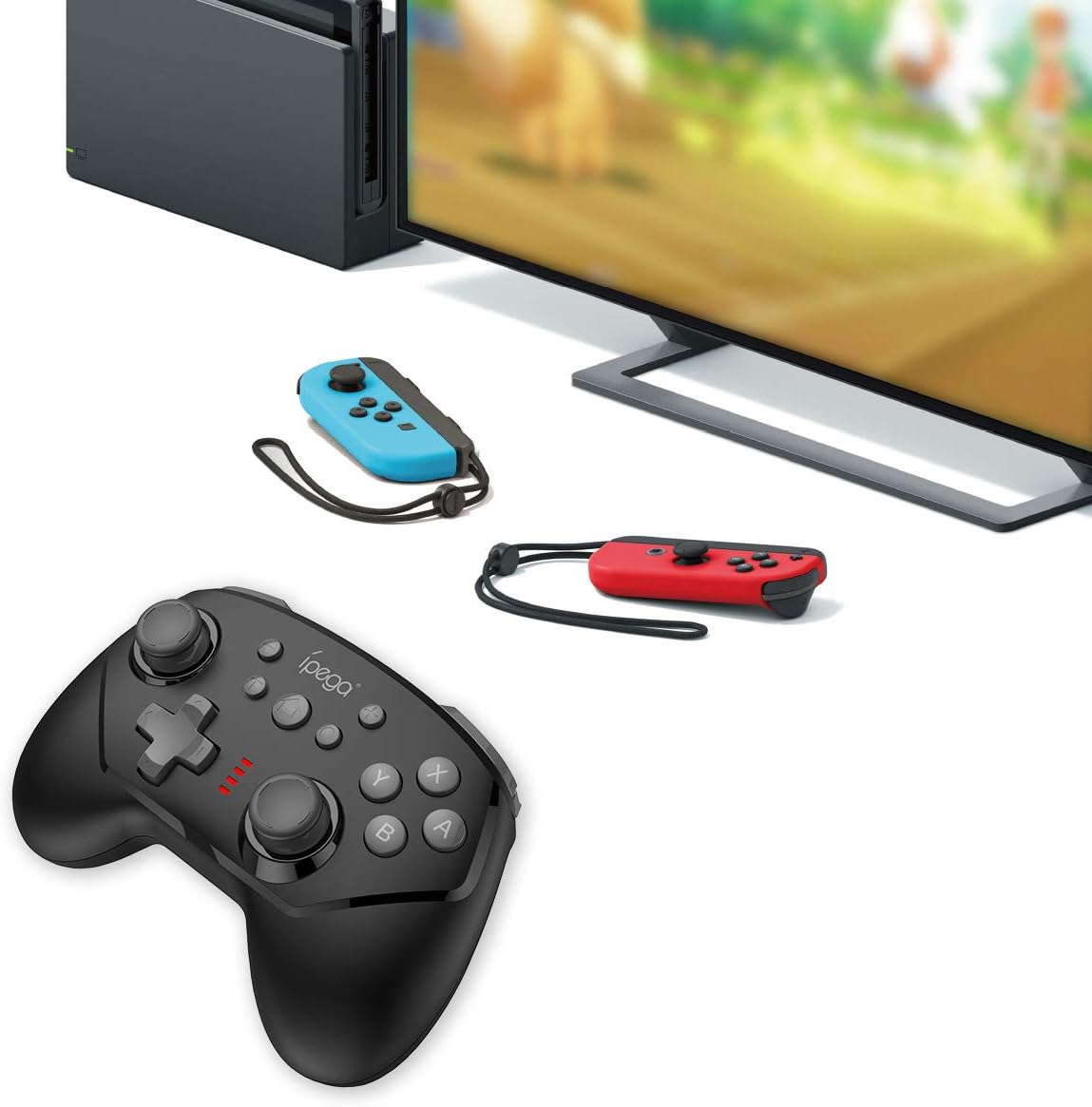
Image 5.1: The controller connected to a Nintendo Switch dock, demonstrating wired play.
6. Instruccions de funcionament
6.1 Funció TURBO
The TURBO function allows for rapid, continuous pressing of a button without repeatedly pressing it manually.
- To Set TURBO: Press and hold the desired action button (e.g., A, B, X, Y, L, R, ZL, ZR), then press the Botó TURBO once. The button will now continuously register presses as long as you hold it down.
- To Clear TURBO: Repeat the process: press and hold the button with TURBO enabled, then press the Botó TURBO again. The TURBO function for that specific button will be deactivated.
6.2 Six-axis Gyroscope
The built-in six-axis gyroscope provides motion control capabilities, allowing for precise aiming and in-game interactions by tilting and moving the controller.
- Ensure the game you are playing supports gyroscope controls.
- Calibrate the gyroscope if you experience drift or inaccurate motion sensing. Refer to your Nintendo Switch system settings for calibration options.

Image 6.1: Illustration of the six-axis gyroscope in action, enhancing aiming precision.
6.3 Funció de vibració
The dual motor vibration provides tactile feedback, immersing you further into the game by reacting to in-game events like collisions, explosions, or character actions.
- Vibration intensity is typically controlled by the game itself.
- If vibration is not working, check the in-game settings or Nintendo Switch system settings to ensure it is enabled.

Image 6.2: Visual representation of the built-in dual motor vibration feature.
7. Càrrega del controlador
The ipega PG-9162 controller has a built-in rechargeable battery. When the battery is low, the LED indicators will flash slowly.
- Connect the provided USB charging cable to the Type-C port on the controller.
- Connect the other end of the USB cable to a USB power source (e.g., Nintendo Switch dock, computer USB port, or a USB wall adapter).
- The LED indicators will show charging status. Once fully charged, the indicators will typically turn off or show a solid light.
- A full charge provides over 8 hours of gameplay.
8. Manteniment
- Keep the controller dry and away from moisture.
- Eviteu exposar el controlador a temperatures extremes.
- Netegeu el controlador amb un drap suau i sec. No utilitzeu productes químics agressius ni netejadors abrasius.
- Guardeu el controlador en un lloc segur quan no l'utilitzeu per evitar danys.
9. Solució De Problemes
9.1 El controlador no es connecta
- Assegureu-vos que el controlador estigui prou carregat.
- Verify the Nintendo Switch console is updated to the latest system software.
- Repeat the pairing process (Section 5.1).
- If using wired connection, ensure "Pro Controller Wired Communication" is enabled in Switch settings.
- Try restarting both the controller and the Nintendo Switch console.
9.2 Retard d'entrada o desconnexions
- Assegureu-vos que no hi hagi interferències electromagnètiques fortes a prop.
- Apropa't més a la consola Nintendo Switch.
- Disconnect other wireless devices that might be causing interference.
9.3 Els botons no responen
- Comproveu si el controlador està connectat correctament.
- Test the buttons in the Switch's controller test menu (System Settings > Controllers and Sensors > Test Input Devices).
- Netegeu al voltant dels botons per assegurar-vos que no hi hagi residus que els obstrueixin.
10. Especificacions
| Marca | ipega |
| Número de model | PG-9162 |
| Connectivitat | Sense fil (Bluetooth), amb cable (USB) |
| Capacitat de la bateria | 380 mAh |
| Durada de la bateria | >8 hours (approx.) |
| Característiques especials | Six-axis Gyroscope, Dual Motor Vibration, TURBO Function |
| Compatibilitat | Nintendo Switch |
| Dimensions | 17.53 x 13.72 x 6.6 cm (aprox.) |
| Pes | 295 g (aprox.) |
11. Garantia i Suport
This product comes with a standard manufacturer's warranty. For specific warranty terms, please refer to the documentation included with your purchase or contact the retailer. For technical support or further assistance, please visit the official ipega weblloc o poseu-vos en contacte amb el seu departament d'atenció al client.
Fabricant: ipega
Data de primera disponibilitat: 2 d'agost de 2019


