Producte acabatview
The Logitech Signature M650 L is a wireless mouse designed for comfort and efficiency, featuring SmartWheel scrolling, silent clicks, and versatile connectivity options. It is suitable for large hands and offers customizable buttons for enhanced productivity.

Image: The Logitech Signature M650 L Wireless Mouse, shown in pink, highlighting its ergonomic design.
Vídeo: Un overview of the Logitech Signature M650 L mouse, demonstrating its SmartWheel scrolling, silent clicks, long battery life, and multi-device connectivity.
Instruccions de configuració
1. Desembalatge i instal·lació de la bateria
Your Logitech Signature M650 L mouse comes with one AA battery pre-installed. To activate the mouse, remove the pull tab from the battery compartment. If replacing the battery, open the battery cover located on the underside of the mouse and insert a fresh AA battery, ensuring correct polarity.

Image: The underside of the mouse, illustrating the battery compartment and the storage slot for the Logi Bolt USB receiver.
2. Connectar el ratolí
The Signature M650 L offers two connection methods: Bluetooth Low Energy or the Logi Bolt USB receiver.
- Ús del receptor USB Logi Bolt:
- Remove the Logi Bolt USB receiver from the battery compartment.
- Connecteu el receptor USB Logi Bolt a un port USB-A disponible de l'ordinador.
- Turn on the mouse using the power switch on the underside. The mouse should connect automatically.
- Ús de Bluetooth de baix consum:
- Engegueu el ratolí amb l'interruptor d'engegada que es troba a la part inferior.
- Press and hold the connection button on the underside of the mouse until the LED light starts blinking rapidly, indicating pairing mode.
- On your computer or device, navigate to Bluetooth settings and select "Logitech Signature M650 L" from the list of available devices to pair.

Image: The mouse positioned between Bluetooth and Logi Bolt USB receiver icons, indicating dual connectivity options.
3. Install Logitech Options+ Software
For full customization of your mouse buttons and advanced features, download and install the Logitech Options+ software from the official Logitech weblloc. Aquest programari està disponible per a Windows i macOS.
Instruccions de funcionament
Desplaçament amb la roda intel·ligent
The SmartWheel provides two modes of scrolling: line-by-line precision for documents and hyper-fast scrolling for long web pages. The mouse automatically switches between these modes based on your scrolling speed, or you can manually switch by pressing the scroll wheel.
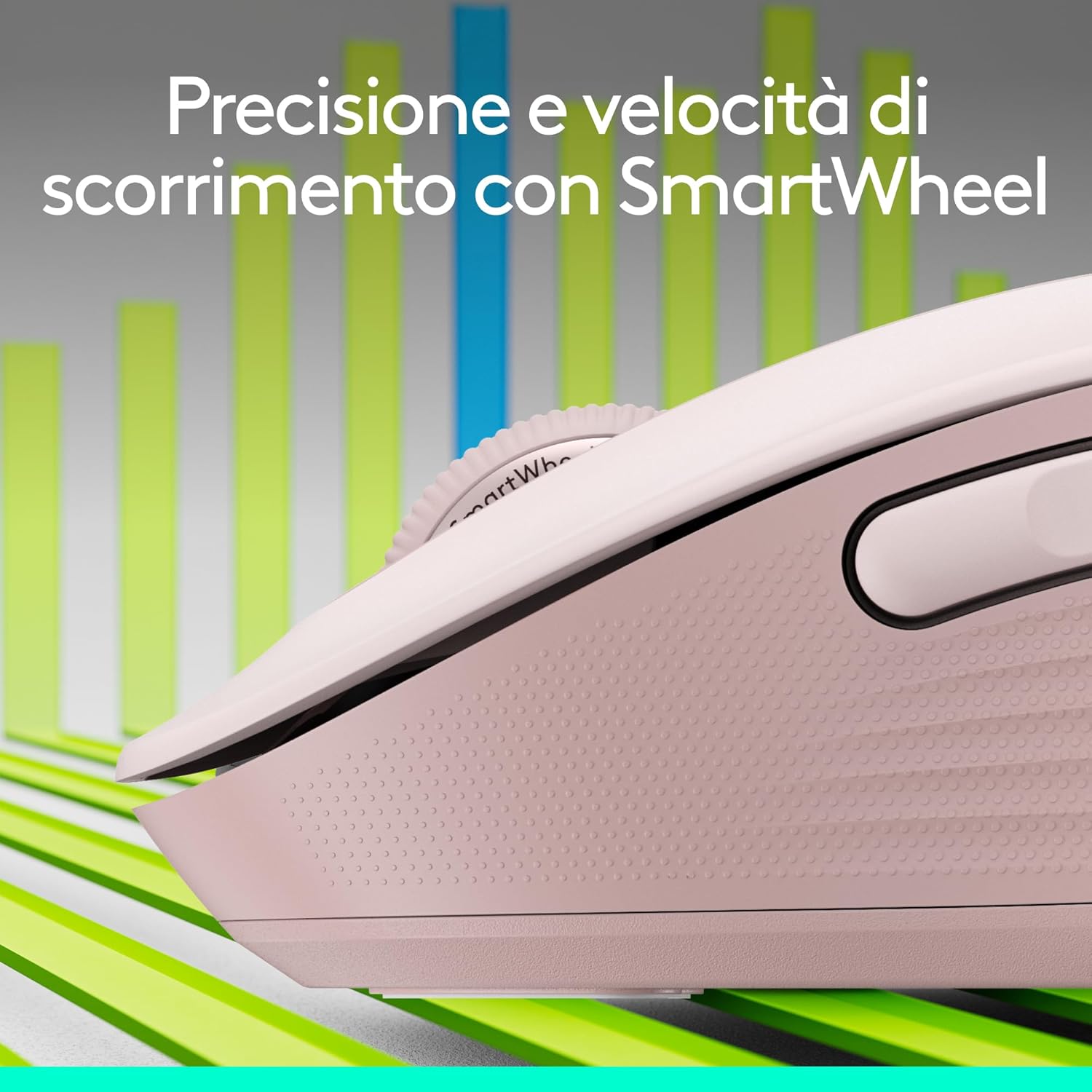
Imatge: Un primer pla view of the SmartWheel, emphasizing its design for precise and fast scrolling.
Clics silenciosos
The Signature M650 L features Logitech SilentTouch technology, reducing click noise by 90% compared to traditional mice. This allows for a quieter working environment.

Image: A user operating the mouse in a calm setting, illustrating the benefit of silent clicks.
Botons laterals personalitzables
The two side buttons on the mouse can be customized using the Logitech Options+ software. You can assign them to your preferred shortcuts, such as back/forward, copy/paste, or other functions to streamline your workflow.

Image: A screenshot of the Logitech Options+ software, demonstrating how to customize the mouse's side buttons.
Disseny ergonòmic
The Signature M650 L is designed for comfort during long hours of use, featuring a contoured shape, a soft thumb area, and rubber side grips. This model is specifically sized for large hands.

Imatge: Una imatge detallada view of the mouse's comfortable shape and textured rubber side grips.
Compatibilitat multiplataforma
The mouse is compatible with a wide range of operating systems, including Windows, macOS, Linux, ChromeOS, iPadOS, and Android. It is also Works with Chromebook certified.

Image: Icons illustrating the broad compatibility of the mouse across various operating systems.
Manteniment
Canvi de bateria
The Logitech Signature M650 L mouse operates on a single AA battery, providing up to 24 months of battery life. When the battery is low, the LED indicator on the mouse will turn red. To replace the battery, open the battery compartment on the underside of the mouse, remove the old battery, and insert a new AA battery, ensuring the correct positive (+) and negative (-) orientation.
Instruccions de neteja
Per netejar el ratolí, feu servir un drap suau i sense borrissol. Per a la brutícia persistent, netegeu-lo lleugerament.ampen the cloth with water or a mild cleaning solution. Avoid using harsh chemicals, abrasive cleaners, or submerging the mouse in liquid.
Resolució de problemes
Problemes de connexió
- Mouse not connecting via Logi Bolt:
- Ensure the Logi Bolt receiver is securely plugged into a USB-A port.
- Prova amb un port USB diferent.
- Assegureu-vos que el ratolí estigui encès.
- Re-pair the mouse using the Logitech Options+ software if necessary.
- El ratolí no es connecta per Bluetooth:
- Assegureu-vos que el Bluetooth estigui habilitat al vostre dispositiu.
- Ensure the mouse is turned on and in pairing mode (blinking LED).
- Remove the mouse from your device's Bluetooth list and attempt to re-pair.
- Try connecting to another Bluetooth-enabled device to rule out device-specific issues.
Cursor Movement or Responsiveness Issues
- Comproveu el nivell de la bateria i substituïu-la si és baixa.
- Assegureu-vos que el sensor òptic de la part inferior del ratolí estigui net i lliure de brutícia.
- Use the mouse on a suitable surface; highly reflective or uneven surfaces may affect tracking.
- Adjust the pointer speed settings in your operating system or Logitech Options+ software.
Els botons no responen
- Comproveu el nivell de la bateria.
- Ensure the Logitech Options+ software is installed and updated, as custom button assignments may require it.
- Reinicieu l'ordinador i el ratolí.
Especificacions
| Característica | Detall |
|---|---|
| Marca | Logitech |
| Model | Signature M650 L Full Size Wireless Mouse |
| Color | Rosa |
| Dimensions | 11.82 x 6.56 x 4.15 cm |
| Pes | 160 grams |
| Tecnologia de connectivitat | Bluetooth de baix consum, receptor USB Logi Bolt |
| Tecnologia de detecció de moviment | Òptic |
| Característiques especials | Wireless, Silent Clicks (SilentTouch), SmartWheel, Customizable Buttons |
| Font d'alimentació | 1 bateria AA (inclosa) |
| Durada de la bateria | Fins a 24 mesos |
| Sistemes operatius compatibles | Windows® 10, 11 or later, macOS, Linux, Chrome OS, iPadOS 13.4 or later, Android™ 8.0 or later |

Image: A visual comparison showing the dimensions of the standard M650 and the larger M650 L models.
Garantia i Suport
Els productes Logitech es fabriquen amb alts estàndards de qualitat i estan dissenyats per oferir un rendiment fiable. Per obtenir informació detallada sobre la garantia, consulteu la targeta de garantia inclosa amb el producte o visiteu el servei d'assistència oficial de Logitech. weblloc.
For technical assistance, troubleshooting guides, and software downloads, please visit Suport Logitech.