1. Introducció
This manual provides essential information for setting up, operating, and maintaining your vivo Y200 Pro 5G smartphone. The device features a dual 64MP+2MP rear camera, a 16MP selfie camera, and is powered by a Snapdragon 695 Processor. It includes 8GB RAM, 128GB internal storage, and supports 44W fast charging for its 5000 mAh battery. The display is a 17.22cm (6.78") 3D Curved AMOLED with a 120 Hz refresh rate.
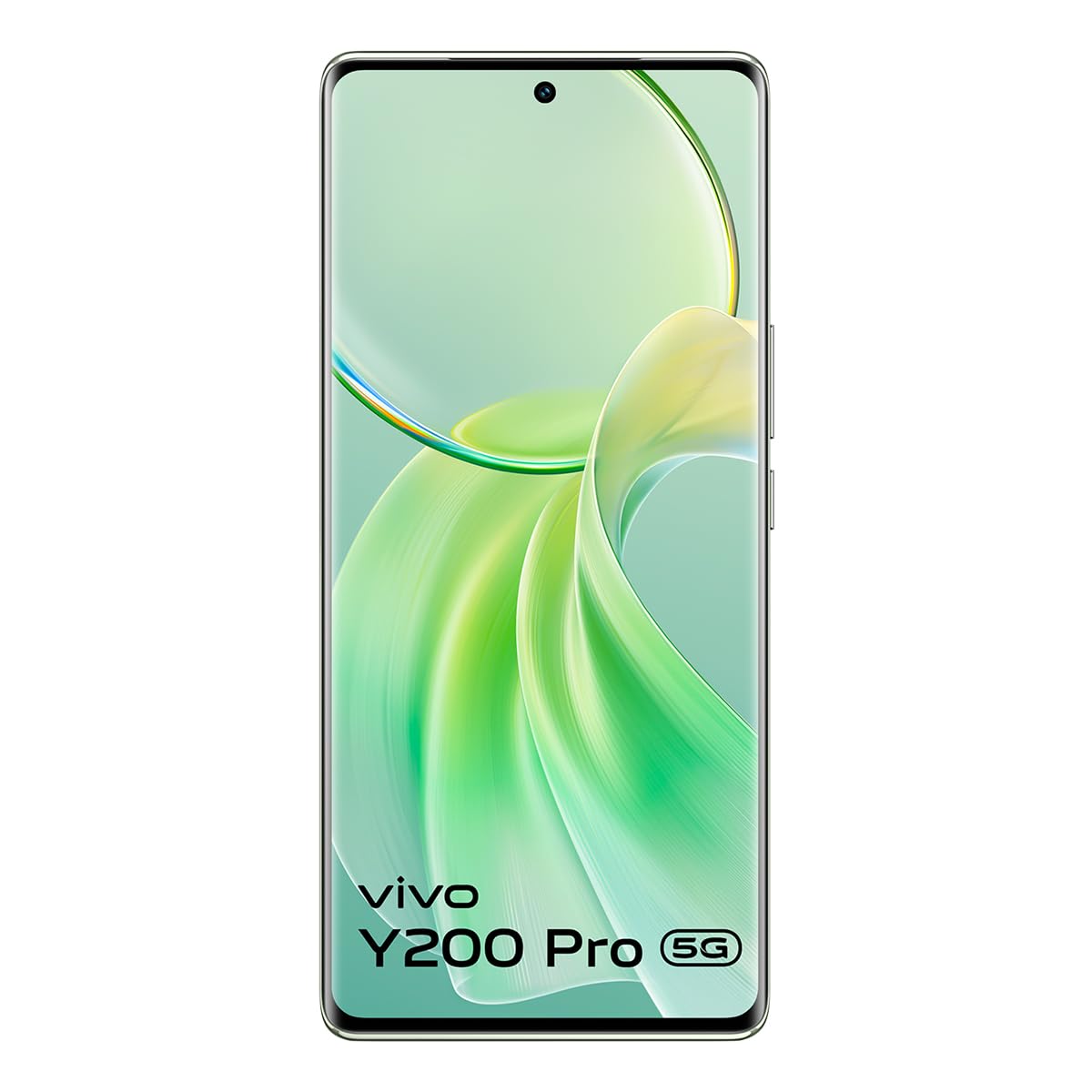
Image 1.1: The vivo Y200 Pro 5G smartphone. This image displays the device's sleek design, highlighting its 3D Curved AMOLED display and the rear camera module.
2. Què hi ha a la caixa
Upon opening the packaging, verify that all the following items are present:
- vivo Y200 Pro 5G Smartphone
- Adaptador d'alimentació
- Cable USB (tipus C)
- Expulsor de la safata SIM
- Funda de telèfon
- Guia d'inici ràpid (es pot incloure per separat)
- Safety Information (may be included separately)
Image 2.1: Illustration of the vivo Y200 Pro 5G retail box contents. This image would typically show the smartphone, charger, USB cable, SIM ejector tool, and protective case.
3. Configuració
3.1. Instal·lació de la targeta SIM
- Localitza la safata de la targeta SIM al lateral del dispositiu.
- Introduïu l'eina d'expulsió de la safata de la SIM al forat petit que hi ha al costat de la safata i premeu suaument fins que la safata surti.
- Place your Nano-SIM card(s) and/or microSD card (if applicable) into the tray with the gold contacts facing down, ensuring they are correctly oriented.
- Torneu a inserir la safata amb cura al telèfon fins que encaixi al seu lloc.
Image 3.1: Diagram showing the correct insertion of SIM and microSD cards into the SIM tray. This image would illustrate the SIM tray's location and the proper alignment for the cards.
3.2. Engegada i configuració inicials
- Press and hold the Power button (located on the right side of the device) until the vivo logo appears.
- Segueix les instruccions que apareixen a la pantalla per seleccionar l'idioma i la regió, connectar-te a la Wi-Fi i configurar el teu compte de Google.
- Configure security features such as the in-display optical fingerprint sensor and a screen lock method (PIN, pattern, or password).
3.3. Carregant la bateria
Connect the USB cable to the phone's USB-C port and the power adapter. Plug the adapter into a power outlet. The vivo Y200 Pro 5G supports 44W fast charging. It is recommended to fully charge the device before first use.
Image 3.2: Image depicting the vivo Y200 Pro 5G connected to its charger. This image would show the USB-C port and the charging adapter.
4. Funcionament del vostre dispositiu
4.1. Pantalla i navegació
The vivo Y200 Pro 5G features a 17.22 cm (6.78") 3D Curved AMOLED display with a 120 Hz refresh rate, providing a smooth visual experience. Navigate the Funtouch OS 14 interface using touch gestures.
4.2. Funcions de la càmera
El dispositiu està equipat amb un sistema de càmeres versàtil:
- Càmera posterior: Dual 64MP (main) + 2MP (depth/macro) setup.
- Càmera frontal: 16MP per a selfies i videotrucades.
Les funcions de la càmera inclouen:
- Davant: Night, Portrait, Photo, Video, Micro Movie, Live Photo, Double Exposure.
- posterior: Night, Portrait, Photo, Video, Micro Movie, High resolution, Pano, Live Photo, Slo-mo, Time-lapse, Pro, Documents, Double Exposure, Dual View, Superlluna.
Imatge 4.1: Primer pla view of the vivo Y200 Pro 5G's rear camera module. This image would highlight the dual camera lenses and flash.
4.3. Security: In-display Fingerprint Sensor
The device features an in-display optical fingerprint sensor for secure and convenient unlocking. To set it up, navigate to Configuració > Seguretat > empremta digital i seguiu les instruccions a la pantalla.
4.4. Rendiment i emmagatzematge
The vivo Y200 Pro 5G is powered by a Snapdragon 695 processor (6nm architecture) and comes with 8GB RAM and 128GB internal storage (UFS 2.2). This configuration ensures smooth multitasking and ampespai per a aplicacions i suports multimèdia.
4.5. Gestió de la bateria
The 5000 mAh battery provides extended usage. To optimize battery life, manage background app usage, reduce screen brightness, and utilize power-saving modes available in Configuració > Bateria.
5. Manteniment
5.1. Actualitzacions de programari
Comproveu i instal·leu regularment si hi ha actualitzacions de programari per garantir un rendiment òptim, seguretat i accés a noves funcions. Navegueu a Configuració > Actualització del sistema per comprovar si hi ha actualitzacions disponibles. Assegureu-vos que el dispositiu estigui prou carregat i connectat a la Wi-Fi abans d'iniciar una actualització.
5.2. Neteja del dispositiu
Feu servir un drap suau i sense borrissol per netejar la pantalla i la carcassa del telèfon. Eviteu utilitzar productes químics agressius o materials abrasius. Per a taques difícils, netegeu lleugerament.ampNetegeu el drap amb aigua o un netejador de pantalles dissenyat específicament per a electrònica.
6. Solució De Problemes
This section addresses common issues you might encounter with your vivo Y200 Pro 5G.
- El dispositiu no s'encén: Ensure the battery is charged. Connect the charger and wait a few minutes before attempting to power on again. If unresponsive, try a forced restart by holding the Power button for approximately 10-15 seconds.
- Les aplicacions es bloquegen o es bloquegen: Close the problematic app and reopen it. If the issue persists, clear the app's cache (Configuració > Aplicacions > [Nom de l'aplicació] > Emmagatzematge i memòria cau > Esborra la memòria cau) or restart the device.
- Mala connectivitat de xarxa: Check if Airplane Mode is off. Restart your device. Verify your SIM card is properly inserted. Contact your network provider if the issue continues.
- El sensor d'empremtes dactilars no funciona: Assegureu-vos que el dit estigui net i sec. Torneu a registrar la vostra empremta digital a Configuració > Seguretat > empremta digital si cal.
- La bateria s'esgota ràpidament: Review ús de l'aplicació en Configuració > Bateria. Reduce screen brightness, disable unnecessary features like GPS or Bluetooth when not in use, and enable power-saving modes.
For more complex issues, refer to the official vivo support weblloc o contacteu amb el servei d'atenció al client.
7. Especificacions
| Característica | Detall |
|---|---|
| Sistema operatiu | Funtouch OS 14 |
| RAM | 8 GB |
| Emmagatzematge intern | 128 GB (UFS 2.2) |
| Processador | Snapdragon 695 (6nm architecture) |
| Mostra | 17.22 cm (6.78") 3D Curved AMOLED, 120 Hz refresh rate, 2340 x 1080 resolution |
| Càmera posterior | Dual 64MP + 2MP |
| Càmera frontal | 16MP |
| Bateria | 5000 mAh d'ions de liti |
| Carregant | Càrrega ràpida de 44 W |
| Dimensions (LxWxH) | 16.4 x 7.5 x 0.8 cm |
| Pes | 183 g |
| Connectivitat | 5G Cellular, USB, Bluetooth, GLONASS GPS |
| Característiques especials | In-display optical fingerprint sensor, Dual Camera |
8. Garantia i Suport
Your vivo Y200 Pro 5G smartphone comes with a standard manufacturer's warranty. For detailed warranty terms and conditions, please refer to the warranty card included in your product packaging or visit the official vivo weblloc.
Fabricant: vivo Mobile India Pvt Ltd, Tech-1 and Tech-2, World Trade Centre, Plot no-TZ-13A, Techzone (I.T. Park), Greater Noida, Uttar Pradesh, India. Pin - 201308.
For technical support, service inquiries, or to find authorized service centers, please visit the official vivo support portal or contact their customer service helpline.
9. Vídeos oficials de productes
No s'han trobat vídeos oficials de productes del venedor a les dades proporcionades per incrustar en aquest manual.


