Introducció
This manual provides essential information for the setup, operation, and maintenance of your OREI Sony UBP-X800M2 Region Free 4K UHD Blu-ray Player. This player is designed for worldwide use, supporting all Blu-ray disc zones (A/B/C) and DVD regions (0-8), with a built-in NTSC↔PAL 4K HD converter. Enjoy stunning 4K UHD visuals, high-resolution audio including Dolby Atmos and DTS:X, and seamless access to streaming services via Wi-Fi or Ethernet.

Figura 1: Frontal view of the OREI Sony UBP-X800M2 4K UHD Blu-ray Player.
Configuració
1. Desembalatge i col·locació
- Traieu amb cura tots els components de l'embalatge.
- Place the player on a stable, level surface with adequate ventilation.
- Ensure no objects block the ventilation openings.
2. Connexió al teu televisor
Connect the player to your TV using an HDMI cable for optimal 4K UHD video and audio.
- Connecteu un extrem del cable HDMI a la SORTIDA HDMI port on the rear of the Blu-ray player.
- Connecteu l'altre extrem del cable HDMI a una entrada HDMI del vostre televisor.
- If using an audio receiver, connect the player's HDMI OUT to the receiver's HDMI IN, then the receiver's HDMI OUT to the TV's HDMI IN.

Figure 2: Rear panel connections, showing HDMI, LAN, and audio outputs.
3. Connexió d'alimentació
- Connect the AC power cord to the player's power input and then to a suitable electrical outlet.
4. Network Connection (Optional)
For streaming services and firmware updates, connect the player to your home network.
- Connexió per cable: Connect an Ethernet cable from the player's LAN (100) port to your router or modem.
- Connexió sense fil: Navigate to the network settings in the player's menu to connect to your Wi-Fi network.
5. Region Changing Instructions
This player supports all DVD regions (0-8) automatically. Blu-ray regions (A, B, C) are changed manually using the remote control.
- Turn the player ON i OPEN THE DISC TRAY.
- Once the tray is completely open, press the corresponding colored button on the remote to select the desired Blu-ray region:
- Zona A: Premeu el botó BOTÓ GROC al comandament a distància.
- Zona B: Premeu el botó BOTÓ BLAU al comandament a distància.
- Zona C: Premeu el botó BOTÓ VERMELL al comandament a distància.
- Ara podeu posar el disc a la safata i tancar la safata.

Figure 3: Remote control with colored buttons for region selection.
Instruccions de funcionament
1. Reproducció de disc
The player supports a wide range of disc formats, including 4K UHD Blu-ray, standard Blu-ray, Blu-ray 3D, DVD, CD, and Super Audio CD (SACD).
- Premeu el botó OBRIR/TANCAR botó del reproductor o del comandament a distància per obrir la safata del disc.
- Col·loqueu el disc suaument a la safata amb l'etiqueta cap amunt.
- Premeu el botó OBRIR/TANCAR botó de nou per tancar la safata.
- The player will automatically begin playback or display a disc menu.

Figura 4: Frontal view of the player with the disc tray open, ready for disc insertion.
2. Serveis de transmissió en temps real
Access popular streaming services like Netflix and YouTube directly from the player's home menu.
- Ensure the player is connected to the internet (Wi-Fi or Ethernet).
- From the home screen, select the desired streaming application.
- Inicia la sessió amb les credencials del teu compte per començar a reproduir en streaming.
3. Reproducció multimèdia USB
Reprodueix contingut multimèdia files (audio, video, photos) from a USB storage device.
- Insert your USB device into the front USB port.
- Select the USB option from the player's home menu to browse and play your media.
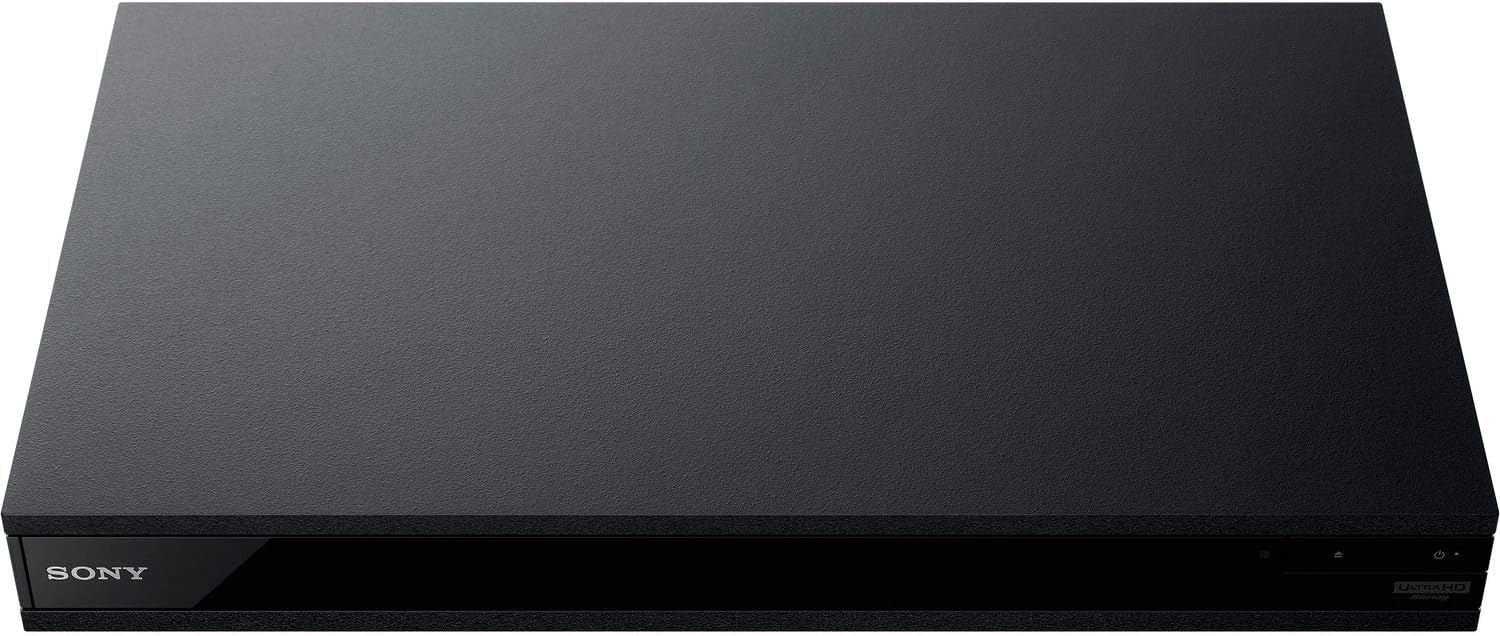
Figura 5: Frontal view of the player with a USB drive inserted into the front port.
Manteniment
1. Cleaning the Player
- Netegeu l'exterior del reproductor amb un drap suau i sec.
- No utilitzeu netejadors abrasius, ceres ni dissolvents.
- Ensure ventilation openings remain clear of dust and debris.
2. Cura del disc
- Handle discs by their edges to avoid fingerprints and scratches.
- Netegeu els discos amb un drap suau i sense borrissol, netejant des del centre cap a fora.
- Store discs in their cases away from direct sunlight and extreme temperatures.
3. Actualitzacions de firmware
Firmware updates can be done via the internet to ensure optimal performance and access to the latest features.
- Go to the home menu, then setup menu, and then to Software Update.
- Click on "Update Via Internet". If a new firmware is available, the player will automatically update.
- NO turn off the player while it is updating.
- NO perform firmware updates by USB unless instructed by OREI support.
Resolució de problemes
Problemes comuns
- Sense imatge/so:
- Check all HDMI and audio cable connections.
- Ensure the TV input is set to the correct HDMI port.
- Verify the player is powered on.
- Disc Does Not Play:
- Assegureu-vos que el disc estigui net i sense ratllades.
- Verifiqueu que el disc estigui inserit correctament (amb l'etiqueta cap amunt).
- For Blu-ray discs, confirm the player's region setting matches the disc's region (refer to "Region Changing Instructions" in the Setup section).
- Open the tray again and leave the disc in the tray. Once fully open, press the color button to select the region. Then close the tray.
- Region Code Error Message:
If you put in a disc before changing regions, you may get an error message indicating the wrong region. The player remembers this message. To remove that error, you need to reset the player.
- Premeu el botó CASA button on the remote with no disc inside to go to the home screen.
- Feu servir els botons de fletxa del comandament a distància per anar a la cantonada superior dreta on diu Configuració i premeu ENTRAR.
- Desplaceu-vos cap avall fins a Reinicialització a la part inferior del menú.
- Seleccioneu Restableix la configuració predeterminada de fàbrica.
- Desplaceu-vos cap avall i seleccioneu TOTA LA CONFIGURACIÓ i premeu ENTRAR -> Premeu Començar Enter -> Close ENTRAR.
- Apagueu el reproductor i torneu-lo a engegar al cap de 30 segons.
- Select Language English and then select quick start mode OFF. You may need to activate network settings again.
- If you prefer not to connect the player to the internet, you may press the CASA button and go to the home screen. Now start from step 1 under "Region Changing Instructions" to change regions.
Especificacions
| Marca | OREI |
| Nom del model | Sony X800M2 (UBP-X800M2) |
| Dimensions del producte | 19 x 14.1 x 3.8 polzades |
| Pes de l'article | 8.82 lliures (4000 grams) |
| Tipus de suport | Blu-Ray Disc, DVD, 4K UHD Blu-ray, Blu-ray 3D, CD, Super Audio CD |
| Resolució | 3840 x 2160 (4K UHD) |
| Tecnologia de connectivitat | Ethernet, HDMI, USB, Wi-Fi |
| Tipus de connector | HDMI |
| Mode de sortida d'àudio | Surround (Dolby Atmos, DTS:X, High-Resolution Audio) |
| Color | Negre |
| Bateries | Necessites 2 piles AAA (per a comandament a distància) |
| Característica especial | Region Free (Blu-ray Zones A/B/C, DVD Regions 0-8), Built-in NTSC↔PAL 4K HD Converter |
Garantia i Suport
Informació de la garantia
For specific warranty details, please refer to the warranty card included with your product or visit the official OREI weblloc web. Conserveu el rebut de compra com a comprovant de compra.
Atenció al client
If you encounter any issues or have questions regarding your OREI Sony UBP-X800M2 Blu-ray Player, please contact OREI customer support.
- Assistència en línia: Visita el OREI Store on Amazon per a preguntes freqüents i recursos de suport.
- Assistència tècnica: Contact OREI directly for technical support. (Specific contact details not provided in source data, please refer to product packaging or official weblloc).


