1. Producte acabatview
The Roku Voice Remote (Model RCAL7R) is designed to enhance your Roku streaming experience. It serves as an ideal replacement or upgrade for your existing Roku TV, Roku player, or Roku Smart Soundbar remote. This remote features intuitive voice control, dedicated TV power, volume, and mute buttons, and convenient pre-set channel shortcut buttons for quick access to popular streaming services. It is compatible with all Roku TV brands and most Roku streaming media players.
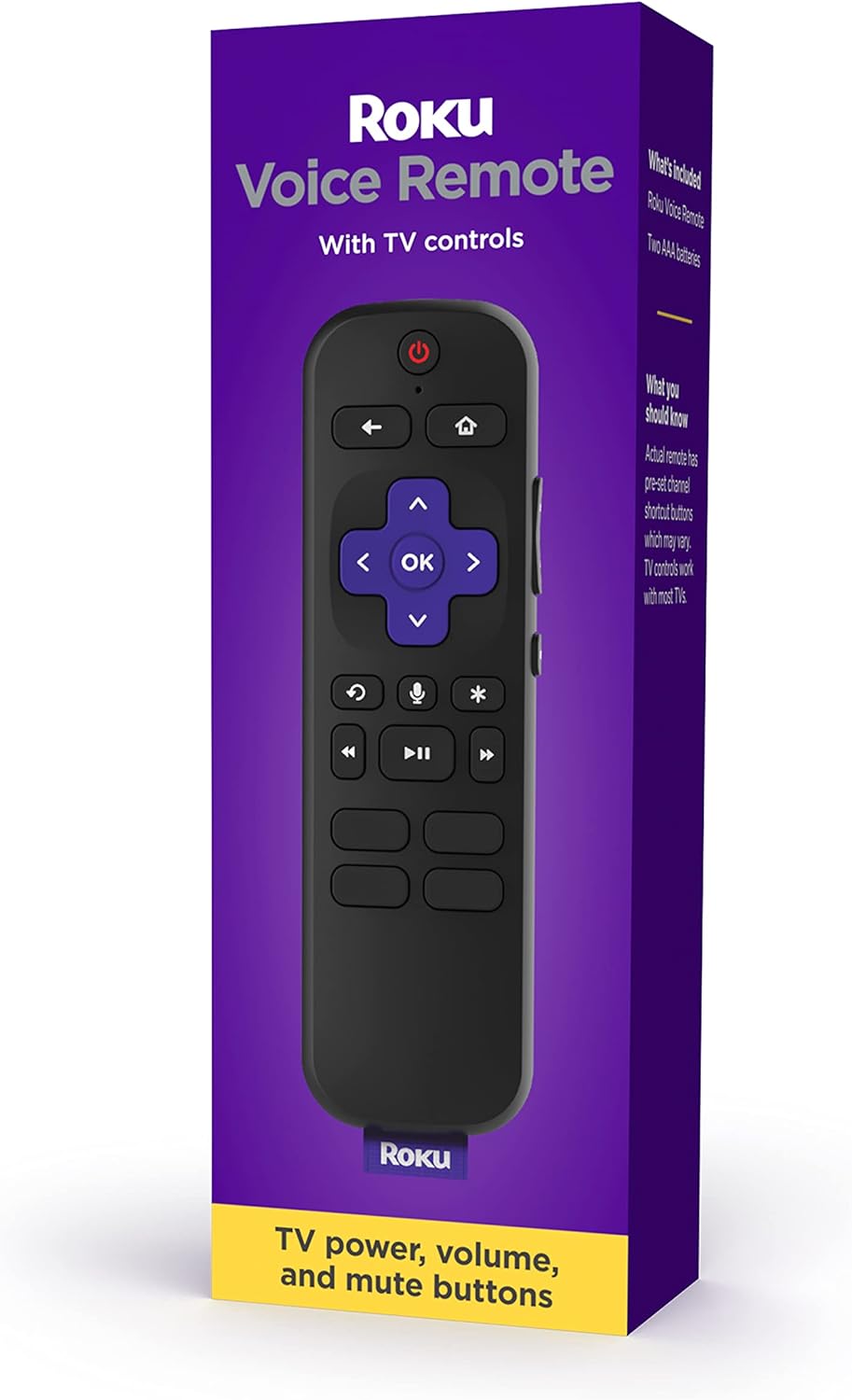
Image: The Roku Voice Remote in its official packaging, highlighting its key features.
2. Què hi ha a la caixa
Upon opening your Roku Voice Remote package, you will find the following items:
- One (1) Roku Voice Remote
- Dues (2) piles AAA

Image: A visual representation of the Roku Voice Remote and the two included AAA batteries, as found in the product box.
3. Guia de configuració
3.1. Introducció de piles
- Localitzeu el compartiment de la bateria a la part posterior del comandament a distància.
- Feu lliscar la tapa de la bateria cap avall per obrir-la.
- Insert the two included AAA batteries, ensuring the positive (+) and negative (-) ends align with the indicators inside the compartment.
- Feu lliscar la coberta de la bateria al seu lloc fins que faci un clic de manera segura.
3.2. Emparellar el comandament a distància
The Roku Voice Remote uses a wireless connection and must be paired with your Roku device. Follow these steps:
- Ensure your Roku device (Roku TV, Roku player, or Roku Smart Soundbar) is powered on and displaying the Roku home screen.
- With batteries inserted, open the battery compartment again.
- Locate the small pairing button inside the battery compartment.
- Press and hold the pairing button for approximately 5 seconds, or until the indicator light inside the compartment begins to flash green.
- The remote will automatically attempt to pair with your Roku device. A pairing message should appear on your TV screen.
- Once paired, the indicator light on the remote will stop flashing, and you can begin using your remote.
If pairing is unsuccessful, try moving closer to your Roku device and repeat the steps. You may also need to restart your Roku device by unplugging it from power for a few seconds and then plugging it back in.

Image: A close-up of the Roku Voice Remote, illustrating the location of the pairing button within the battery compartment.
4. Instruccions de funcionament
The Roku Voice Remote offers several ways to control your entertainment:
4.1. Standard Navigation
- Directional Pad (Purple Cross): Feu servir les fletxes amunt, avall, esquerra i dreta per navegar pels menús i seleccionar elements.
- Botó D'acord: Premeu per confirmar una selecció.
- Botó enrere (←): Torna a la pantalla o menú anterior.
- Botó d'inici (⌂): Torna a la pantalla d'inici de Roku.
- Controls de reproducció: Use the rewind (⏮), reproducció/pausa (⏸), and fast forward (⏭) buttons to control media playback.
4.2. Control per veu
The voice control feature allows you to search for content, launch channels, and control your Roku device using spoken commands.
- To activate voice control: Press and hold the Microphone button (🎙) al comandament a distància.
- Speak your command: While holding the button, clearly speak your command (e.g., "Cerca action movies," "Launch Netflix," "Turn on captions").
- Release the button: Release the Microphone button when you are finished speaking.

Image: A user holding the Roku Voice Remote and speaking a command, with a text bubble indicating "Launch Netflix" on the screen.
4.3. TV Controls
The Roku Voice Remote includes dedicated buttons to control your TV's power, volume, and mute functions (compatible with most TVs).
- Botó d'encendre (⏻): Encén o apaga el televisor.
- Botons de pujar / baixar de volum: Ajusta el volum del televisor.
- Botó Silenciar (🔇): Silencia o activa l'àudio del televisor.
4.4. Botons de drecera
Four pre-set channel shortcut buttons allow for quick access to popular streaming channels with a single press. Note that the specific channels assigned to these buttons may vary.

Imatge: Una imatge detallada view of the Roku Voice Remote, highlighting the layout of all buttons, including the pre-set channel shortcut buttons at the bottom.
5. Manteniment
5.1. Substitució de la bateria
When the remote's performance declines or it stops responding, it may be time to replace the batteries. Follow the steps in Section 3.1 to replace the two AAA batteries. Always use fresh, high-quality alkaline batteries for optimal performance.
5.2. Neteja
To clean your Roku Voice Remote, gently wipe it with a soft, dry, lint-free cloth. Do not use abrasive cleaners, waxes, or solvents. Avoid getting moisture into any openings.
6. Solució De Problemes
| Problema | Causa possible | Solució |
|---|---|---|
| El comandament a distància no respon | Low or dead batteries; remote not paired; interference. | Replace batteries. Re-pair the remote (see Section 3.2). Ensure no obstructions between remote and Roku device. |
| El control de veu no funciona | Microphone button not held down; poor internet connection; Roku device not compatible with voice search. | Ensure you are holding the Microphone button while speaking. Check your internet connection. Verify your Roku device supports voice search. |
| TV controls (power, volume, mute) not working | Incompatibility with TV model; remote not properly configured. | While the remote is compatible with most TVs, some models may not be fully supported. Ensure your Roku device is updated to the latest software. |
| Remote loses pairing frequently | Weak signal; interference; faulty batteries. | Move Roku device closer to the remote or vice versa. Check for other wireless devices causing interference. Replace batteries. |
For more detailed troubleshooting or specific issues, please refer to the official Roku support website or the comprehensive user guide available for download.
7. Especificacions
| Característica | Detall |
|---|---|
| Número de model | RCAL7R |
| Dimensions del producte | 5.6 x 1.7 x 0.8 polzades |
| Pes de l'article | 3.2 unces |
| Piles necessàries | 2 piles AAA (incloses) |
| Característica especial | Cerca per veu |
| Color | Negre |
| Dispositius compatibles | Roku Players, Roku TVs, Roku Audio devices |
| Connectivitat | Sense fil (RF) |

Image: The Roku Voice Remote with its approximate dimensions (5.5" length, 1.7" width) indicated.
8. Garantia i Suport
For information regarding product warranty, returns, or additional support, please refer to the official Roku website or contact Roku customer service directly.
Podeu descarregar una guia d'usuari detallada en format PDF:
Descarrega la Guia de l'usuari (PDF)
Visit the official Roku store for more products and support resources: Roku Store on Amazon


