1. Introducció
Thank you for choosing the Jimwey 9-inch GPS Navigation System. This device is designed to provide reliable and accurate navigation for various vehicles, including cars, trucks, and lorries. With its large display and comprehensive features, it aims to make your journeys safer and more efficient.
This manual will guide you through the setup, operation, maintenance, and troubleshooting of your new navigation system. Please read it carefully before use to ensure optimal performance and longevity of the device.

Figure 1: Jimwey 9-inch GPS Navigation System
This image shows the Jimwey 9-inch GPS Navigation System from the front, mounted on a suction cup stand. The screen displays a detailed map with a highlighted route, current speed (Tempo: 55 km/h), and a height limit warning (11.7ft Height Limit), indicating its suitability for larger vehicles like trucks.
2. Contingut del paquet
Abans de continuar amb la configuració, assegureu-vos que tots els elements que s'enumeren a continuació estiguin presents al paquet:
- Jimwey 9-inch GPS Navigation System
- Cable carregador de cotxe
- Cable de dades USB
- Suction Cup Mount (Sucker)
- Dashboard Mount (Adhesive Pad)
- English/German User Manual
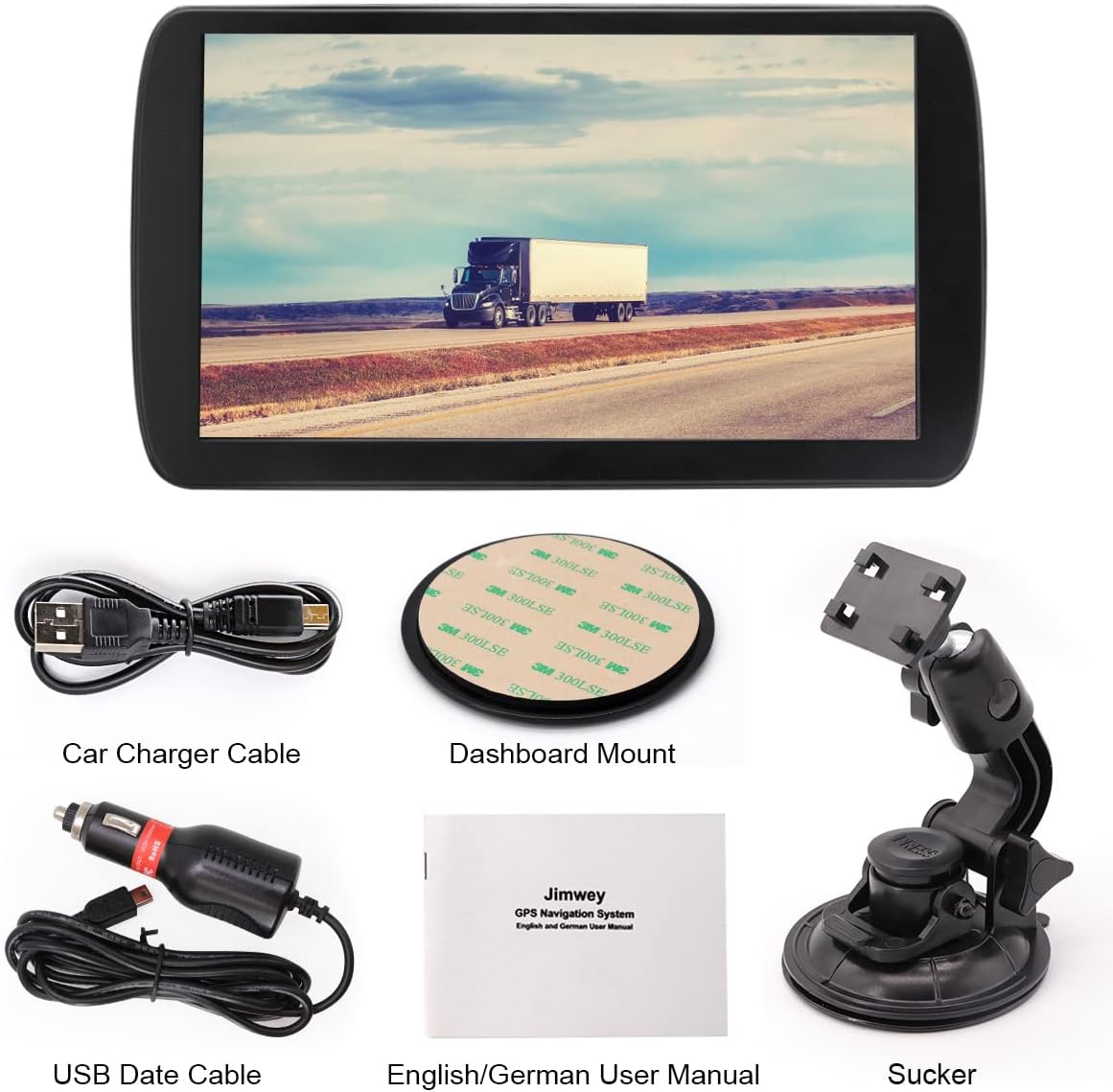
Figura 2: Contingut del paquet
This image displays all the components included in the Jimwey GPS Navigation System package: the main GPS unit, a car charger cable, a USB data cable, a dashboard mount adhesive pad, an English/German user manual, and a suction cup mount.
3. Configuració i instal·lació
3.1 Dispositiu acabatview
Familiarize yourself with the device's ports and buttons:
- Botó ON/OFF: Encén o apaga el dispositiu.
- Auriculars Jack: For audio output to headphones.
- Ranura per a targetes TF: For inserting a TransFlash (microSD) memory card.
- Interfície USB: For connecting to a computer or charging.
- Restableix el forat: To perform a hard reset (use a thin pin).

Figure 3: Device Ports and Dimensions
This diagram illustrates the physical layout of the Jimwey GPS device, highlighting key features such as the ON/OFF button, headphone jack, TF card slot, USB interface, and reset hole. It also provides approximate dimensions of the device (24cm width, 13.5cm height).
3.2 Opcions de muntatge
The Jimwey GPS Navigation System offers two primary mounting options:
- Muntatge del parabrisa: Attach the suction cup mount to a clean, smooth area on your windshield. Ensure it does not obstruct your view.
- Muntatge del tauler de control: Use the adhesive pad to secure the mount base to a flat, clean surface on your dashboard. This provides a more permanent installation.
Once the mount is secured, attach the GPS unit to the mount and adjust the viewing angle for optimal visibility without obstructing your driving view.

Figura 4: Opcions de muntatge
This image demonstrates two ways to mount the Jimwey GPS: on the windshield using the suction cup mount, and on the dashboard using an adhesive pad. Both setups show the device positioned for clear visibility from the driver's seat.
3.3 Engegada i configuració inicial
- Connect the device to your vehicle's power outlet using the provided car charger cable.
- Manteniu premut el botó ON/OFF botó per encendre el dispositiu.
- Upon first use, the system may prompt you to select your language, time zone, and other basic settings. Follow the on-screen instructions.
- Assegureu-vos que el dispositiu té una imatge clara view of the sky to acquire a GPS signal. This may take a few minutes for the initial fix.
4. Funcionament del sistema de navegació
4.1 Característiques principals
The Jimwey GPS Navigation System comes equipped with a variety of features to enhance your navigation experience:
- 12 Satellite Positioning: Ensures accurate and reliable location tracking.
- Transmissió de veu: Provides clear, turn-by-turn voice directions.
- POI & ZIP Search: Easily find Points of Interest (POIs) or search by postal code.
- Smart Route Planning: Calculates optimal routes based on various criteria.
- Maps & Free Updates: Comes with pre-loaded maps and supports free updates.
- Transmissor FM: Transmit audio from the GPS to your car's FM radio.
- Speed Warnings: Alerts you to speed limits and exceeding them.
- 2D/3D Map View Mode: Switch between two-dimensional and three-dimensional map displays.
- Reproducció de música: Reprodueix àudio files stored on the device or an inserted TF card.

Figure 5: Multifunction Sat Nav Features
This image displays a grid of nine icons, each representing a key feature of the Jimwey Sat Nav: 12 Satellite Positioning, Voice Broadcast, POI & ZIP Search, Smart Route Planning, Maps & Free Updates, FM Transmitter, Speed Warnings, 2D/3D Map View Mode, and Music Play.
4.2 Introducció d'una destinació
- From the main menu, tap "Navigation" or "Destination".
- Choose your preferred method of input: Address, POI, Coordinates, or History.
- Enter the required information using the on-screen keyboard.
- Confirm the destination. The system will calculate the route.
- Tap "Go" or "Start Navigation" to begin your journey.
4.3 Vehicle Modes and Restrictions
The Jimwey GPS supports various vehicle types, allowing for customized routing based on vehicle dimensions and weight. This is particularly useful for trucks and lorries to avoid restricted roads.
- Mode cotxe: Standard routing for passenger vehicles.
- Lorry/Truck Mode: Accounts for height, weight, length, and width restrictions, avoiding low bridges, weight-restricted roads, and narrow streets.
- Altres modes: Includes options for Taxi, Pedestrian, Bicycle, Bus, and Emergency vehicles, each with specific routing considerations.
To change the vehicle mode, navigate to "Settings" > "Vehicle Type" and select the appropriate option. Ensure you input accurate vehicle dimensions if using Lorry/Truck mode.

Figure 6: Supported Vehicle Types
This image is a collage showing various modes of transport supported by the GPS, including Car, Taxi, Lorry, Pedestrian, Bicycle, Bus, and Emergency vehicles, indicating the device's versatility in route planning.
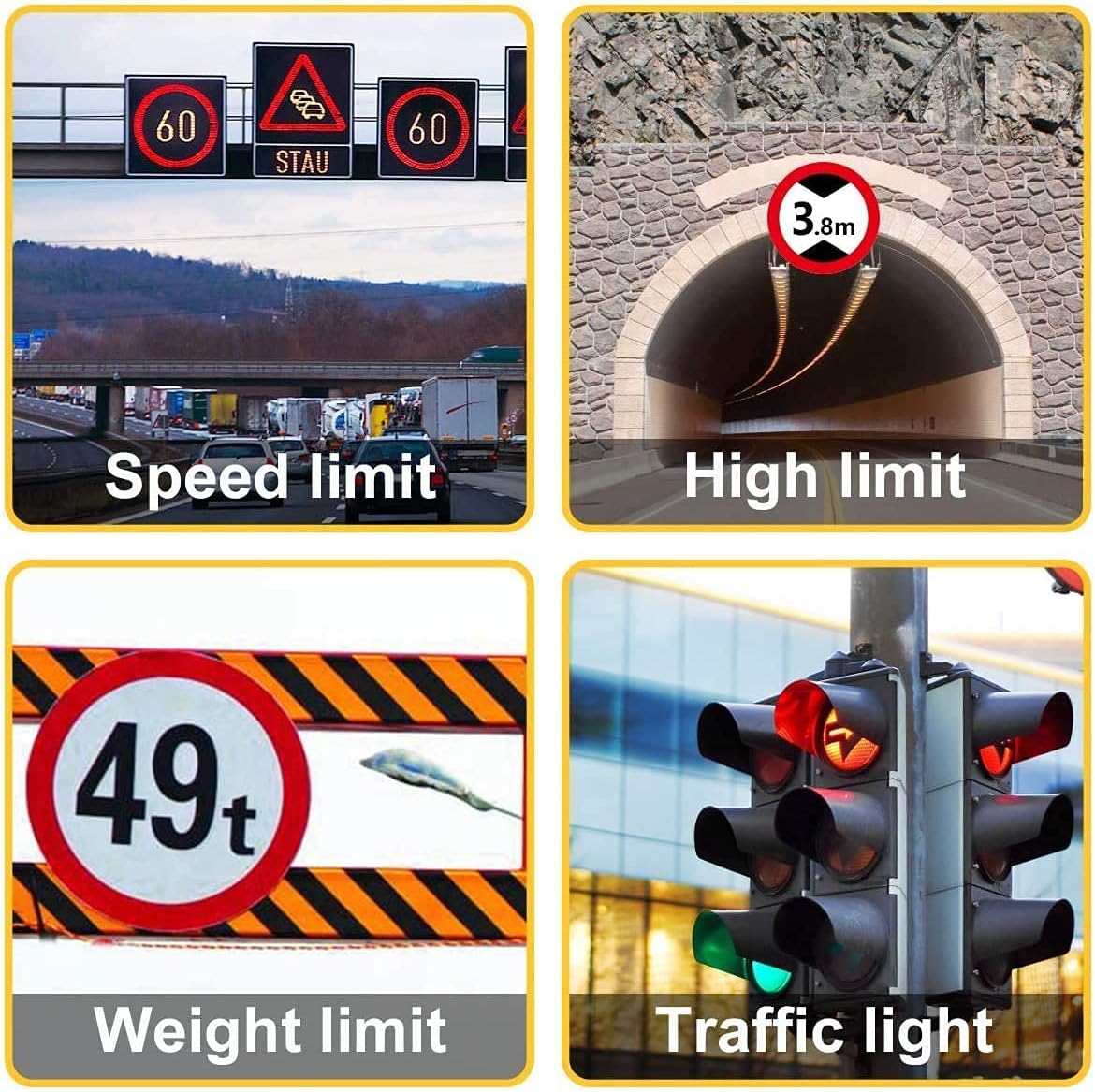
Figure 7: Road Restriction Awareness
This image displays four common road signs that the GPS system can account for: speed limit, high limit (e.g., tunnel clearance), weight limit, and traffic light information, crucial for safe navigation, especially for larger vehicles.
5. Manteniment
5.1 Neteja del dispositiu
To maintain the clarity of the screen and the device's appearance:
- Feu servir un drap suau i sense borrissol per netejar la pantalla i la carcassa.
- Per a taques persistents, lleugerament dampNetegeu el drap amb aigua o un netejador de pantalles.
- Avoid using abrasive cleaners, alcohol, or solvents, as these can damage the screen or casing.
5.2 Actualitzacions de mapes
To ensure you always have the most current map data, regularly check for updates. The Jimwey GPS Navigation System supports free map updates. Refer to the included user manual or the manufacturer's website for detailed instructions on how to download and install map updates.
Typically, map updates involve connecting the device to a computer via the USB data cable and using specific software provided by Jimwey.
6. Solució De Problemes
| Problema | Causa possible | Solució |
|---|---|---|
| El dispositiu no s'encén. | Low battery; faulty charger; device frozen. | Charge the device for at least 30 minutes. Check charger connection. Perform a reset using the reset hole. |
| Sense senyal GPS. | Obstruït view of sky; device indoors; first-time fix. | Mou-te a una zona oberta amb claredat view del cel. Espereu uns minuts per a l'adquisició del senyal. |
| La pantalla tàctil no respon. | Error de programari; pantalla bruta. | Clean the screen. Perform a soft reset (power cycle) or a hard reset. |
| Incorrect route calculation. | Outdated maps; incorrect vehicle settings. | Update maps to the latest version. Verify vehicle type and dimensions in settings. |
| Sense sortida d'àudio. | Volume too low; FM transmitter interference; speaker issue. | Increase volume. Check FM transmitter settings and frequency. Ensure no headphones are plugged in. |
If the problem persists after trying these solutions, please contact Jimwey customer support.
7. Especificacions
| Característica | Detall |
|---|---|
| Marca | Jimwey |
| Nom del model | Jimwey GPS Navi |
| Mida de la pantalla | 9 polzades |
| Resolució | 800 x 480 |
| Sistema operatiu | Wince 6.0 |
| Capacitat d'emmagatzematge de memòria | 16 GB |
| Mode de sortida d'àudio | Transmissor FM |
| Tipus de muntatge | Muntatge al parabrisa o al quadre de comandament |
| Any model | 2023 |
| Tipus de pantalla tàctil | Capacitiva |

Figure 8: Key Hardware Components
This image highlights three core components of the Jimwey GPS: its 9-inch touchscreen, the MediaTek2531 CPU, and the 2100mAh battery, emphasizing the device's internal specifications.
8. Garantia i Suport
Jimwey products are designed for reliability and performance. For information regarding warranty coverage, please refer to the warranty card included in your product package or visit the official Jimwey weblloc.
For technical support, troubleshooting assistance beyond this manual, or inquiries about parts and accessories, please contact Jimwey customer service through their official channels. Keep your purchase receipt and product model information handy when contacting support.


