Introducció
Thank you for choosing the Ajazz 308i Bluetooth Keyboard. This manual provides detailed instructions on how to set up, operate, and maintain your keyboard. Please read this manual carefully before use to ensure optimal performance and longevity of your device.

Figure 1: Ajazz 308i Bluetooth Keyboard Overview
The Ajazz 308i is a compact and lightweight wireless keyboard designed for convenience and portability. Its retro typewriter-inspired design with round keycaps offers a unique aesthetic and comfortable typing experience. It supports multiple operating systems, including Windows, Mac OS, iOS, and Android, making it a versatile choice for various devices.
Característiques
- Typewriter-Inspired Design: Features cute, round keycaps inspired by vintage typewriters, providing a visually pleasing and retro typing feel.
- Comfortable Round Keycaps: Designed based on research into finger and keycap contact area, offering a more comfortable typing experience. Chocolate keys use noise reduction technology for quiet and smooth typing.
- Lleuger i portàtil: With 84 keys and dimensions of 32cm x 13.6cm x 3cm, it is compact and easy to carry in a bag, suitable for on-the-go typing.
- Connectivitat sense fil Bluetooth: Utilizes Bluetooth 5.0 technology for stable transmission up to 10 meters, ensuring a reliable connection without cable clutter.
- Mode d'estalvi d'energia intel·ligent: Automatically enters standby mode after 15 minutes of inactivity to conserve battery life. Double-click any key to wake it up and automatically reconnect.
- Alimentació amb piles AAA: Operates on 2 AAA alkaline batteries, providing several months of use. Avoid using lithium batteries to prevent performance degradation.
- Compatibilitat multisistema: Compatible with Windows 7/8/10/XP, Mac OS, iOS, and Android devices (Bluetooth function required).

Figure 2: Key Features of the Ajazz 308i Keyboard
Instruccions de configuració
1. Instal·lació de la bateria
The Ajazz 308i keyboard requires two (2) AAA alkaline batteries for operation. To install the batteries:
- Localitzeu el compartiment de la bateria a la part inferior del teclat.
- Obriu la tapa del compartiment de la bateria.
- Introduïu dues piles AAA, assegurant-vos de la polaritat correcta (+/-) tal com s'indica a l'interior del compartiment.
- Tanqueu bé la tapa del compartiment de la bateria.
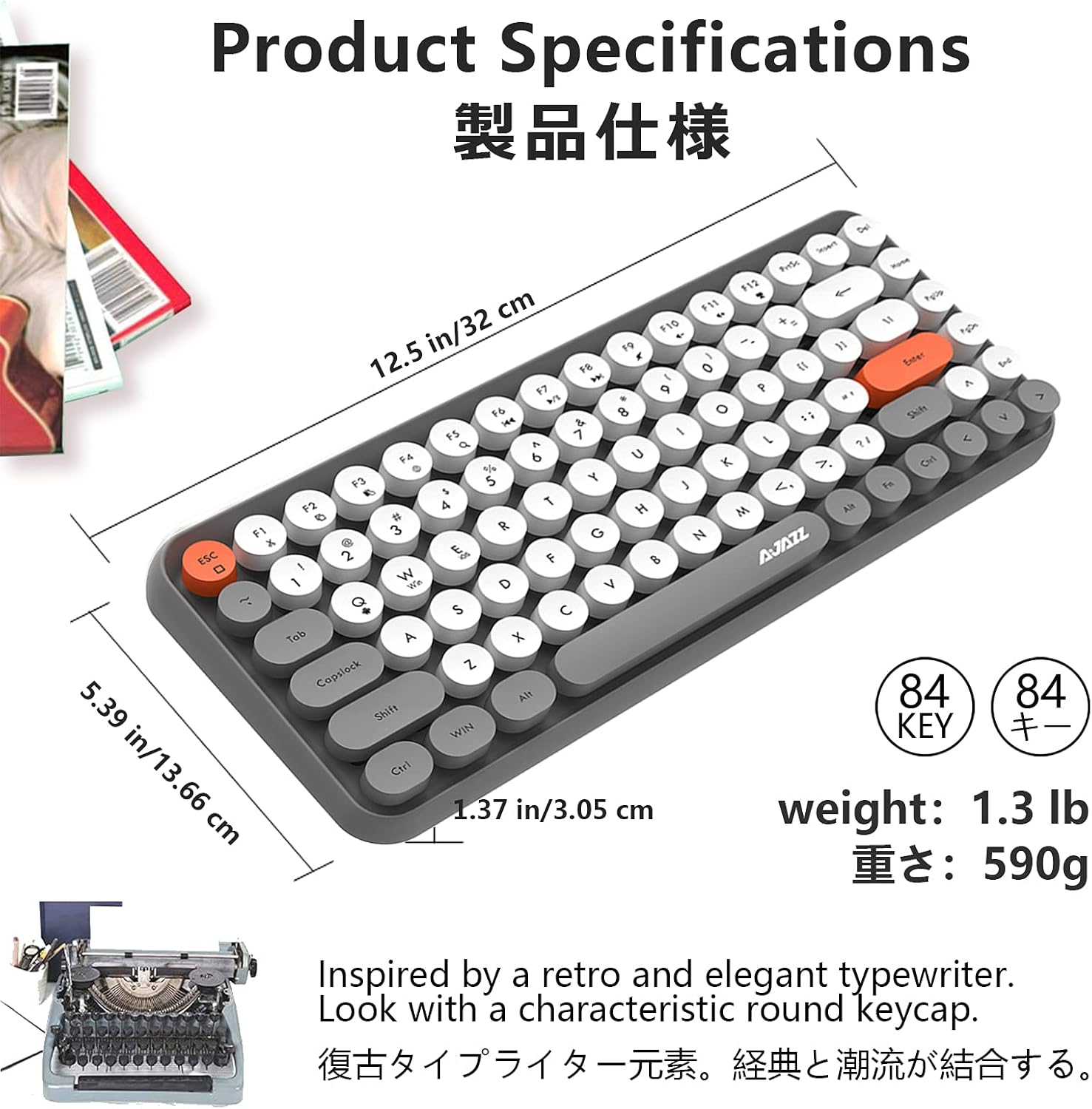
Figure 3: Battery Installation (inset) and Keycap Design
2. Emparellament Bluetooth
Follow these steps to connect your Ajazz 308i keyboard via Bluetooth:
- Ensure your device (tablet, smartphone, computer) has Bluetooth enabled.
- Turn on the Ajazz 308i keyboard using the power switch (usually located on the side or back).
- Al teclat, long press the FN key + C key simultaneously. This will initiate the Bluetooth device search mode, and a red light on the keyboard will flash slowly.
- Al dispositiu, vés a la configuració de Bluetooth i cerca dispositius nous.
- When the device name "AJAZZ BLUETOOTH 5.0 KEYBOARD" appears in the list, tap on it to begin the pairing process.
- Your device may display a pairing code. Type this code on your Ajazz 308i keyboard and then press the ENTRAR clau.
- Once the code is entered correctly, the Bluetooth connection will be complete. The red light on the keyboard will stop flashing.
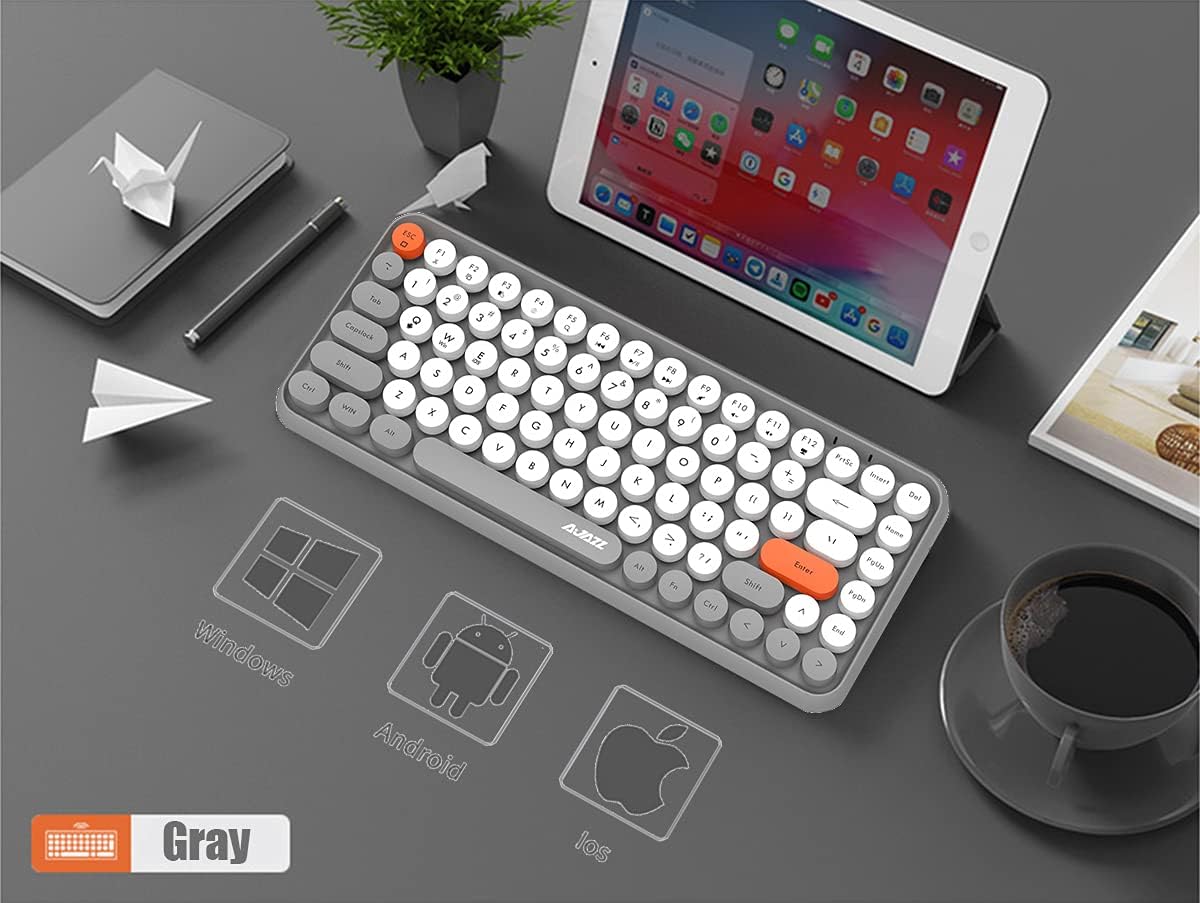
Figura 4: Compatibilitat multisistema

Figure 5: Bluetooth Pairing and Multimedia Shortcuts
Instruccions de funcionament
Dreceres multimèdia
The Ajazz 308i keyboard includes 12 multimedia shortcut keys accessible by pressing the Tecla FN in combination with the corresponding function key (F1-F12). These shortcuts allow for quick access to various functions:
| Combinació de tecles | Funció |
|---|---|
| FN + F1 | Tallar |
| FN + F2 | Còpia |
| FN + F3 | Enganxa |
| FN + F4 | Mètode d'entrada |
| FN + F5 | Cerca |
| FN + F6 | L'anterior |
| FN + F7 | Reproduir/Pausa |
| FN + F8 | El següent |
| FN + F9 | Silenciar |
| FN + F10 | Volum - |
| FN + F11 | Volum + |
| FN + F12 | Bloqueig |
Mode d'estalvi d'energia intel·ligent
To conserve battery life, the keyboard is equipped with a smart power-saving mechanism:
- If there is no key operation for 15 minuts o més, the keyboard will automatically enter a standby (sleep) state.
- To wake up the keyboard and automatically reconnect to your paired device, simply double-click any key.
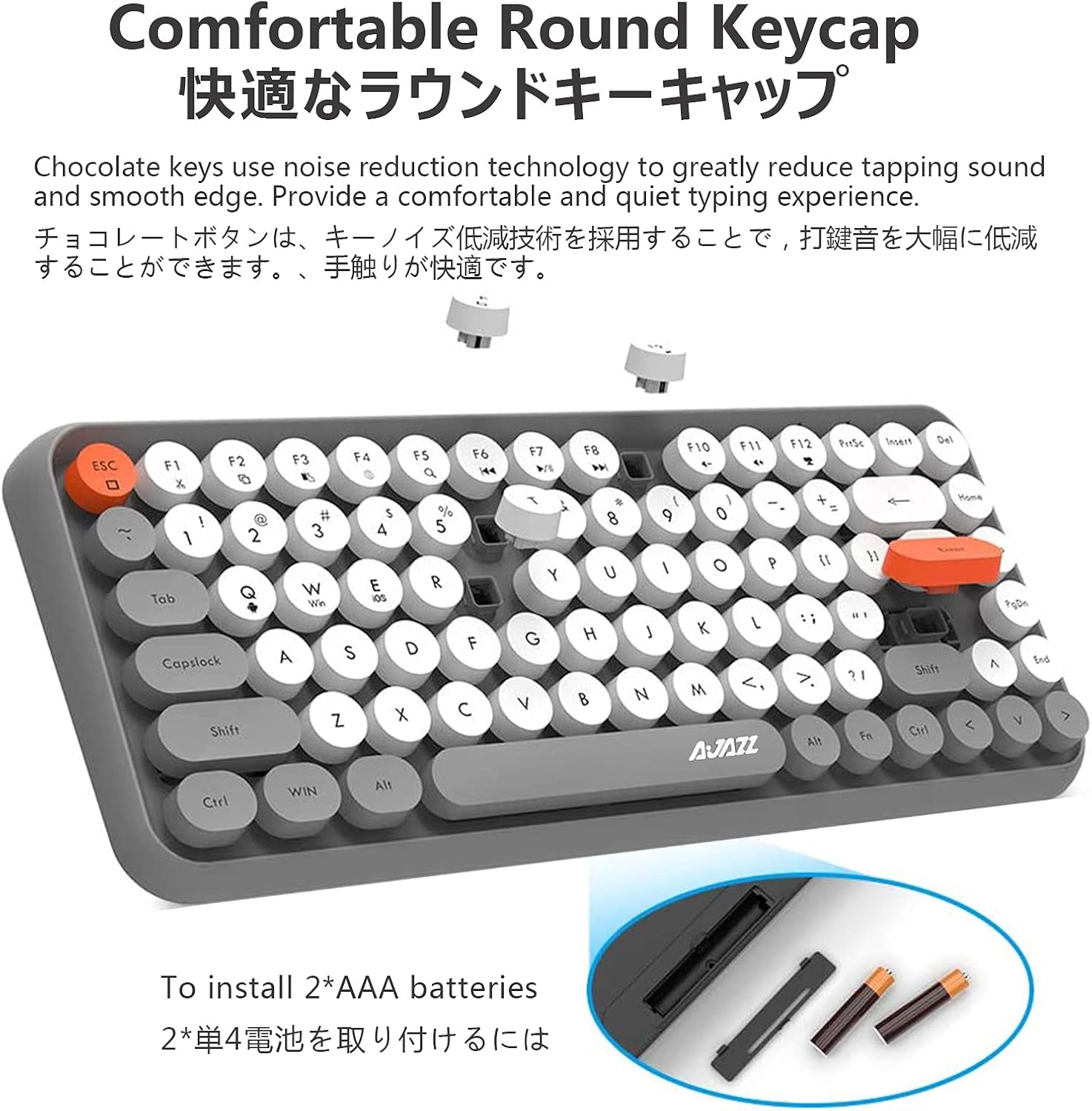
Figure 6: Smart Power Saving Mode
Manteniment
To ensure the longevity and optimal performance of your Ajazz 308i keyboard, follow these maintenance guidelines:
- Neteja: Feu servir un drap suau i sec per netejar la superfície del teclat. Per a la brutícia persistent, netegeu lleugerament.ampNetegeu el drap amb aigua o una solució de neteja suau. Eviteu utilitzar productes químics agressius o materials abrasius.
- Eliminació de pols: Feu servir aire comprimit per eliminar la pols i les restes que hi ha entre les tecles.
- Emmagatzematge: Quan no l'utilitzeu durant períodes prolongats, guardeu el teclat en un lloc fresc i sec, allunyat de la llum solar directa i de temperatures extremes.
- Substitució de la bateria: Replace batteries when the keyboard's performance degrades or it fails to connect. Always use new AAA alkaline batteries.
- Eviteu líquids: Do not expose the keyboard to liquids. In case of accidental spills, immediately turn off the keyboard, remove batteries, and allow it to dry completely before re-use.
Resolució de problemes
If you encounter issues with your Ajazz 308i keyboard, please refer to the following common troubleshooting steps:
- El teclat no es connecta/s'emparella:
- Assegureu-vos que el teclat estigui encès i que tingui piles noves.
- Assegureu-vos que el Bluetooth estigui habilitat al vostre dispositiu.
- Repeat the Bluetooth pairing process (FN+C).
- Try unpairing the keyboard from your device's Bluetooth settings and then re-pairing.
- Assegureu-vos que el dispositiu estigui dins de l'abast de 10 metres del Bluetooth.
- Keys not responding or delayed input:
- Comproveu el nivell de la bateria i substituïu-la si és baixa.
- Wake the keyboard from sleep mode by double-clicking any key.
- Assegureu-vos que no hi hagi obstacles entre el teclat i el dispositiu.
- Reinicieu el dispositiu i torneu a intentar connectar-vos.
- Unexpected disconnections:
- This could be due to low battery. Replace batteries.
- Ensure no other strong wireless signals are interfering with the Bluetooth connection.
- Keep the keyboard within the optimal operating range of your device.
Especificacions
| Característica | Detall |
|---|---|
| Marca | AJAZZ |
| Número de model | 308i |
| Dimensions del producte | 32 x 13.66 x 3.05 cm (12.5 x 5.39 x 1.37 polzades) |
| Pes de l'article | 590 g (1.3 lliures) |
| Tecnologia de connectivitat | Bluetooth 5.0 |
| abast sense fils | Fins a 10 metres |
| Nombre de claus | 84 |
| Font d'alimentació | 2 piles AAA (no incloses) |
| Dispositius compatibles | Windows, Mac OS, iOS, Android |
| Descripció del teclat | Membrana |

Figura 7: Dimensions i pes del producte
Vídeo del producteview
Vídeo 1: Presentació oficial del producte en vídeoasing the Ajazz 308i Bluetooth keyboard's design, features, and various color options.
Garantia i Suport
Your Ajazz 308i Bluetooth Keyboard comes with a 1 any de garantia des de la data de compra. Aquesta garantia cobreix els defectes de fabricació i garanteix que el producte funcioni tal com està previst en condicions d'ús normal.
If you have any questions, concerns, or require technical assistance with your keyboard, please do not hesitate to contact our customer support. Our team is ready to assist you.
For support, please refer to the contact information provided on the product packaging or the retailer's website where you purchased the keyboard.


