Introducció
The COROS APEX Premium Multisport GPS Watch is designed for athletes and active individuals seeking comprehensive performance tracking and smart features. This manual provides essential information on setting up, operating, maintaining, and troubleshooting your device to ensure optimal performance and longevity.
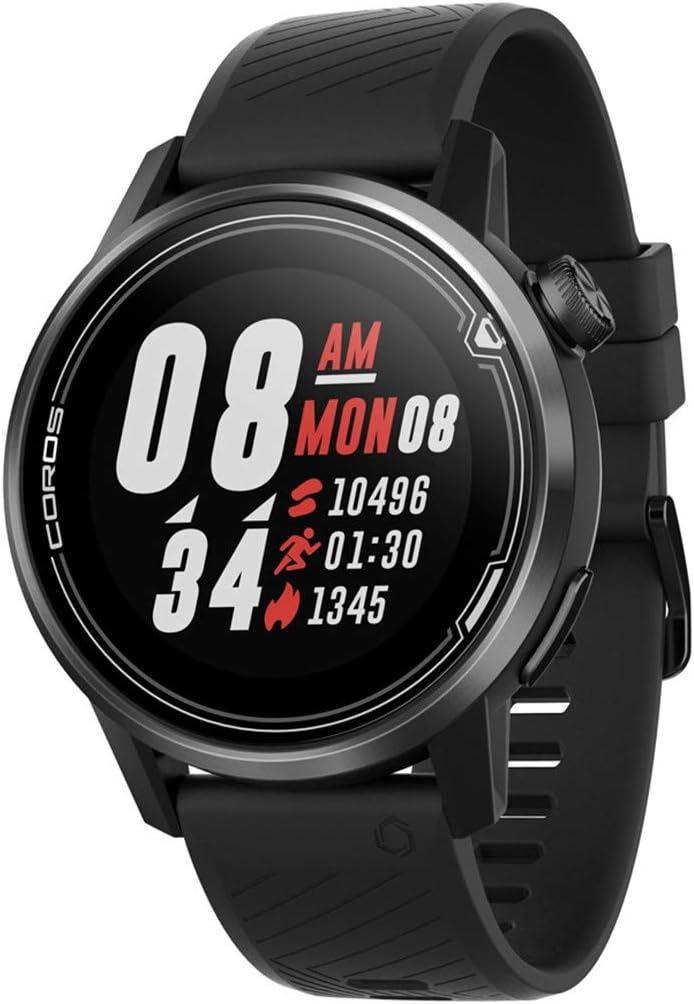
Figura 1: Frontal view of the COROS APEX watch displaying time, steps, active minutes, and calories.
Configuració
Configuració inicial
Upon first use, ensure your COROS APEX watch is fully charged. Download the COROS app on your smartphone and follow the on-screen instructions to pair your watch. This process will synchronize time, date, and personal settings, and allow for data transfer.
Càrrega del dispositiu
The COROS APEX watch features a charging port located on the back of the device. To charge, connect the provided charging cable to the port and a USB power source. A full charge can provide up to 30 days of battery life in regular use or 35 hours in full GPS mode.

Figura 2: posterior view of the COROS APEX watch, highlighting the optical heart rate sensor and the covered charging port.
Funcionament del rellotge
Navegació bàsica
The COROS APEX watch is primarily navigated using the digital dial and a single button on the side. Rotate the digital dial to scroll through menus and data screens. Press the digital dial to select an option or confirm an action. The additional button typically serves as a back or lap button, depending on the context.

Figura 3: Pro lateralfile of the COROS APEX watch, illustrating the digital dial and the additional button for navigation.
Seguiment de l'activitat
The watch supports various multisport activities. From the main watch face, rotate the digital dial to access the activity menu. Select your desired activity (e.g., Run, Strength, Hike, Bike, Pool Swim, Open Water, Mtn Climb, Rowing) and press the digital dial to start. The COROS Trainer feature can structure workouts based on your fitness level.
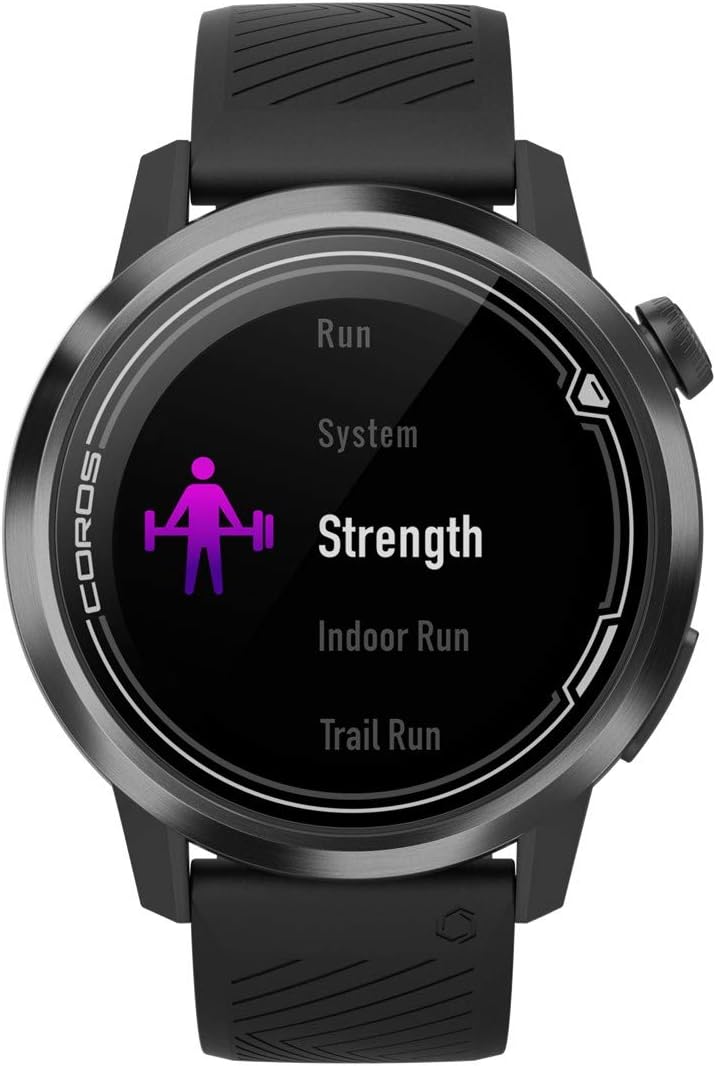
Figure 4: The watch screen displaying the activity selection menu, with "Strength" highlighted.
GPS i navegació
The integrated GPS provides accurate tracking for outdoor activities. You can view your route and progress directly on the watch screen. For advanced navigation, courses can be added via the COROS app.

Figure 5: The watch display showing a simplified map with a tracked route, indicating current position.
Monitorització de la freqüència cardíaca
The watch continuously monitors your heart rate using an optical sensor on the back. This data is used for training intensity, recovery tracking, and overall health insights. You can view real-time heart rate and historical data on the watch or in the app.
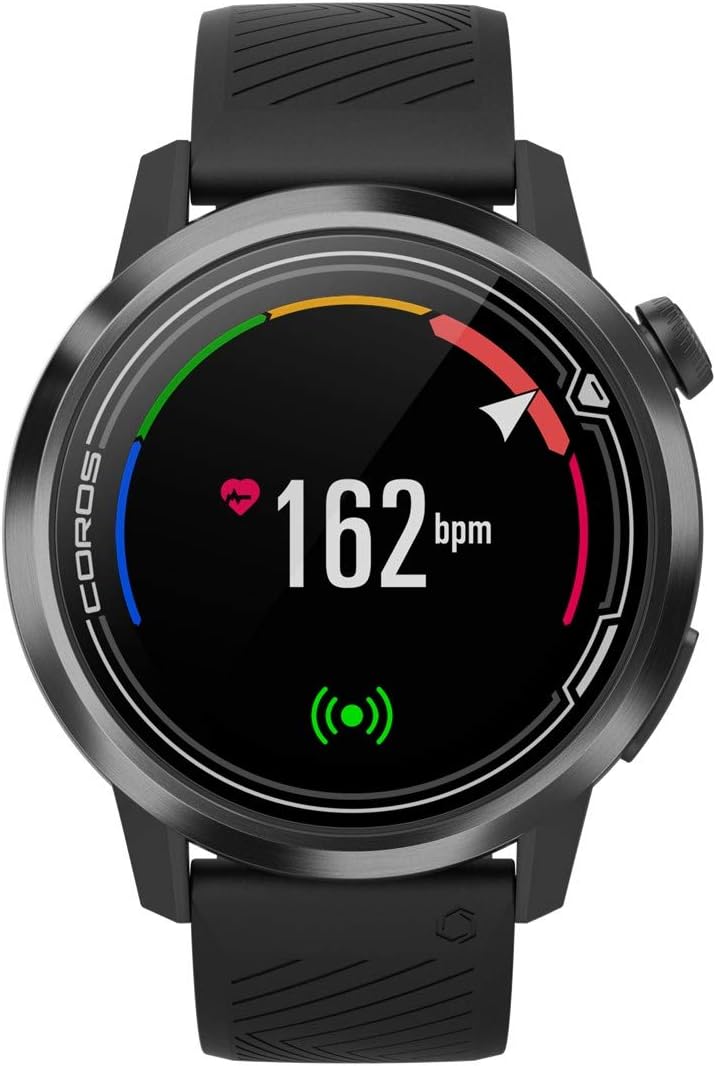
Figure 6: The watch screen displaying a real-time heart rate reading of 162 beats per minute (bpm).
Daily Metrics and Notifications
The COROS APEX tracks daily metrics such as calories burned, steps taken, active minutes, and flights climbed. It also provides smart notifications from your paired smartphone, including text messages and other alerts.

Figure 7: The watch screen showing a "Nutrition Alert" with a timer, indicating a reminder for hydration or fuel.

Figure 8: The watch screen displaying "Battery Usage" with 78% remaining, along with icons for various tracked metrics.
Alarms, Timers, and Stopwatch
Access these utility features by holding down the main button (digital dial). You can set alarms, use a stopwatch for precise timing, and set countdown timers for various purposes.
Manteniment
Neteja
Regularly clean your watch, especially the back sensor and charging contacts, with a soft, damp cloth to prevent buildup and ensure accurate readings. Avoid harsh chemicals or abrasive materials.
Substitució de banda
The watch bands are designed for easy replacement, allowing you to customize your watch or replace worn bands. Refer to the COROS website or authorized retailers for compatible band options and instructions.
Resolució de problemes
- El rellotge no s'encén: Ensure the watch is fully charged. If the issue persists, try a soft reset by holding down the digital dial for 15 seconds.
- El GPS no connecta: Assegureu-vos que esteu en una zona oberta amb claredat view of the sky. Check for any obstructions. Syncing with the COROS app regularly can help update satellite data.
- Inaccurate heart rate: Ensure the watch is worn snugly on your wrist, about one finger-width above your wrist bone. Clean the sensor regularly.
- Notificacions que no apareixen: Check your phone's Bluetooth connection and ensure notifications are enabled for the COROS app in your phone's settings.
Especificacions
| Marca | COROS |
| Model | WAPX-BLK-2 |
| Color | Negre |
| Mida | 46 mm |
| Pes de l'article | 0.05 quilos |
| Dimensions del producte | 1.91 cm de llargada x 1.91 cm d'amplada x 0.54 cm d'alçada |
| Mida de la pantalla | 1.2 polzades |
| Tecnologia de connectivitat | Bluetooth |
| Battery Life (Standard Use) | Fins a 30 dies |
| Durada de la bateria (mode GPS complet) | 35 hores |
| Resistència a l'aigua | 100M |
| Components inclosos | Heart rate monitor, Wrist band |
Garantia i Suport
Per obtenir informació detallada sobre la garantia i assistència al client, visiteu el lloc web oficial de COROS. weblloc web o poseu-vos en contacte amb el servei d'atenció al client. Conserveu el comprovant de compra per a reclamacions de garantia.
Official COROS Store: Botiga COROS a Amazon


