1. Introducció
This manual provides essential information for the safe and efficient operation of your Prixton Goya P20 Mini Portable Projector. Please read it thoroughly before using the device and retain it for future reference.
2. Informació de seguretat
- No mireu directament a la lent del projector quan estigui encès.amp està encès. La llum intensa pot causar lesions oculars.
- Assegureu-vos que hi hagi una ventilació adequada al voltant del projector. No bloquegeu les obertures de ventilació.
- Mantingueu el projector allunyat de l'aigua, la humitat i les temperatures extremes.
- Feu servir només l'adaptador de corrent que s'inclou amb el projector.
- No intenteu desmuntar ni reparar el projector vosaltres mateixos. Poseu-vos en contacte amb personal de servei qualificat.
- Col·loqueu el projector sobre una superfície estable i plana per evitar que caigui.
3. Contingut del paquet
Verifiqueu que tots els elements siguin presents al paquet:
- Prixton Goya P20 Mini Portable Projector
- Control remot
- Adaptador d'alimentació
- Manual d'usuari (aquest document)

Image: The Prixton Goya P20 projector shown alongside its included remote control.
4. Producte acabatview
4.1. Davant View

Imatge: Frontal view of the projector, highlighting the projection lens.
4.2. Part posterior i lateral Views (Ports)

Image: Rear panel of the projector, showing the VGA input and IR receiver.
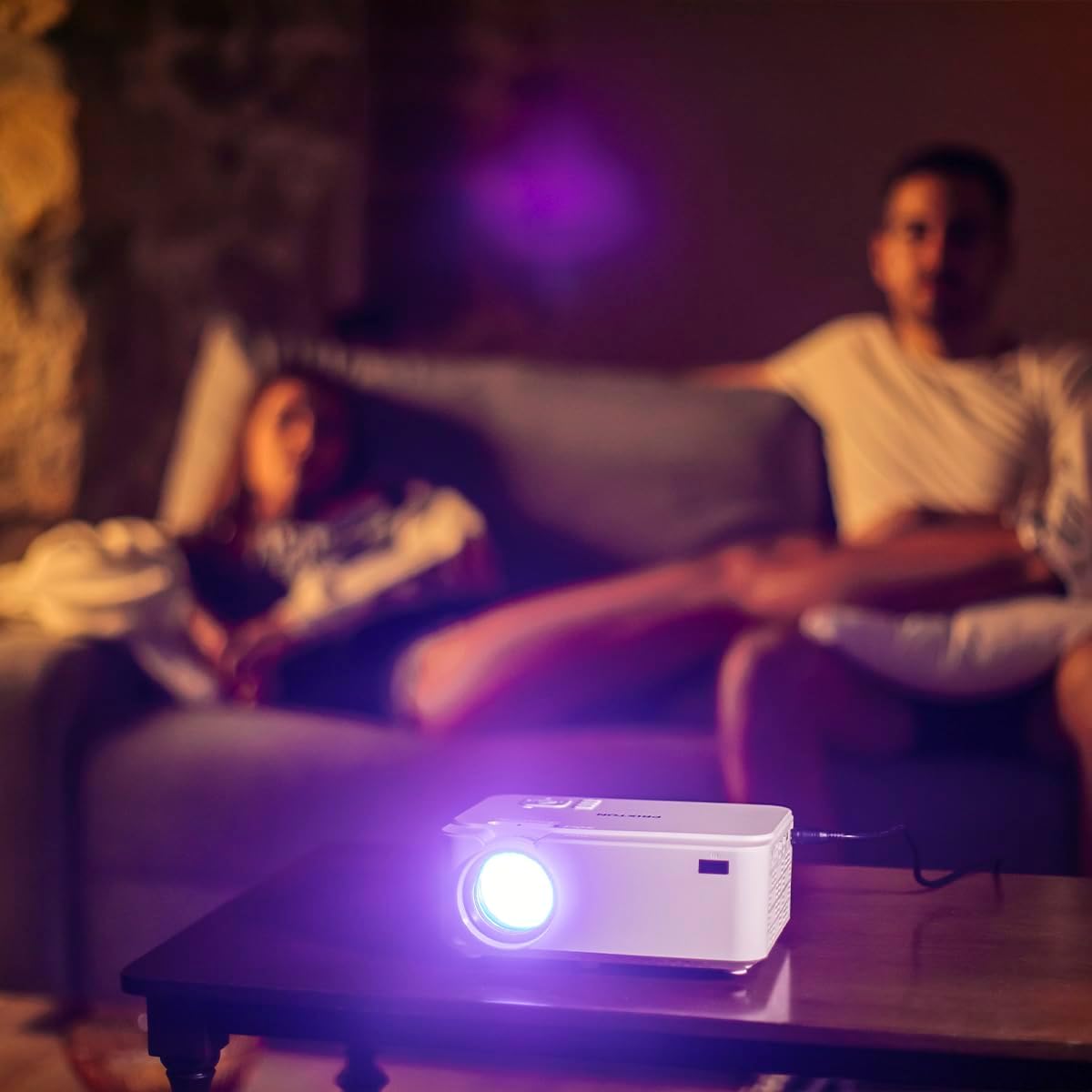
Image: Side panel of the projector, displaying the AV, MicroSD, HDMI (x2), and USB (x2) ports.
4.3. Controls del panell superior

Image: Top panel of the projector, illustrating the control buttons for navigation and power.
The projector features various input ports for connectivity and intuitive controls on the top panel, in addition to the remote control.
5. Configuració
5.1. Col·locació
Place the projector on a flat, stable surface. For optimal viewing, position the projector between 1 to 5 meters from the projection surface. This distance allows for a screen size ranging from 30 to 150 inches.

Image: A visual representation of recommended projection distances (1 to 5 meters) and corresponding screen sizes (30 to 150 inches).
5.2. Connexió d'alimentació
- Connecteu l'adaptador de corrent al port d'entrada d'alimentació del projector.
- Connecteu l'adaptador d'alimentació a una presa de corrent adequada.
5.3. Dispositius de connexió
El projector admet diverses fonts d'entrada:
- HDMI: Connect Blu-ray players, laptops, game consoles, or media players using an HDMI cable.
- USB: Inseriu una unitat flash USB per a la reproducció directa de contingut multimèdia.
- VGA: Connecteu ordinadors o portàtils més antics amb un cable VGA.
- MicroSD: Insert a MicroSD card for direct media playback.
- DE: Use the AV port for connecting devices with composite video and stereo audio outputs.

Image: A hand connecting a USB drive to the projector's USB port.
5.4. Ajust de l'enfocament i la distorsió trapezoidal
Use the focus ring near the lens to sharpen the image. If the image appears trapezoidal, adjust the keystone correction to achieve a rectangular projection.
6. Instruccions de funcionament
6.1. Encès / apagat
Premeu el botó d'engegada del projector o del comandament a distància per encendre o apagar el dispositiu.
6.2. Selecció de la font
After powering on, use the 'Source' button on the remote or projector to select the desired input source (HDMI1, HDMI2, USB, VGA, AV, MicroSD).
6.3. Reproducció multimèdia
When a USB drive or MicroSD card is inserted, the projector's interface will allow you to browse and play video, audio, photo, and text files directament.
6.4. Connectivitat Bluetooth
The projector supports Bluetooth for audio output. Navigate to the Bluetooth settings in the projector's menu to pair with compatible Bluetooth speakers or headphones.

Image: The projector in operation, casting an image onto a wall in a dimly lit room, demonstrating its home cinema capability.
7. Manteniment
7.1. Neteja
- Feu servir un drap suau i sec per netejar l'exterior del projector.
- Per a la lent, feu servir un drap i una solució especials per netejar lents per evitar ratllades.
- Regularly clear dust from the ventilation openings using a soft brush or compressed air.
7.2. Lamp La vida
The LED light source in your projector has an estimated lifespan of up to 50,000 hours, providing long-term use without frequent lamp substitució.
8. Solució De Problemes
| Problema | Causa possible | Solució |
|---|---|---|
| No es mostra cap imatge | Power not connected, incorrect input source, device not connected properly. | Check power cable, select correct input source, ensure source device is on and connected securely. |
| La imatge és borrosa | Focus not adjusted, projection distance too far/close. | Adjust the focus ring. Ensure projector is within the recommended 1-5 meter projection distance. |
| Sense so | Volume too low, external audio device not connected, incorrect audio settings. | Increase projector volume. Check if external speakers are connected and functioning. Verify audio output settings. |
| El comandament a distància no funciona | Batteries depleted, obstruction between remote and projector. | Replace batteries. Ensure no objects are blocking the IR sensor on the projector. |
| El soroll del ventilador és fort | Normal operation, restricted airflow. | Some fan noise is normal for projectors. Ensure ventilation ports are clear and not obstructed. |
9. Especificacions
| Característica | Detall |
|---|---|
| Marca | Prixton |
| Número de model | Goya P20 |
| Tecnologia de visualització | LED |
| Resolució nativa | 800 x 480 |
| Resolució màxima de pantalla | 1920 x 1080 (Full HD compatible) |
| Brillantor | Up to 2800 lumens (40 LED lumens) |
| Relació de contrast | 500:1 |
| Vida de la font de llum | 50,000 hores |
| Tecnologia de connectivitat | Bluetooth, HDMI (x2), USB (x2), VGA, MicroSD, AV |
| Característiques especials | Integrated speaker, Portable, Remote control included |
| Ús recomanat | Home Cinema |
| Dispositius compatibles | Game console, Blu-ray player, Media player, Laptop, Smartphone |
| Factor de forma | Portàtil |
| Tipus de muntatge | Muntatge de taula |
10. Garantia i Suport
For warranty information and technical support, please refer to the documentation provided at the time of purchase or contact Prixton customer service. Information regarding spare parts availability and software updates is not available in this manual.


