1. Introducció
This manual provides comprehensive instructions for the safe and efficient use of your OnePlus Nord N200 5G smartphone. Please read this manual thoroughly before operating the device and retain it for future reference. The OnePlus Nord N200 5G is designed to offer blazing fast 5G speeds, a large 90Hz Full HD display, and a powerful 5000mAh battery for all-day use.
2. Què hi ha a la caixa
- Telèfon intel·ligent OnePlus Nord N200 5G
- Adaptador de càrrega
- Cable tipus C
- Guia d'informació de seguretat
- Expulsor de la safata SIM
3. Producte acabatview
The OnePlus Nord N200 5G features a sleek design and powerful components for an optimal user experience.
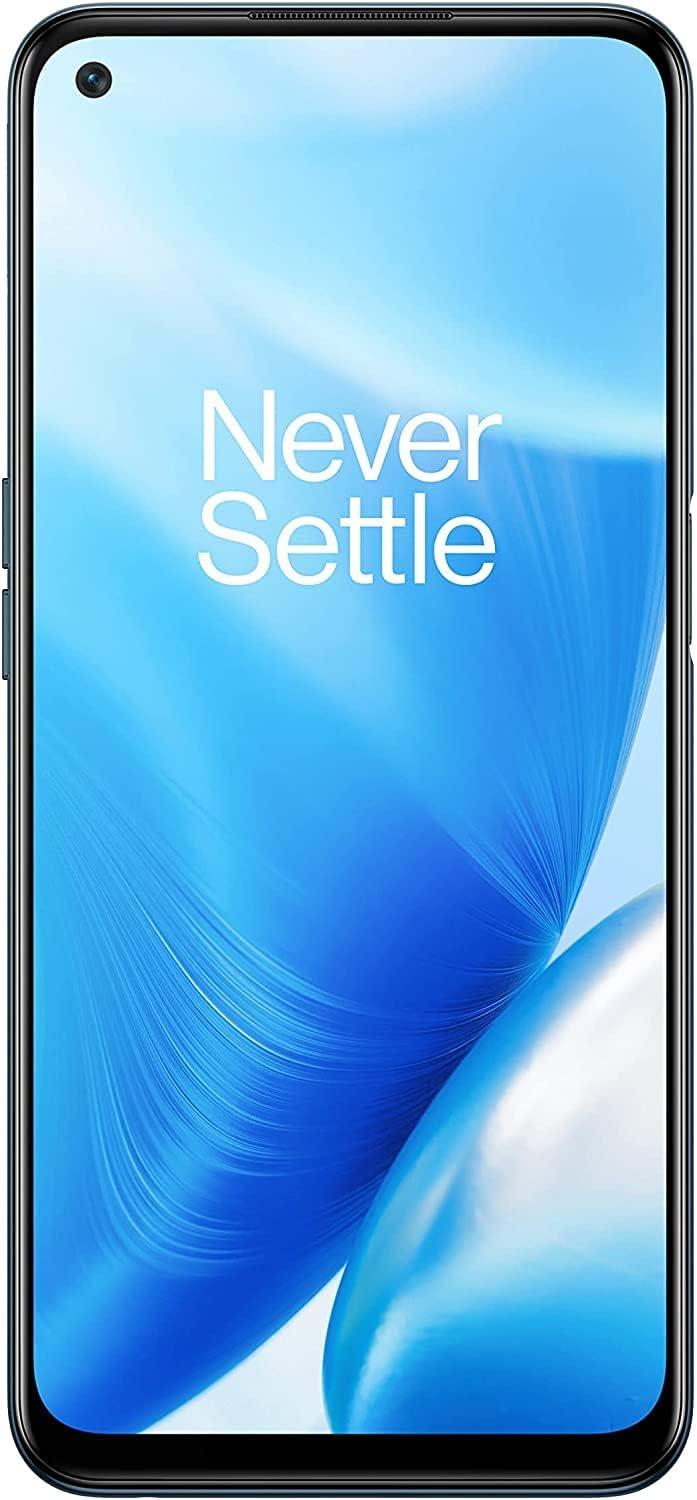
Figura 3.1: Frontal view del OnePlus Nord N200 5G, mostraasing its full display.
Característiques principals:
- 5G Unlocked: Compatible with T-Mobile and Google Fi for blazing fast download and upload speeds. Also 4G compatible with T-Mobile, AT&T, and Verizon.
- 6.49" Full HD+ LCD Display: Provides a crystal-clear viewing experience for multimedia content.
- 90Hz Smooth Display: Offers a 50% faster refresh rate than standard displays, ensuring smooth navigation and scrolling.
- Bateria gran de 5000 mAh: Designed to provide extensive power for all-day usage, supporting hours of streaming, gaming, and browsing.
- Càrrega ràpida de 18 W: Enables quick recharging of the device battery.
- Sistema de triple càmera: Allows for high-quality photo and video capture.

Figure 3.2: Diagram illustrating key product specifications including camera, fingerprint sensor, memory, processor, fast charge, battery, ports, and network capabilities.

Figure 3.3: Visual representation of the device's lightning-fast 5G capabilities, emphasizing quick downloads and streaming.

Figure 3.4: Image highlighting the immersive 6.49-inch Full HD display with a 90Hz refresh rate for smooth interactions.

Figure 3.5: Illustration of the device's powerful 5000mAh battery, ensuring extended usage throughout the day.
4. Configuració
4.1 Càrrega inicial
Before first use, fully charge your OnePlus Nord N200 5G using the provided charge adapter and Type-C cable. Connect the Type-C cable to the phone's charging port and the adapter to a power outlet. The battery indicator will show charging progress.
4.2 Inserció de la targeta SIM
- Localitza la safata de la targeta SIM al lateral del telèfon.
- Introduïu l'eina d'expulsió de la safata de la SIM al forat petit que hi ha al costat de la safata.
- Empenyeu suaument fins que la safata surti.
- Col·loca la targeta o targetes nano-SIM a la safata amb els contactes daurats cap avall. Assegura't que estiguin orientades correctament.
- Torneu a inserir la safata amb cura al telèfon fins que encaixi al seu lloc.
4.3 Engegada/apagada
- Per encendre: Premeu i manteniu premut el botó d'engegada (situat al lateral) fins que aparegui el logotip de OnePlus.
- Per apagar: Mantingueu premut el botó d'engegada fins que aparegui el menú d'opcions d'engegada i, a continuació, seleccioneu "Apagar".
- Reinicia: Al menú d'opcions d'energia, seleccioneu "Reiniciar".
5. Instruccions de funcionament
5.1 Navegació bàsica
- Gestos de la pantalla tàctil: Toca per seleccionar, llisca per desplaçar-te, pessiga per ampliar.
- Pantalla d'inici: Accedeix a aplicacions, widgets i notificacions.
- Calaix d'aplicacions: Feu lliscar el dit cap amunt des de la pantalla d'inici a view totes les aplicacions instal·lades.
- Configuració ràpida: Swipe down from the top of the screen to access quick toggles for Wi-Fi, Bluetooth, etc.
5.2 Trucades i missatges
- Fer trucades: Obriu l'aplicació Telèfon, introduïu el número i toqueu la icona de trucada.
- Enviament de missatges: Obre l'aplicació Missatges, toca la icona de missatge nou, introdueix el destinatari i el text i, a continuació, envia.
5.3 Ús de la càmera
The OnePlus Nord N200 5G features a triple camera system for versatile photography.
- Obriu l'aplicació Càmera.
- Seleccioneu el mode desitjat (Foto, Vídeo, Retrat, etc.).
- Toqueu el botó de l'obturador per capturar una imatge o iniciar/aturar la gravació de vídeo.
- Feu servir els controls de zoom de la pantalla per ajustar l'ampliació.
5.4 Connectivitat
- Wi-Fi: Go to Settings > Wi-Fi, turn on Wi-Fi, and select a network to connect.
- Bluetooth: Ves a Configuració > Bluetooth, activa el Bluetooth i emparella'l amb els dispositius que vulguis.
- Dades mòbils: Ensure your SIM card is active and mobile data is enabled in Quick Settings or Network & Internet settings.
6. Manteniment
6.1 Neteja del vostre dispositiu
- Feu servir un drap suau i sense borrissol per netejar la pantalla i la carcassa del telèfon.
- Eviteu utilitzar productes químics agressius, netejadors abrasius o aerosols.
- No exposeu el telèfon a una humitat excessiva.
6.2 Actualitzacions de programari
Regularly check for software updates to ensure optimal performance and security. Go to Settings > System > System updates to check for and install available updates.
6.3 Cura de la bateria
- Feu servir només carregadors i cables originals o certificats.
- Eviteu les temperatures extremes, ja que poden reduir la durada de la bateria.
- No deixeu el telèfon carregant-se durant períodes prolongats després que hagi arribat al 100%.
7. Solució De Problemes
| Problema | Possible solució |
|---|---|
| El telèfon no s'encén | Assegureu-vos que la bateria estigui carregada. Premeu i manteniu premut el botó d'engegada durant almenys 10 segons. |
| Les aplicacions es bloquegen o es bloquegen | Clear app cache (Settings > Apps > [App Name] > Storage > Clear cache). Restart the phone. |
| Senyal de xarxa pobre | Check SIM card insertion. Move to an area with better coverage. Restart the phone. |
| La bateria s'esgota ràpidament | Reduce screen brightness. Close unused apps. Disable unnecessary background processes. |
| El sensor d'empremtes dactilars no funciona | Ensure your finger is clean and dry. Re-register your fingerprint in Settings > Security & lock screen. |
8. Especificacions
| Característica | Detall |
|---|---|
| Número de model | DE2117 |
| Sistema operatiu | Android 11.0, OxygenOS 11 |
| Mida de la pantalla | 6.49 polzades |
| Resolució de visualització | 1920 x 1080 (Full HD+) |
| Freqüència d'actualització | 90 Hz |
| RAM | 4 GB |
| Emmagatzematge intern | 64 GB (ampliable) |
| Model de CPU | Qualcomm Snapdragon 480 5G |
| Velocitat de la CPU | 2 GHz |
| Capacitat de la bateria | 5000 mAh |
| Carregant | Càrrega ràpida de 18 W |
| Jack d'àudio | 3.5 mm |
| Connectivitat | 5G, Bluetooth 5.1, Wi-Fi |
| Característiques de la càmera | Triple Rear Camera, Front Camera |
| Color | Blue Quantum |
| Pes de l'article | 0.176 unces |
9. Garantia i Suport
Your OnePlus Nord N200 5G comes with a standard manufacturer's warranty. For detailed warranty terms and conditions, please refer to the official OnePlus website or the warranty card included with your product. For technical support, troubleshooting assistance, or service inquiries, please visit the official OnePlus support page or contact their customer service.
També podeu descarregar un manual d'usuari oficial (PDF): Descarrega el manual d'usuari (PDF)


