1. Introducció
Gràcies per la compraasing the Majority Scholars Compact DVD Player. This device is designed for versatile media playback, supporting multiple disc formats and regions. It features both HDMI and RCA connectivity for broad compatibility with various display devices, along with a USB port for playing digital media files. This manual provides essential information for setting up, operating, and maintaining your DVD player.
2. Informació de seguretat
- No exposeu la unitat a la pluja ni a la humitat per evitar incendis o descàrregues elèctriques.
- Assegureu-vos que hi hagi una ventilació adequada al voltant de la unitat. No bloquegeu les obertures de ventilació.
- Eviteu col·locar la unitat sobre superfícies inestables.
- No obriu la c.asing. Demaneu totes les tasques de manteniment a personal qualificat.
- Desendolleu la unitat durant les tempestes llamps o quan no l'utilitzeu durant llargs períodes.
- Utilitzeu només accessoris/accessoris especificats pel fabricant.
3. Contingut del paquet
Marqueu la casella per als elements següents:
- Majority Scholars Compact DVD Player
- Control remot
- Cable HDMI
- Cable AV RCA
- Adaptador d'alimentació
- Manual d'usuari

Figure 3.1: Contents of the Majority Scholars DVD Player package.
4. Producte acabatview
4.1 Tauler frontal

Figura 4.1: Frontal view of the DVD player.

Figure 4.2: Close-up of front panel controls and USB port.
The front panel includes the disc tray, a digital display, and essential control buttons such as Open/Close, Play/Pause, and Stop. A USB port is also located on the front for convenient access to digital media.
4.2 Panell posterior

Figura 4.3: Panell posterior amb ports de connexió.
The rear panel features the HDMI output for high-definition connection, RCA audio/video outputs for standard definition connections, and the power input port.
4.3 Control remot
The included remote control provides full functionality for operating the DVD player from a distance. It requires two AAA batteries (not included).
5. Configuració
5.1 Connexió a un televisor
You have two primary options for connecting your DVD player to a television:
- Connexió HDMI (recomanada per a una millor qualitat):
Connect one end of the supplied HDMI cable to the HDMI OUT port on the rear of the DVD player and the other end to an HDMI input port on your TV. Select the corresponding HDMI input on your TV using its remote control. - RCA Connection (Standard Definition):
Connect the supplied RCA AV cable to the VIDEO OUT (yellow), AUDIO OUT L (white), and AUDIO OUT R (red) ports on the rear of the DVD player. Connect the other end of the cable to the corresponding AV input ports on your TV. Select the AV input on your TV using its remote control.
5.2 Connexió d'alimentació
Connect the power adapter to the DC IN port on the rear of the DVD player, then plug the adapter into a standard electrical outlet.
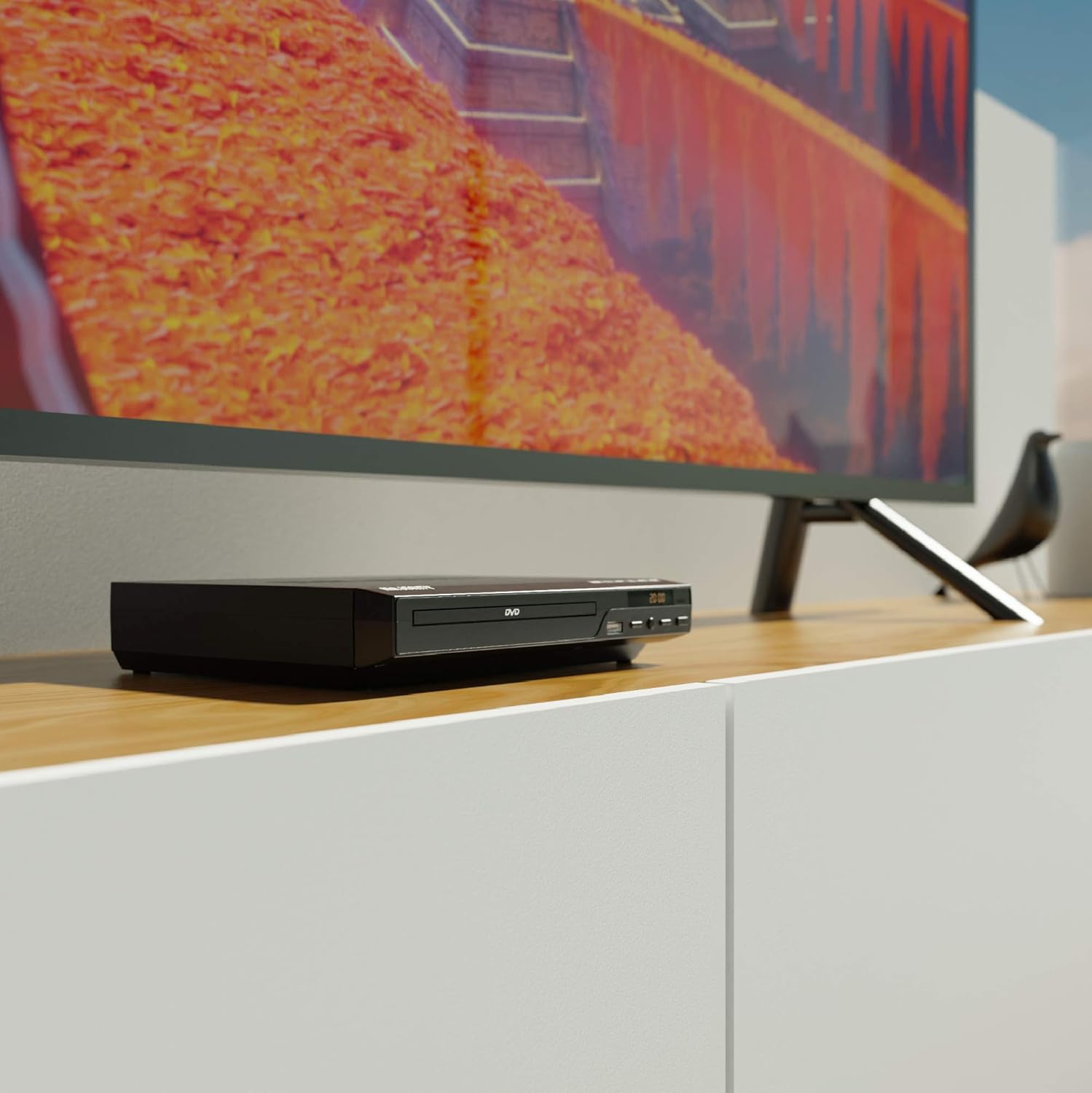
Figure 5.1: DVD player connected and ready for use.
6. Instruccions de funcionament
6.1 Reproducció bàsica de discs
- Power on the DVD player and your TV. Select the correct input source on your TV.
- Premeu el botó OBRIR/TANCAR botó del panell frontal o del comandament a distància per obrir la safata del disc.
- Col·loqueu un disc DVD o CD suaument a la safata amb l'etiqueta cap amunt.
- Premeu el botó OBRIR/TANCAR button again to close the tray. The player will begin loading the disc.
- Playback should start automatically. If a menu appears, use the remote control's arrow keys and OK botó per navegar.
- Utilitza el REPRODUCCIÓ/PAUSA i STOP botons del comandament a distància o del panell frontal per controlar la reproducció.
Reproducció USB 6.2
- Inseriu una unitat flaix USB al port USB del panell frontal.
- The player should automatically detect the USB device and display its contents. If not, press the USB botó del comandament a distància.
- Navega pel teu files using the arrow keys on the remote and press OK to select and play media (e.g., videos, music, photos).
6.3 Multi-Region and PAL/NTSC Support
This DVD player is region-free, meaning it can play DVDs from all regions (1-6). It also features a built-in PAL/NTSC system, automatically converting video signals to match your TV's standard, ensuring compatibility with discs from different territories.
7. Manteniment
- Neteja de la unitat: Use a soft, dry cloth to clean the exterior of the DVD player. Do not use liquid cleaners or aerosol sprays.
- Discs de neteja: Wipe discs from the center outwards with a soft, lint-free cloth. Avoid touching the playback surface.
- Ventilació: Ensure the ventilation slots on the player are not obstructed to prevent overheating.
8. Solució De Problemes
| Problema | Causa possible | Solució |
|---|---|---|
| Sense poder | Power cable not connected or outlet faulty. | Check power cable connection and try a different outlet. |
| Sense imatge/so | Incorrect TV input selected or connection cables loose. | Select the correct HDMI/AV input on your TV. Ensure cables are securely connected. |
| "No Disc" error | El disc està brut, ratllat o inserit incorrectament. | Clean the disc. Ensure the disc is inserted label-side up. Try a different disc. |
| El comandament a distància no funciona | Les piles estan gastades o inserides incorrectament. Obstrucció entre el comandament a distància i el reproductor. | Replace batteries. Ensure line of sight to the player's sensor. |
| Disc playback skips or freezes | Disc is dirty or damaged. Player is on an unstable surface. | Clean the disc. Place the player on a stable, level surface. |
9. Especificacions
- Model: ojksfvx-1329
- Dimensions del producte: 8.86 x 7.48 x 1.77 polzades
- Pes de l'article: 1.5 lliures
- Tipus de suport: CD, DVD (Multi-Region, Region Free)
- Sistemes suportats: PAL/NTSC
- Resolució: Up to 1920x1080 (via HDMI upconverting)
- Tipus de connectors: HDMI, RCA, USB
- Mode de sortida d'àudio: Estèreo, so envoltant
- Color: Negre

Figure 9.1: Dimensions of the DVD player.
10. Garantia i Suport
The Majority Scholars Compact DVD Player comes with a 3-year warranty. For technical support, warranty claims, or further assistance, please refer to the contact information provided in your product packaging or visit the official Majority weblloc.


