1. Introducció
Welcome to the user manual for your new RCA 11 Delta Pro 2-in-1 Tablet. This device combines the portability of a tablet with the functionality of a laptop, featuring an 11.6-inch touchscreen display and a detachable keyboard. Powered by Android 9.0 Pie, it offers a versatile computing experience for both work and entertainment. This manual provides essential information on setting up, operating, maintaining, and troubleshooting your device to ensure optimal performance.
2. Producte acabatview
The RCA 11 Delta Pro is designed for flexibility, allowing seamless transition between tablet and laptop modes. Familiarize yourself with the main components and their functions.
2.1 Components del dispositiu
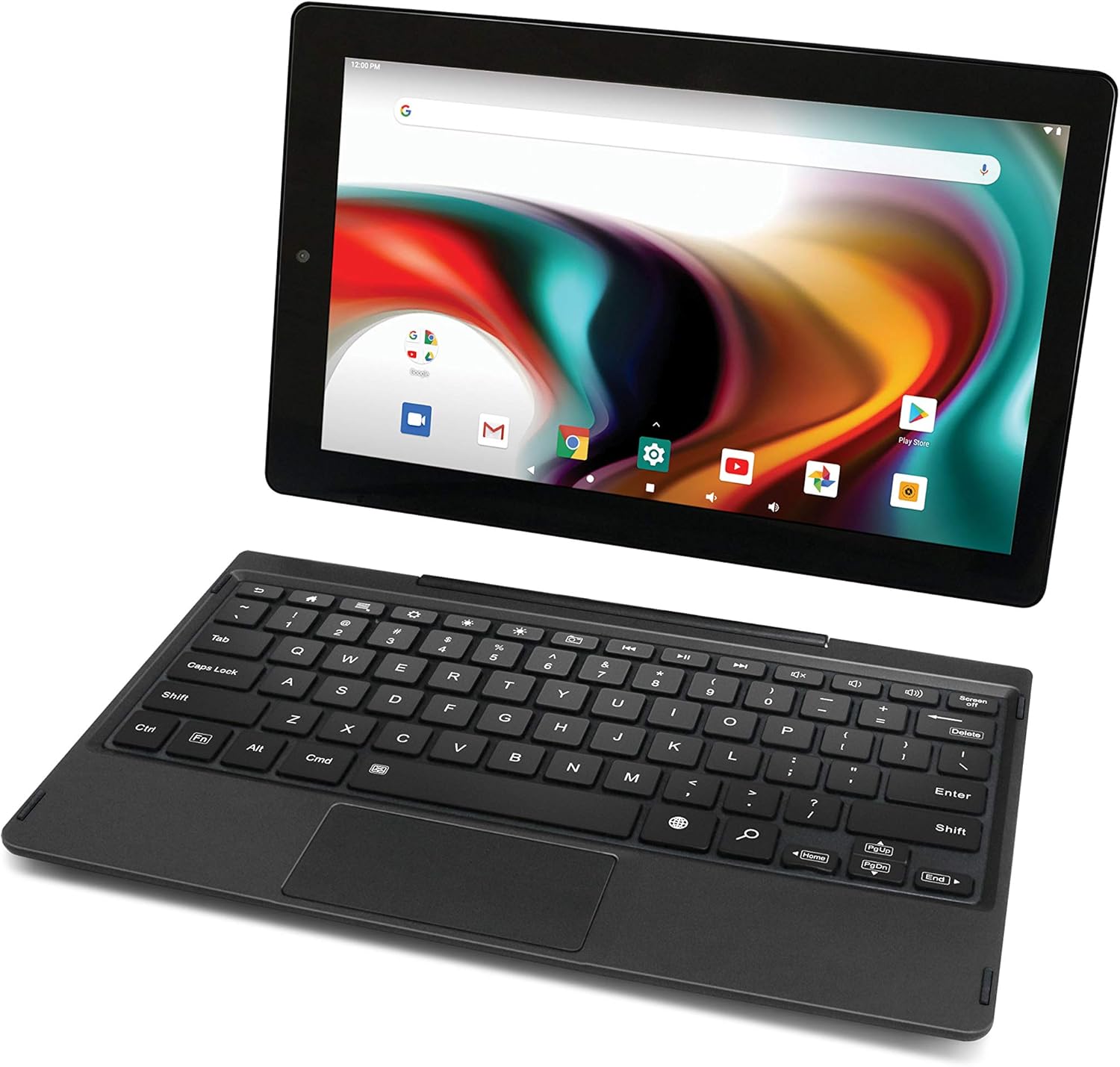
Image: The RCA 11 Delta Pro tablet shown with its detachable keyboard, illustrating the two main components of the device.

Image: The RCA 11 Delta Pro tablet with the keyboard attached, demonstrating its laptop configuration.

Image: The RCA 11 Delta Pro tablet shown in standalone portrait orientation, highlighting its use without the keyboard.
2.2 Ports i botons
- Botó d'encesa: Located on the side, used to turn the device on/off or put it to sleep.
- Botons de volum: Ajusta la sortida d'àudio.
- Port micro USB: Per a càrrega i transferència de dades.
- Full USB Port: Per connectar dispositius USB.
- Ranura per a targeta MicroSD: Expand storage up to 128GB.
- Presa d'auriculars de 3.5 mm: Per a la sortida d'àudio.
- Jack DC: Dedicated charging port.
- Càmeres frontal i posterior: For photos, videos, and video calls.
3. Configuració
3.1 Càrrega inicial
Before first use, fully charge your RCA 11 Delta Pro tablet. Connect the included AC adapter to the DC jack on the tablet and plug it into a power outlet. The charging indicator will illuminate. A full charge typically takes several hours.
3.2 Engegada/apagada
- Per encendre: Premeu i manteniu premut el botó d'engegada fins que aparegui el logotip RCA a la pantalla.
- Per apagar: Press and hold the Power button until a menu appears, then select "Power off."
- Per dormir/despertar-se: Premeu breument el botó d'engegada.
3.3 Attaching and Detaching the Keyboard
The detachable keyboard connects magnetically to the tablet. Align the tablet with the keyboard's dock connector and gently push until it clicks into place. To detach, firmly pull the tablet away from the keyboard.

Image: The RCA 11 Delta Pro tablet with its keyboard folded back, demonstrating a flexible viewmode de ing.
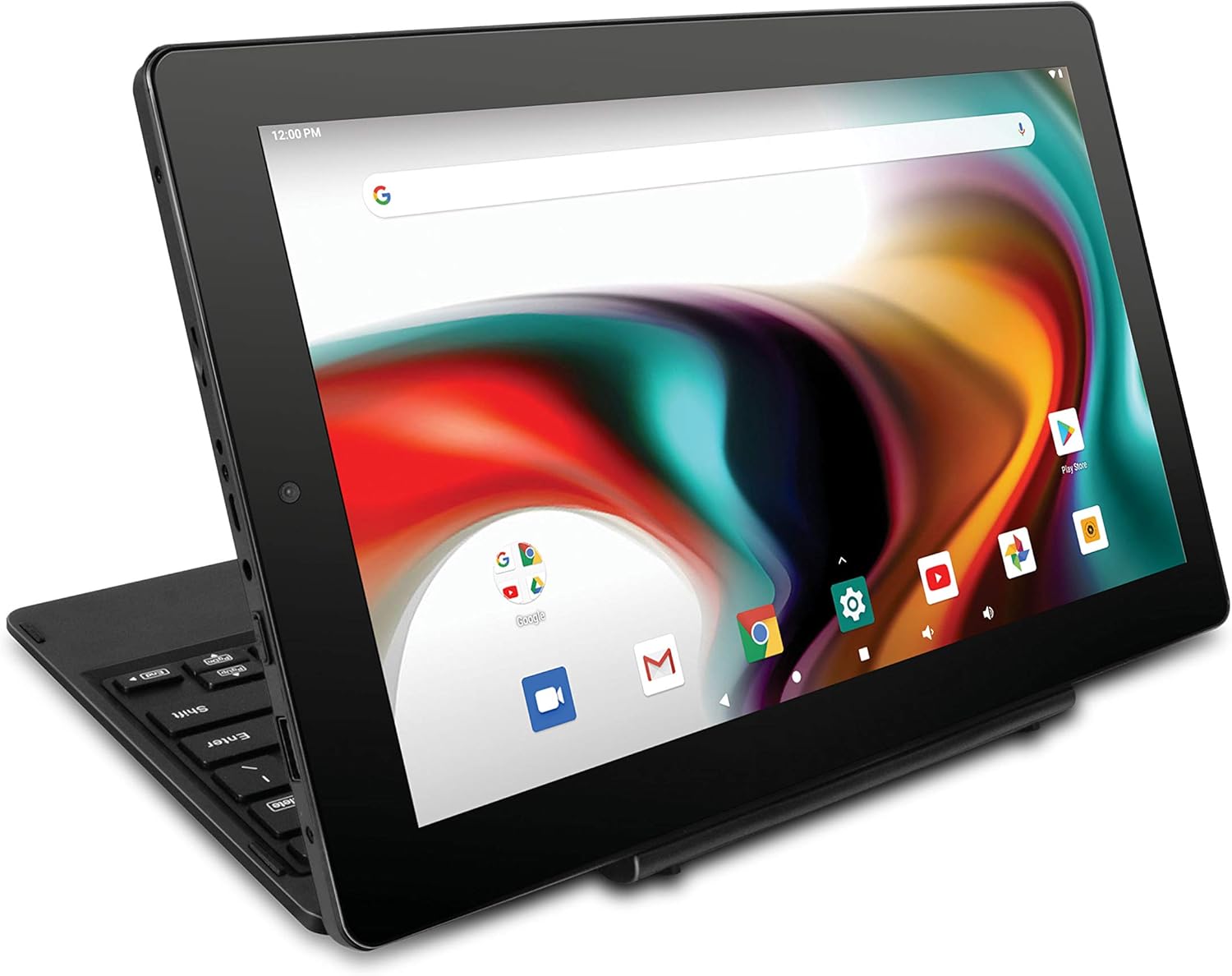
Image: The RCA 11 Delta Pro tablet configured in a stand mode, ideal for media consumption or presentations.
3.4 Configuració inicial d'Android
Upon first power-on, the tablet will guide you through the Android setup wizard. Follow the on-screen prompts to select your language, connect to a Wi-Fi network, sign in with your Google account (or create one), and set up basic preferences.
4. Instruccions de funcionament
4.1 Navegació amb pantalla tàctil
The 11.6-inch IPS display is touch-sensitive. Use standard Android gestures:
- Toca: Selecciona un element o obre una aplicació.
- Toca i mantén premut: Accediu als menús contextuals o arrossegueu elements.
- Llisca: Scroll through lists or switch screens.
- Pessiga per fer zoom: Apropar o allunyar les imatges i web pàgines.
4.2 Android 9.0 Pie Overview
Your tablet runs on Android 9.0 Pie, offering an intuitive user interface. The home screen provides quick access to apps and widgets. Swipe down from the top for notifications and quick settings. Access all installed applications by swiping up from the bottom of the home screen.
4.3 Connexió a Wi-Fi
- Vés a Configuració > Xarxa i Internet > Wi-Fi.
- Activa/desactiva el Wi-Fi On.
- Seleccioneu la xarxa desitjada de la llista.
- Introduïu la contrasenya si us demana i, a continuació, toqueu Connecta't.
4.4 Vinculació Bluetooth
Pair your tablet with Bluetooth-enabled devices like headphones or speakers.
- Vés a Configuració > Dispositius connectats > Bluetooth.
- Commuta el Bluetooth On.
- Assegureu-vos que el dispositiu Bluetooth estigui en mode d'emparellament.
- Seleccioneu el nom del dispositiu de la llista per emparellar-lo.
4.5 Using the Detachable Keyboard and Trackpad
When the keyboard is attached, it functions like a standard laptop keyboard. The integrated trackpad allows for precise cursor control. You can use the trackpad for clicking, scrolling, and multi-touch gestures similar to a laptop touchpad.
4.6 Ús de la càmera
Open the Camera app from your home screen or app drawer. You can switch between the front and rear 2MP cameras. Tap the shutter button to take photos or switch to video mode to record. Adjust settings like flash and timer within the app.
5. Manteniment i cura
5.1 Neteja del vostre dispositiu
- Pantalla: Use a soft, lint-free cloth, preferably microfiber, to gently wipe the screen. For stubborn smudges, slightly dampNetegeu el drap amb aigua o un netejador de pantalles dissenyat per a electrònica. Eviteu productes químics agressius.
- Cos: Wipe the tablet and keyboard body with a soft, dry cloth.
- Assegureu-vos que tots els ports estiguin lliures de pols i deixalles.
5.2 Emmagatzematge
When not in use for extended periods, store the tablet in a cool, dry place away from direct sunlight and extreme temperatures. It is advisable to store the battery at around 50% charge to prolong its lifespan.
5.3 Cura de la bateria
- Eviteu esgotar completament la bateria amb freqüència.
- Do not expose the device to extreme heat or cold, as this can degrade battery performance.
- Feu servir només el carregador original o un carregador compatible certificat.
6. Solució De Problemes
This section addresses common issues you might encounter with your RCA 11 Delta Pro tablet.
6.1 Device Will Not Turn On
- Ensure the battery is charged. Connect the AC adapter and allow it to charge for at least 30 minutes before attempting to power on.
- Mantingueu premut el botó d'engegada durant 10-15 segons per realitzar un reinici forçat.
6.2 Problemes de connexió Wi-Fi
- Assegureu-vos que el Wi-Fi estigui activat a Configuració.
- Reinicieu el router Wi-Fi i la tauleta.
- Oblida't de la xarxa a la configuració del Wi-Fi i torna a connectar-te.
- Comproveu si altres dispositius es poden connectar a la mateixa xarxa Wi-Fi.
6.3 Bluetooth Pairing Problems
- Ensure Bluetooth is enabled on both the tablet and the device you are trying to pair.
- Make sure the other device is in pairing mode and within range.
- Prova de reiniciar els dos dispositius.
6.4 Rendiment lent
- Tanca les aplicacions que no s'utilitzen i que s'executen en segon pla.
- Esborra les dades de la memòria cau de les aplicacions que s'utilitzen amb freqüència.
- Assegureu-vos que hi hagi prou espai d'emmagatzematge disponible.
- Reinicieu la tauleta regularment.
6.5 La bateria es descarrega ràpidament
- Redueix la brillantor de la pantalla.
- Desactiva el Wi-Fi, el Bluetooth i el GPS quan no els utilitzis.
- Tanca les aplicacions en segon pla.
- Limit push notifications.
6.6 Restabliment de fàbrica (últim recurs)
Si els problemes persisteixen, un restabliment de fàbrica pot resoldre molts problemes relacionats amb el programari. Avís: This will erase all data on your tablet. Back up important files abans de continuar.
- Vés a Configuració > Sistema > Restablir opcions.
- Seleccioneu Esborra totes les dades (restabliment de fàbrica).
- Confirm your choice and follow the on-screen instructions.
7. Especificacions
| Característica | Especificació |
|---|---|
| Número de model | RCT6613W23PH6-Charcoal |
| Sistema operatiu | Android 9 Pie |
| Mida de la pantalla | 11.6 polzades |
| Resolució de visualització | 1366 x 768 |
| Processador | Quad-core d'1.3 GHz |
| RAM | 2 GB DDR_SDRAM |
| Emmagatzematge intern | Memòria Flash de 32 GB |
| Emmagatzematge ampliable | MicroSD (up to 128GB) |
| Estàndard sense fils | Wi-Fi, Bluetooth |
| Càmeres | Dual 2 MP Front/Rear |
| Durada de la bateria (mitjana) | Fins a 6 hores |
| Ports | Micro USB, USB complet, ranura per a targetes MicroSD, presa per a auriculars de 3.5 mm, micròfon, presa de CC |
| Color | Carbó vegetal |
8. Garantia i Suport
8.1 Garantia del producte
Your RCA 11 Delta Pro tablet is covered by a limited manufacturer's warranty. Please refer to the warranty card included in your product packaging for specific terms, conditions, and duration. Keep your proof of purchase for warranty claims.
8.2 Atenció al client
Per a més ajuda, assistència tècnica o consultes de servei, visiteu el lloc web oficial d'assistència de RCA. weblloc web o poseu-vos en contacte amb el seu departament d'atenció al client. Normalment, podeu trobar la informació de contacte al fabricant weblloc web o a la documentació del producte.


