1. Introducció
This manual provides detailed instructions for the installation, operation, and maintenance of the Marshall Electronics CV420-30X-IP 8.5MP 4K UHD 30x Optical Zoom IP Camera. Please read this manual thoroughly before using the product to ensure proper and safe operation.
The CV420-30X-IP is a high-performance camera equipped with an 8.5MP sensor, capable of delivering stunning 4K Ultra High Definition (UHD) visuals. It supports resolutions up to 3840x2160p at 60 frames per second, ensuring exceptional detail and true-to-life colors across all HD formats.

Figura 1.1: Angle view of the Marshall CV420-30X-IP camera, showcasing its compact design and prominent lens.
2. Informació de seguretat
Always adhere to the following safety guidelines to prevent damage to the camera and ensure user safety:
- No exposeu la càmera a l'aigua ni a la humitat.
- Eviteu col·locar la càmera sota la llum solar directa o a prop de fonts de calor.
- Use only the power adapter specified for this device.
- No intenteu obrir ni reparar la càmera vosaltres mateixos. Encarregueu totes les tasques de manteniment a personal qualificat.
- Assegureu-vos que hi hagi una ventilació adequada al voltant de la càmera per evitar el sobreescalfament.
- Aquest producte conté productes químics coneguts per l'estat de Califòrnia per causar càncer i defectes de naixement o altres danys reproductius.
3. Contingut del paquet
Verifiqueu que tots els elements que s'enumeren a continuació s'inclouen al vostre paquet:
- Marshall CV420-30X-IP Camera Unit
- Adaptador d'alimentació
- Suport de muntatge (si escau)
- Guia d'inici ràpid
4. Producte acabatview
Familiarize yourself with the components of your CV420-30X-IP camera.
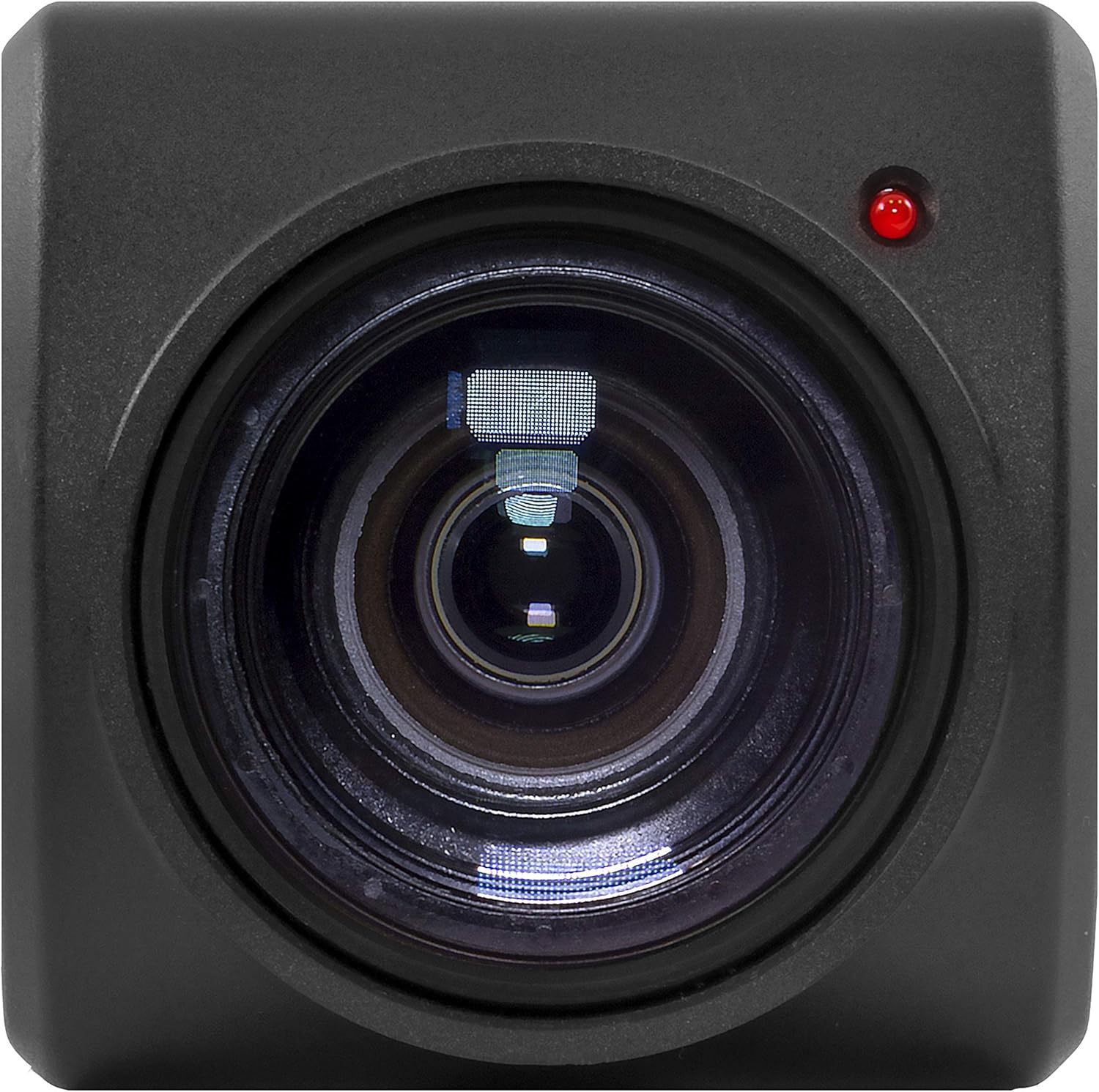
Figura 4.1: Frontal view of the camera, highlighting the 30x optical zoom lens and status indicator light.

Figura 4.2: superior view of the camera, showing the Marshall branding and mounting points.
4.1. Components clau
- Lent: 30x Optical Zoom lens with a maximum aperture of 2f and maximum focal length of 135mm.
- Indicador d'estat: LED light indicating camera status (e.g., power, network activity).
- Punts de muntatge: Threaded holes for secure installation.
- Ports de connectivitat: (Refer to specific model for exact ports, typically Ethernet, Power, etc.)
5. Configuració
5.1. Instal·lació física
Before installation, ensure the mounting surface is sturdy enough to support the camera's weight (approximately 2 pounds) and dimensions (11 x 6.7 x 3.7 inches).
- Choose a suitable location that provides the desired field of view and is protected from extreme environmental conditions.
- Secure the mounting bracket (if included) to the chosen surface using appropriate screws.
- Attach the CV420-30X-IP camera to the mounting bracket, ensuring it is firmly secured.
- Connecteu l'adaptador de corrent a la càmera i endolleu-lo a una presa de corrent.
- Connect an Ethernet cable from the camera's network port to your network switch or router for IP connectivity.
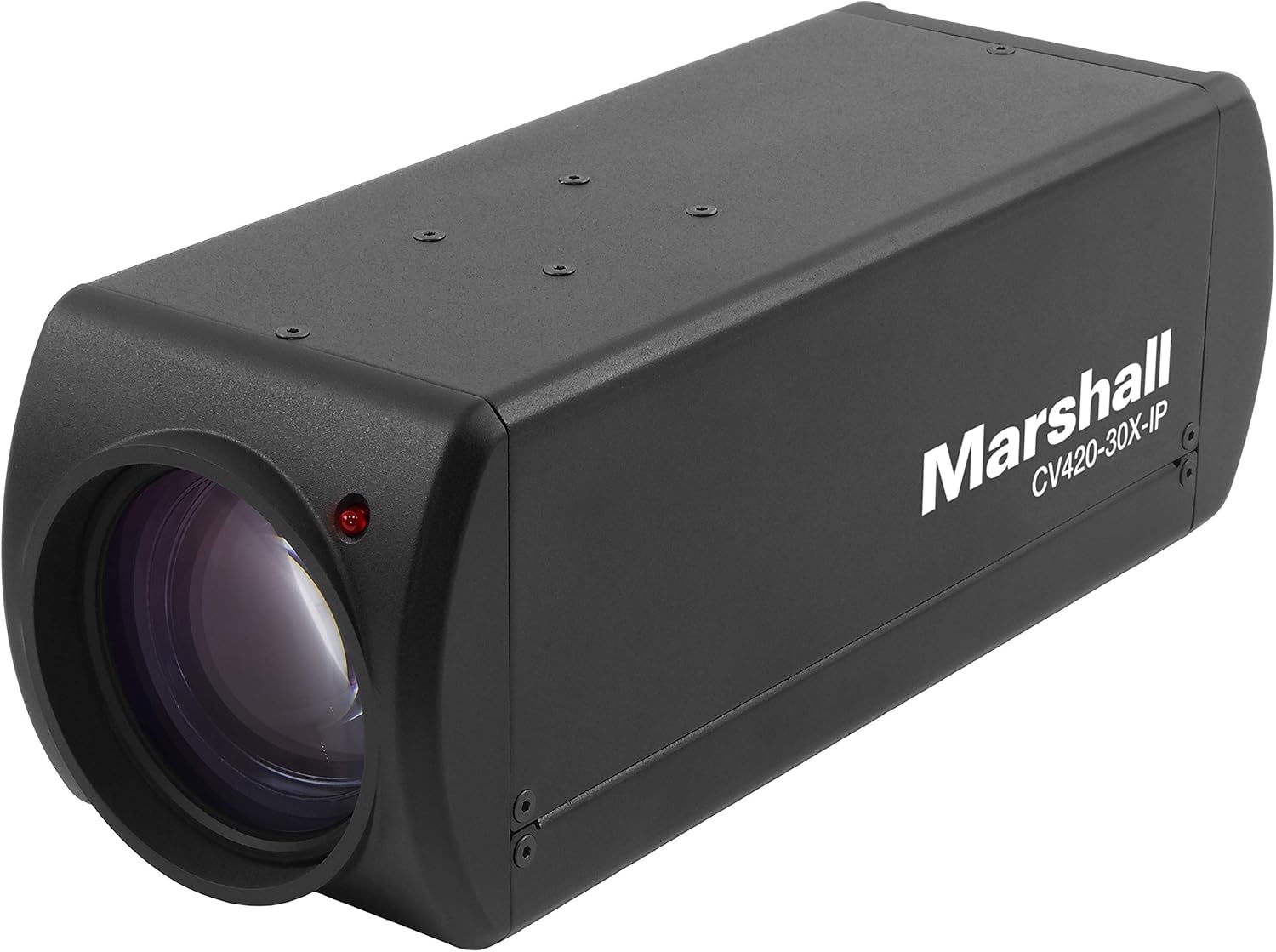
Figura 5.1: Angle view of the camera, illustrating its form factor for installation purposes.
5.2. Configuració de xarxa
The CV420-30X-IP is an IP camera, requiring network configuration for remote access and video streaming.
- Upon initial power-up, the camera will typically attempt to obtain an IP address via DHCP.
- Use the Marshall IP Camera Tool (available on the Marshall website) to discover the camera on your network and configure its IP settings (e.g., static IP, subnet mask, gateway).
- Ensure the camera's IP address is within the same subnet as your viewing device or NVR.
- Default login credentials (if any) will be provided in the Quick Start Guide or on the camera's label. Change these immediately after initial setup for security.
6. Funcionament
6.1. Funcionament bàsic
- Encès: Once connected to power, the camera will automatically power on. The status indicator light will illuminate.
- Accessing Video Stream: Accedir a la càmera web interface via its IP address in a web browser, or integrate it with compatible NVR/VMS software using ONVIF or RTSP protocols.
- Resolució de vídeo: The camera supports various resolutions including 1080p, 4K, and 720p. Adjust these settings through the camera's web interface or connected software.
6.2. Funcions avançades
- Zoom òptic: Utilize the 30x optical zoom feature to magnify distant subjects without loss of image quality. Control zoom via the web interface or integrated software.
- Focus: The camera typically features auto-focus. Manual focus adjustments can be made through the web interfície si cal.
- Velocitat de fotogrames: Adjust the frame rate (up to 60fps at 4K) to balance video smoothness and network bandwidth usage.
- Configuració de la imatge: Configure brightness, contrast, saturation, white balance, and other image parameters to optimize video quality for your specific environment.
7. Manteniment
7.1. Neteja
- Gently wipe the camera body with a soft, dry cloth.
- For the lens, use a lens cleaning cloth and specialized lens cleaning solution. Do not use abrasive materials or harsh chemicals.
- Assegureu-vos que la càmera estigui apagada abans de netejar-la.
7.2. Actualitzacions de firmware
Periodically check the Marshall Electronics weblloc web per a actualitzacions de firmware. Les actualitzacions de firmware poden millorar el rendiment, afegir noves funcions i solucionar vulnerabilitats de seguretat. Seguiu atentament les instruccions que s'inclouen amb el paquet d'actualització de firmware.
8. Solució De Problemes
| Problema | Causa possible | Solució |
|---|---|---|
| Sense poder | Power adapter disconnected or faulty outlet. | Check power connections. Try a different outlet. Ensure power adapter is functioning. |
| No Video Stream | Network connectivity issue, incorrect IP settings, or software configuration. | Verify Ethernet cable connection. Check IP address and network settings. Ensure firewall is not blocking ports. Restart camera and viewdispositiu d'ing. |
| Poor Image Quality | Dirty lens, improper focus, or low light conditions. | Clean the lens. Adjust focus settings. Ensure adequate lighting or adjust camera's low-light settings. |
| Camera Not Found on Network | Incorrect network segment, DHCP issue, or camera not powered on. | Confirm camera is powered. Use the Marshall IP Camera Tool to scan for devices. Check network cable. Ensure camera and discovery tool are on the same network segment. |
9. Especificacions
| Característica | Detall |
|---|---|
| Número de model | CV420-30X-IP |
| Sensor | 8.5MP |
| Resolució de captura de vídeo | 1080p, 4K (3840x2160p), 720p |
| Velocitat de fotogrames | Up to 60 frames per second (at 4K) |
| Zoom òptic | 30x |
| Distància focal màxima | 135 mil·límetres |
| Apertura màxima | 2f |
| Tipus de lent | Zoom |
| Tecnologia de connectivitat | Wireless (IP) |
| Format de captura de vídeo | MP4 |
| Dimensions del producte | 11 x 6.7 x 3.7 polzades |
| Pes de l'article | 2 lliures |
| Fabricant | Marshall |
| ASIN | B07YN5LKLD |
| Data de primera disponibilitat | 2 d'octubre de 2019 |
10. Garantia i Suport
For detailed warranty information and technical support, please refer to the official Marshall Electronics weblloc web o contacteu directament amb el servei d'atenció al client. Conserveu el rebut de compra com a comprovant de compra per a reclamacions de garantia.
Weblloc: Www.marshall-usa.com
Contacte: Consulteu el website for contact numbers and support channels.


