1. Introducció
The Altice Amplify is an intelligent, high-fidelity smart speaker designed to enhance your home entertainment experience. Powered by Devialet technologies, it delivers exceptional sound quality with rich detail. Integrated with Alexa Voice Control, it allows for hands-free operation, music playback, smart home control, and seamless connection to various streaming services.

Les característiques clau inclouen:
- Devialet sound processing technologies for extraordinary audio quality through 5 speakers.
- Far-field AI voice assistant powered by Alexa for convenient hands-free control.
- Multiple connectivity options: Wi-Fi, Bluetooth, and Optical audio input for TV playback.
- Native streaming music support for popular services like Spotify, Pandora, Amazon Music, Apple Music, Audible, TuneIn, Tidal, and iHeartRadio.
- Control of smart home accessories leveraging Alexa skills.
Vídeo oficialasing the features and design of the Altice Amplify Smart Speaker.
2. Producte acabatview
2.1. Què hi ha a la caixa
- Altice Amplify Smart Speaker
- Cable òptic
- Unitat d'alimentació
2.2. Components de l'altaveu


3. Configuració
3.1. Col·locació
Place your Altice Amplify speaker indoors on a stable, flat surface such as a tabletop or floor. Ensure it is positioned to provide optimal sound distribution in your desired listening area.
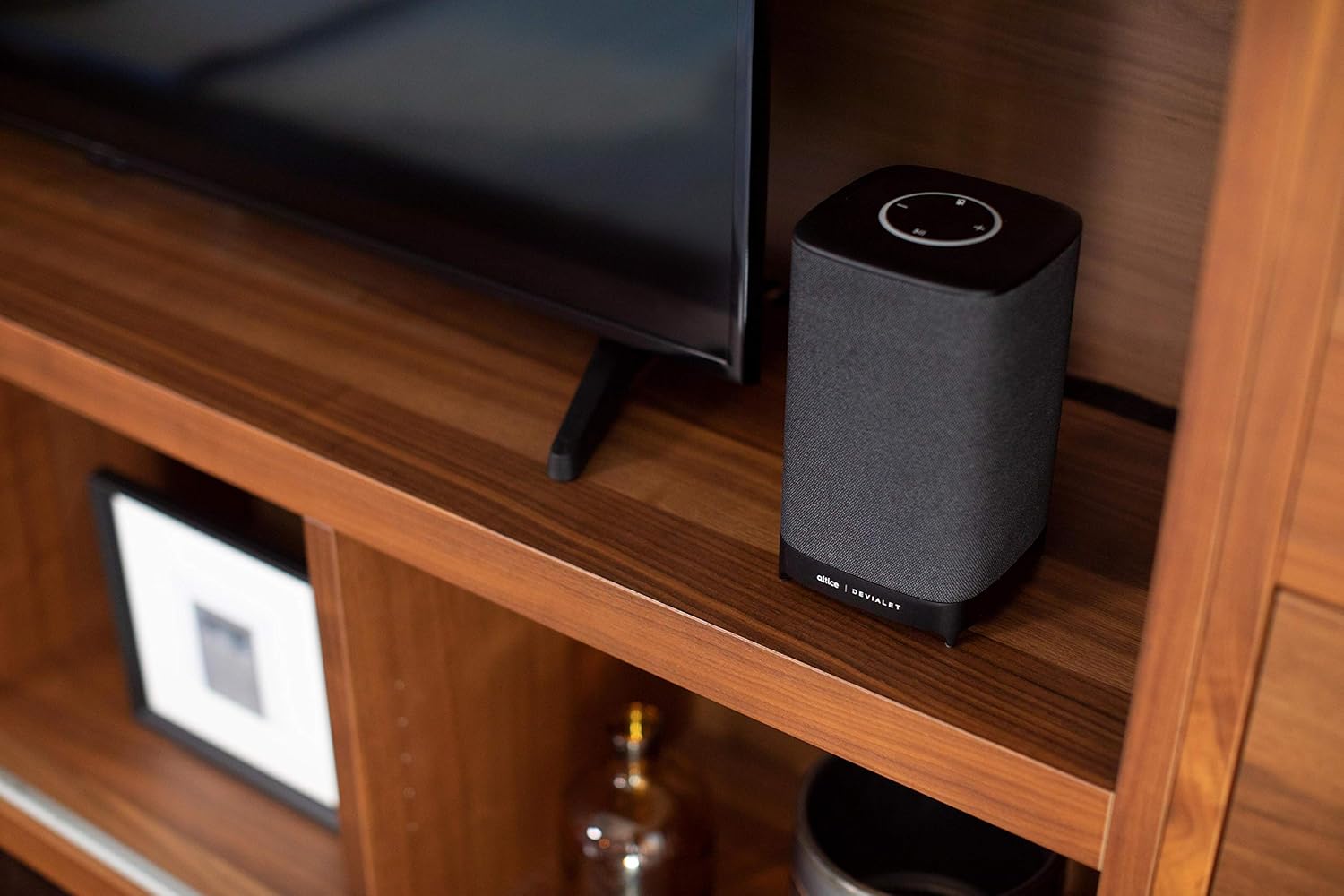
3.2. Connexió d'alimentació
Connect the provided power supply unit to the speaker's power input port and then plug it into a wall outlet. The speaker will power on automatically.
3.3. Connexió al televisor
For TV audio, use the included optical cable to connect the speaker's optical input to your TV's optical audio output. To switch to the optical input, press and hold the play/pause button on the speaker's top panel until the input changes.
3.4. Network and App Setup
To utilize smart features and streaming services, connect the speaker to your Wi-Fi network. Download the Altice Amplify companion app on your smartphone or tablet. Follow the in-app instructions for initial setup, including Wi-Fi configuration and linking your Alexa account. The app facilitates the setup process and allows for management of speaker settings.
4. Funcionament de l'altaveu
4.1. Control per veu amb Alexa
With Alexa built-in, you can control your speaker and smart home devices using voice commands. Simply say "Alexa" followed by your request. For example, "Alexa, play music," "Alexa, what's the weather?" or "Alexa, turn off the lights."
4.2. Transmissió d'àudio
The Altice Amplify supports premier audio streaming from various services. Once connected to Wi-Fi, you can stream directly from Spotify, Amazon Music, Apple Music, Pandora, Audible, TuneIn, Tidal, and iHeartRadio. You can also stream audio via Bluetooth from any compatible device.
4.3. Adjusting Volume and Sources
Volume can be adjusted using the touch controls on the top of the speaker (plus and minus symbols) or via voice commands through Alexa. To switch between audio sources (Optical, Bluetooth, Wi-Fi), press and hold the play/pause button on the top panel. Note that the volume control may not be highly incremental, so adjust carefully.
5. Manteniment
To maintain the performance and appearance of your Altice Amplify speaker, follow these guidelines:
- Neteja: Use a soft, dry cloth to wipe the exterior surfaces. Avoid using liquid cleaners, aerosols, or abrasive materials.
- Col·locació: Keep the speaker away from direct sunlight, heat sources, and areas with high humidity or dust.
- Ventilació: Ensure proper airflow around the speaker to prevent overheating. Do not block any ventilation openings.
- Potència: Disconnect the power supply during electrical storms or when unused for long periods.
6. Solució De Problemes
If you encounter issues with your Altice Amplify speaker, refer to the following common problems and solutions:
- Sense energia: Ensure the power supply unit is securely connected to both the speaker and a working electrical outlet.
- Sense sortida d'àudio:
- Verify the correct audio source is selected (Optical, Bluetooth, Wi-Fi) by pressing and holding the play/pause button to cycle through inputs.
- Comproveu el nivell de volum tant de l'altaveu com del dispositiu connectat.
- If using optical, ensure the optical cable is securely connected and your TV's audio output is set to PCM/Stereo (not Bitstream or Dolby Digital).
- Problemes de connectivitat Wi-Fi:
- Assegureu-vos que l'altaveu estigui dins de l'abast del vostre encaminador Wi-Fi.
- Restart your Wi-Fi router and the speaker.
- If the speaker loses contact with the Wi-Fi network and cannot reconnect, try resetting the speaker (refer to the app or online resources for specific reset instructions).
- Some users have reported difficulties with the Android app for setup; ensure your app is updated to the latest version.
- Problemes de vinculació de Bluetooth:
- Assegureu-vos que l'altaveu estigui en mode d'emparellament Bluetooth.
- Assegureu-vos que el Bluetooth estigui habilitat al dispositiu i que es pugui detectar.
- Delete previous pairings on your device and try pairing again.
- Alexa no respon:
- Check if the microphone is muted on the speaker (indicated by a specific light pattern or button).
- Ensure the speaker has a stable internet connection.
- Verify your Alexa account is properly linked in the companion app.
For persistent issues, consult the Altice support weblloc o poseu-vos en contacte amb el seu servei d'atenció al client.
7. Especificacions
| Característica | Especificació |
|---|---|
| Nom del model | Altice Amplificar |
| Tipus d'altaveu | Altaveu intel·ligent, 3D/atmosfèric, barra de so, subwoofer |
| Característica especial | Devialet Sound Processing Technology |
| Usos recomanats per al producte | Music, home entertainment, parties, or background music |
| Dispositius compatibles | Telèfon intel·ligent, tauleta, ordinador portàtil |
| Tipus de controlador | vera, Amazon Alexa |
| Configuració del canal de so envoltant | 2.1 |
| Color | Negre |
| Components inclosos | Optical cable, Power supply unit |
| Pes de l'article | 5.73 lliures |
| És impermeable | FALSA |
| Tipus de garantia | Garantia limitada |
| Nombre d'articles | 1 |
| Mètode de control | veu |
| Tecnologia de comunicació sense fils | Bluetooth, WiFi |
| Font d'alimentació | Elèctric amb cable |
| Ràtio senyal / soroll | 5 dB |
| Tipus de paquet del client | Embalatge estàndard |
| Tipus de controlador d'àudio | Conductor dinàmic |
| Interval Bluetooth | 10 metres |
| Tecnologia de connectivitat del subwoofer | Sense fil |
| Protocol de connectivitat | Bluetooth, WiFi |
| Inclou reproductor de MP3? | No |
| UPC | 810038290003 |
| Ús interior/exterior | Interior |
| Número d'identificació comercial global | 00810038290003 |
| Fabricant | Altice, Devialet |
| Dimensions del paquet | 12.2 x 8.6 x 7 polzades |
| Número de model de l'article | SBDV01 |
| Data de primera disponibilitat | 4 de novembre de 2019 |
| Potència de sortida màxima dels altaveus | 5 watts |
| Mode de sortida d'àudio | estèreo |
| Tipus de muntatge | Floor Standing, Tabletop Mount |
8. Garantia i Suport
The Altice Amplify Smart Speaker comes with a Limited Warranty. For detailed information regarding warranty coverage, terms, and conditions, please refer to the documentation included with your product or visit the official Altice support weblloc.
For technical support, troubleshooting assistance beyond this manual, or to inquire about service, please contact Altice customer support through their official channels. Keep your product model number (SBDV01) and proof of purchase ready when contacting support.


