1. Introducció
This manual provides detailed instructions for the installation, operation, and maintenance of your Cooler Master RR-A71C-18PA-R1 CPU Cooler. This air cooler is designed to efficiently dissipate heat from your desktop CPU, featuring a PWM controlled fan for optimized performance and addressable RGB lighting for customizable aesthetics. Please read this manual thoroughly before proceeding with installation to ensure proper setup and safe operation.
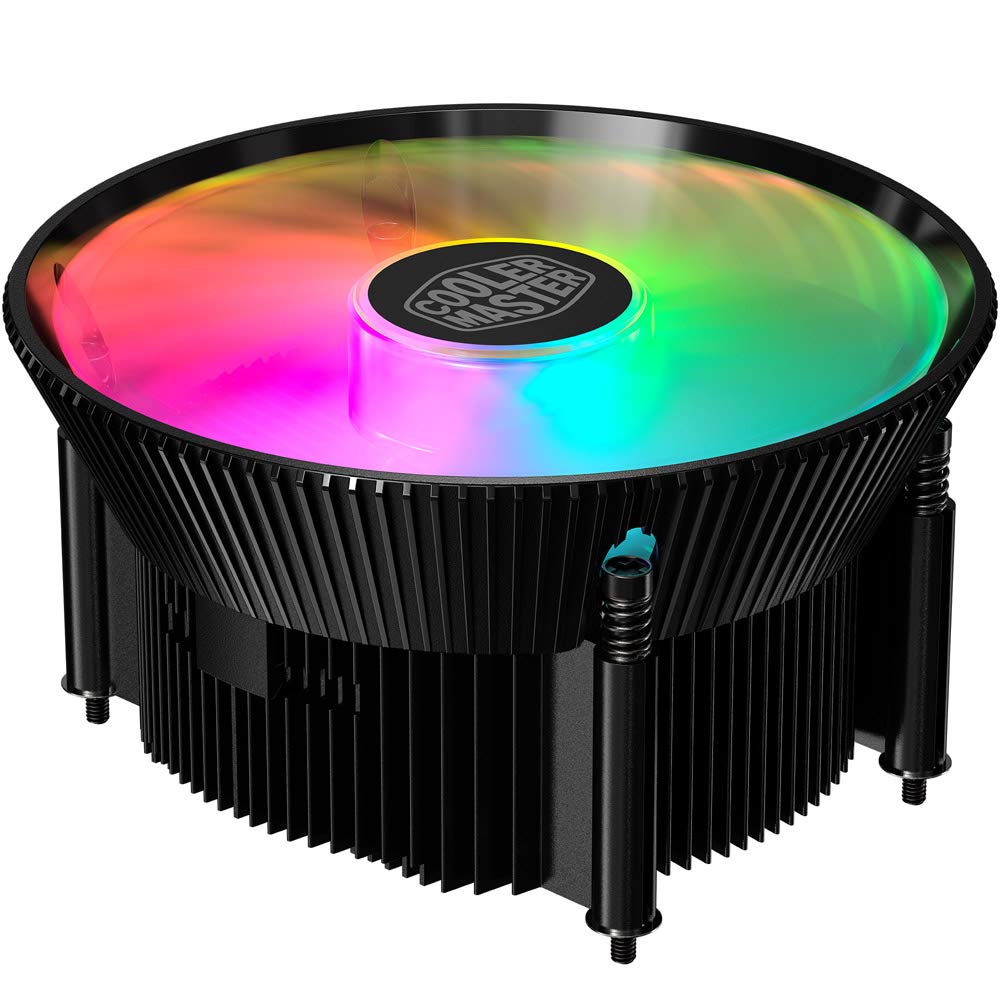
Imatge 1.1: Part superior view of the Cooler Master RR-A71C-18PA-R1 CPU Cooler showcasing its addressable RGB fan.
2. Informació de seguretat
Observeu les següents precaucions de seguretat per evitar danys al producte o lesions personals:
- Assegureu-vos que el sistema informàtic estigui apagat i desendollat de la presa de corrent abans de la instal·lació o el manteniment.
- Avoid touching the fan blades while the system is operating.
- Handle the cooler and its components with care to prevent damage.
- Mantenir fora de l'abast dels nens.
- Do not attempt to modify the cooler or its components. Unauthorized modifications may void your warranty and pose safety risks.
3. Contingut del paquet
Verifiqueu que tots els elements siguin presents al vostre paquet:
- Cooler Master RR-A71C-18PA-R1 CPU Cooler Assembly
- Mounting Hardware (for compatible CPU sockets)
- Pasta tèrmica (preaplicada o en tub)
- Manual d'usuari (aquest document)
4. Configuració i instal·lació
Follow these steps for proper installation of the CPU cooler:
- Prepareu la placa base:
Ensure your motherboard is removed from the PC case or has sufficient access for cooler installation. Refer to your motherboard's manual for specific CPU socket preparation.
- Aplicar pasta tèrmica:
If thermal paste is not pre-applied to the cooler's base, apply a small, pea-sized amount to the center of your CPU's integrated heat spreader (IHS). Do not spread it manually; the pressure from the cooler will distribute it evenly.

Imatge 4.1: Part inferior view of the CPU cooler, illustrating the fan and copper contact base. Ensure this surface is clean before applying thermal paste.
- Mount the Cooler:
Carefully align the cooler with the mounting holes on your motherboard. Gently place the cooler onto the CPU, ensuring even contact. Secure the cooler using the provided mounting hardware. Tighten screws in a diagonal pattern (e.g., top-left, bottom-right, top-right, bottom-left) until snug, but do not overtighten.
- Connectar el cable del ventilador:
Locate the 4-pin PWM fan connector on the cooler. Connect this cable to the "CPU_FAN" header on your motherboard. Refer to your motherboard manual for the exact location of this header.
- Connecteu el cable RGB:
Locate the addressable RGB (ARGB) connector on the cooler. Connect this cable to a compatible 3-pin 5V ARGB header on your motherboard. Avís: No connecteu a un connector RGB de 12V de 4 pins, ja que això danyarà els LED.
- Comprovacions finals:
Double-check all connections. Ensure no cables are obstructing the fan blades or other components. Reinstall your motherboard into the PC case if it was removed.
5. Instruccions de funcionament
Once installed, the Cooler Master RR-A71C-18PA-R1 CPU Cooler operates automatically, but its performance and aesthetics can be managed:
- Control de velocitat del ventilador (PWM):
The fan's speed is controlled by your motherboard's BIOS/UEFI settings or through motherboard software. PWM (Pulse Width Modulation) allows for dynamic fan speed adjustments based on CPU temperature, providing optimal cooling and noise levels. Consult your motherboard manual for instructions on configuring fan curves.
- Addressable RGB Lighting Control:
The addressable RGB lighting can be controlled via your motherboard's RGB software (e.g., ASUS Aura Sync, MSI Mystic Light Sync, Gigabyte RGB Fusion, ASRock Polychrome Sync) or a dedicated ARGB controller (not included). Ensure the ARGB cable is correctly connected to a 3-pin 5V ARGB header. Refer to your motherboard's software documentation for lighting customization options.
6. Manteniment
Regular maintenance ensures optimal performance and longevity of your CPU cooler:
- Eliminació de pols:
Periodically (every 3-6 months, depending on environment) power off your computer and unplug it. Use compressed air to gently blow dust out of the heatsink fins and fan blades. Hold the fan blades to prevent them from spinning rapidly during cleaning, which can damage the bearings.
- Comproveu les connexions:
Occasionally verify that the fan and RGB cables are securely connected to their respective headers on the motherboard.
- Reaplicació de pasta tèrmica:
Si traieu el refrigerador per qualsevol motiu, es recomana netejar la pasta tèrmica antiga tant de la CPU com de la base del refrigerador i aplicar pasta tèrmica nova abans de tornar-lo a instal·lar.
7. Solució De Problemes
Si teniu problemes amb el refrigerador de la CPU, consulteu els següents problemes i solucions habituals:
| Problema | Causa possible | Solució |
|---|---|---|
| El ventilador no gira |
|
|
| Sense il·luminació RGB |
|
|
| Temperatures altes de la CPU |
|
|
8. Especificacions
Detailed technical specifications for the Cooler Master RR-A71C-18PA-R1 CPU Cooler:
| Característica | Valor |
|---|---|
| Dimensions del producte | 4.72 cm de llargada x 0.98 cm d'amplada x 4.72 cm d'alçada |
| Marca | Cooler Master |
| Tipus de connector d'alimentació | 4-Pin (PWM) |
| Voltage | 12 Volts |
| Wattage | 1.44 watts |
| Mètode de refrigeració | Aire |
| Dispositius compatibles | Escriptori |
| Nivell de soroll | 24.9 decibels |
| Material | Alumini, coure |
| Velocitat de rotació màxima | 2500 RPM |
| Pes de l'article | 0.42 quilos |
| Recompte d'unitats | 1.0 recompte |
| UPC | 884102066931 |
9. Garantia i Suport
Cooler Master products come with a limited warranty. For detailed warranty information, please refer to the official Cooler Master website or the warranty card included with your product. If you encounter any issues not covered in this manual or require further assistance, please contact Cooler Master customer support:
- Weblloc: www.coolermaster.com/support/
- Contacte: Consulteu la secció de suport a weblloc web amb informació de contacte regional.