1. Introducció
This manual provides essential information for the safe installation, operation, and maintenance of your ELEGRP USB Wall Outlet Receptacle. Please read these instructions thoroughly before installation and retain them for future reference.
1.1. Producte acabatview
The ELEGRP USB Wall Outlet Receptacle is designed to provide both standard AC power outlets and convenient USB charging ports. It features one USB-C port and two USB-A ports, offering a combined total output of 30W (6.0A) for efficient charging of compatible devices. The unit is UL Listed, ensuring compliance with safety standards.
1.2. Què hi ha a la caixa
- USB Outlet with Screwless Wall Plate
- Manual d’instruccions d’instal·lació
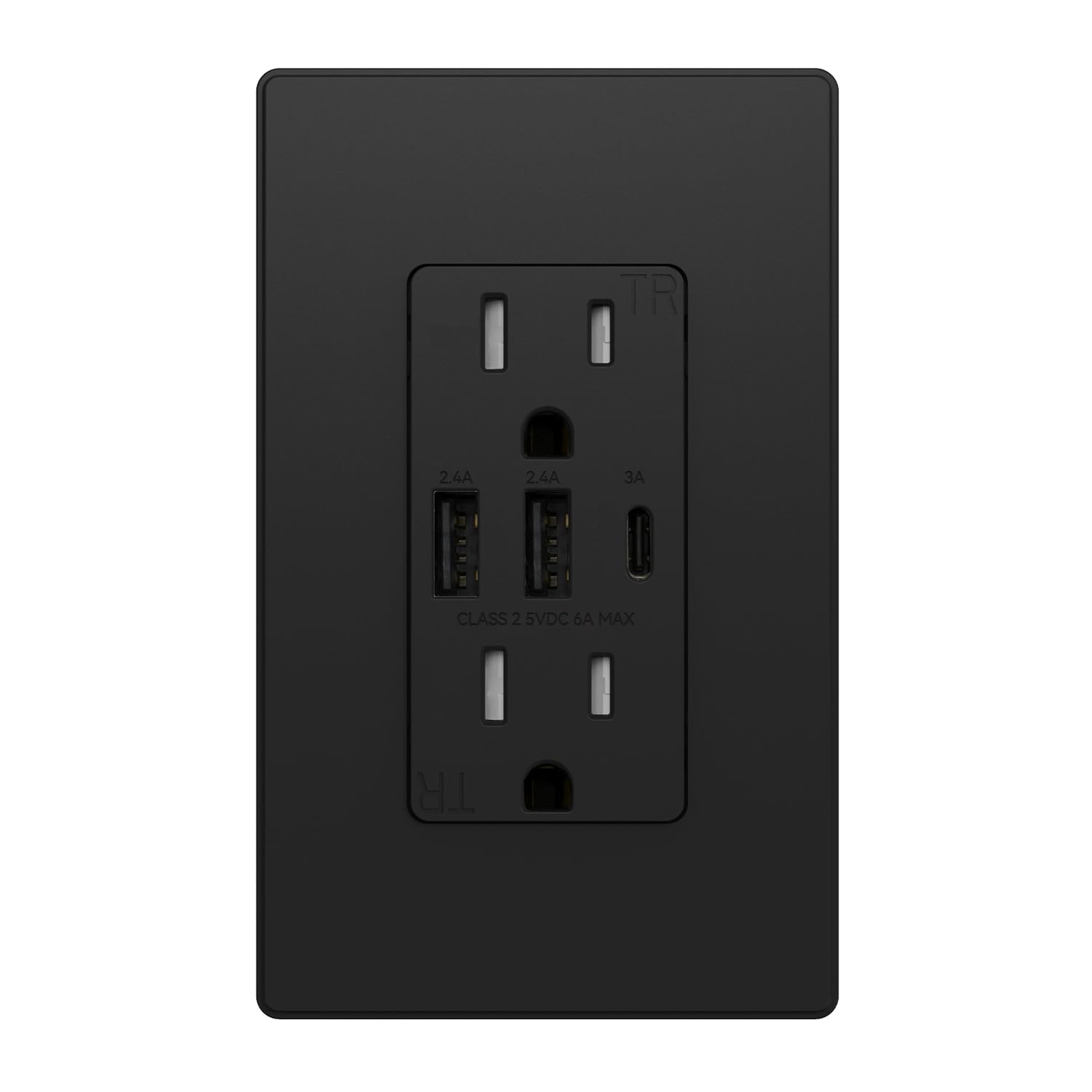
Imatge 1.1: Frontal view of the ELEGRP USB Wall Outlet Receptacle in matte black with its screwless wall plate.
2. Informació de seguretat
WARNING: RISK OF ELECTRIC SHOCK. IMPROPER INSTALLATION CAN RESULT IN SERIOUS INJURY OR DEATH.
- Installation must be performed by a qualified electrician or a knowledgeable person in accordance with all national and local electrical codes.
- Always turn off power at the circuit breaker or fuse box before installing or servicing the outlet.
- Feu servir només cable de coure. No l'utilitzeu amb cable d'alumini.
- Assegureu-vos que totes les connexions dels cables estiguin segures i correctament aïllades.
- This device is UL Listed, meeting UL1310 & UL498 standards for safety and reliability.
- Característiques tamper-resistant shutters to prevent insertion of foreign objects into the AC outlets, enhancing child safety.
- Constructed with fire-resistant materials for added safety.
- Built-in circuit protection system safeguards connected devices from short circuits, overloads, overvoltage, sobreintensitat i sobreescalfament.

Image 2.1: Diagram illustrating the multiple protection features of the outlet, including short circuit, overload, overvoltage, overcurrent, overheating, tamper-resistant shutters, and undervoltagprotecció.
3. Configuració i instal·lació
3.1. Eines necessàries
- Tornavís (Phillips i Flathead)
- Pelafils
- Voltage Tester
- Cinta elèctrica (opcional)
3.2. Passos d'instal·lació
- Apagueu l'alimentació: Locate the circuit breaker or fuse that controls the outlet you are replacing. Turn off the power. Verify the power is off using a voltage provador.
- Elimina la presa antiga: Descargoleu i retireu amb cura la placa de paret i la presa de corrent existents de la caixa elèctrica. Desconnecteu els cables de la presa de corrent antiga.
- Identificar els cables: Identify the following wires:
- Fil calent (línia): Usually black or red. Connects to the brass screw terminal.
- Fil neutre: Usually white. Connects to the silver screw terminal.
- Cable de terra: Usually bare copper or green. Connects to the green screw terminal.
- Prepareu els cables: Strip approximately 1/2 inch (12-14 mm) of insulation from the end of each wire.
- Connecteu els cables: Connect the wires to the new ELEGRP USB outlet:
- Connecteu el Hot (Line) cable a la brass screw.
- Connecteu el Neutre cable a la silver screw.
- Connecteu el Terra cable a la cargol verd.
Ensure connections are tight. For multiple wires in a single terminal, use a pigtail connection with a wire nut if necessary.
- Presa de corrent segura: Carefully push the wired outlet back into the electrical box. Secure it with the mounting screws provided.
- Instal·leu la placa de paret: Attach the screwless wall plate by first securing the subplate to the outlet, then snapping the decorative cover onto the subplate.
- Restaura l'alimentació: Torneu a connectar l'alimentació a l'interruptor o a la caixa de fusibles.
- Funcionalitat de prova: Test both the AC outlets and USB ports to ensure proper operation.

Image 3.1: Wiring diagram for an electrical box with one cable (2 or 3 wires) entering the box. Shows connections for Line, Neutral, and Ground wires.

Image 3.2: Wiring diagram for an electrical box with two cables (4 or 6 wires) entering the box, indicating how to connect the outlet when power is fed to other receptacles.
4. Instruccions de funcionament
4.1. Preses de corrent alterna
The two standard AC outlets function like any traditional wall receptacle. Insert your appliance or device plugs firmly into the outlets. The tamper-resistant shutters may require a slightly firmer insertion to ensure both prongs enter simultaneously.
4.2. Ports de càrrega USB
The outlet features one USB-C port and two USB-A ports. These ports provide a combined total output of 30W (6.0A) for charging compatible electronic devices such as smartphones, tablets, and other USB-powered gadgets. Built-in protocol chips ensure optimal charging for various devices, supporting Apple Protocols, Samsung Protocols, and Standard BC1.2.
- Port USB-C: Provides up to 3.0A (5VDC).
- Ports USB-A: Each provides up to 2.4A (5VDC).
- Sortida USB total: 6.0A, 30W maximum.
Note: This outlet does not support fast charging protocols (e.g., Quick Charge, Power Delivery beyond basic 5V) and is not suitable for charging laptops that require higher wattage.

Image 4.1: The outlet with multiple devices (phone, tablet, earbuds) connected to its USB-C and USB-A ports for charging.

Image 4.2: A visual representation of various devices compatible with the USB charging ports, including iPhones, Google phones, Samsung phones, iPads, Kindles, AirPods, JBL speakers, and game controllers.
5. Manteniment
The ELEGRP USB Wall Outlet Receptacle requires minimal maintenance.
- Neteja: To clean the surface, wipe with a soft, damp drap. No utilitzeu productes de neteja abrasius ni dissolvents. Assegureu-vos que l'alimentació estigui apagada abans de netejar.
- Inspecció: Periodically inspect the outlet and wall plate for any signs of damage, such as cracks, discoloration, or loose connections. If any damage is observed, turn off power and consult a qualified electrician for replacement.
6. Solució De Problemes
| Problema | Causa possible | Solució |
|---|---|---|
| No hi ha alimentació a les preses de corrent altern ni als ports USB. | Circuit breaker tripped or fuse blown. Loose wiring connection. | Check and reset the circuit breaker or replace the fuse. Verify wiring connections are secure (ensure power is off first). |
| Els dispositius USB no es carreguen o es carreguen lentament. | Device not compatible with 5V charging. Cable issue. Device requires higher wattage (e.g., laptop). Total USB output exceeded. | Ensure device is compatible with standard 5V USB charging. Try a different USB cable. Note that this outlet does not support fast charging or high-wattage devices like laptops. Reduce the number of devices charging simultaneously if total output is exceeded. |
| AC plug difficult to insert. | Tamper-resistant shutters engaged. | Apply firm, even pressure to insert both prongs of the plug simultaneously. This is a safety feature. |
| La presa de corrent és càlida. | Normal operation under load. Overload condition. | A slight warmth is normal during operation. If the outlet becomes excessively hot, disconnect devices and check for an overload. Consult an electrician if the issue persists. |
7. Especificacions
| Paràmetre | Valor |
|---|---|
| Valoració del receptacle | 15 Amp 125 V AC |
| USB Rating (Total) | 6.0A, 5VDC in Total |
| Sortida USB tipus A | 2.4A, 5VDC (each port) |
| Sortida USB tipus C | 3.0A, 5VDC |
| Indicador de cablejat | #14 - #12 AWG |
| Temperatura de funcionament | -4 a 104 °F (-20 a 40 °C) |
| Dimensions del producte | 4.17"L x 1.69"W x 1.69"D (10.6 x 4.3 x 4.3 cm) |
| Material | Policarbonat termoplàstic |
| Certificació | Llistat UL / CUL |
| Número de model | R1815D60AAC-BL |

Image 7.1: Detailed diagram showing the dimensions of the outlet and a parameter list of its specifications.
8. Garantia i Suport
ELEGRP provides 3 years of product support for this USB Wall Outlet Receptacle, ensuring long-term performance and customer satisfaction. For technical assistance, warranty claims, or further information, please contact ELEGRP customer service through their official channels or the retailer where the product was purchased.


