1. Introducció
This manual provides detailed instructions for the installation, operation, and maintenance of your Anlapus H.265+ 1080P 8-Channel 2TB 4-in-1 Digital Video Recorder (DVR). This DVR is designed to provide reliable and high-quality surveillance recording, supporting various camera types including TVI, CVI, AHD, and 960H. With its advanced H.265+ video compression, 2TB pre-installed hard drive, and versatile recording modes, it offers an efficient solution for your security needs.
Please read this manual thoroughly before using the product to ensure proper setup and optimal performance. Keep this manual for future reference.
2. Informació de seguretat
- Font d'alimentació: Feu servir només l'adaptador de corrent especificat. Volum incorrectetagi pot danyar el dispositiu i anul·lar la garantia.
- Ventilació: Ensure proper ventilation. Do not block any ventilation openings. Avoid placing the DVR in enclosed spaces.
- Medi ambient: Do not expose the DVR to water, moisture, or extreme temperatures. Keep it away from direct sunlight, heat sources, and strong magnetic fields.
- Manipulació: Handle the DVR with care. Avoid dropping or subjecting it to strong vibrations.
- Neteja: Desconnecteu l'alimentació abans de netejar. Feu servir un drap sec i suau. No utilitzeu netejadors líquids ni en aerosol.
- Manteniment: No intenteu atendre aquest producte vosaltres mateixos. Consulteu tots els serveis a personal de servei qualificat.
3. Contingut del paquet
Verifiqueu que tots els elements que s'enumeren a continuació s'inclouen al vostre paquet:
- Anlapus 8-Channel DVR Unit
- 2TB Hard Disk Drive (pre-installed)
- Adaptador d'alimentació
- Ratolí USB
- Manual d'usuari

Image: Contents of the Anlapus DVR package, showing the main DVR unit, a USB mouse, power adapter, the 2TB hard disk drive, and the instruction manual.
4. Producte acabatview
Familiarize yourself with the components and interfaces of your Anlapus DVR.
4.1 Tauler frontal
- Indicador d'alimentació: Illuminates when the DVR is powered on.
- Indicador LAN: Mostra l'activitat de la xarxa.
- Indicador HDD: Indica l'activitat del disc dur.
- Port USB: For connecting the USB mouse or a USB flash drive for backup.
4.2 Panell posterior
- Video In (BNC): 8 channels for connecting analog cameras (TVI/CVI/AHD/960H).
- Audio In (RCA): Per connectar dispositius d'entrada d'àudio.
- Sortida d'àudio (RCA): Per connectar dispositius de sortida d'àudio.
- Port VGA: For connecting a VGA monitor.
- Port HDMI: For connecting an HDMI monitor or TV.
- Network (RJ45) Port: For connecting to your local area network (LAN) for remote viewing.
- Ports USB 2.0: Ports USB addicionals per a perifèrics.
- Entrada d'alimentació DC 12V: Per connectar l'adaptador de corrent.

Image: Top and rear views of the Anlapus DVR, highlighting the front panel indicators and USB port, and the comprehensive rear panel connections including video inputs, audio ports, VGA, HDMI, network, and power input.

Imatge: Un primer pla view of the DVR's rear panel, clearly labeling the 8 BNC video inputs, RCA audio in/out, VGA, HDMI, network port, USB ports, and DC 12V power input.
5. Configuració
Follow these steps to set up your Anlapus DVR system.
- Connectar càmeres: Connect your TVI/CVI/AHD/960H cameras to the BNC video input ports on the rear of the DVR. The DVR supports up to 8 cameras.
- Connecta el monitor: Connect a monitor or TV to the DVR using either the HDMI or VGA port. HDMI is recommended for 1080P resolution.
- Connecta el ratolí: Plug the included USB mouse into one of the USB ports on the DVR.
- Connecta la xarxa (opcional): Per a comandament a distància viewing and email alerts, connect an Ethernet cable from the DVR's Network port to your router.
- Connectar l'alimentació: Connect the power adapter to the DC 12V input on the DVR, then plug the adapter into a power outlet. The DVR will power on automatically.

Image: A simplified diagram illustrating the connection of the DVR to a router and a camera, demonstrating the basic setup for network access and video input.

Image: A detailed connection diagram showing how to connect cameras to the DVR and provide power to both the cameras and the DVR unit.
Image: A diagram illustrating how to connect the DVR to an HD TV using an HDMI cable and to a PC monitor using a VGA cable for video output.
6. Funcionament
6.1 Modes d'enregistrament
The DVR supports three primary recording modes, which can be customized for each camera:
- Gravació contínua: Records video constantly, 24/7.
- Enregistrament programat: Records video during specific times set by the user.
- Gravació de detecció de moviment: Records only when motion is detected, saving hard drive space.
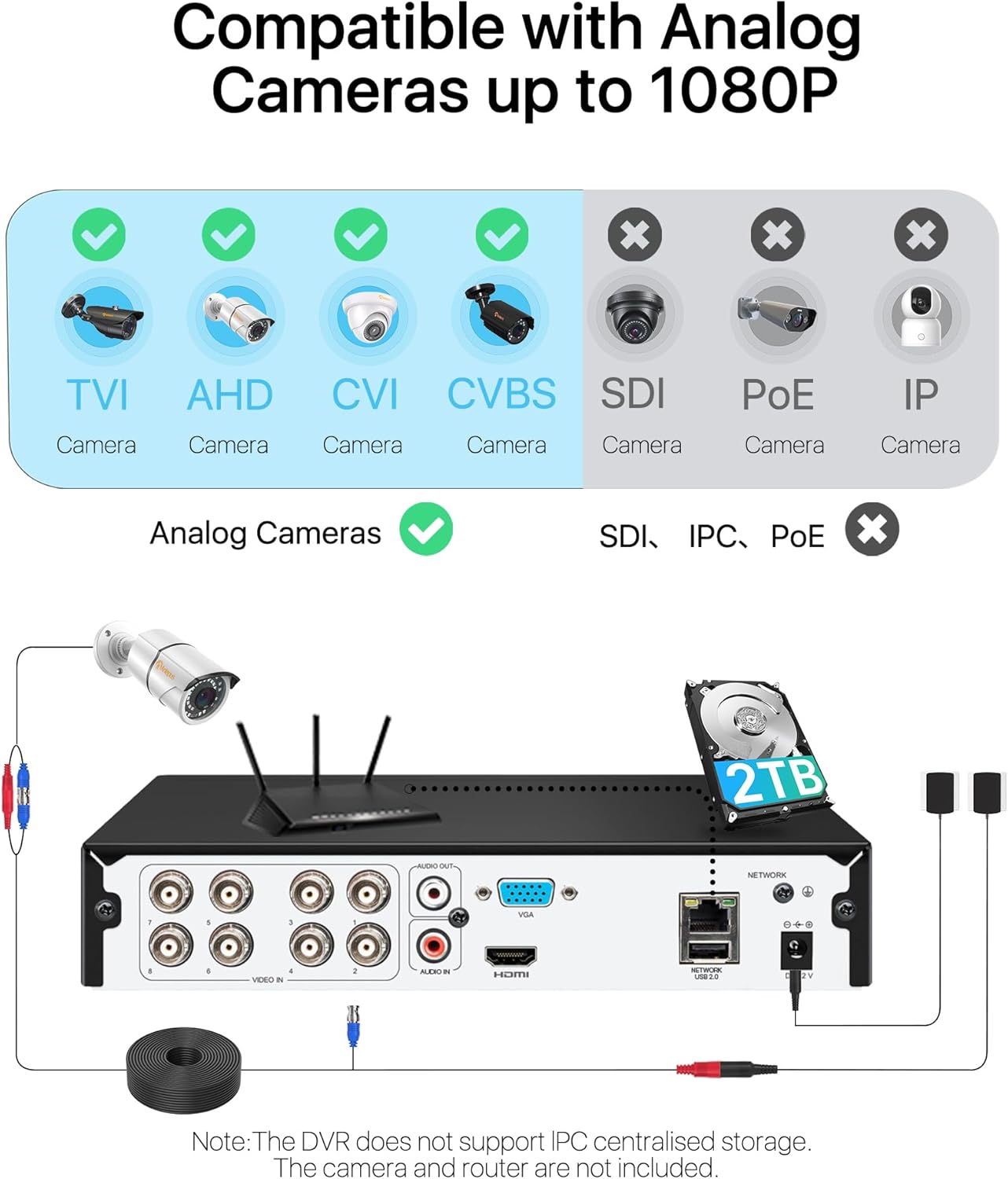
Image: A visual representation of the three recording modes supported by the DVR: Motion Detection Recording, Scheduled Recording, and Continuous Recording, with connections to HDMI and VGA outputs.
6.2 Detecció de moviment i alertes
Configure motion detection zones and sensitivity. When motion is detected, the system can trigger various alerts:
- Email Alert: Sends an email notification with snapshots.
- App Notification: Sends a push notification to your mobile device.
- Zumbador: Activates an audible alarm from the DVR.
- Gravació: Inicia l'enregistrament de vídeo.
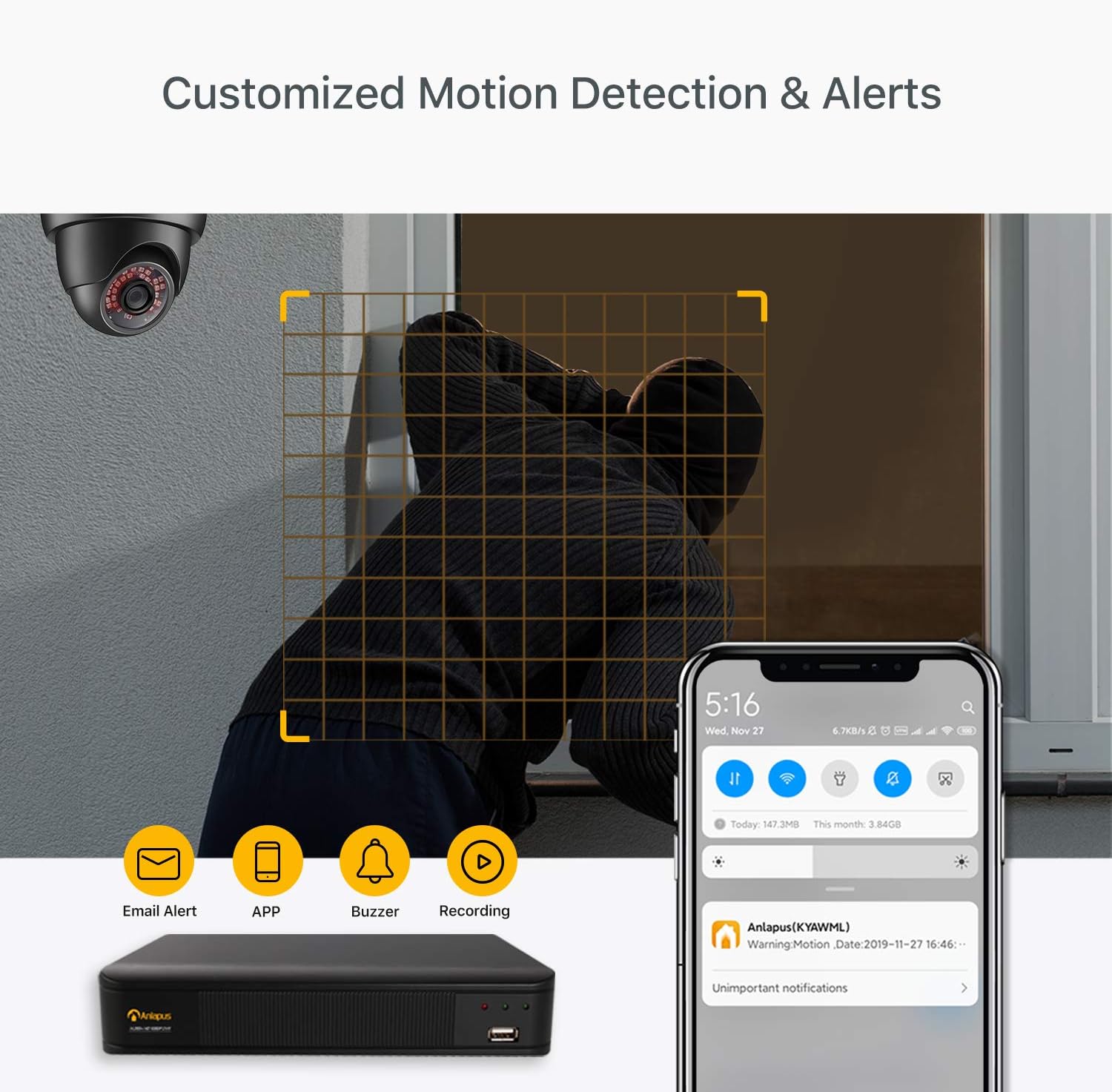
Image: A scene depicting motion detection in action, with a smartphone displaying an alert notification, and icons representing email alerts, app notifications, buzzer, and recording options.
6.3 Remot Viewa través de l'aplicació mòbil
Accedeix a canals de vídeo en directe i menjar gravattage from anywhere using the free mobile application.
- Descarrega l'aplicació gratuïta: Cerca the Anlapus app on the App Store (iOS) or Google Play Store (Android) and install it on your smartphone.
- Afegeix un dispositiu: Follow the in-app instructions to add your DVR by scanning the QR code or manually entering the device ID.
- View Càmeres: Un cop connectat, pots view live streams, play back recordings, and receive push notifications.

Image: A three-step visual guide showing simple connection of the DVR, downloading the free mobile app from app stores, and viewing camera feeds on a smartphone.
6.4 Video Compression and Quality
The DVR utilizes H.265+ video compression technology, which significantly reduces file sizes while maintaining 1080P/2.0MP video quality. This allows for longer recording times and faster remote viewing compared to older compression standards like H.264.
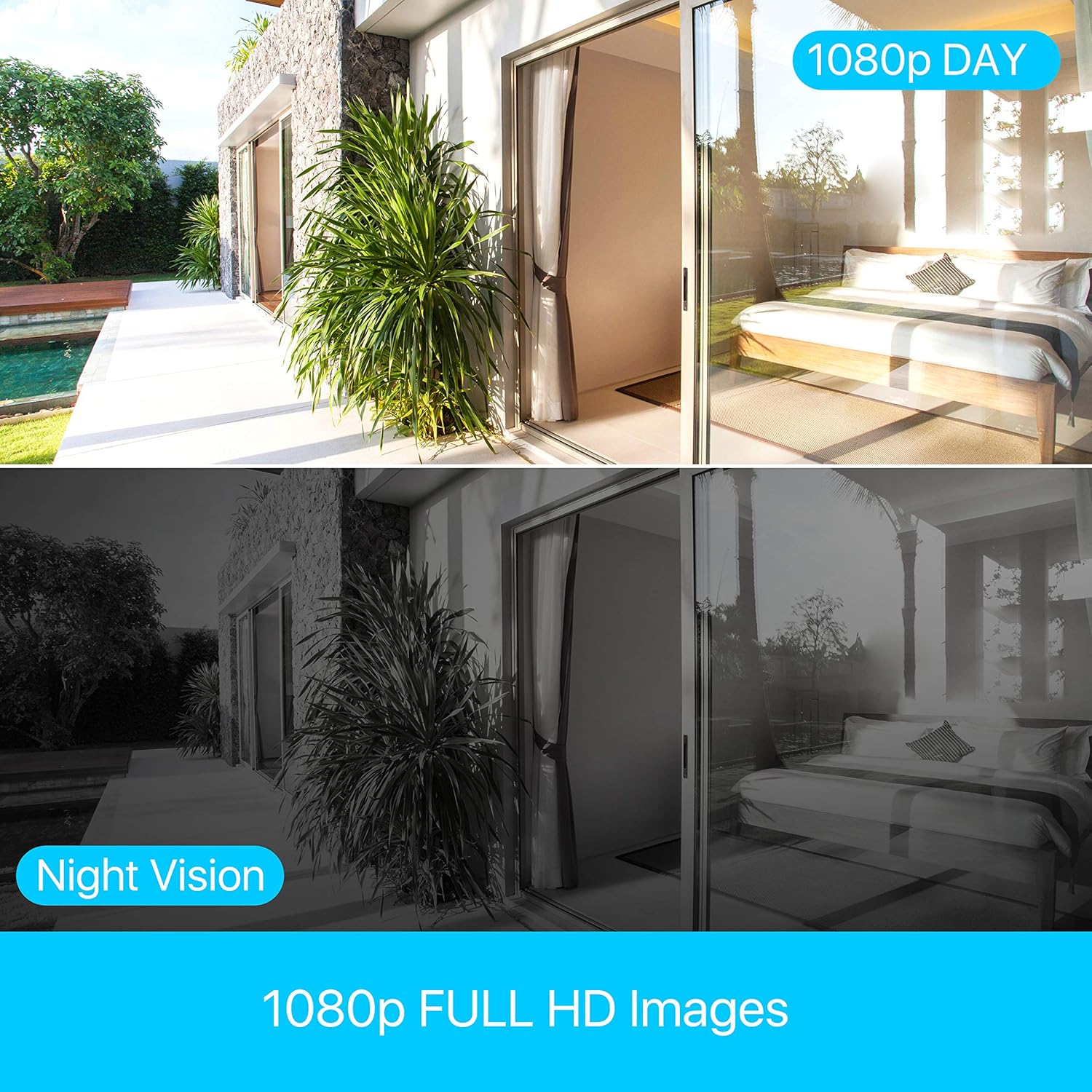
Image: A bar chart comparing H.264 and H.265+ compression, showing H.265+ allows for up to 4 times longer recording duration (e.g., 45 days vs. 11 days), along with icons for smaller file sizes, longer record times, and faster remote viewing.
The system provides clear 1080p Full HD images, with effective day and night vision capabilities to ensure continuous monitoring.
Image: A split image demonstrating the clarity of 1080p Full HD images during the day and the effectiveness of night vision, showing a consistent view of an outdoor and indoor scene.
7. Manteniment
- Neteja regular: Keep the DVR unit clean and free from dust. Use a soft, dry cloth for cleaning. Do not use harsh chemicals or abrasive materials.
- Ventilació: Ensure that the ventilation holes are not obstructed to prevent overheating.
- Gestió del disc dur: The 2TB hard drive is pre-installed. The DVR will automatically overwrite the oldest footage when the hard drive is full. Regularly back up important footage a una unitat USB externa si cal.
- Actualitzacions de firmware: Check the Anlapus official weblloc web periòdicament per obtenir actualitzacions de firmware per garantir un rendiment òptim i l'accés a noves funcions.
8. Solució De Problemes
This section addresses common issues you might encounter with your Anlapus DVR.
- Sense sortida de vídeo:
- Check all cable connections (HDMI/VGA, power).
- Assegureu-vos que el monitor estigui encès i configurat a la font d'entrada correcta.
- Prova amb un altre monitor o cable.
- Sense pantalla de càmera:
- Verifiqueu l'alimentació de la càmera.
- Check BNC cable connections between camera and DVR.
- Ensure the camera type (TVI/CVI/AHD/960H) is compatible and automatically detected by the DVR.
- If a camera previously worked and now shows "device already exists" or similar error, try restarting the DVR and checking the camera's physical connection.
- No Remote Viewing:
- Ensure the DVR is connected to your router via Ethernet cable.
- Check your router's internet connection.
- Verify network settings on the DVR (DHCP enabled or static IP configured correctly).
- Assegureu-vos que l'aplicació mòbil estigui actualitzada a la darrera versió.
- Sense gravació:
- Check if the hard drive is properly installed and recognized by the DVR.
- Verifiqueu els horaris d'enregistrament i la configuració de la detecció de moviment.
- Ensure there is sufficient hard drive space.
9. Especificacions
| Característica | Especificació |
|---|---|
| Marca | Anlapus |
| Número de model | 6972804072740 |
| Compressió de vídeo | H.265 + |
| Resolució de vídeo | 1080P / 2.0MP |
| Canals | 8-Canals |
| Capacitat del disc dur | 2TB (pre-installed) |
| Compatible Camera Types | TVI, CVI, AHD, 960H |
| Entrada de vídeo | BNC |
| Entrada d'àudio | RCA |
| Sortida de vídeo | VGA, HDMI |
| Ports USB | 2 |
| Connectivitat de xarxa | Ethernet RJ45 |
| Font d'alimentació | 12 Volts |
| Dimensions (paquet) | 42.6 x 27.6 x 9.6 cm |
| Pes (paquet) | 1.77 quilograms |
| Fabricant | Ansjer Electrionics Co.,Ltd |
| País d'origen | Xina |
10. Garantia i Suport
Anlapus is committed to providing excellent customer service and support for its products.
- Devolució gratuïta de 30 dies: Enjoy a 30-day free return policy for your peace of mind.
- Suport tècnic de tota la vida: Benefit from lifetime technical support for any issues or questions you may have regarding your DVR system.
- Garantia sense problemes: The product comes with a straightforward warranty to cover manufacturing defects.
For further assistance, please refer to the contact information provided on the Anlapus official weblloc o l'embalatge del producte.


