1. Introducció
Gràcies per la compraasing the Ematic LED Projector. This manual provides essential information for setting up, operating, and maintaining your projector to ensure optimal performance and longevity. Please read this manual thoroughly before using the product and retain it for future reference.
2. Informació de seguretat
Per evitar incendis o descàrregues elèctriques, no exposeu aquest aparell a la pluja ni a la humitat. Per evitar descàrregues elèctriques, no obriu la carcassa. Demaneu el manteniment només a personal qualificat.
- No mireu directament a la lent del projector quan estigui encès.amp està activat.
- Assegureu-vos que hi hagi una ventilació adequada al voltant del projector. No bloquegeu les obertures de ventilació.
- Feu servir només l'adaptador de corrent que s'inclou amb el projector.
- Mantingueu el projector allunyat de l'aigua o de qualsevol líquid.
- Do not place the projector on an unstable surface.
- Desendolleu el projector de la presa de corrent durant tempestes o quan no l'utilitzeu durant períodes prolongats.
3. Contingut del paquet
- Ematic LED Projector
- Control remot
- Adaptador d'alimentació
- Manual d'usuari
- AV Cable (if included)
4. Producte acabatview
4.1 Davant View
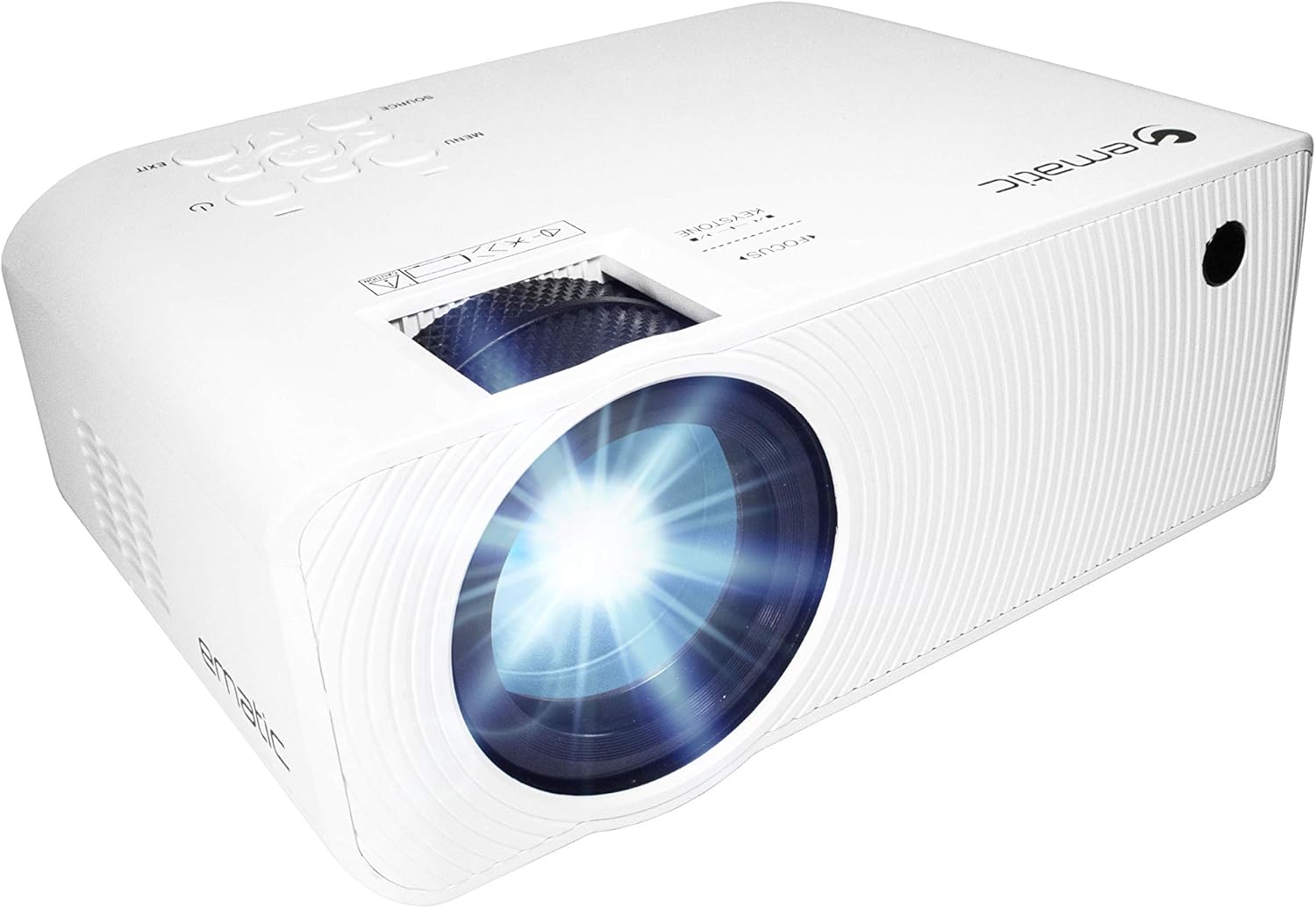
Figura 4.1: Frontal view of the Ematic LED Projector, highlighting the projection lens.
4.2 Amunt View i Controls

Figura 4.2: superior view of the projector showing the control panel (Menu, Source, Exit, Navigation buttons) and the Focus and Keystone correction dials. A remote control is also visible.
- Anell de focus: Ajusta la claredat de la imatge.
- Correcció Keystone: Corregeix la distorsió trapezoïdal de la imatge.
- Tauler de control: Buttons for Menu, Source selection, Exit, and navigation.
4.3 Part posterior i lateral Views with Ports

Figure 4.3: Rear panel of the projector displaying the connectivity options: AUX audio output, AV input, MicroSD card slot, two HDMI inputs, USB port, and DC power input.

Figura 4.4: lateral view of the projector, highlighting the VGA input port and the infrared (IR) receiver for the remote control.
- AUX: 3.5mm audio output for external speakers or headphones.
- DE: Composite video and stereo audio input.
- MicroSD: Slot for MicroSD memory cards.
- HDMI 1 / HDMI 2: High-Definition Multimedia Interface inputs for digital audio/video.
- USB: USB port for media playback from USB drives.
- DC IN: Power input for the projector.
- VGA: Video Graphics Array input for computer connection.
5. Configuració
- Col·locació: Col·loqueu el projector sobre una superfície estable i plana. Assegureu-vos que hi hagi prou espai al voltant del projector per a la ventilació. Per a una òptima viewing, position the projector perpendicular to the projection screen or wall.
- Connexió d'alimentació: Connect the supplied power adapter to the DC IN port on the projector and then plug the adapter into a power outlet.
- Encesa inicial: Press the power button on the projector or the remote control to turn on the unit. The power indicator light will illuminate.
- Ajust del focus: Once the projector is on, rotate the Focus Ring (refer to Figure 4.2) until the projected image is clear and sharp.
- Correcció Keystone: If the image appears trapezoidal (wider at the top or bottom), adjust the Keystone Correction dial (refer to Figure 4.2) until the image is rectangular.
6. Instruccions de funcionament
- Activació/desactivació: Press the power button on the projector or remote control. Press again to turn off.
- Selecció de la font d'entrada: Press the "Source" button on the projector or remote control to cycle through available input sources (HDMI 1, HDMI 2, AV, VGA, USB, MicroSD). Select the desired input.
- Navegació del menú: Press the "Menu" button to access the projector's settings. Use the navigation buttons on the projector or remote to browse options and the "OK" button to confirm selections.
- Media Playback (USB/MicroSD): Insert a USB drive or MicroSD card into the respective port. Select "USB" or "MicroSD" as the input source. The projector will display a file browser. Navigate to your desired media file (video, photo, music, text) and press "OK" to play.
- Sortida d'àudio: The projector has built-in speakers (refer to Figure 6.1). For external audio, connect headphones or external speakers to the AUX port (3.5mm audio jack).

Figure 6.1: Projector highlighting its built-in speaker functionality.
7. Connectivitat
The Ematic LED Projector offers multiple connection options to various devices, ensuring versatility for your entertainment and presentation needs.

Figure 7.1: Multimedia device compatibility chart for the projector.

Figura 7.2: Examples of projector connections to a laptop and smartphone, highlighting supported input types.
- HDMI: Connect Blu-ray players, game consoles (PS4, Xbox), streaming devices (Amazon Fire TV Stick, Chromecast), laptops, and other HDMI-enabled devices.
- USB: Reprodueix contingut multimèdia files (videos, photos, music) directly from USB flash drives.
- MicroSD: Reprodueix contingut multimèdia files directly from MicroSD memory cards.
- DE: Connect older devices like DVD players or VCRs using the included AV cable.
- VGA: Connect desktop computers or older laptops.
- Audio Out (AUX): Connect external speakers or headphones for enhanced audio experience.
8. Manteniment
- Neteja de lents: Feu servir un drap suau i sense borrissol dissenyat específicament per a lents òptiques per netejar suaument la lent del projector. No utilitzeu productes de neteja abrasius ni força excessiva.
- Eliminació de pols: Regularly clean the ventilation grilles with a soft brush or compressed air to prevent dust buildup, which can affect performance and lifespan.
- Neteja exterior: Netegeu l'exterior del projector amb un drap suau iamp tela. Eviteu utilitzar productes químics aggressivs.
- Emmagatzematge: When not in use for extended periods, store the projector in a cool, dry place, ideally in its original packaging or a protective case, to prevent dust accumulation and damage.
9. Solució De Problemes
| Problema | Causa possible | Solució |
|---|---|---|
| No es projecta cap imatge | No power; Incorrect input source; Cable not connected properly. | Check power connection; Select correct input source; Reconnect cables securely. |
| La imatge és borrosa | Enfocament no ajustat; Projector massa lluny/massa a prop de la pantalla. | Ajusteu l'anell d'enfocament; Ajusteu la distància de projecció. |
| La imatge és trapezoïdal | Keystone not adjusted; Projector not level. | Adjust the Keystone Correction dial; Ensure projector is on a flat surface. |
| Sense so | Volume too low; Muted; External speakers not connected or off. | Increase volume; Unmute; Check external speaker connection and power. |
| El comandament a distància no funciona | Batteries dead; Obstruction between remote and IR receiver. | Canvieu les piles; Traieu les obstruccions; Apunteu el comandament a distància directament al receptor d'infrarojos del projector. |
10. Especificacions
| Característica | Detall |
|---|---|
| Marca | Emàtica |
| Model | EMP-720 (Generic) |
| Resolució de visualització | 1280 x 720 (Natiu) |
| Tecnologia de connectivitat | HDMI, USB, AV, VGA, MicroSD, AUX |
| Característica especial | Portable, Built-in Speakers |
| Pes de l'article | 3.5 lliures |
| Dimensions del producte | 13.85 x 5 x 8.8 polzades |
| Lamp La vida | Fins a 20,000 hores (mode normal) |
11. Garantia i Suport
For warranty information and technical support, please refer to the warranty card included with your product or visit the official Ematic weblloc web. Conserveu el comprovant de compra per a reclamacions de garantia.
Ematic Customer Support: www.ematic.us/support (Exampl'enllaç)


