Onida 43FIF

Onida 43FIF 108 cm (43 inches) Full HD Smart IPS LED Fire TV User Manual

Model: 43FIF

1. Producte acabatview

The Onida 43FIF is a 108 cm (43 inches) Full HD Smart IPS LED Fire TV designed to provide an integrated smart television experience. It features a vibrant IPS panel, built-in Fire TV OS, and voice control capabilities with Alexa. This manual provides essential information for setting up, operating, and maintaining your television.

Onida 43FIF Smart Fire TV with a colorful chameleon displayed on screen

Imatge: Frontal view of the Onida 43FIF Smart Fire TV, showcasing its display quality with a vibrant image of a chameleon.

Vídeo: Un breu producte acabatview of the Onida Fire TV, highlighting its key features and design.

2. Configuració

2.1 Desembalatge i inspecció inicial

Carefully remove all components from the packaging. Inspect the television and accessories for any signs of damage. Retain the packaging for future transport or service needs.

2.2 Stand Installation (Tabletop)

If using the tabletop stand, attach the stand feet to the bottom of the television using the provided screws. Ensure the stand is securely fastened before placing the TV on a stable, flat surface.

2.3 Instal·lació de muntatge a la paret

For wall mounting, use the included wall mount bracket. Follow the instructions provided with the wall mount kit for proper and secure installation. Professional installation is recommended for wall mounting.

2.4 Connexió d'alimentació

Connect the power cable to the TV's power input and then to a suitable electrical outlet. Ensure the power supply matches the TV's requirements.

2.5 Engegada inicial i emparellament remot

Upon first power-on, the TV will guide you through the initial setup process. This includes language selection and remote pairing. If the remote does not pair automatically, press and hold the Home button on the remote for 15 seconds to initiate pairing.

3. Instruccions de funcionament

3.1 Fire TV OS Navigation

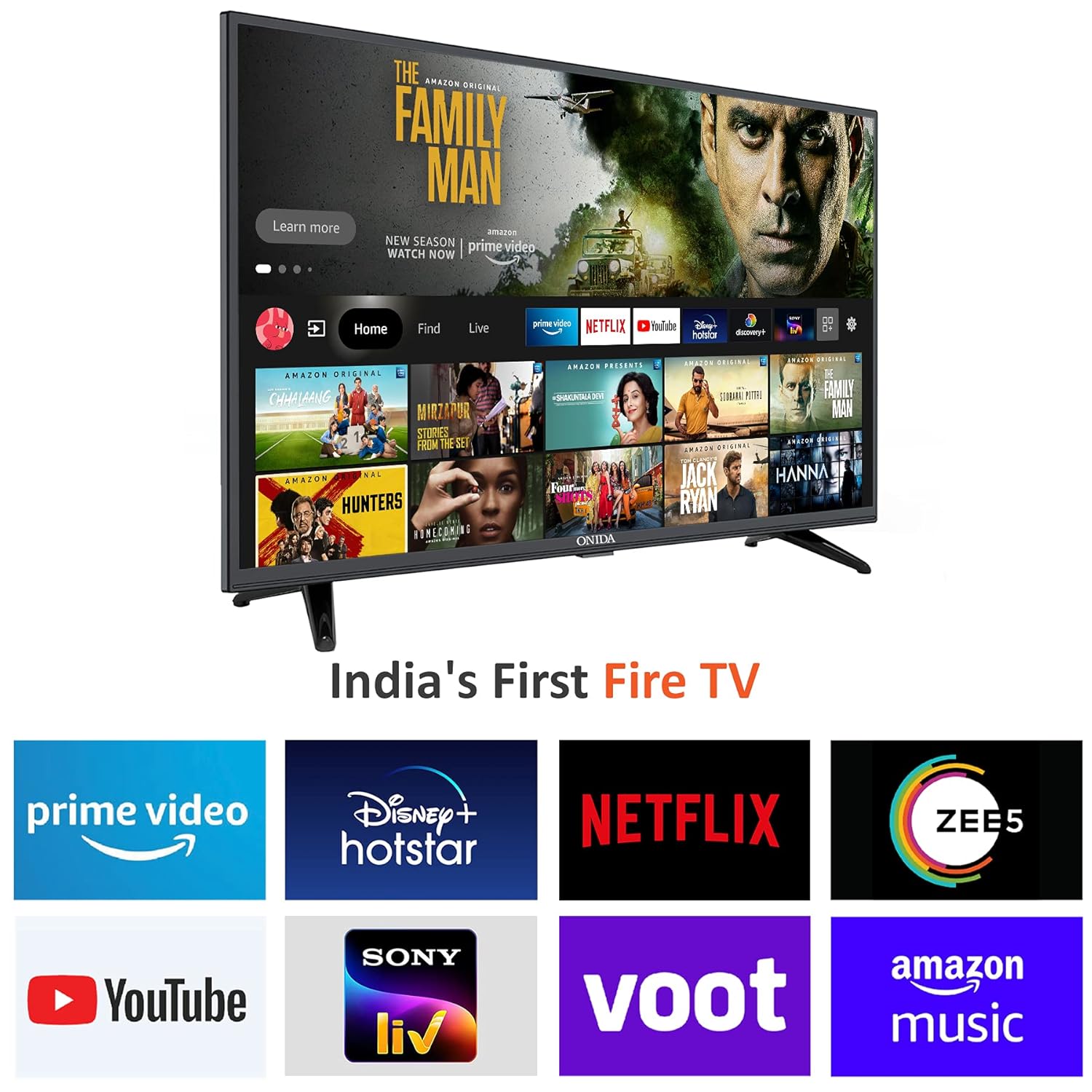
The Onida 43FIF operates on the Fire TV OS, providing a user-friendly interface for accessing streaming content and applications. The home screen displays recommended content, recently used apps, and various input options.

Onida 43FIF Smart Fire TV displaying the Fire TV OS home screen with various streaming app logos

Image: The Fire TV OS home screen on the Onida TV, showing popular streaming applications like Prime Video, Netflix, and YouTube.

Onida 43FIF Smart Fire TV displaying the Fire TV OS home screen with feature highlights like voice search and display mirroring

Image: The Fire TV OS interface on the Onida TV, highlighting features such as Live TV Tab, Voice Search with Alexa, Data Monitoring, Parental Control, Fire TV mobile app connectivity, Reminders & Timers, and Display Mirroring.

Vídeo: Un overview of the Fire TV OS interface on the Onida TV, demonstrating navigation and app access.

3.2 Control per veu amb Alexa

The included Voice Remote with Alexa allows for convenient voice commands. Press and hold the microphone button on the remote to activate Alexa and speak your command. You can use voice commands to:

  • Switch inputs (e.g., "Switch to HDMI 2")
  • Cerca movies or TV shows (e.g., "Find Stranger Things on Netflix")
  • Open applications (e.g., "Open YouTube")
  • Control playback (e.g., "Play", "Pause", "Rewind")
Onida Fire TV remote control with Alexa voice button highlighted

Image: The Onida Fire TV remote control, showing the microphone button for Alexa voice commands.

Video: A demonstration of the voice control features using the Alexa Voice Remote on the Onida Fire TV.

3.3 Selecció d'entrada

To switch between different input sources (HDMI, USB, Antenna, Composite), navigate to the 'Inputs' section on the Fire TV home screen or use voice commands with Alexa.

3.4 Mode de joc

The TV features a dedicated Game Mode. When a gaming console is connected, activating this mode can optimize picture settings and reduce input lag for a more responsive gaming experience.

4. Connectivitat

The Onida 43FIF offers various connectivity options:

5. Funcions d'àudio

Experience clear and immersive sound with the following audio features:

6. Especificacions

Diagram showing the dimensions of the Onida 43FIF Smart Fire TV

Image: Technical drawing illustrating the physical dimensions of the Onida 43FIF TV.

CaracterísticaDetall
Marcaonida
Model43FIF
Mida de la pantalla108 cm (43 polzades)
Tecnologia de visualitzacióLED IPS
ResolucióFull HD (1920x1080)
Freqüència d'actualització60 Hz
Sistema operatiuFireOS
Memòria RAM1 GB
Capacitat d'emmagatzematge8 GB
Ports HDMI3
Ports USB1
ConnectivitatHDMI, USB, Wi-Fi (Dual-band), Bluetooth
Sortida d'àudio16 watts
Tecnologia d'àudioDolby Digital Plus, DTS TruSurround
Viewangle ing178 graus
Dimensions del producte (LxWxH)97.3 x 23.8 x 62 cm
Pes de l'article8.2 kg
Font d'alimentacióAC
Control remotVoice Remote with Alexa (IR, Bluetooth)
Tipus de muntatgeSuport de paret i suport de taula

7. Què hi ha a la caixa

The following items are included with your Onida 43FIF Fire TV:

8. Manteniment

8.1 Neteja de la pantalla

Per netejar la pantalla, netegeu-la suaument amb un drap suau i sense borrissol. Per a marques difícils, netegeu-la lleugerament.ampRenta el drap amb aigua o una solució de neteja de pantalles dissenyada específicament per a electrònica. Evita utilitzar productes químics agressius o materials abrasius.

8.2 Neteja de la carcassa del televisor

Wipe the TV's body and stand with a soft, dry cloth. Do not use liquid cleaners directly on the TV.

8.3 Actualitzacions de programari

Ensure your TV is connected to the internet to receive automatic software updates. These updates provide new features, performance improvements, and security enhancements. You can check for updates manually in the TV's settings menu.

9. Solució De Problemes

9.1 No Signal Detected

If you see a "No Signal Detected" message, verify that the connected device (e.g., set-top box, gaming console) is powered on and properly connected to the correct HDMI port. Use the remote to cycle through input sources or use the voice command "Switch to HDMI [number]" to select the correct input.

9.2 El comandament a distància no respon

Check the batteries in the remote control and replace them if necessary. If the remote is still unresponsive, try re-pairing it by pressing and holding the Home button for 15 seconds.

9.3 Rendiment lent o bloquejos de l'aplicació

If the TV's interface feels slow or apps crash, try restarting the TV by unplugging it from the power outlet for a few minutes and then plugging it back in. Ensure your internet connection is stable and sufficient for streaming. Clearing app caches or reinstalling problematic apps may also help.

9.4 Picture or Sound Issues

For picture or sound quality issues, check the source device and its connections. Adjust the TV's picture and sound settings in the menu. If using external audio equipment, ensure it is correctly connected and configured.

10. Garantia i Suport

The Onida 43FIF Fire TV comes with a 1-year warranty from the date of purchase. For any product defects, damage, or features not matching the description, the product is eligible for replacement within 10 days of delivery.

For installation, wall mounting, or demo requests, please contact Onida support directly:

When contacting support, please provide the product's model name (43FIF) and seller's details from your invoice.

Documents relacionats - 43FIF

Preview ONIDA UHD Smart TV User Guide - Specifications, Setup, and Troubleshooting
Comprehensive user guide for ONIDA UHD Smart TVs, covering specifications, attention notes, warranty terms, troubleshooting tips, and e-waste recycling information.
Preview ONIDA F080 User Guide - Comprehensive Manual
Detailed user guide for the ONIDA F080 mobile phone, covering setup, features, operations, safety, and maintenance. Learn how to use your ONIDA F080 effectively.
Preview Onida HD, FHD, UHD TV Instruction Manual
Instruction manual for Onida HD, FHD, and UHD televisions, covering installation, operation, troubleshooting, and external information. Includes safety guidelines and warranty details.
Preview Onida Semi-Automatic Washing Machine User Manual - Operation, Installation, and Maintenance
Comprehensive user manual for Onida semi-automatic washing machines, covering installation, safety precautions, operating instructions, technical specifications, troubleshooting, maintenance, and warranty details.
Preview ONIDA Android TV Instruction Manual: Setup, Operation, and Troubleshooting
Comprehensive instruction manual for ONIDA Android TVs, covering initial setup, remote control functions, connectivity options, smart features, troubleshooting, and warranty information.
Preview ONIDA Air Conditioner User Manual: Installation, Operation, and Maintenance Guide
Comprehensive user manual for ONIDA Air Conditioners (Inverter and Fixed Speed models). Provides detailed guidance on installation, operation, maintenance, troubleshooting, and Wi-Fi connectivity for optimal performance and safety.