Introducció
This manual provides detailed instructions for the safe and effective use of your OneOdio A70 Wireless Bluetooth Headphones. Please read this manual thoroughly before using the product and retain it for future reference.

Image: OneOdio A70 Wireless Bluetooth Headphones in red and black, shown with 3.5mm and 6.35mm audio cables.
Contingut del paquet
Assegureu-vos que tots els elements siguin presents al paquet:
- OneOdio A70 Fusion Headphones
- 3.5mm to 3.5mm Jack Cable with Microphone (1.2 M)
- 3.5mm to 6.35mm Jack Cable with Spring Wire (2-3 M)
- Micro-USB Charging Cable (0.6 M)
- Bossa protectora
- Manual d'usuari (aquest document)

Imatge: Més deview of the OneOdio A70 package contents, including the headphones, various cables, and a carrying pouch.
Producte acabatview
The OneOdio A70 headphones feature a versatile design for both wireless and wired use, offering high-quality audio and comfortable wear.
- Controladors d'àudio: Equipped with 40mm drivers for powerful bass and clear treble.
- Connectivitat: Bluetooth 5.2 for wireless connection, and multiple wired options (3.5mm, 6.35mm).
- Durada de la bateria: Up to 72 hours of playback on a single charge (at 50% volume).
- Micròfon: Integrated CVC 8.0 noise-cancelling microphone for clear calls.
- Share Port: Allows two headphones to connect to one audio source for shared listening.
- Comoditat: Thick foam ear pads and a foldable, adjustable headband for extended wear comfort.
- Jack Lock: Secure locking mechanism for the auxiliary stereo cable.
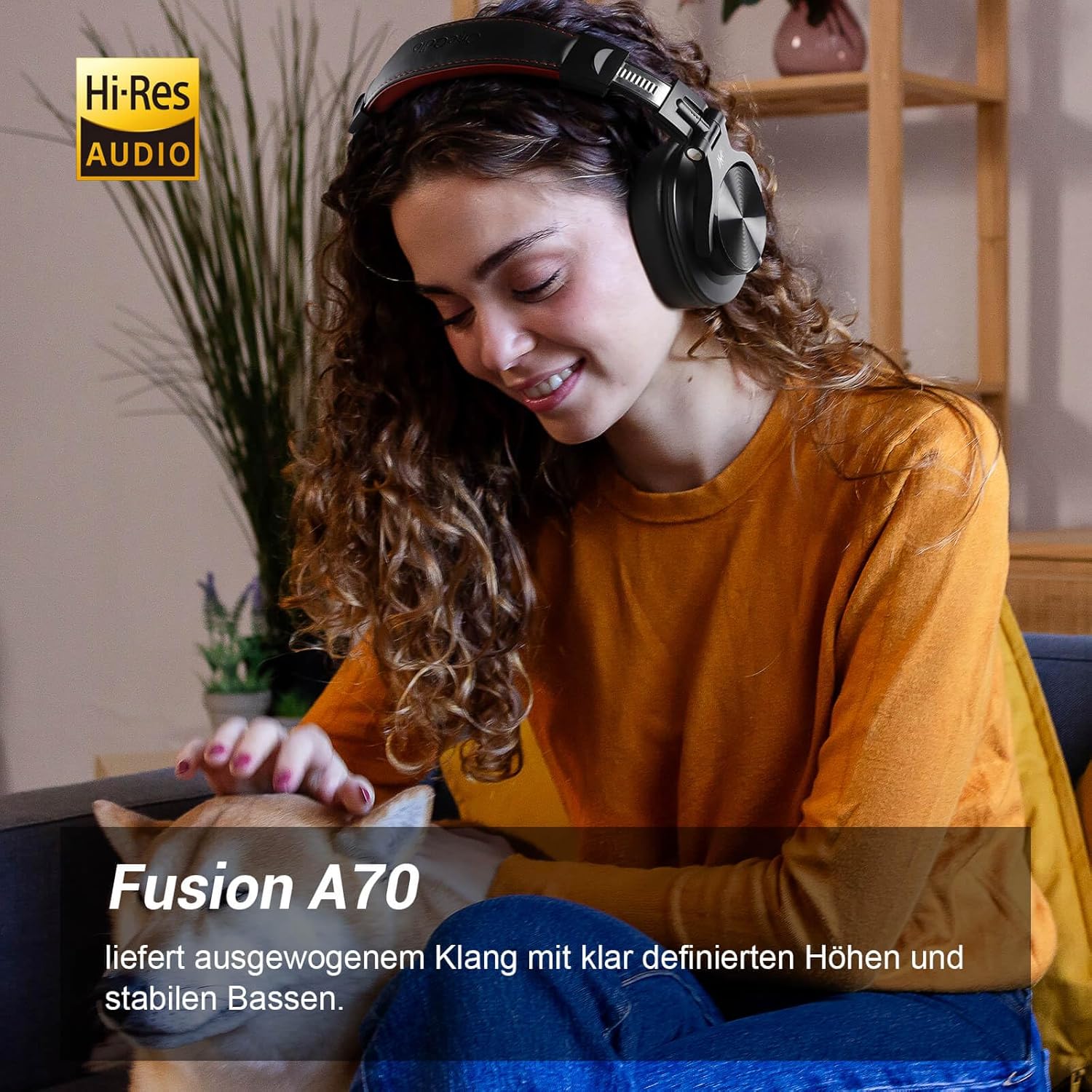
Image: A woman wearing the OneOdio A70 headphones, emphasizing the Hi-Res Audio capability.
Configuració
Carregant els auriculars
Before first use, fully charge the headphones. Use the provided Micro-USB charging cable.
- Connect the Micro-USB end of the charging cable to the charging port on the headphone.
- Connect the USB-A end to a USB power adapter (not included) or a computer's USB port.
- L'indicador LED mostrarà l'estat de càrrega (per exemple, vermell per a la càrrega, blau per a la càrrega completa).

Imatge: Una imatge detallada view of the headphone's side, showing the Micro-USB charging port and control buttons.
Emparellament Bluetooth
Per connectar els auriculars sense fil:
- Assegureu-vos que els auriculars estiguin carregats i apagats.
- Press and hold the Multi-function button (usually the power button) for approximately 5 seconds until the LED indicator flashes red and blue alternately, indicating pairing mode.
- Al dispositiu (telèfon intel·ligent, tauleta, PC), activeu el Bluetooth i cerqueu els dispositius disponibles.
- Select "OneOdio A70" from the list of devices.
- Un cop connectat, l'indicador LED es tornarà blau fix o parpellejarà lentament en blau.
Connexió per cable
The A70 headphones support two types of wired connections:
- 3.5mm to 3.5mm Cable: For connecting to smartphones, tablets, laptops, and other devices with a 3.5mm audio jack. This cable includes an in-line microphone for calls.
- 3.5mm to 6.35mm Cable: For connecting to professional audio equipment like DJ mixers, amplifiers, and guitars.
To use a wired connection, simply plug the appropriate cable into the headphone's corresponding port and the other end into your audio source. The headphones will automatically switch to wired mode when a cable is inserted.

Image: A visual guide illustrating the wide compatibility of the OneOdio A70 headphones with different devices using 3.5mm and 6.35mm cables.
Instruccions de funcionament
Basic Controls (Bluetooth Mode)
| Funció | Acció |
|---|---|
| Encès/Apagat | Press and hold Multi-function button for 3 seconds. |
| Reproduir/Pausa | Press Multi-function button once. |
| Puja el volum | Press '+' button. |
| Baixa el volum | Press '-' button. |
| Pista següent | Press and hold '+' button. |
| Pista anterior | Press and hold '-' button. |
| Respondre/Finalitzar la trucada | Press Multi-function button once. |
| Rebutja la trucada | Press and hold Multi-function button for 2 seconds. |
| Activa l'Assistent de veu | Double-press Multi-function button. |

Image: Controls for the in-line microphone on the 3.5mm cable, detailing functions like play, pause, answer, and end calls.
Share Port Function
The OneOdio A70 headphones feature a unique Share Port, allowing two headphones to share audio from one source.
- Connect the 3.5mm to 3.5mm cable to the 3.5mm input port on your A70 headphones.
- Connect the other end of this cable to the 3.5mm output port of another headphone (e.g., another A70 or compatible headphone).
- Ensure the primary A70 headphone is connected to your audio source (via Bluetooth or 6.35mm cable).
- Both headphones will now receive audio from the same source.

Image: Two individuals sharing audio from a single device using the Share Port technology of the OneOdio A70 headphones.
Manteniment i cura
- Netegeu els auriculars regularment amb un drap suau i sec. No utilitzeu productes de neteja abrasius ni dissolvents.
- Store the headphones in the provided protective pouch when not in use to prevent scratches and damage.
- Eviteu exposar els auriculars a temperatures extremes, humitat o llum solar directa.
- No intenteu desmuntar ni modificar els auriculars, ja que això anul·larà la garantia.
- The headphones are not waterproof. Avoid contact with liquids.

Image: The OneOdio A70 headphones in their folded configuration, ready for storage in the protective pouch.
Resolució de problemes
| Problema | Causa possible | Solució |
|---|---|---|
| Sense so (Bluetooth) | Headphones not paired or connected. Low battery. Volume too low. | Ensure headphones are in pairing mode and connected. Recharge headphones. Increase volume on headphones and device. |
| No sound (Wired) | Cable not fully inserted. Incorrect cable used. Device volume too low. | Ensure cables are securely plugged in. Use the correct cable for your device. Increase volume on device. |
| Mala qualitat del so | Interference (Bluetooth). Damaged cable. Low quality audio source. | Move closer to the Bluetooth device. Try a different cable. Test with a different audio source. |
| El micròfon no funciona | Using wrong cable (only 3.5mm to 3.5mm has mic). Mic muted on device. | Ensure you are using the 3.5mm cable with the in-line microphone. Check microphone settings on your device. |
| Els auriculars no s'encenen | La bateria està completament esgotada. | Charge the headphones for at least 30 minutes before attempting to power on. |
Especificacions
| Característica | Detall |
|---|---|
| Nom del model | OneOdio A70 Fusion |
| Tecnologia de connectivitat | Bluetooth 5.2, Wired (3.5mm, 6.35mm) |
| Mida del controlador | 40 mm |
| Interval de freqüència | 20 Hz - 20,000 Hz |
| Impedància | 32 ohms |
| Sensibilitat | 110 dB |
| Composició de la bateria | Polímer de liti |
| Durada de la bateria | Fins a 72 hores (amb un 50% de volum) |
| Pes | 250 grams |
| Material | Leather (earpads/headband) |
| Característiques especials | Volume Control, Noise Isolation, Built-in Microphone (CVC 8.0), Foldable Design, Share Port, Jack Lock |
Garantia i Suport
OneOdio products are designed and manufactured to the highest quality standards. For warranty information and customer support, please refer to the official OneOdio weblloc web o contacteu directament amb el seu servei d'atenció al client.
Fabricant: OneOdio
Venedor: OneOdio EU (via Amazon.com.be)
Per obtenir més ajuda, visiteu el OneOdio Store on Amazon.


