1. Introducció
The Lamicall WS01-US-B 2-in-1 Desktop Stand is designed to securely hold and organize your Apple Watch and smartphone. Crafted from durable metal with protective silicone pads, this stand provides a stable and convenient charging station for your devices. Its ergonomic design supports both vertical and horizontal phone placement, and features integrated cable management to maintain a tidy workspace.

Figure 1: Lamicall 2-in-1 Desktop Stand with devices.
2. Contingut del paquet
Si us plau, comproveu que hi hagi tots els elements presents en obrir el paquet:
- Lamicall WS01-US-B 2-in-1 Desktop Stand (1 unit)
- Extra Rubber Pads (for replacement, if needed)
- Manual d'usuari (aquest document)
Note: Charging cables for Apple Watch and smartphone are not included and must be supplied by the user.
3. Instruccions de configuració
Follow these steps to set up your Lamicall 2-in-1 Desktop Stand:
- Desempaquetar el suport: Traieu amb cura el suport del seu embalatge.
Video 1: Unboxing and initial setup of the Lamicall 2-in-1 Desktop Stand.
- Install Apple Watch Charging Cable:
- Locate the circular cutout on the right arm of the stand.
- Insert your Apple Watch magnetic charging puck into this cutout. Ensure it sits flush within the silicone adapter.
- Route the charging cable through the designated channel on the stand's arm and down through the cable management opening at the back.
- Install Phone Charging Cable:
- Identify the opening at the base of the phone holder section.
- Thread your smartphone charging cable (e.g., Lightning, USB-C) through this opening from the back.
- Adjust the cable length so the connector protrudes slightly from the front, allowing easy connection to your phone.
- Route the remaining cable through the cable management opening at the back of the stand.

Figura 2: Detallada view of cable management and protective pads.
- Connecteu-vos a l'alimentació: Plug both charging cables into a suitable power adapter (not included).
4. Instruccions de funcionament
Using your Lamicall 2-in-1 Desktop Stand is straightforward:
- Càrrega del vostre Apple Watch:
- Place your Apple Watch onto the magnetic charging puck on the stand's right arm.
- Ensure the watch is properly aligned and begins charging. The stand supports Nightstand Mode, allowing your watch to display time and alarms horizontally.
- Charging Your Smartphone:
- Rest your smartphone on the front cradle of the stand.
- Connect the charging cable to your phone's charging port. The stand's 14mm hook width accommodates most phones with cases.
- The stand supports both vertical and horizontal phone orientation for viewcarregant contingut mentre es carrega.
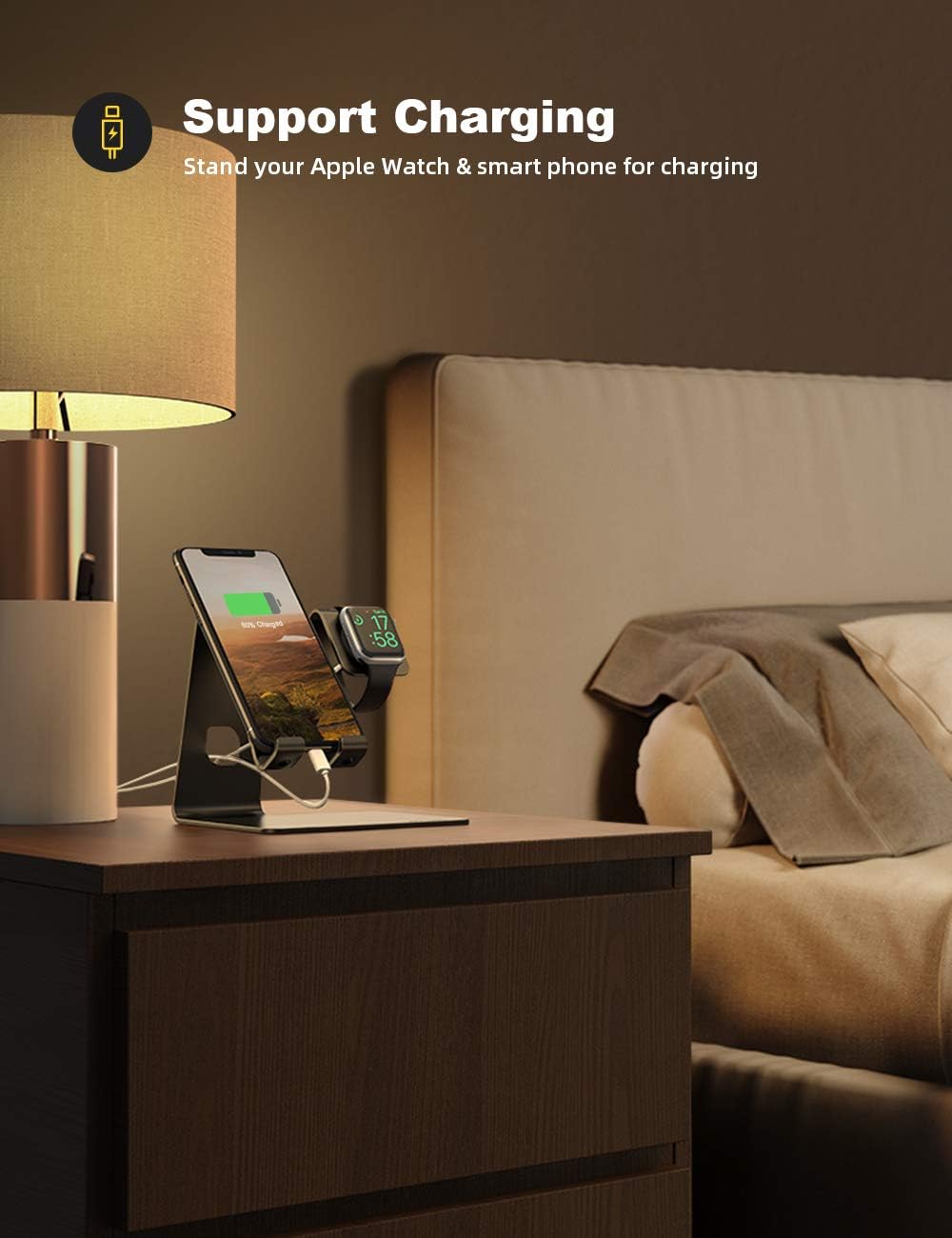
Figure 3: Stand in use on a nightstand.
5. Característiques clau
- Compatibilitat universal: Designed for Apple Watch Series SE Ultra 8/7/6/5/4/3/2/1 (all sizes: 49mm, 45mm, 41mm, 38mm, 40mm, 42mm, 44mm) and smartphones ranging from 4 to 10.5 inches, including iPhone and Android models.
- Integrated Apple Watch Charging: Features a dedicated slot for your Apple Watch magnetic charging cable, ensuring a secure fit and supporting Nightstand Mode.
- Construcció robusta: Made from high-quality metal with anti-slip silicone pads on the base and device contact points, providing stability and protecting your devices from scratches.
- Gestió eficient de cables: Built-in cable routing channels keep charging cords organized and prevent clutter on your desk or nightstand.
- Disseny adequat per a casos: The phone cradle has a 14mm hook width, accommodating most smartphones even with protective cases installed.
- Versàtil ViewAngles: Supports both vertical and horizontal orientation for your smartphone, ideal for video calls, media consumption, or monitoring notifications.

Figure 4: Ergonomic design and dimensions.
6. Especificacions
| Número de model | WS01-US-B |
| Marca | Lamicall |
| Material | Metal (Aluminum Alloy) with Silicone Pads |
| Color | Negre |
| Dimensions del producte | 5.8 x 4.4 x 5.5 polzades (14.7 x 11.2 x 14 cm) |
| Pes de l'article | 8.8 unces (249 grams) |
| Dispositius compatibles | Apple Watch Series SE Ultra 8/7/6/5/4/3/2/1 (all sizes), Smartphones 4-10.5 inches (e.g., iPhone, Samsung Galaxy, LG, Moto, Google Pixel) |
| Phone Cradle Hook Width | 14 mm |
7. Manteniment
To ensure the longevity and optimal performance of your Lamicall Desktop Stand, follow these simple maintenance guidelines:
- Neteja: Netegeu el suport regularment amb un drap suau i sec per eliminar la pols i les empremtes dactilars. Per a marques difícils, netegeu lleugerament.amp es pot fer servir un drap i assecar-lo immediatament. Eviteu netejadors o dissolvents abrasius.
- Pad Inspection: Periodically check the silicone pads on the base and device contact points for wear or damage. Replace them with the provided extra pads if necessary to maintain anti-slip and anti-scratch protection.
- Gestió de cables: Ensure cables are routed correctly through the designated channels to prevent kinks or damage. Avoid excessive pulling or bending of cables.
- Col·locació: Place the stand on a flat, stable surface to prevent accidental tipping.
8. Solució De Problemes
If you encounter any issues with your Lamicall Desktop Stand, refer to the following common problems and solutions:
- El dispositiu no es carrega:
- Ensure the charging cable is securely connected to both the device and the power adapter.
- Verify that the power adapter is plugged into a functional power outlet.
- Check if the charging cable itself is damaged. Try using a different cable to isolate the issue.
- For Apple Watch, ensure the magnetic puck is correctly seated in its cutout and making proper contact with the watch.
- Stand is Unstable/Slipping:
- Ensure the stand is placed on a clean, dry, and flat surface.
- Check the rubber pads on the bottom of the stand. If they are worn or missing, replace them with the provided extra pads.
- Phone Does Not Fit with Case:
- The phone cradle has a 14mm hook width. If your case is thicker than this, it may not fit. Consider removing the case or using a thinner one.
9. Garantia i Suport
Lamicall products are designed for durability and performance. For specific warranty information and customer support, please refer to the official Lamicall weblloc web o contacteu directament amb el servei d'atenció al client. Conserveu el rebut de compra per a reclamacions de garantia.
Per obtenir més ajuda, visiteu el Lamicall Store on Amazon.


