1. Introducció
This user manual provides detailed instructions for the setup, operation, and maintenance of your Explore Scientific RDC1004 Radio-Controlled Desk Clock. This compact and modern clock features an LED backlit display, alarm with snooze function, and displays indoor temperature and humidity. Please read this manual thoroughly before using the device to ensure proper functionality and longevity.
2. Informació de seguretat
- No exposeu el dispositiu a temperatures extremes, llum solar directa ni humitat elevada.
- Eviteu deixar caure o sotmetre el dispositiu a forts impactes.
- No intenteu desmuntar ni reparar el dispositiu vosaltres mateixos. Encarregueu tot el manteniment a personal qualificat.
- Mantingueu les piles fora de l'abast dels nens. Desfeu-vos de les piles usades de manera responsable d'acord amb la normativa local.
- Netegeu el dispositiu amb un drap suau i sec. No utilitzeu productes de neteja abrasius ni dissolvents.
3. Contingut del paquet
Si us plau, comproveu el contingut del paquet per assegurar-vos que hi hagi tots els elements:
- Explore Scientific RDC1004 Radio-Controlled Desk Clock
- 3 x piles AAA
- Manual d'usuari (aquest document)
4. Producte acabatview
Familiarize yourself with the components and display of your RDC1004 clock.

Figura 4.1: Frontal view of the Explore Scientific RDC1004 Radio-Controlled Desk Clock. The clock features a large, clear digital display showing the current time prominently. Below the time, smaller digits indicate the indoor temperature and humidity. An alarm icon and set alarm time are visible in the upper right corner. The base of the clock shows touch-sensitive buttons labeled "SET", "AL.SET", "UP", "DOWN", and "ON/OFF" for backlight control.
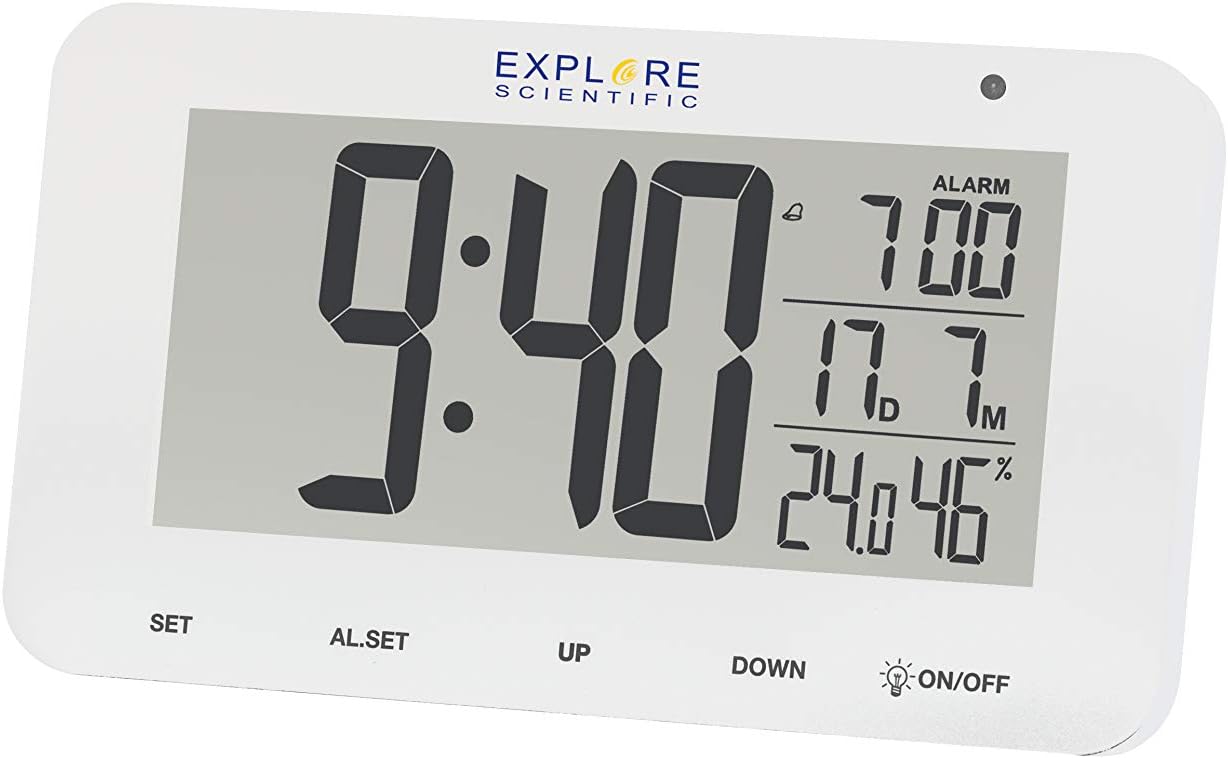
Figura 4.2: Detallada view of the RDC1004 clock's display. This image provides a closer look at the LCD screen, emphasizing the crisp white LED backlight. The main display shows "9:40" as the current time. To the right, the alarm is set for "7:00". Below that, the indoor temperature is "17.7°C" and humidity is "46%". The touch-sensitive controls are clearly visible at the bottom of the clock's face.
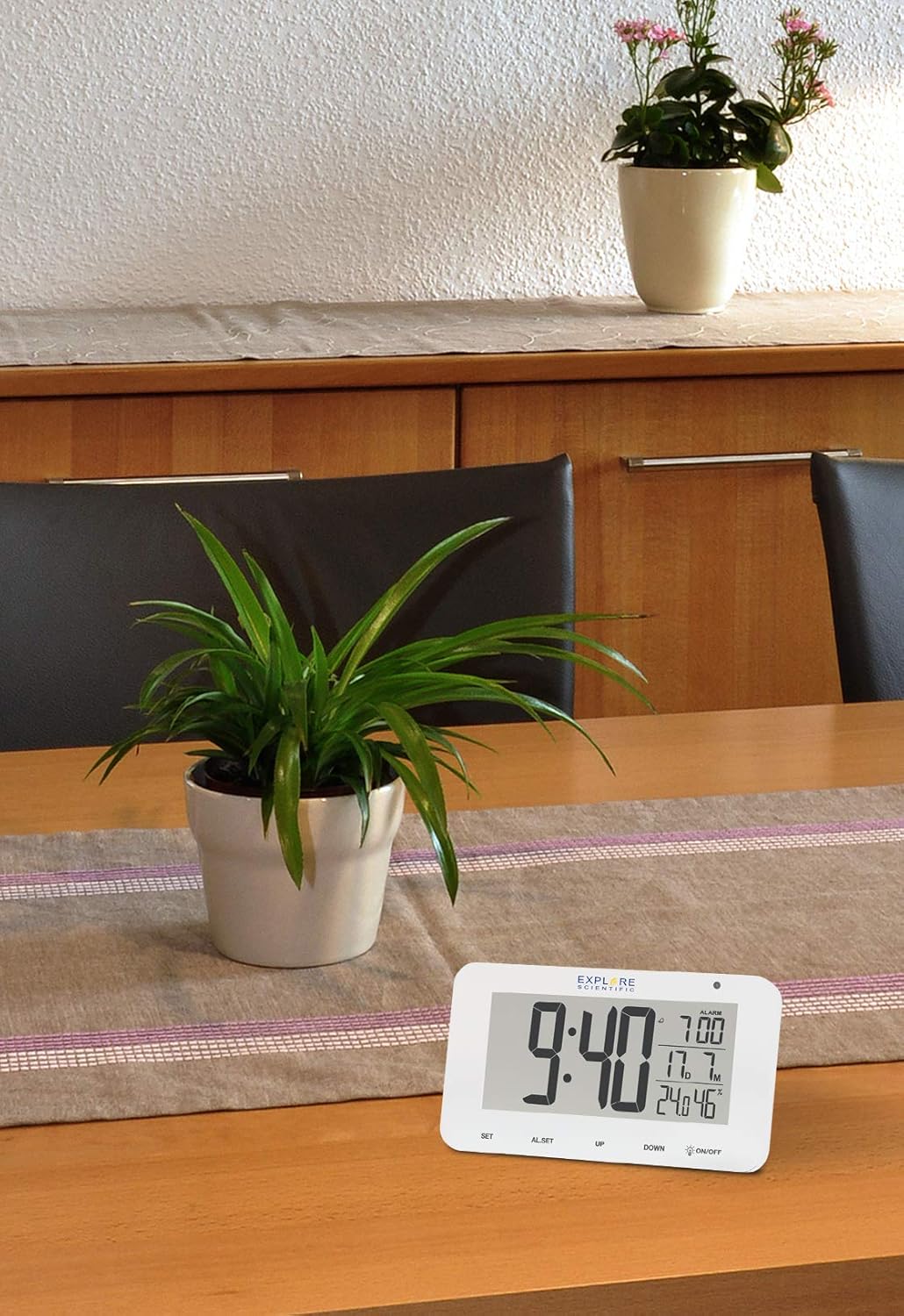
Figure 4.3: The RDC1004 clock in a typical home environment. The white clock is positioned on a light wooden table, demonstrating its compact size and modern aesthetic. A green potted plant is visible behind it, suggesting its suitability as a desk or bedside accessory. The display is clearly visible from a distance, indicating good readability.
4.1 Disseny de la pantalla
- Visualització de l'hora: Large digits for hours and minutes.
- Hora d'alarma: Smaller digits, typically in the upper right.
- Temperatura interior: Displays current indoor temperature in Celsius or Fahrenheit.
- Humitat interior: Displays current indoor relative humidity percentage.
- Date/Month Display: Shows the current month and date.
- Radio Control Icon: Indicates successful synchronization with the radio time signal.
- Icona d'alarma: Indica si l'alarma està activa.
4.2 Controls
- Botó SET: Used to enter time/date setting mode and confirm selections.
- Botó AL.SET: S'utilitza per entrar al mode de configuració de l'alarma.
- Botó amunt: Used to increase values during setting or toggle display modes.
- Botó ABAIX: Used to decrease values during setting or toggle display modes.
- ON/OFF (Backlight) Button: Activates the white LED backlight and night light mode. This is a touch-sensitive control.
5. Configuració
5.1 Instal·lació de la bateria
- Localitzeu el compartiment de la bateria a la part posterior del rellotge.
- Obriu la tapa del compartiment de la bateria.
- Insert 3 new AAA batteries, ensuring the correct polarity (+ and -) as indicated inside the compartment.
- Tanqueu bé la tapa del compartiment de la bateria.
Note: The clock will power on automatically once batteries are inserted.
5.2 Initial Setup and Radio-Controlled Time Synchronization
Upon initial power-on, the clock will automatically attempt to synchronize with the DCF (radio-controlled) time signal. This process may take several minutes to several hours, depending on your location and signal strength. During synchronization, the radio control icon will typically flash on the display.
- Place the clock near a window or in an open area for optimal signal reception.
- Avoid placing it near electronic devices that may cause interference (e.g., TVs, computers, microwaves).
- Once synchronized, the radio control icon will appear solid on the display, and the time will be automatically set and updated daily.
If the time does not synchronize automatically after several hours, you may need to manually set the time zone or initiate a manual search for the signal. Refer to the "Operating Instructions" section for manual settings.
6. Instruccions de funcionament
6.1 Manual Time and Date Setting
While the clock is radio-controlled, you can manually set the time and date if needed, or adjust the time zone.
- Manteniu premut el botó SET button for approximately 3 seconds to enter time setting mode. The digit to be set will flash.
- Utilitza el UP or ABAIX buttons to adjust the flashing value (e.g., time zone, 12/24 hour format, hour, minute, year, month, date).
- Premeu el botó SET button again to confirm the current setting and move to the next setting item.
- Repeat steps 2 and 3 until all desired settings are configured.
- The clock will automatically exit setting mode if no button is pressed for approximately 15 seconds.
6.2 Configuració de l'alarma
- Manteniu premut el botó AL.SET button for approximately 3 seconds to enter alarm setting mode. The alarm hour will flash.
- Utilitza el UP or ABAIX botons per ajustar l'hora de l'alarma.
- Premeu AL.SET de nou per confirmar l'hora i passar a la configuració dels minuts de l'alarma.
- Utilitza el UP or ABAIX botons per ajustar el minut de l'alarma.
- Premeu AL.SET de nou per confirmar i sortir del mode de configuració de l'alarma.
6.3 Activació/desactivació de l'alarma
Premeu breument AL.SET button to toggle the alarm ON or OFF. An alarm icon will appear on the display when the alarm is active.
6.4 Funció de repetició
Quan soni l'alarma, toqueu ON/OFF area (or any button, depending on model variation) on the top of the clock to activate the snooze function. The alarm will temporarily stop and sound again after approximately 5 minutes. To completely stop the alarm, press the UP botó.
6.5 Backlight and Night Light
- Instant Backlight: Toqueu breument el ON/OFF area on the top of the clock to activate the bright white LED backlight. It will illuminate for a few seconds and then turn off automatically.
- Mode de llum nocturna: Manteniu premut el botó ON/OFF area for approximately 3 seconds to activate a continuous, dim night light. Repeat this action to turn off the night light.
6.6 Selecció de la unitat de temperatura
Premeu breument ABAIX button to switch between Celsius (°C) and Fahrenheit (°F) temperature display.
7. Manteniment
- Neteja: Wipe the clock's surface with a soft, dry, lint-free cloth. Do not use liquid cleaners, aerosols, or abrasive materials.
- Substitució de la bateria: When the display dims or the clock stops functioning, replace all 3 AAA batteries with new ones. Ensure correct polarity.
- Emmagatzematge: Si guardeu el rellotge durant un període prolongat, traieu-ne les piles per evitar fuites.
8. Solució De Problemes
| Problema | Causa possible | Solució |
|---|---|---|
| La pantalla del rellotge està en blanc o fosca. | Bateries baixes o esgotades. | Replace with new AAA batteries. Ensure correct polarity. |
| L'hora és incorrecta o no s'està sincronitzant. | Poor radio signal reception; incorrect time zone setting. | Move the clock to a location with better signal (e.g., near a window, away from electronics). Manually set the correct time zone. Initiate a manual signal search if available (refer to manual for specific steps if not covered in 6.1). |
| L'alarma no sona. | Alarm is not activated; alarm volume too low (if adjustable). | Ensure the alarm icon is displayed. Check alarm time setting. |
| Els controls tàctils no responen. | During radio signal search; temporary software glitch. | Wait for the radio signal search to complete (approx. 7 minutes). Remove and reinsert batteries to reset the device. |
| Les lectures de temperatura/humitat semblen inexactes. | Device placed near heat/cold source; sensor obstruction. | Ensure the clock is placed in a stable environment, away from direct heat sources, vents, or direct sunlight. |
9. Especificacions
| Característica | Detall |
|---|---|
| Número de model | RDC1004GYE000 |
| Tipus de visualització | Digital LCD with White LED Backlight |
| Sincronització del temps | Ràdio controlat (DCF) |
| Funcions | Time, Date, Month, Alarm, Snooze, Indoor Temperature, Indoor Humidity, Night Mode |
| Unitat de temperatura | °C / °F seleccionable |
| Font d'alimentació | 3 piles AAA (incloses) |
| Dimensions (L x A x A) | 15.4 x 4.2 x 9.2 cm (aprox. 6.06 x 1.65 x 3.62 polzades) |
| Pes | 180 g (aprox. 0.4 lliures) |
| Color | Blanc |
10. Garantia i Suport
Explore Scientific products are designed for reliability and performance. For specific warranty terms and conditions, please refer to the warranty card included with your purchase or visit the official Explore Scientific website. If you encounter any issues not covered in this manual, or require further assistance, please contact Explore Scientific customer support.
Per obtenir la informació i el suport més recents, visiteu: www.explorescientific.com


