Introducció
Thank you for choosing KICKER Tabor2 Bluetooth Headphones. These headphones are designed to provide a high-quality wireless audio experience with comfort and extended battery life. This manual provides essential information for setting up, operating, maintaining, and troubleshooting your device to ensure optimal performance.
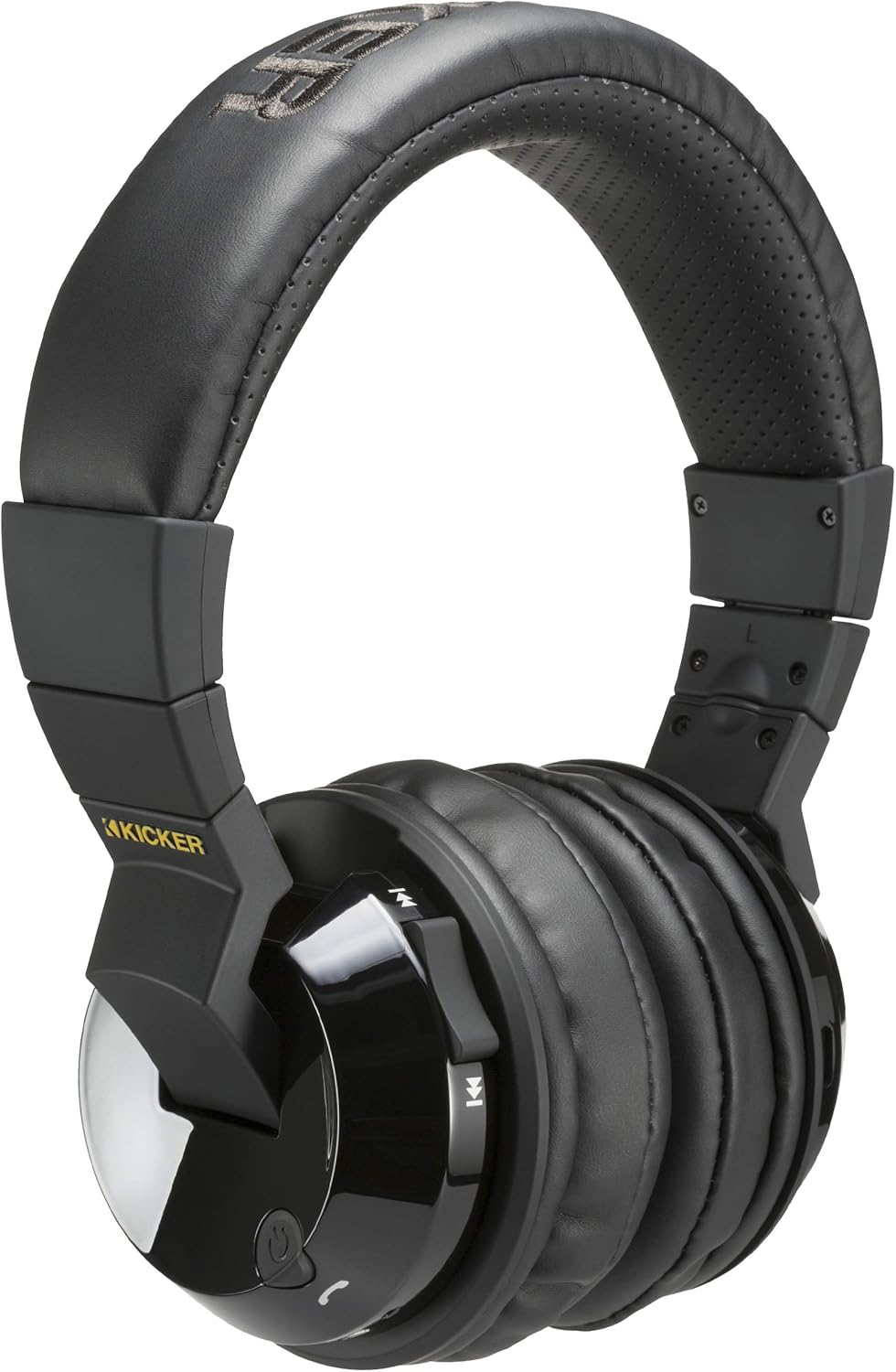
Image: KICKER Tabor2 Bluetooth Headphones, showcasinel disseny supraaural i els controls dels auriculars.
Què hi ha a la caixa
Si us plau, verifiqueu que tots els elements siguin presents al vostre paquet:
- KICKER Tabor2 Bluetooth Headphones
- Cable de càrrega USB
- Cable d'àudio de 3.5 mm

Image: The KICKER Tabor2 headphones displayed with their included accessories: a USB charging cable and a 3.5mm audio cable.
Configuració
Carregant els auriculars
Before initial use, fully charge your KICKER Tabor2 headphones. A full charge takes approximately 2.5 hours.
- Connect the small end of the included USB charging cable to the charging port on the headphones.
- Connect the large end of the USB charging cable to a USB power source (e.g., computer USB port, USB wall adapter).
- The LED indicator on the headphones will illuminate during charging and change color or turn off when fully charged.
Once fully charged, the headphones provide up to 24 hours of wireless listening time.

Image: An illustration highlighting the extended battery life of the KICKER Tabor2 headphones, offering over 24 hours of listening.
Emparellament Bluetooth
Per connectar els auriculars sense fil a un dispositiu:
- Assegureu-vos que els auriculars estiguin carregats i apagats.
- Press and hold the Power button on the headphones until the LED indicator flashes rapidly (usually blue and red), indicating pairing mode.
- Al dispositiu (telèfon intel·ligent, tauleta, ordinador), activeu el Bluetooth i cerqueu els dispositius disponibles.
- Select "KICKER Tabor2" from the list of found devices.
- Un cop connectat, l'indicador LED normalment mostrarà una llum blava fixa o parpellejarà lentament.
The headphones offer a Bluetooth range of up to 100 feet (approximately 30 meters).

Image: A woman wearing KICKER Tabor2 headphones, accompanied by a graphic illustrating the 100-foot Bluetooth range.
Connexió per cable
For a wired connection or when the battery is depleted, use the included 3.5mm audio cable:
- Connecteu un extrem del cable d'àudio de 3.5 mm a la presa d'entrada d'àudio dels auriculars.
- Connecteu l'altre extrem al connector de sortida d'àudio de 3.5 mm del dispositiu.
- The headphones will operate in passive mode, and Bluetooth functionality will be disabled.
Instruccions de funcionament
The KICKER Tabor2 headphones feature intuitive controls located on the earcups.

Imatge: Un primer pla view of the KICKER Tabor2 headphone earcup, highlighting the integrated control buttons for media and calls.
Encès/Apagat
- Encès: Premeu i manteniu premut el botó d'engegada durant aproximadament 3 segons fins que l'indicador LED s'encengui.
- Apagar: Premeu i manteniu premut el botó d'engegada durant aproximadament 3 segons fins que l'indicador LED s'apagui.
Controls de reproducció de música
- Reproduir/pausa: Premeu el botó Reproduir/Pausa una vegada.
- Pujar el volum: Premeu el botó Pujar volum (+).
- Baixar el volum: Premeu el botó per baixar el volum (-).
- Pista següent: Premeu i manteniu premut el botó de pujar el volum (+).
- Pista anterior: Premeu i manteniu premut el botó per baixar el volum (-).
Gestió de trucades
- Respondre/Finalitzar la trucada: Press the Play/Pause button once during an incoming call or an active call.
- Rebutja la trucada: Press and hold the Play/Pause button for approximately 2 seconds during an incoming call.
Activació de l'Assistent de veu
- Activa Siri/Assistent de Google: Premeu dues vegades el botó Reproduir/Pausa.
Manteniment
Neteja
To maintain the condition of your headphones:
- Netegeu els auriculars i la diadema amb un drap suau, sec i sense borrissol.
- No utilitzeu productes químics aggressivs, dissolvents de neteja o detergents forts.
- Eviteu que entri humitat a cap obertura.
Emmagatzematge
When not in use, store your headphones in a cool, dry place away from direct sunlight and extreme temperatures. Avoid placing heavy objects on top of the headphones.
Resolució de problemes
If you encounter issues with your KICKER Tabor2 headphones, refer to the following common solutions:
- Sense energia: Assegureu-vos que els auriculars estiguin completament carregats. Connecteu-los a una font d'alimentació amb el cable de càrrega USB.
- No es pot emparellar per Bluetooth:
- Assegureu-vos que els auriculars estiguin en mode d'emparellament (el LED parpelleja en blau i vermell).
- Desactiva i activa el Bluetooth del dispositiu.
- Acosta els auriculars al dispositiu.
- Esborra les connexions Bluetooth anteriors del dispositiu i torna a intentar l'emparellament.
- Sense so:
- Comproveu el nivell de volum tant dels auriculars com del dispositiu connectat.
- Assegureu-vos que els auriculars estiguin correctament emparellats o que el cable d'àudio de 3.5 mm estigui connectat correctament.
- If using Bluetooth, ensure no other device is connected to the headphones.
- Mala qualitat d'àudio:
- Apropeu-vos més al dispositiu Bluetooth per reduir les interferències.
- Assegureu-vos que no hi hagi obstacles entre els auriculars i el dispositiu.
- Prova de reproduir àudio des d'una font o aplicació diferent.
Especificacions
| Nom del model | Tabor2 |
| Número de model de l'article | 46HP4BTB |
| Tecnologia de connectivitat | Wireless, Wired (3.5 mm Jack) |
| Tecnologia de comunicació sense fils | Bluetooth |
| Versió Bluetooth | 4.0 |
| Interval Bluetooth | Fins a 100 peus (30 metres) |
| Mida del controlador d'àudio | 54 mm |
| Durada de la bateria | 24 hores |
| Temps de càrrega | 2.5 hores |
| Control de soroll | Cancel·lació passiva de soroll |
| Tipus de control | Control multimèdia, tàctil |
| Micròfon | Inclòs |
| Material | Ferro |
| Pes de l'article | 0.9 lliures (14.4 unces) |
| Dimensions del producte | 8 x 7 x 4 polzades |
| UPC | 713034000181 |
Garantia i Suport
For warranty information and customer support, please refer to the documentation provided with your purchase or visit the official KICKER website. You may also contact KICKER customer service directly for assistance with product inquiries, technical support, or warranty claims.
KICKER Oficial Weblloc: www.kicker.com


