1. Introducció
This manual provides essential information for the setup, operation, and maintenance of your Elo 10-inch I-Series for Android (Model E461790). The I-Series 3.0 for Android is a commercial-grade touchscreen solution designed for various interactive applications, integrating Google Play Services.
It is built for continuous public use in environments such as retail, hospitality, self-service kiosks, and corporate offices. Please read this manual thoroughly before using the device to ensure proper functionality and longevity.
2. Producte acabatview
The Elo 10-inch I-Series for Android is a compact, high-performance touchscreen display. It features a 10.1-inch LCD with 1280 x 800 resolution, powered by a 2 GHz Cortex A53 processor, 3GB RAM, and 32GB storage. The device operates on the Android platform and supports Google Play Services.
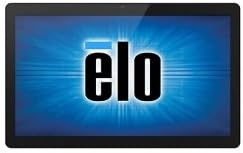
Imatge: Frontal view of the Elo 10-inch I-Series for Android touchscreen display, showing the Elo logo on the screen.
This unit is designed to support various peripherals and offers robust performance for demanding applications requiring continuous operation.
3. Què hi ha a la caixa
En desembalar, comproveu que hi hagi tots els components següents:
- Elo 10-inch I-Series for Android Device (Model E461790)
- Adaptador de corrent
- Quick Start Guide (if included, not specified in input)
- Safety and Regulatory Information (if included, not specified in input)
If any items are missing or damaged, please contact Elo customer support immediately.
4. Configuració
- Desembalatge: Carefully remove the device and all accessories from the packaging. Retain the packaging for future transport or storage.
- Col·locació: Place the device on a stable, flat surface. Ensure adequate ventilation around the unit to prevent overheating. Avoid placing it near heat sources or in direct sunlight.
- Potència de connexió:
- Connect the power adapter cable to the power input port on the back of the device.
- Connecteu l'adaptador d'alimentació a una presa de corrent adequada.
- Encesa inicial: Press the power button, usually located on the side or back of the unit. The device will boot up and display the Elo logo, followed by the Android operating system interface.
- Connexió de xarxa:
- For Wi-Fi: Navigate to Android Settings > Network & Internet > Wi-Fi. Select your network and enter the password.
- For Wired Ethernet: Connect an Ethernet cable from your network router/switch to the Ethernet port on the device (if available on your specific model).
- Google Play Services Setup: Follow the on-screen prompts to set up your Google account and access Google Play Services, if required for your application.
5. Instruccions de funcionament
5.1 Funcionament de la pantalla tàctil
The device features a multi-touch display. Use standard touch gestures such as tap, double-tap, pinch-to-zoom, and swipe to navigate the Android interface and interact with applications.
5.2 Android Interface Navigation
- Pantalla d'inici: La pantalla principal on es mostren les icones de les aplicacions i els widgets.
- Calaix d'aplicacions: Access all installed applications.
- Panell de notificacions: Feu lliscar el dit cap avall des de la part superior de la pantalla fins a view notificacions i configuracions ràpides.
- Configuració: Access system settings to configure Wi-Fi, display, sound, and other device options.
5.3 Instal·lació d'aplicacions
Applications can be installed via the Google Play Store (requires a Google account) or by sideloading APK files, depending on your deployment strategy and security policies.
5.4 Gestió de l'energia
- Mode de repòs: Briefly press the power button to put the device into sleep mode. Press again to wake it up.
- Restart/Power Off: Press and hold the power button until a menu appears, then select "Restart" or "Power Off".
6. Manteniment
6.1 Neteja de la pantalla
To clean the touchscreen, power off the device and gently wipe the screen with a soft, lint-free cloth. For stubborn marks, slightly dampNetegeu el drap amb aigua o un netejador de vidres no abrasiu i sense amoníac. No ruixeu el netejador directament sobre la pantalla.
6.2 Atenció general
- Eviteu exposar el dispositiu a temperatures extremes, humitat o llum solar directa.
- No bloquejar les obertures de ventilació.
- Do not attempt to disassemble the device. Refer all servicing to qualified personnel.
7. Solució De Problemes
| Problema | Causa possible | Solució |
|---|---|---|
| El dispositiu no s'encén. | Sense corrent, adaptador de corrent defectuós. | Ensure power adapter is securely connected to device and outlet. Try a different outlet. |
| La pantalla tàctil no respon. | Error de programari, danys físics. | Restart the device. Ensure screen is clean and free of obstructions. If problem persists, contact support. |
| No hi ha connexió Wi-Fi. | Incorrect password, out of range, router issue. | Verify Wi-Fi password. Move closer to the router. Restart router and device. |
| Applications crashing. | App incompatibility, low memory. | Clear app cache/data. Update the app. Ensure sufficient storage space. |
For issues not listed here, or if solutions do not resolve the problem, please contact Elo customer support.
8. Especificacions
| Característica | Detall |
|---|---|
| Nom del model | E461790 |
| Mida de la pantalla | 10 polzades |
| Resolució de visualització | 1280 x 800 píxels |
| Processador | 2 GHz (Cortex A53) |
| Coprocessador gràfic | ARM Mali T604 |
| Sistema operatiu | Android |
| RAM | 3 GB (DDR3 SDRAM) |
| Capacitat d'emmagatzematge | 32 GB (memòria flaix) |
| Tipus sense fil | 802.11n |
| Pes de l'article | 1.94 lliures |
| Dimensions del producte (LxWxH) | 9.45 x 13.39 x 5.91 polzades |
| posterior WebResolució de la càmera | 5 MP |
Nota: Les especificacions estan subjectes a canvis sense previ avís.
9. Garantia i Suport
Elo products are designed for reliability and come with a standard manufacturer's warranty. For specific warranty terms and conditions applicable to your region and purchase, please refer to the warranty card included with your product or visit the official Elo weblloc.
For technical support, service, or to inquire about replacement parts, please contact Elo customer support. You can find contact information and additional resources on the official Elo weblloc:
(This link directs to the Elo brand store on Amazon, which may contain links to official support resources.)


