1. Producte acabatview
The TP-Link AV600 Powerline Ethernet Adapter Kit (TL-PA4010) allows you to extend your internet connection to any room using your home's existing electrical wiring. This kit provides a stable, high-speed wired network connection for devices like smart TVs, gaming consoles, and computers, eliminating the need for new wiring. The bundle includes two TL-PA4010 Powerline Adapters and one AmazonBasics Cat-6 Ethernet Cable for immediate setup.
Les característiques clau inclouen:
- Transferència de dades d'alta velocitat: Up to 600 Mbps over electrical wiring, suitable for HD streaming and online gaming.
- Plug & Play: Simple setup with no configuration required.
- Mode d'estalvi d'energia: Automatically reduces power consumption by up to 85% when not in use.
- Xarxa segura: 128-bit AES encryption for network security.

Imatge 1.1: acabatview of the TP-Link AV600 Powerline Ethernet Adapter Kit, showing two adapters and one Ethernet cable.
2. Contingut del paquet
Comproveu que el vostre paquet contingui els elements següents:
- Two (2) TP-Link AV600 Powerline Ethernet Adapters (Model: TL-PA4010)
- One (1) AmazonBasics RJ45 Cat-6 Ethernet Patch Internet Cable (10 Feet / 3 Meters)
- Guia d'instal·lació ràpida (no inclosa en aquest manual digital)

Image 2.1: The retail packaging for the TP-Link AV600 Powerline Starter Kit, showing two adapters.
3. Instruccions de configuració
Follow these steps to set up your Powerline network:
3.1. Connect the First Adapter
- Plug one TL-PA4010 Powerline Adapter directly into a wall electrical outlet near your internet router. Avoid power strips or extension cords, as they can interfere with performance.
- Connect one end of the included Cat-6 Ethernet cable to the Ethernet port on the Powerline Adapter.
- Connecteu l'altre extrem del cable Ethernet a un port LAN disponible del vostre encaminador d'Internet.
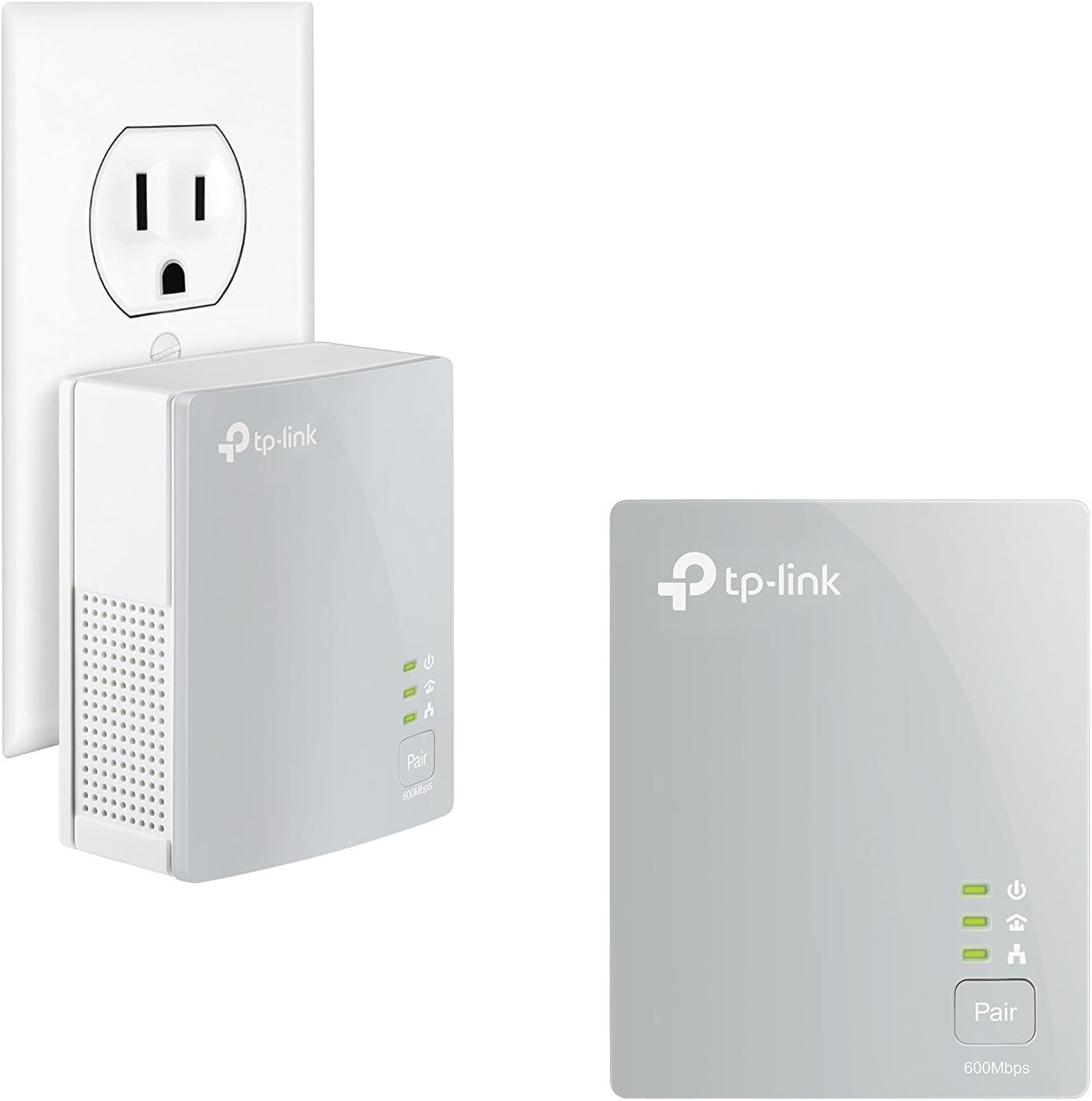
Image 3.1: A TP-Link AV600 Powerline Adapter plugged into a standard wall outlet, with another adapter shown separately.
3.2. Connect the Second Adapter
- Go to the room where you need internet access. Plug the second TL-PA4010 Powerline Adapter directly into a wall electrical outlet.
- Connect one end of another Ethernet cable (not included, or use the provided one if moving it) to the Ethernet port on this Powerline Adapter.
- Connecteu l'altre extrem del cable Ethernet al port Ethernet del vostre dispositiu (per exemple, ordinador, televisor intel·ligent, consola de jocs).

Image 3.2: A black AmazonBasics Cat-6 Ethernet cable with RJ45 connectors.
3.3. Pair the Adapters (Optional)
The adapters are typically pre-paired. If they do not connect automatically, or if you are adding new adapters to an existing Powerline network, you may need to pair them:
- Press the 'Pair' button on one of the Powerline Adapters for one second. The Power LED will start blinking.
- Within two minutes, press the 'Pair' button on the second Powerline Adapter for one second. The Power LED will also start blinking.
- When the Powerline LED on both adapters turns solid, the pairing process is complete, and your Powerline network is established.
4. Instruccions de funcionament
Once the Powerline Adapters are successfully set up and paired, they will automatically create a wired network connection through your home's electrical system. The Powerline LED on each adapter indicates the status of the Powerline connection:
- Encès sòlid: A Powerline connection is established.
- Apagat: No Powerline connection is detected.
The Ethernet LED indicates the status of the Ethernet connection to your device or router:
- Encès sòlid: An Ethernet connection is active.
- Apagat: No s'ha detectat cap connexió Ethernet.
The Power LED indicates if the adapter is powered on.
5. Manteniment
To ensure optimal performance and longevity of your Powerline Adapters:
- Mantingueu els adaptadors en una zona ben ventilada per evitar el sobreescalfament.
- Avoid plugging the adapters into power strips, surge protectors, or extension cords, as this can degrade performance. Plug them directly into a wall outlet.
- Clean the adapters periodically with a soft, dry cloth. Do not use liquid cleaners.
- Ensure the electrical outlets used are in good working condition.
6. Solució De Problemes
If you encounter issues with your Powerline network, refer to the following common problems and solutions:
6.1. No Powerline Connection (Powerline LED is Off)
- Comproveu la potència: Ensure both Powerline Adapters are plugged firmly into live wall outlets.
- Connexió directa: Confirm adapters are plugged directly into wall outlets, not power strips or extension cords.
- El mateix circuit elèctric: Powerline devices perform best when on the same electrical circuit. If your home has multiple electrical phases, try moving the adapters to outlets on the same phase.
- Maridatge: If the adapters were not pre-paired or if you added a new one, perform the pairing process as described in Section 3.3.
6.2. Slow Network Speed
- Eviteu interferències: Electrical noise from appliances (e.g., washing machines, refrigerators, microwaves) can affect Powerline performance. Try plugging adapters into different outlets away from such devices.
- Connexió directa: Always plug adapters directly into wall outlets.
- Qualitat del cablejat: Older or complex electrical wiring can impact data speeds. Performance may vary based on your home's electrical infrastructure.
- Cable Ethernet: Ensure the Ethernet cable is securely connected and undamaged.
6.3. No Internet Access on Connected Device
- Connexió del router: Verify that the first Powerline Adapter is correctly connected to your internet router and that the router has an active internet connection.
- Cable Ethernet: Check the Ethernet cable connecting the second Powerline Adapter to your device. Ensure it is properly seated and functional.
- Powerline Connection: Confirm that the Powerline LED on both adapters is solid, indicating a successful Powerline network.
7. Especificacions
| Característica | Descripció |
|---|---|
| Marca | TP-Link |
| Model | TL-PA4010 Kit |
| Interfície del maquinari | Ethernet |
| Protocol d'enllaç de dades | Ethernet |
| Velocitat de transferència de dades | Fins a 600 megabits per segon (Mbps) |
| Consum d'energia | Maximum: 4.60W, Typical: 4.26W, Standby: 0.88W |
| Estalvi d'energia | Reduces power consumption by up to 85% |
| Interval | Fins a 300 metres (984 peus) sobre el circuit elèctric |
| Seguretat | Xifratge AES de 128 bits |
| Dispositius compatibles | Desktop computers, laptops, smart TVs, gaming consoles, network printers, etc. |

Image 7.1: A TP-Link AV600 Powerline Adapter shown next to a credit card for size reference.
8. Garantia i Suport
Per obtenir informació sobre la garantia i assistència tècnica, consulteu el lloc web oficial de TP-Link. website or contact their customer service. Specific warranty terms and conditions may vary by region and purchase date. Keep your proof of purchase for warranty claims.
Podeu trobar recursos addicionals i informació de contacte a Botiga TP-Link a Amazon.


