1. Benvingut
Thank you for choosing PowerLocus Kids Wireless Headphones. This manual provides detailed instructions to help you set up, operate, and maintain your new headphones, ensuring a safe and enjoyable audio experience for children. Please read this manual thoroughly before use.
2. Contingut del paquet
- 1x Wireless Headphones for Kids
- 1 cable de càrrega USB-C
- 1x Aux audio cable with microphone
- 1x Carrying pouch

Image: The PowerLocus Kids Headphones, along with the USB-C charging cable, AUX audio cable, and carrying pouch, neatly arranged next to the product box.
3. Producte acabatview
The PowerLocus Kids Headphones are designed for comfort, durability, and safe listening. They feature an 85dB volume limit to protect young ears, LED lights for fun, and multiple connectivity options.
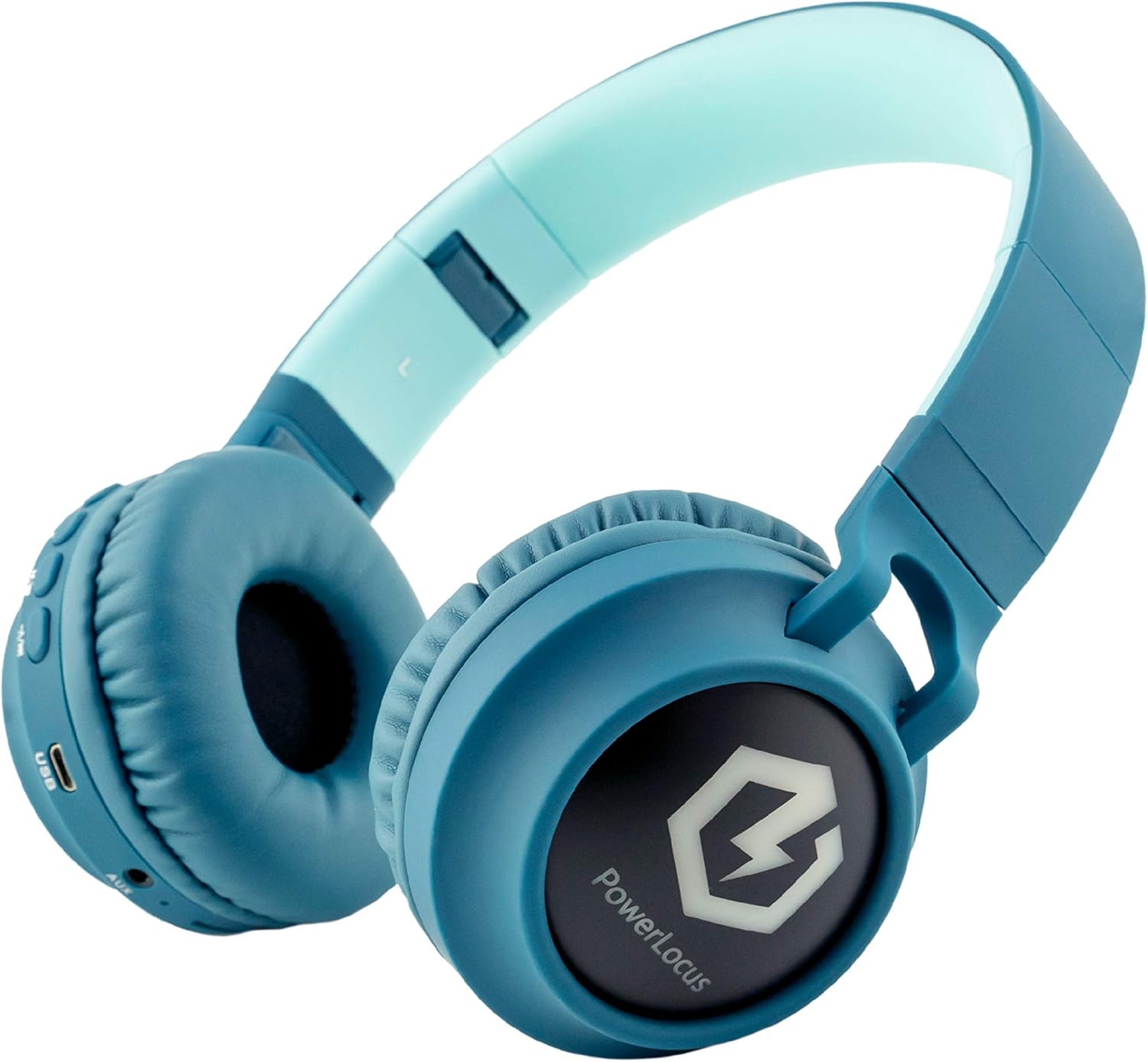
Image: A close-up of the headphone earcup, highlighting the various control buttons, the built-in microphone, USB-C charging port, AUX input, and Micro SD card slot.
Característiques principals:
- Connectivitat Bluetooth 5.3: Provides a stable wireless connection up to 39ft.
- 85dB Safe Volume Limit: Protects hearing by limiting maximum sound output.
- Wireless, Wired, and Micro SD Modes: Versatile listening options for various devices and scenarios.
- Llums LED: Switchable LED lights on the earcups for added fun.
- Foldable and Extendable Design: Easy to store and adjust for different head sizes.
- Micròfon integrat: For hands-free calls in both wireless and wired modes.
4. Configuració
4.1 Càrrega dels auriculars
Before first use, fully charge the headphones. Connect the provided USB-C charging cable to the USB-C port on the headphone earcup and the other end to a compatible USB power source (e.g., computer USB port, wall adapter). The LED indicator will show charging status.
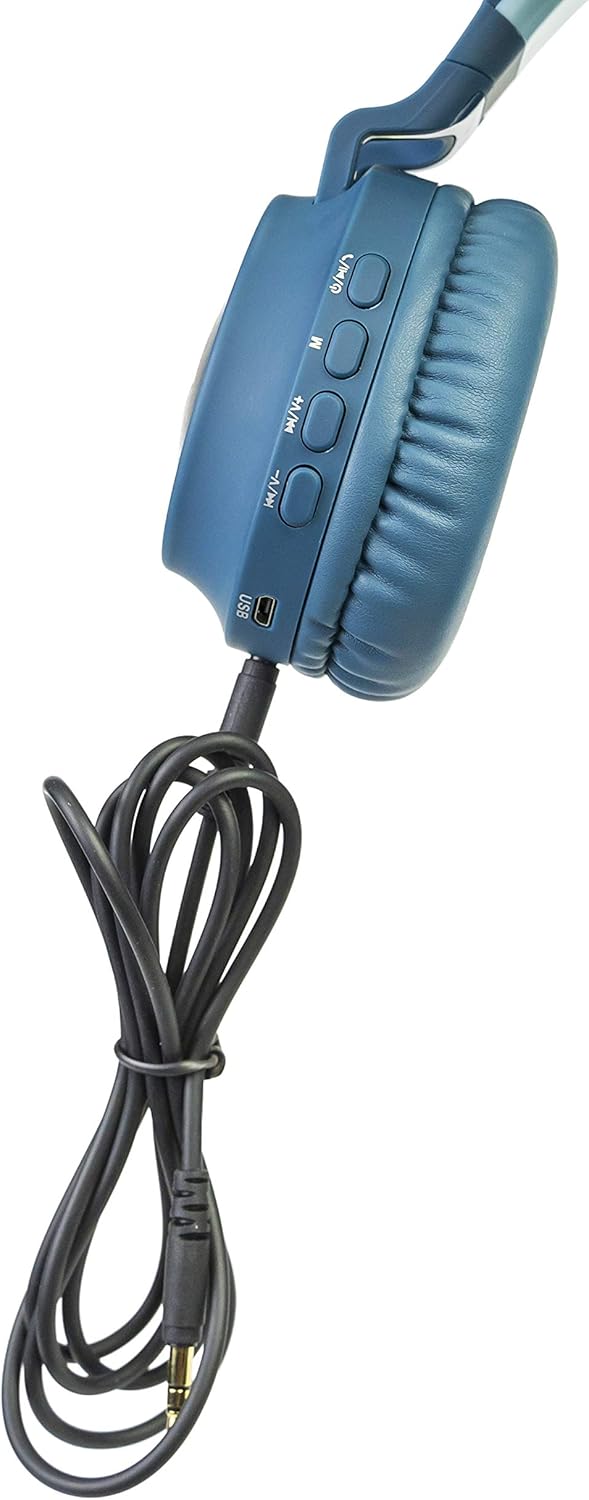
Image: The headphone earcup with the USB-C charging cable plugged into its port, indicating the charging method.
4.2 Emparellament per Bluetooth
- Assegureu-vos que els auriculars estiguin carregats i apagats.
- Premeu i manteniu premut el botó d'engegada fins que l'indicador LED parpellegi, cosa que indica el mode d'emparellament.
- Al dispositiu (telèfon intel·ligent, tauleta, ordinador portàtil), activeu el Bluetooth i cerqueu els dispositius disponibles.
- Select "PowerLocus Buddy" from the list.
- Un cop connectat, l'indicador LED es il·luminarà fixament i sentireu un to de confirmació.

Image: A young boy wearing the PowerLocus Kids Headphones, comfortably engaged with a tablet, illustrating the wireless functionality.
4.3 Connexió per cable (mode AUX)
If the battery is low or for devices without Bluetooth, use the provided 3.5mm AUX audio cable. Plug one end into the AUX port on the headphone earcup and the other end into your device's 3.5mm audio jack. The headphones will automatically switch to wired mode.
Mode Micro SD de 4.4
Insert a Micro SD card (up to 32GB) loaded with audio files into the Micro SD slot on the headphone earcup. The headphones will automatically detect the card and begin playing music. Use the control buttons to navigate tracks.
5. Instruccions de funcionament
5.1 Controls i funcions
Image: A close-up of the headphone earcup, highlighting the various control buttons, the built-in microphone, USB-C charging port, AUX input, and Micro SD card slot with their respective labels.
- Botó d'encesa: Mantingueu premut per encendre/apagar. Premeu curtament per reproduir/pausar música o respondre/finalitzar trucades.
- Pujar volum (+)/Pista següent: Prem curt per pujar el volum. Prem llarg per passar a la següent pista.
- Baixar volum (-)/Pista anterior: Prem curt per baixar el volum. Prem llarg per anar a la pista anterior.
- Botó Mode (M): Short press to switch between Bluetooth, AUX, and Micro SD modes.
- Botó de llum LED: Press to cycle through LED light modes or turn them off.
5.2 LED Light Activation
The headphones feature colorful LED lights on the earcups. Use the dedicated LED Light button to activate or deactivate them. Multiple light modes are available.

Image: The PowerLocus Kids Headphones with their distinctive LED lights glowing on the earcups, showcasing the visual feature.
5.3 Safe Volume Limit (85dB)
These headphones are equipped with an 85dB volume limit, which is the recommended safe listening level for children. This feature is built-in and cannot be overridden, ensuring protection against potential hearing damage from excessively loud audio.
Video: An official seller video demonstrating the features of the PowerLocus Buddy Kids Headphones, including the 85dB volume limit.
6. Manteniment
6.1 Cura i neteja
- Netegeu els auriculars amb un drap suau i sec.
- No utilitzeu netejadors abrasius ni dissolvents.
- Keep the headphones dry and away from moisture.
6.2 Emmagatzematge
When not in use, fold the headphones for compact storage and place them in the provided carrying pouch to protect them from dust and scratches.

Image: The PowerLocus Kids Headphones shown in their folded configuration, highlighting their portability and ease of storage.
7. Solució De Problemes
If you encounter any issues with your headphones, please refer to the table below for common problems and solutions.
| Problema | Causa possible | Solució |
|---|---|---|
| Els auriculars no s'encenen | Bateria baixa | Carregueu els auriculars completament. |
| No es pot emparellar per Bluetooth | Headphones not in pairing mode / Device Bluetooth off / Too far from device | Ensure headphones are in pairing mode. Turn device Bluetooth on/off. Move headphones closer to device. |
| No hi ha so en mode amb cable | AUX cable not fully inserted / Cable damaged | Ensure AUX cable is fully inserted. Try a different AUX cable. |
| Els llums LED no funcionen | LEDs turned off / Low battery | Press the LED Light button. Charge the headphones. |
8. Especificacions
| Característica | Detall |
|---|---|
| Marca | PowerLocus |
| Nom del model | pwl-buddy |
| Tecnologia de connectivitat | Sense fil (Bluetooth 5.3), amb cable (AUX de 3.5 mm) |
| abast sense fils | Fins a 39 peus (11.89 metres) |
| Mida de l'altaveu | 40 mm |
| Impedància | 32 ohms |
| Interval de freqüència | 20 - 20000 Hz |
| Durada de la bateria | Approx. 10 hours (without LED lights) |
| Temps de càrrega | Aprox. 2.5 hores |
| Pes | 0.29 quilograms (10.2 unces) |
| Franja d'edat | Nen |
| Característiques especials | 85dB Volume Limit, LED Lights, Foldable, Micro SD Mode, Built-in Microphone |
9. Garantia i Suport
PowerLocus stands behind the quality of its products. These headphones come with a Garantia de 24 mesos sense problemes. If you experience any issues or have questions, please contact PowerLocus customer support.
For customer support, please visit the official PowerLocus weblloc web o consulteu la informació de contacte que es proporciona a l'embalatge del producte.

Image: The back of the product packaging, displaying the 2-year warranty information and contact details for PowerLocus customer support.


