1. Introducció
The Contixo XODO WP3 Smart WiFi Plug provides intelligent control over your home appliances. This device allows you to remotely manage connected electronics via a smartphone application, voice commands through Amazon Alexa or Google Home Assistant, and scheduled timers. This manual outlines the steps for setup, operation, and maintenance to ensure optimal performance and user experience.
2. Informació de seguretat
- Ensure the plug is used within its specified electrical ratings (voltage, corrent, potència).
- No desmunteu ni modifiqueu el dispositiu.
- Eviteu l'exposició a l'aigua o ambients humits.
- Mantenir fora de l'abast dels nens.
- El dispositiu està dissenyat només per a ús en interiors.
- This smart plug requires a 2.4 GHz Wi-Fi network for connectivity. It is not compatible with 5 GHz Wi-Fi networks.
- The thermoplastic construction provides protection against power surges.
3. Producte acabatview
The XODO WP3 Smart WiFi Plug features a compact design, integrating two standard AC outlets and two USB charging ports. This allows for simultaneous control of multiple devices from a single wall outlet.
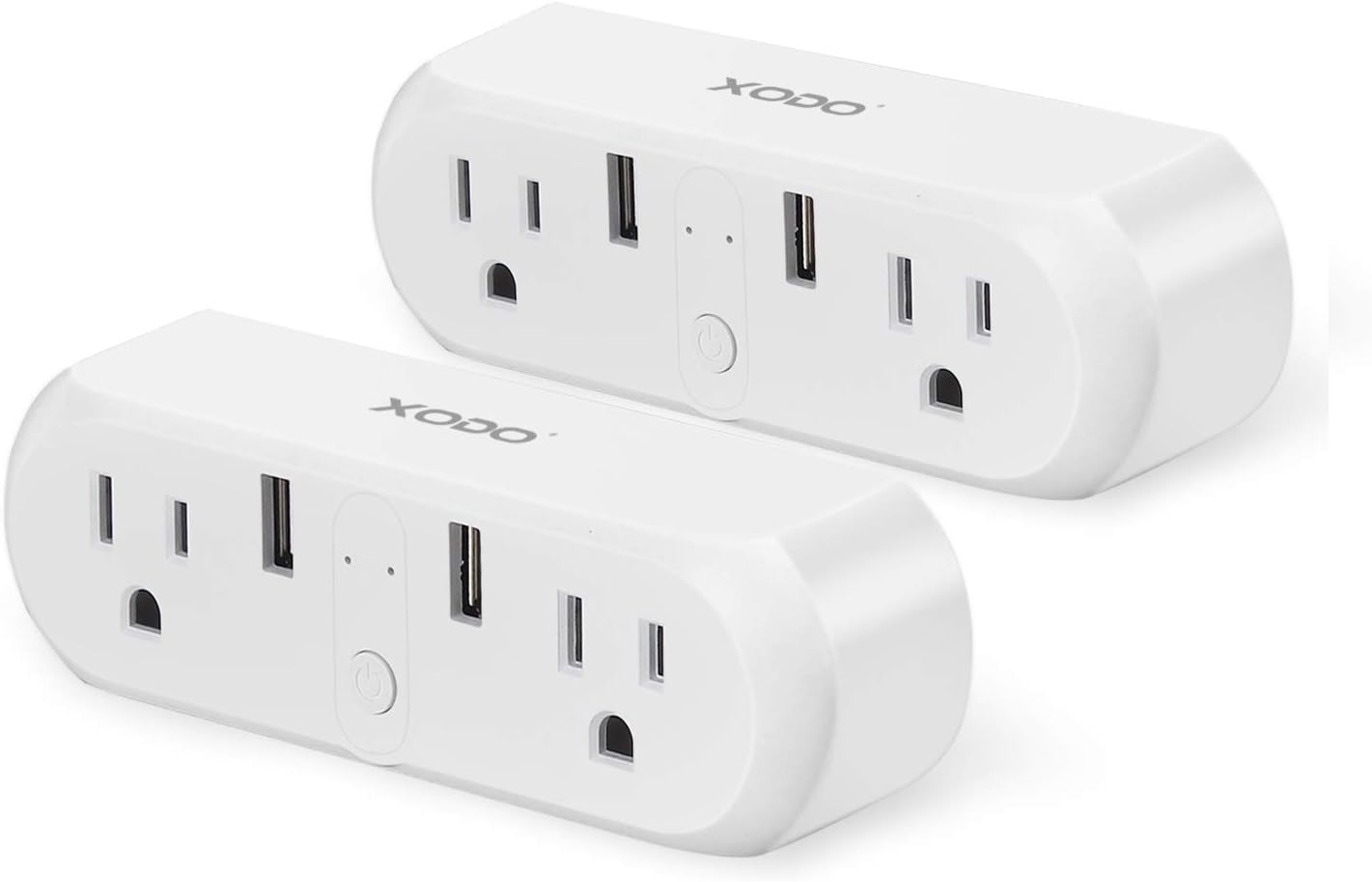
Image: Two XODO WP3 Smart WiFi Plugs, showcasing their design and dual outlet/USB configuration.

Image: A hand holding a single XODO WP3 Smart WiFi Plug, demonstrating its compact and portable size.
Característiques principals:
- Comandament a distància: Manage devices from anywhere using the Xodo Smart app.
- Control de veu: Compatible amb Amazon Alexa i Google Home Assistant per a un funcionament amb mans lliures.
- Programació i temporitzadors: Set automatic on/off schedules for connected appliances.
- Control de grup: Control multiple plugs simultaneously or individually.
- Estalvi d'energia: Monitor and manage power consumption.
4. Configuració
4.1 Instal·lació de l'aplicació
- Descarrega't el Xodo Smart aplicació des de l'App Store d'Apple (per a dispositius iOS) o des de la Google Play Store (per a dispositius Android).
- Registra't per obtenir un compte nou o inicia la sessió si ja en tens un.

Image: A smartphone displaying the Xodo Smart app's connection screen, indicating device initialization.
4.2 Emparellament de dispositius
- Plug the XODO WP3 Smart WiFi Plug into a standard wall outlet.
- Open the Xodo Smart app and tap the "+" icon to add a new device.
- Follow the on-screen instructions to connect the smart plug to your Xarxa Wi-Fi de 2.4 GHz. Ensure your smartphone is also connected to the same 2.4 GHz network during the pairing process.
- No separate hub is required for operation.
- Once connected, you can rename the plug for easier identification (e.g., "Living Room Lamp").
5. Instruccions de funcionament
5.1 Control bàsic d'encesa/apagada
After successful pairing, you can turn the connected appliance on or off directly from the Xodo Smart app by tapping the device icon.
5.2 Voice Control with Alexa and Google Home
The XODO WP3 Smart WiFi Plug is compatible with Amazon Alexa and Google Home Assistant, allowing for hands-free control.
- Enable the "Xodo Smart" skill/service in your Alexa or Google Home app.
- Link your Xodo Smart account.
- Descobriu dispositius.
- Utilitzeu ordres de veu com ara:
- "Alexa, encén la l de la sala d'estar"amp."
- "Hey Google, turn off the coffee maker."

Image: A XODO WP3 Smart Plug powering a desk lamp, with a Google Home speaker demonstrating voice control functionality.
5.3 Control remot
Control your devices from any location with an internet connection using the Xodo Smart app on your smartphone.

Image: A woman using her smartphone to control devices remotely, illustrating the convenience of the smart plug.
5.4 Programació i temporitzadors
Set custom schedules and timers for your appliances to automate their operation.
- In the Xodo Smart app, select the desired plug and navigate to the 'Schedule' or 'Timer' section.
- Set specific times for devices to turn on or off (e.g., lights at dusk, heater before arrival).
- Crea programacions recurrents per a l'automatització diària o setmanal.

Image: A kitchen environment with a XODO WP3 Smart Plug and a smartphone showing the app's scheduling interface, demonstrating automated control.
5.5 Group and Individual Control
The Xodo Smart app allows you to name each plug individually. You can also create groups to control multiple plugs simultaneously with a single command or tap.

Image: A XODO WP3 Smart Plug connected to a wall outlet, powering a juicer and an electric kettle, illustrating its application for various appliances.
6. Manteniment
- To clean the smart plug, disconnect it from the power outlet and wipe it with a dry, soft cloth.
- No utilitzeu netejadors líquids ni materials abrasius.
- Ensure the device is completely dry before reconnecting it to power.
7. Solució De Problemes
- El dispositiu no es connecta a la Wi-Fi: Ensure your Wi-Fi network is 2.4 GHz. The plug does not support 5 GHz networks. Check your Wi-Fi password and router settings.
- L'aplicació no respon: Close and reopen the Xodo Smart app. Ensure your smartphone has a stable internet connection.
- El control per veu no funciona: Verify that the Xodo Smart skill/service is enabled and linked correctly in your Alexa or Google Home app. Ensure your voice assistant device is online and within range.
- Plug not powering on: Check if the wall outlet is functioning correctly. Ensure the plug is securely inserted.
If issues persist, please refer to the customer support section for assistance.
8. Especificacions

Image: Technical specifications for the Xodo WiFi Smart Plug, including electrical ratings and connectivity details.
| Especificació | Detall |
|---|---|
| Nom del producte | Xodo WiFi Smart Socket |
| Model | WP3 |
| Voltage | 100V-240V AC 50Hz-60Hz |
| Corrent nominal | 10A màx |
| Dual USB Port Output | 5V/2A |
| Potència màxima | 1100W |
| Temperatura de treball | -20~60°C |
| Sistema de suport | Android o iOS |
| Estàndard WiFi | 802.11 b/g/n 2.4 GHz |
| Dimensions del producte | 1.2 x 2.1 x 1.2 polzades |
| Pes de l'article | 10.9 unces |
9. Garantia i Suport
Contixo is committed to providing outstanding customer service and technical support. Should you encounter any problems or require assistance with your XODO WP3 Smart WiFi Plug, please contact our US-based customer service team.
For support, please visit the official Contixo weblloc web o consulteu la informació de contacte que s'inclou amb l'embalatge del producte.
Recursos en línia:
Visit the Contixo Store on Amazon


