1. Introducció
Thank you for choosing the Nillkin Dual Wireless Charging Pad. This device is designed to provide convenient and efficient wireless charging for two compatible smartphones simultaneously. Please read this manual carefully before use to ensure proper operation and to maximize the lifespan of your product.
2. Característiques del producte
- Dual Wireless Charging: Charge two Qi-enabled devices simultaneously.
- Suport de càrrega ràpida: Provides up to 10W for compatible Android devices and 7.5W for compatible iPhones.
- Característiques de seguretat avançades: Sobreintensitat integrada, sobrevoltage, protecció contra sobretemperatura i curtcircuits.
- Detecció d'objectes estrangers (FOD): Automatically detects metallic foreign objects to prevent overheating and damage.
- Indicador LED: Clear status light to show charging progress and errors.
- Dissipació de calor eficient: Designed with venting to maintain optimal operating temperature.
- Disseny antilliscant: Ensures devices remain securely on the charging surface.
3. Contingut del paquet
- Nillkin Dual Wireless Charging Pad
- Adaptador de corrent alterna
- Manual d'usuari
4. Guia de configuració
- Connectar l'alimentació: Plug the provided AC power adapter into a wall outlet. Connect the other end of the adapter to the power input port on the Nillkin Dual Wireless Charging Pad.
- Col·locació: Place the charging pad on a flat, stable surface, away from direct sunlight or heat sources.
- La base de càrrega ja està a punt per al seu ús.
5. Instruccions de funcionament
5.1 Càrrega del dispositiu
- Assegureu-vos que el carregador estigui connectat a l'alimentació.
- Place your Qi-enabled smartphone or other compatible device directly onto one of the charging areas marked with a '+' symbol on the pad. For optimal charging, center your device on the charging area.
- The LED indicator on the pad will illuminate blue to confirm that charging has begun.
- When charging is complete, the blue LED light will turn off.
- To charge a second device, place it on the other charging area. Both devices can charge simultaneously.
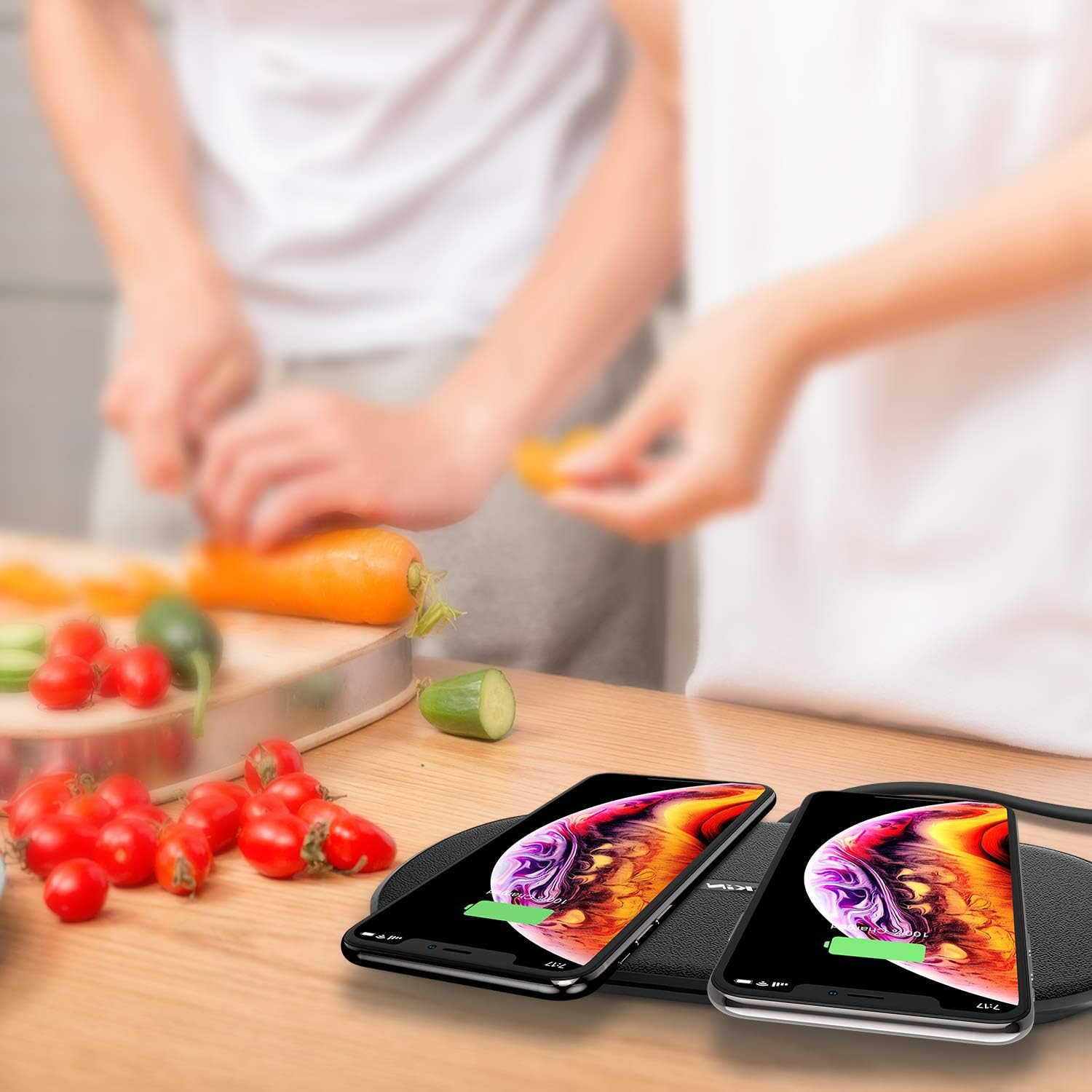
Image: The Nillkin Dual Wireless Charging Pad actively charging two smartphones side-by-side.
5.2 Estat dels indicadors LED
- Llum blava encès: El dispositiu s'està carregant activament.
- La llum blava parpelleja: Indicates improper device placement or detection of a foreign object. Adjust device position or remove any foreign objects.
- Llum blava apagada: Charging is complete, or the pad is not connected to power/no device is placed.

Imatge: Detallada view of the charging pad highlighting the LED indicator and heat dissipation design on the underside.
6. Compatibilitat
The Nillkin Dual Wireless Charging Pad is compatible with all Qi-enabled devices. This includes, but is not limited to, the following models:
- Càrrega ràpida de 10 W: Samsung Galaxy S10, S8, S9, Note 9, LG G8 ThinQ, LG V30, and other compatible Android devices.
- 7.5W iPhone Fast Charging: iPhone 15, 14, 13, 12 Pro Max/Pro, iPhone 11, iPhone Xs, iPhone XR, iPhone X, and newer Qi-enabled iPhones.
- Càrrega estàndard de 5 W: LG G7, LG G6, BlackBerry, and other standard Qi-enabled devices.
- Càrrega de 2.5 W: AirPods Pro, AirPods 2, Samsung Galaxy Buds, and other compatible wireless earbuds.

Image: A visual guide illustrating the universal compatibility of the charging pad with different smartphone brands and models, including various charging speeds.
7. Informació de seguretat
- No desmunteu ni modifiqueu el producte.
- Keep the charging pad away from water, moisture, and high temperatures.
- Avoid placing metallic objects (e.g., keys, coins, credit cards) on the charging pad, as this may interfere with charging or cause overheating.
- Do not use the product in extremely hot or cold environments.
- Use only the provided AC adapter. Using unauthorized adapters may damage the product or connected devices.
- Ensure proper ventilation around the charging pad during use.
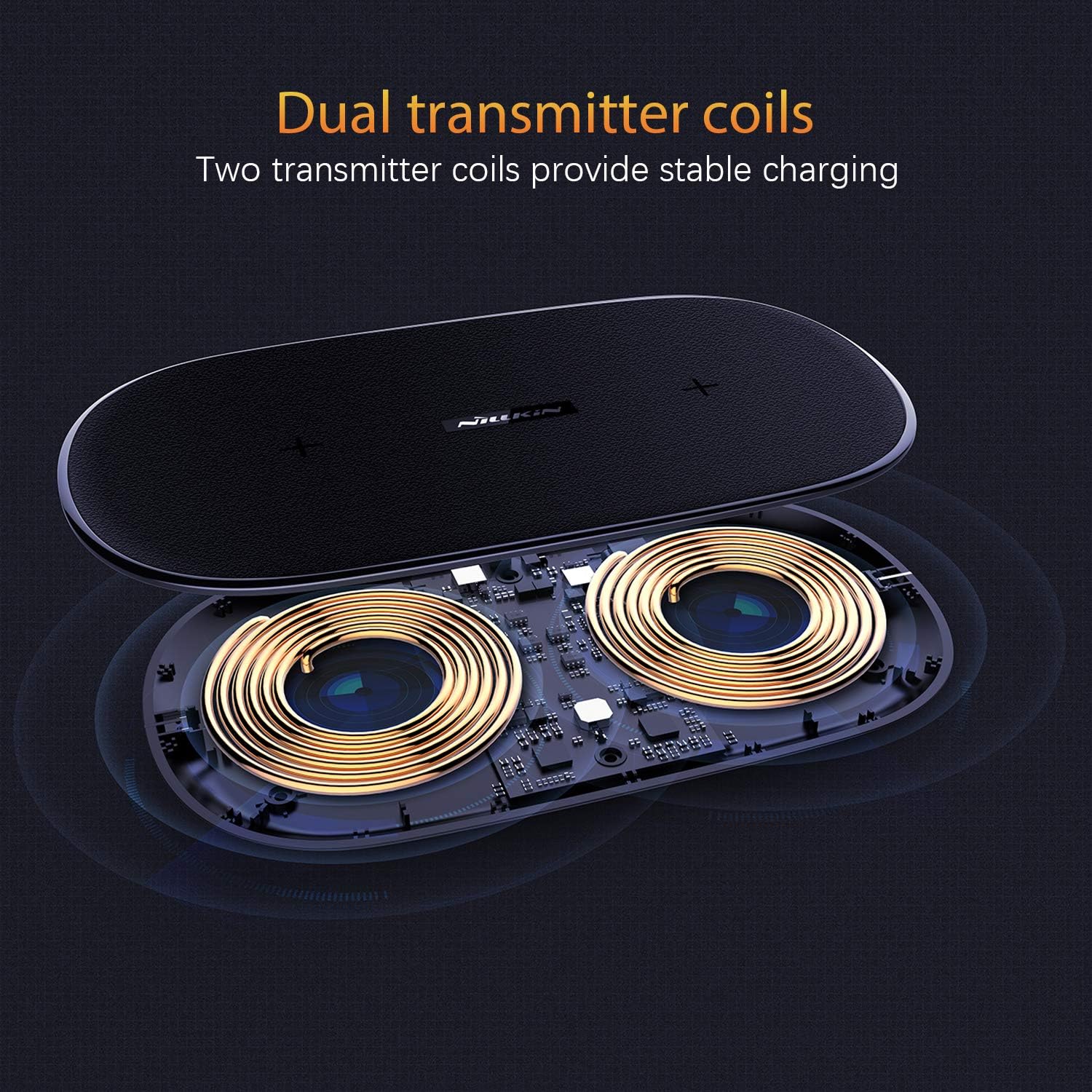
Image: The charging pad illustrating its foreign object detection feature, indicating that items like rings, keys, or pens will prevent charging.
8. Manteniment
- Clean the charging pad with a soft, dry cloth. Do not use abrasive cleaners or solvents.
- Guardeu el dispositiu en un lloc fresc i sec quan no l'utilitzeu.
- Eviteu deixar caure o sotmetre el dispositiu a forts impactes.
9. Solució De Problemes
- Q: My device is not charging.
- A:
- Ensure the charging pad is properly connected to the power adapter and a working wall outlet.
- Verify that your device is Qi-enabled and compatible with wireless charging.
- Remove any thick phone cases (over 6mm) or cases containing metal.
- Reposiciona el dispositiu sobre la base de càrrega per assegurar-te que estigui centrat sobre la bobina de càrrega.
- Check for any foreign metallic objects between your device and the charging pad.
- Q: The LED indicator is flashing blue.
- A: This indicates either improper device placement or the detection of a foreign object. Adjust your device's position or remove any metallic objects from the charging surface.
- P: El meu dispositiu es carrega lentament.
- A:
- Ensure you are using the original AC adapter provided with the charging pad.
- Confirm your device supports fast wireless charging and is correctly aligned.
- Some phone cases can reduce charging efficiency. Try charging without the case.
- Q: The charging pad feels warm.
- A: It is normal for the charging pad to become slightly warm during operation. If it becomes excessively hot, ensure it is placed in a well-ventilated area and that no foreign objects are present. Discontinue use if overheating persists.
10. Especificacions
| Marca | Nillkin |
| Model | Coixinet de càrrega sense fil dual |
| Entrada | Requires AC Adapter (included) |
| Output (Max) | 10W (Android), 7.5W (iPhone), 5W (Standard Qi), 2.5W (Earbuds) |
| Tipus de connector | Sense fil |
| Dispositius compatibles | Qi-enabled Cellular Phones, Earbuds |
| Característiques especials | Fast Charging, Wireless Charging, Foreign Object Detection |
| Material | Leather, Polyurethane Foam |
| Tipus de muntatge | Muntatge de taula |

Image: Technical drawing showing the dimensions of the Nillkin Dual Wireless Charging Pad.
11. Garantia i Suport
Nillkin products are designed and manufactured to the highest quality standards. For warranty information or technical support, please refer to the warranty card included with your product or visit the official Nillkin website. You may also contact Nillkin customer service directly for assistance.


