Producte acabatview
The Anlapus H.265+ 1080p Home Wired Security Camera System provides comprehensive surveillance for your home or business. This system includes an 8-channel 5MP Lite DVR and 8 high-definition 1080p weatherproof surveillance cameras, designed for reliable 24/7 monitoring.
Key features include advanced H.265+ video compression for efficient storage, flexible 4-in-1 DVR compatibility (AHD, TVI, CVI, CVBS), and customizable motion detection with instant alerts.
Què hi ha a la caixa
The following components are included in your Anlapus Security Camera System package:

Image: A visual representation of the packing list, showing each component with its quantity.
- 1 x 8 Channel DVR (no hard drive included)
- 8 x 1080p HD Bullet Cameras
- 8 x 60FT BNC+DC CCTV Cables
- 1 x ratolí USB
- 2 x 1 to 4 Power Splitters
- 3 x 12V 2A Power Supplies
- 8 x Mounting Screw Bags
- 1 x Manual d'instruccions (aquest document)
- 8 adhesius d'advertència
Components del sistema i connexions
Familiarize yourself with the main components and their connection points:

Image: A detailed diagram illustrating the various ports on the DVR and the camera, including video input, monitor outputs (HDMI, VGA), audio input/output, USB ports, and power connections.
- DVR (Enregistrador de vídeo digital): The central unit for recording, storing, and managing video footage. It features multiple video input ports for cameras, and output ports for connecting to a monitor.
- Càmeres: 1080p HD bullet cameras with 3.6mm lenses, IR-Cut filter for crisp images, and 24 IR LEDs for up to 80ft night vision. They are IP66 weatherproof for outdoor use.
- BNC+DC Cables: These cables transmit both video signal and power to the cameras, simplifying installation.
- Fonts d'alimentació: Provide power to the DVR and cameras.
Guia de configuració
1. Connexió inicial del maquinari
Before powering on, ensure all connections are secure.

Image: Illustrates the wired connection process, showing cameras connected to the DVR via BNC cables, the DVR connected to a router and a monitor, and all components powered.
- Connectar càmeres: Connect each camera to a video input port on the DVR using the provided BNC+DC cables. Ensure the power connection is also made via the same cable.
- Connecteu el DVR al monitor: Use an HDMI or VGA cable to connect the DVR to a monitor or TV.
- Connecteu el ratolí USB: Connecteu el ratolí USB a un dels ports USB del DVR.
- Connecta't a la xarxa (opcional però recomanat): Connect the DVR's LAN port to your router using an Ethernet cable for remote viewcapacitats d'ingrés.
- Encès: Connect the power adapters to the DVR and cameras, then plug them into a power outlet. The system will boot up automatically.
2. Hard Drive Installation (If Applicable)
This DVR supports one internal 3.5-inch SATA hard drive (up to 8TB capacity). If your system did not come with a pre-installed hard drive, you will need to install one for video recording.
- Desenrosqueu i retireu la coberta superior del DVR.
- Connect the SATA data cable and power cable from the DVR to the hard drive.
- Secure the hard drive inside the DVR using the provided screws.
- Torneu a col·locar la coberta superior i fixeu-la amb cargols.
- Once powered on, navigate to the DVR's menu to format the newly installed hard drive.
3. Mobile App Download and Setup
Per a comandament a distància viewing and alerts, download the Anlapus mobile application.
Image: Shows a smartphone displaying the Anlapus app download page and a live view from a security camera.
- Scan the QR code on the DVR or in the quick start guide, or search for "Anlapus" in your app store.
- Descarrega per a Android: Google Play Store
- Descarrega per a iOS: Apple App Store
- Register an account and add your DVR by scanning its QR code or manually entering its ID.
Funcionament del sistema
Viu View
Once the system is set up, you can view viu footage from your cameras on the connected monitor or through the Anlapus mobile app/AVSS software on your computer.

Image: Displays live camera feeds on a smartphone, laptop, and desktop monitor, demonstrating multi-device access.
Reproducció de vídeo
Review foo gravattage directly from the DVR or remotely via the app.

Video: An Anlapus brand video demonstrating various features and applications of their security systems, including live view and playback functionalities.
On the DVR, use the mouse to navigate the menu, select 'Playback', choose the date and time, and select the cameras you wish to review. On the mobile app, access the playback feature to view esdeveniments enregistrats.
Detecció de moviment i alertes
Configure motion detection to receive alerts only when activity is detected in specified areas.

Image: Shows a person walking past a camera and a smartphone receiving an instant app push notification for detected movement.
- Setup Detection Zones: Access the DVR settings to define specific areas within each camera's view where motion detection should be active. This helps reduce false alarms.
- Ajustar la sensibilitat: Modify the sensitivity level of motion detection to suit your environment.
- Tipus d'alertes: The system supports APP push notifications, email alerts, and an audible buzzer from the DVR when motion is detected.
H.265+ Video Compression
The system utilizes H.265+ video compression technology, which significantly improves compression and transmission efficiency without compromising video quality. This allows for maximized storage space on your hard drive and reduced bandwidth usage for remote viewing.

Image: A comparison graphic showing how H.265+ compression allows for longer recording times compared to H.264 with the same hard drive capacity.
Night Vision and Weatherproof Design
The cameras are equipped with infrared (IR) LEDs for clear night vision up to 80 feet, ensuring continuous surveillance even in complete darkness. With an IP66 weatherproof rating, the cameras are designed to withstand various outdoor conditions, including rain, snow, and extreme temperatures (-10°C to 60°C / 14°F to 140°F).
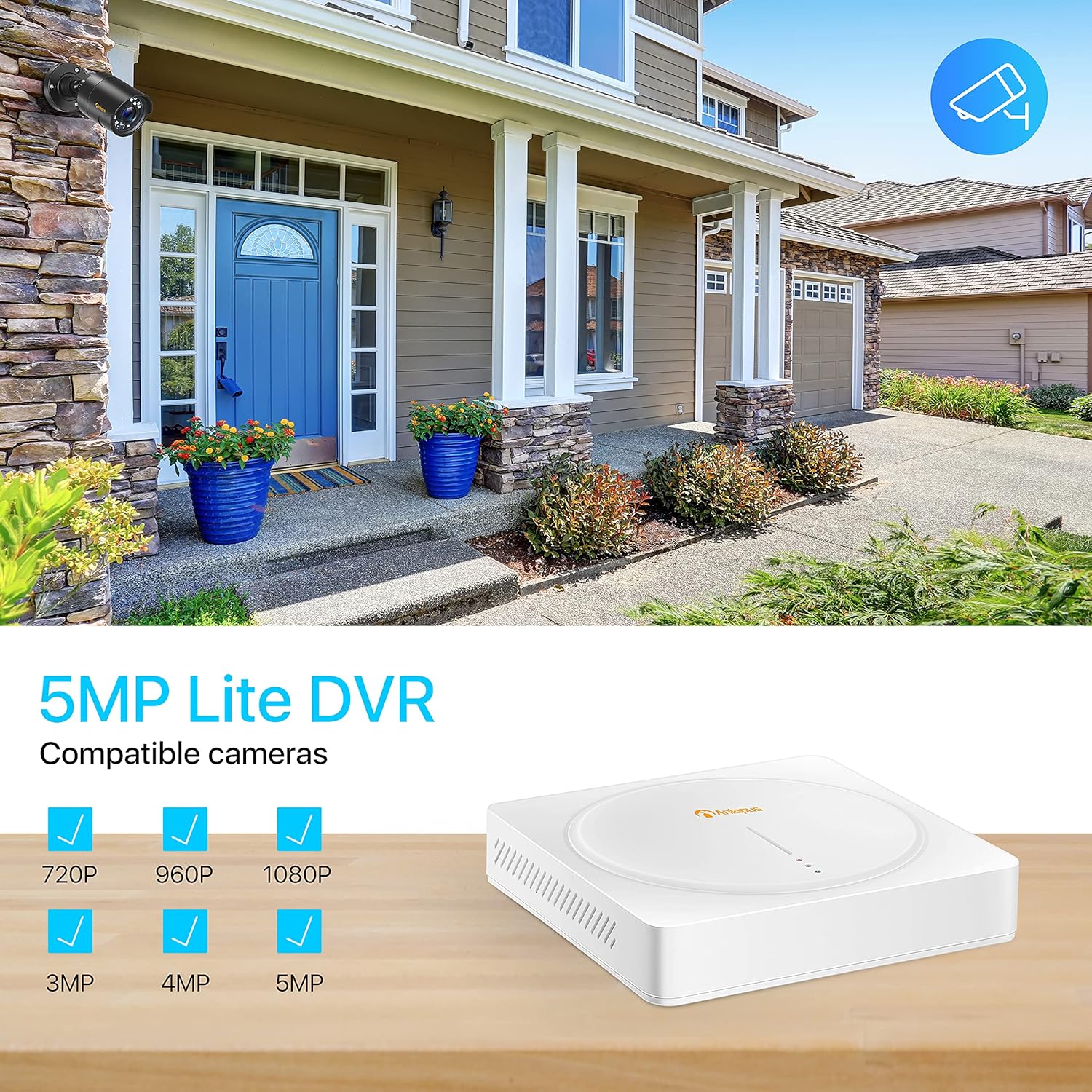
Image: Demonstrates the 1080p Full HD capability, showing a clear color image during the day and a sharp black and white image at night, highlighting the 80ft night vision range.

Image: A camera mounted outdoors under simulated rain, emphasizing its IP66 weatherproof rating and ability to operate in various weather conditions.
Manteniment
- Neteja regular: Netegeu periòdicament les lents de la càmera amb un drap suau i sec.amp drap per garantir una qualitat d'imatge nítida. Eviteu productes de neteja abrasius.
- Inspecció del cable: Routinely check all cables for any signs of wear, damage, or loose connections. Secure or replace as needed.
- Estat del disc dur: If a hard drive is installed, monitor its health through the DVR's system settings. Back up important footage regularment.
- Actualitzacions de firmware: Check the Anlapus official website or app for any available firmware updates for your DVR. Updates can improve performance and add new features.
Resolució de problemes comuns
- Sense senyal de vídeo:
- Check all BNC and power connections between the camera and DVR.
- Ensure the camera is receiving power (check power adapter and splitters).
- Verify the video input channel on the DVR is correctly selected.
- Sense gravació:
- Ensure a hard drive is installed and properly connected.
- Check if the hard drive has been formatted in the DVR settings.
- Verify recording schedules or motion detection settings are configured correctly.
- Remot Viewing Issues (App/Software):
- Ensure the DVR is connected to the internet and has a stable network connection.
- Comproveu la connectivitat a Internet del vostre encaminador.
- Verify the DVR's network settings (DHCP enabled or static IP configured correctly).
- Assegureu-vos que l'aplicació estigui actualitzada a la darrera versió.
- If experiencing persistent issues with the app, try reinstalling it or checking for alternative compatible software (e.g., AVSS for PC).
- Mala qualitat d'imatge:
- Netegeu la lent de la càmera.
- Ensure the camera is within its optimal operating temperature range.
- Check for strong light sources directly facing the camera.
Especificacions tècniques
| Característica | Especificació |
|---|---|
| Marca | Anlapus |
| Número de model | AS8T2W-4B80S--124S |
| Tecnologia de connectivitat | Amb cable |
| Resolució de captura de vídeo | 1080p, 1920p |
| Característiques especials | App Control, Night Vision, Weatherproof |
| Nombre de canals | 8 |
| Capacitat d'emmagatzematge de memòria | 8 TB (Max, for internal HDD) |
| Font d'alimentació | Elèctric amb cable |
| Format del senyal | Analog (AHD, TVI, CVI, CVBS) |
| Tecnologia de poca llum | Visió nocturna |
| Mode d'enregistrament | Detecció de moviment |
| Entrada de vídeo | BNC |
| Sortida de vídeo | HDMI, VGA, BNC |
| Pes de l'article | 16.66 pounds (System) |
| Data de primera disponibilitat | 2 de gener de 2020 |
Garantia i assistència al client
Anlapus products typically come with a manufacturer's warranty. Please refer to the warranty card included in your package or visit the official Anlapus weblloc web per obtenir informació detallada sobre els termes i condicions de la garantia.
For technical assistance, troubleshooting, or warranty claims, please contact Anlapus customer support. You can often find contact information on the Anlapus brand store on Amazon or their official weblloc.
Visit the Anlapus Store for more information and support: Anlapus Amazon Store


