Introducció
This user manual provides detailed instructions for the INPHIC Ultra-Slim Wireless Bluetooth Keyboard Mouse Combo (Model V788). It covers setup, operation, maintenance, and troubleshooting to ensure optimal performance and a seamless user experience. This combo offers stable wireless connectivity and wide compatibility with various Bluetooth-enabled devices, including iPads, iPhones, and other mobile devices.
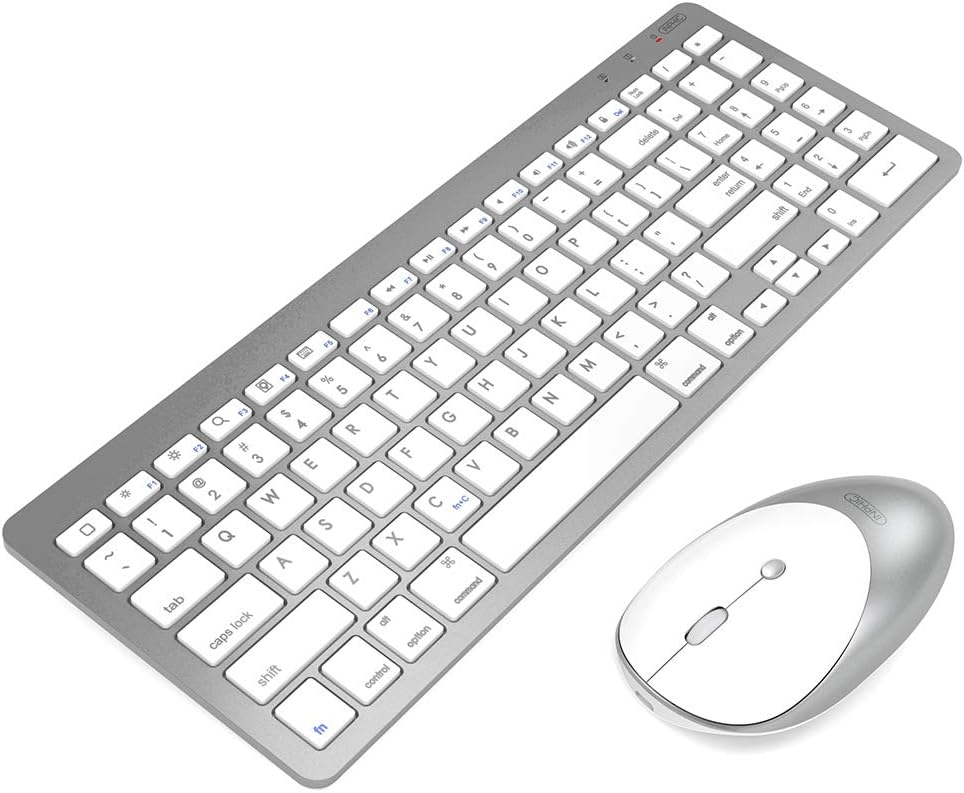
Image: The INPHIC Ultra-Slim Wireless Bluetooth Keyboard and Mouse Combo. The keyboard is a full-size QWERTY layout in a sleek grey finish with white keys, and the mouse is a compact, ergonomic design in a matching grey and white.
Configuració
1. Keyboard Pairing Instructions
Follow these steps to pair the keyboard with your device:
- Slide the power switch from OFF a ON. The battery indicator will flash for approximately one second.
- Manteniu premuda la Fn i premeu la tecla C key simultaneously to enter connection mode. The battery indicator will flash continuously.
- On your device, turn on Bluetooth and search for available devices. Select "Teclat Bluetooth" from the list of discovered devices.
- Enter the PIN code displayed on your device's screen using the keyboard, then press the Entra clau.
- Once connected, the battery indicator on the keyboard will stop flashing.
Nota: If no PIN code is displayed, enter "11" on your original device's keyboard and press Entra. Then, enter "11" again on the INPHIC keyboard and press Entra. When entering the PIN code, use the main keyboard area, not the numeric keypad, as the numeric keypad only functions after the keyboard is connected.

Imatge: Primer pla view of the INPHIC keyboard highlighting the Fn and C keys for pairing, along with an illustration of the scissor switch mechanism for comfortable typing. The ON/OFF button is also visible on the top edge of the keyboard.
2. Mouse Pairing Instructions
Ensure your computer's Bluetooth function is enabled before proceeding:
- Windows 7: Navega a Comença > Tauler de control > Dispositius i impressores.
- Windows 8/10: From the Start screen, right-click an empty space, then select Totes les aplicacions > Tauler de control > Dispositius i impressores. Feu clic Afegiu un dispositiu Bluetooth.
- Nota: If you cannot locate "Devices and Printers," set the Control Panel to "View by: Small icons" to see all Control Panel items.
Once Bluetooth is enabled on your device:
- Turn on the Bluetooth mouse. Press and hold the Mode button for approximately three seconds; the blue light on the mouse will flash rapidly.
- Within a few moments, "Ratolí BT5.0" or "Ratolí BT3.0" should appear in the list of discovered Bluetooth devices. Select the device and click Continua per començar el procés d'aparellament.
- After successful pairing, the corresponding indicator light on the mouse will illuminate for about 2 seconds and then turn off, indicating the mouse is ready for normal use.

Image: The INPHIC keyboard and mouse wirelessly connected to a laptop, demonstrating the Bluetooth connection capability. Bluetooth icons are shown near the keyboard and mouse.
Instruccions de funcionament
Característiques clau i compatibilitat
- Connexió sense fil estable: Utilizes Bluetooth technology for a clean, tidy desktop setup. Supports a stable connection with an operating distance of up to 10 meters.
- Àmplia compatibilitat: Compatible with a broad range of devices including iPad Pro 12.9/11 (2020), iPad 10.2, iPad 9.7, iPad Air 2019, iPad Air 2, iPad Mini 2019, iPad Mini 4/3/2/1, iPad 2/3/4, iPhone Series, and other Bluetooth-enabled devices.
- Nota important per a dispositius iOS: For iPad and iPhone, the system must be updated to iOS 13 or above, and "Assistive Touch" must be enabled (Settings > Accessibility > AssistiveTouch).
- US Layout and Ergonomic Design: Features a QWERTY layout with hotkeys specifically customized for iPad functions, including volume adjustment, music control, and brightness adjustment. Both the mouse and keyboard are ergonomically designed for comfort during extended use.
- Disseny portàtil: The slim and lightweight form factor of both the keyboard and mouse makes them easy to carry in a laptop bag.
- Silent Click Mouse: The mouse is designed for silent operation, allowing you to stay focused without disturbing others. It offers adjustable DPI settings (800/1200/1600 DPI).

Image: An illustration demonstrating the super compatibility of the INPHIC keyboard and mouse combo with various operating systems including Windows (Win 98/2000/XP/Win7/Win8/Win10/Vista), Mac OS, Android, and Linux. Devices like laptops, tablets, and smartphones are shown.
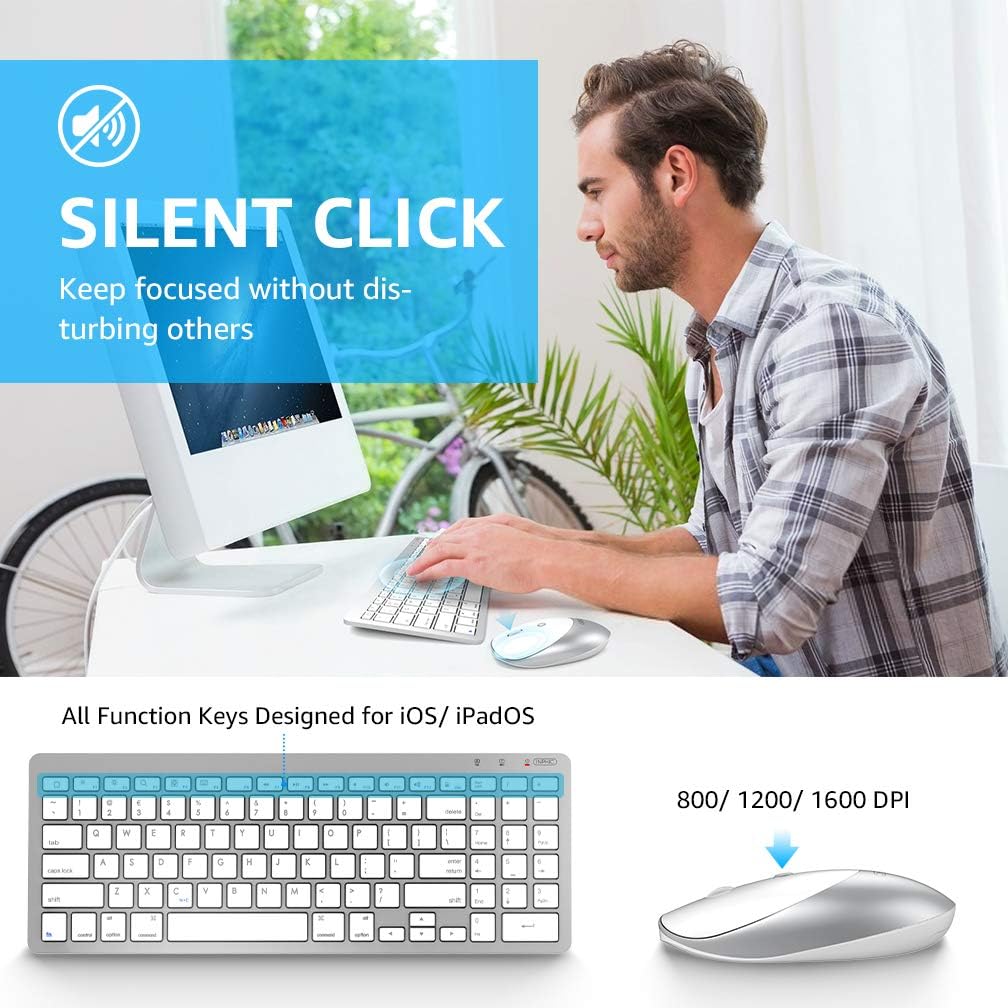
Image: A person using the INPHIC keyboard and mouse combo at a desk, illustrating the "Silent Click" feature of the mouse. The image also shows the keyboard with function keys designed for iOS/iPadOS and the mouse with adjustable DPI settings (800/1200/1600 DPI).
Manteniment
To ensure the longevity and optimal performance of your INPHIC Keyboard Mouse Combo, follow these maintenance guidelines:
- Neteja: Feu servir un drap suau i sec per netejar les superfícies del teclat i el ratolí. Per a la brutícia persistent, netegeu lleugerament.ampNetegeu el drap amb aigua o un netejador suau i no abrasiu. Eviteu la humitat excessiva.
- Substitució de la bateria: Both the mouse and keyboard are powered by AAA batteries (not included). Replace batteries when performance degrades or the low battery indicator appears. The combo supports heavy use for 30 consecutive days and features an automatic sleep mode for extended battery life (up to half a year between changes).
- Emmagatzematge: Quan no els feu servir durant períodes prolongats, apagueu els dispositius per estalviar bateria. Guardeu-los en un lloc fresc i sec, allunyat de la llum solar directa i de temperatures extremes.
- Eviteu els vessaments: While the keyboard has an anti-splash design, it is not fully waterproof. Avoid spilling liquids on the devices.
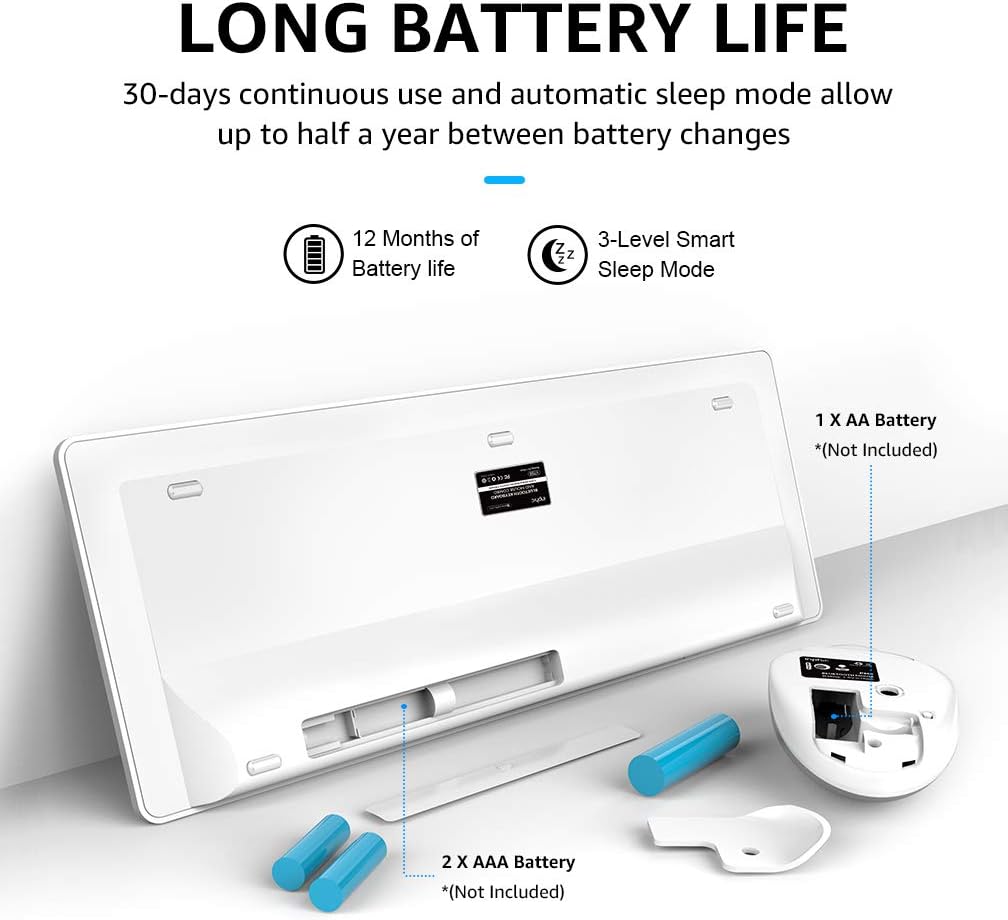
Image: An illustration showing the battery compartments of the INPHIC keyboard and mouse. The keyboard requires 2 AAA batteries, and the mouse requires 1 AA battery. The image highlights the long battery life features, including 30-days continuous use, 12 months of battery life, and a 3-level smart sleep mode.
Resolució de problemes
If you encounter issues with your INPHIC Keyboard Mouse Combo, refer to the following common troubleshooting steps:
- El dispositiu no es connecta/s'emparella:
- Assegureu-vos que tant el teclat com el ratolí estiguin encesos.
- Verify that Bluetooth is enabled on your host device (computer, tablet, phone).
- Make sure the devices are within the 10-meter operating range.
- Re-enter pairing mode for the keyboard (Fn+C) or mouse (hold Mode button for 3 seconds) and attempt to re-pair.
- Check if the batteries are low or depleted. Replace them if necessary.
- For iOS devices, confirm that iOS 13 or above is installed and "Assistive Touch" is enabled.
- Keyboard Input Issues (e.g., PIN code):
- If no PIN code appears, try entering "11" on your original keyboard, press Enter, then "11" on the INPHIC keyboard, and press Enter.
- Ensure you are using the main alphanumeric keys for PIN entry, not the numeric keypad, as it may not be active until fully paired.
- Mouse Cursor Erratic or Unresponsive:
- Check the mouse battery.
- Assegureu-vos que el ratolí estigui sobre una superfície neta i no reflectant.
- Torneu a emparellar el ratolí amb el dispositiu.
- Interferència:
- Move away from other wireless devices that might cause interference (e.g., Wi-Fi routers, cordless phones).
Especificacions
| Característica | Detall |
|---|---|
| Marca | INPHIC |
| Número de model | V788 |
| Tecnologia de connectivitat | Bluetooth (No 2.4G USB receiver required) |
| Compatibilitat de sistemes operatius | Windows 7, Windows 8, Windows 10, Mac OS, Android, iOS (iOS 13+ required for iPad/iPhone) |
| Dispositius compatibles | iPad (various models), iPhone (various models), Laptops, Tablets, Smartphones |
| Disposició del teclat | US QWERTY with iPad-customized hotkeys |
| Configuració de DPI del ratolí | 800/1200/1600 DPI |
| Distància d'operació | Fins a 10 metres (33 peus) |
| Font d'alimentació | Battery Powered (Keyboard: 2x AAA, Mouse: 1x AA - Batteries not included) |
| Durada de la bateria | 30 days continuous use; up to 12 months standby with smart sleep mode |
| Pes de l'article | 508 g |
| Dimensions (teclat) | Approx. 345 mm (L) x 124 mm (W) x 4 mm (H) / 13.6 in (L) x 4.9 in (W) x 0.16 in (H) |
| Dimensions (ratolí) | Approx. 108 mm (L) x 58 mm (W) x 28 mm (H) / 4.25 in (L) x 2.3 in (W) x 1.1 in (H) |

Image: Detailed diagram showing the dimensions of both the INPHIC keyboard and mouse in millimeters and inches, including length, width, and height measurements for both devices.
Garantia i Suport
Information regarding specific warranty terms and customer support contact details for the INPHIC Ultra-Slim Wireless Bluetooth Keyboard Mouse Combo (Model V788) is not available in the provided product data. Please refer to the product packaging or the manufacturer's official weblloc web per obtenir la informació sobre la garantia i els contactes d'assistència més actualitzats.


