1. Introducció
Welcome to the user manual for your new ZTE Blade V40 Vita mobile phone. This guide is designed to help you understand the features and functions of your device, ensuring a smooth and efficient user experience. Please read this manual carefully before using your phone to ensure proper operation and to prevent damage.
For the latest information and support, please visit the official ZTE weblloc.
2. Producte acabatview
The ZTE Blade V40 Vita is a powerful and versatile smartphone designed for everyday use. Familiarize yourself with its components and controls.
2.1 Contingut del paquet
- ZTE Blade V40 Vita Mobile Phone
- Carregador
- Cable USB
- Guia d'inici ràpid (aquest manual)
2.2 Disseny del dispositiu
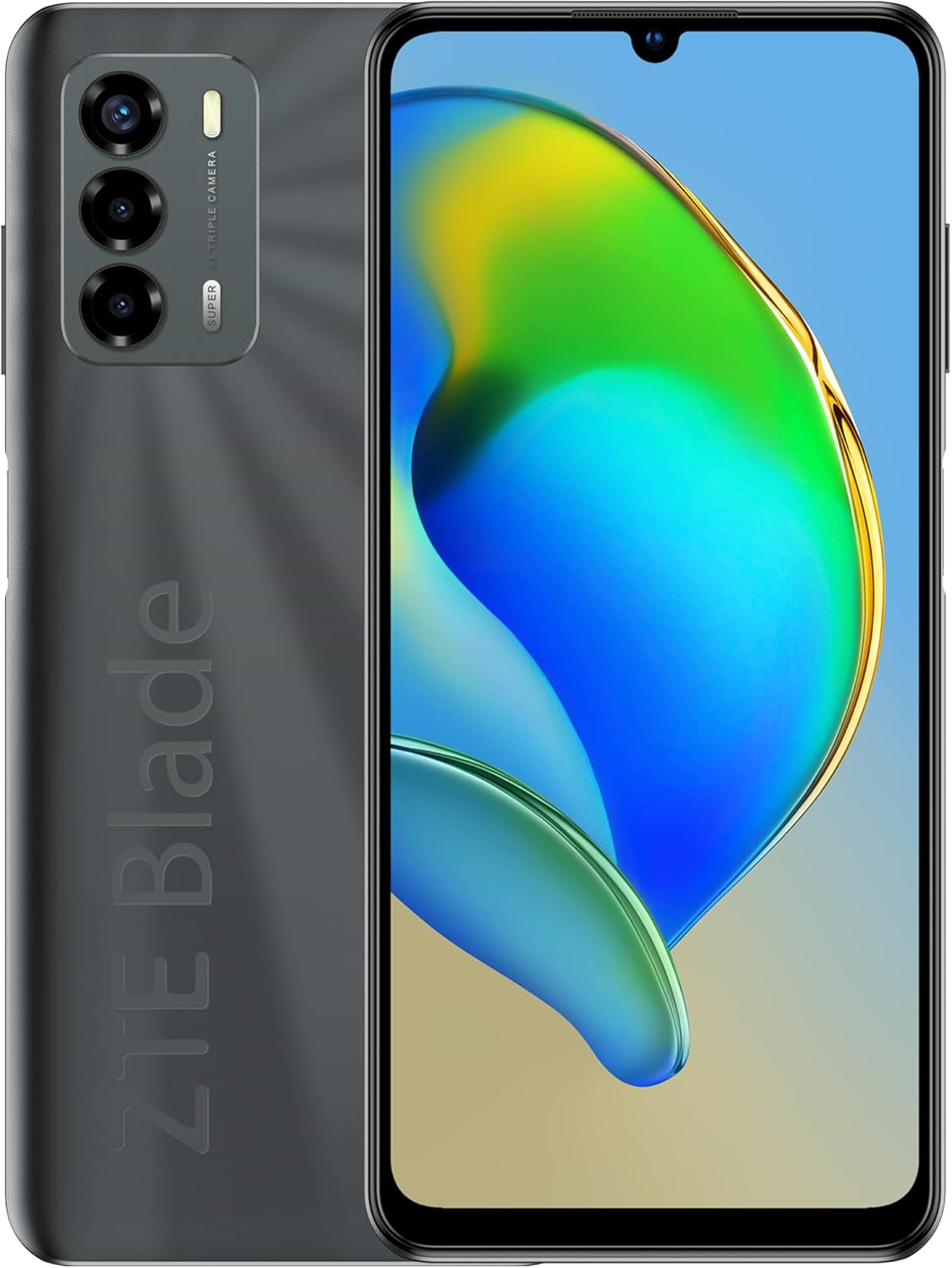
Figura 2.1: Davant i darrere view of the ZTE Blade V40 Vita, showcasing the display and the triple camera setup.

Figura 2.2: Front detallat view of the device, highlighting the 6.75-inch Waterdrop HD+ display.
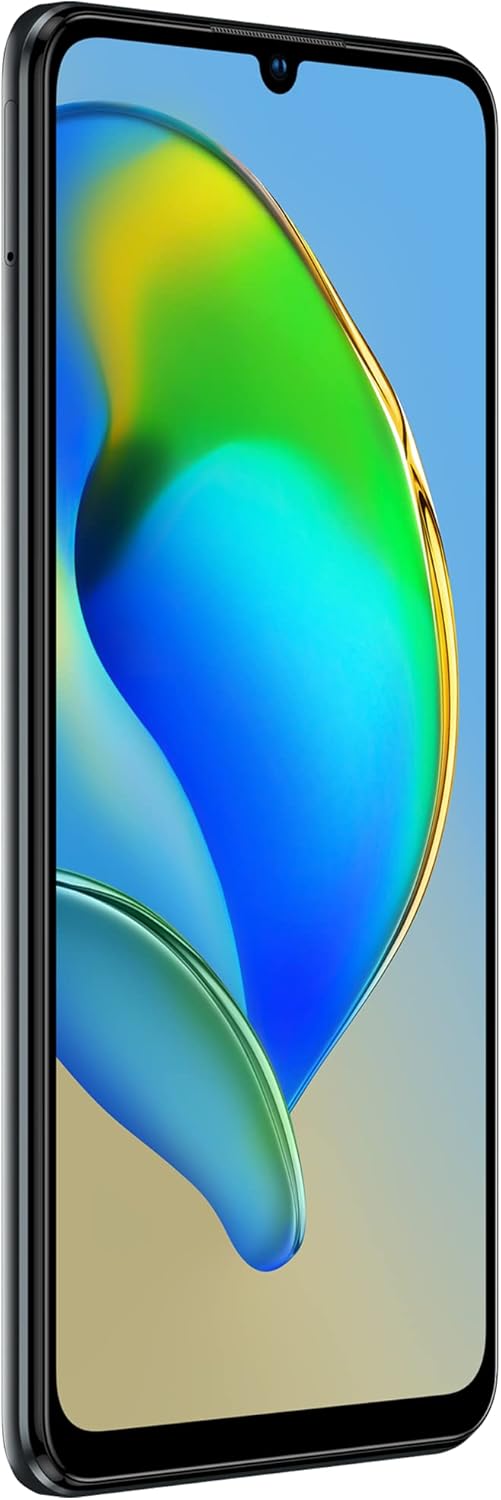
Figura 2.3: lateral view of the ZTE Blade V40 Vita, showing the power button and volume rocker.

Figura 2.4: posterior view of the device, focusing on the triple camera module and the ZTE Blade branding.
- Càmera frontal: 8MP selfie camera located in the waterdrop notch.
- Visualització: 6.75-inch HD+ Waterdrop Screen.
- Botons de volum: Located on the side, used to adjust media volume, call volume, and ringtone volume.
- Botó d'encesa: Located on the side, used to turn the device on/off, restart, or lock/unlock the screen. Also integrates the fingerprint sensor.
- Port USB-C: Per a càrrega i transferència de dades.
- Ponent: Per a la sortida d'àudio.
- Micròfon: Per a l'entrada de veu durant les trucades i les gravacions.
- Safata de targeta SIM/SD: For inserting Nano-SIM cards and a microSD card.
- Càmeres posteriors: Triple camera setup (48MP main, 2MP macro, 2MP depth) with autofocus.
- Flash: For illuminating photos in low light.
3. Configuració
Follow these steps to set up your new ZTE Blade V40 Vita.
3.1 Inserció de targetes SIM i SD
- Localitza la safata de la targeta SIM/SD al lateral del telèfon.
- Insert the SIM ejector tool (or a small paper clip) into the small hole next to the tray and push gently until the tray pops out.
- Col·loqueu la targeta (o targetes) nano-SIM i/o la targeta microSD a les ranures designades de la safata, assegurant-vos que els contactes daurats estiguin cap avall.
- Empenyeu amb cura la safata cap al telèfon fins que encaixi al seu lloc.
3.2 Càrrega de la bateria
- Connecteu el cable USB al port USB-C del telèfon.
- Connect the other end of the USB cable to the charger adapter.
- Connecteu el carregador a una presa de corrent.
- The battery indicator on the screen will show the charging status. For optimal performance, fully charge the device before first use.
3.3 Engegada/apagada
- Per encendre: Mantingueu premut el botó d'engegada fins que aparegui el logotip de ZTE.
- Per apagar: Mantingueu premut el botó d'engegada fins que aparegui el menú d'opcions d'engegada i, a continuació, toqueu "Apagar".
- Per reiniciar: Mantingueu premut el botó d'engegada fins que aparegui el menú d'opcions d'energia i, a continuació, toqueu "Reiniciar".
3.4 Configuració inicial
Upon first power-on, the device will guide you through an initial setup wizard. This includes selecting your language, connecting to Wi-Fi, setting up your Google account, and configuring security options like fingerprint unlock.
4. Funcionament del vostre dispositiu
Learn the basic operations of your ZTE Blade V40 Vita.
4.1 Fer trucades
- Toqueu Telèfon icona a la pantalla d'inici.
- Introduïu el número de telèfon amb el teclat numèric o seleccioneu un contacte de la llista de contactes.
- Toqueu Truca botó per iniciar la trucada.
4.2 Enviament de missatges
- Toqueu Missatges icona.
- Toqueu Inicia el xat or Nou missatge botó.
- Introduïu el número del destinatari o seleccioneu-lo dels contactes.
- Escriviu el vostre missatge al camp de text.
- Toqueu Enviar botó.
4.3 Ús de la càmera
- Toqueu Càmera icona.
- Enquadra la teva foto utilitzant la pantalla com a viewcercador.
- Toqueu Obturador botó per fer una foto.
- To switch to video mode, swipe on the screen or select the video option.
Connectivitat Wi-Fi 4.4
- Vés a Configuració > Xarxa i Internet > Wi-Fi.
- Activa/desactiva el Wi-Fi On.
- Seleccioneu la xarxa Wi-Fi que vulgueu de la llista.
- Introduïu la contrasenya si us demana i, a continuació, toqueu Connecta't.
4.5 NFC (Near Field Communication)
NFC allows for short-range wireless communication between your device and other NFC-enabled devices or tags. It can be used for mobile payments, quick pairing with accessories, or sharing content.
- To enable NFC, go to Configuració > Dispositius connectats > NFC and toggle it On.
- To use NFC, simply tap the back of your phone near another NFC-enabled device or tag.
4.6 Sensor d'empremta digital
The fingerprint sensor is integrated into the power button for convenient and secure unlocking.
- Vés a Configuració > Seguretat > empremta digital.
- Follow the on-screen instructions to register your fingerprint(s). You will need to set up a backup screen lock method (PIN, pattern, or password) first.
- Once registered, you can unlock your phone by placing your registered finger on the power button.
5. Manteniment
Proper care and maintenance will extend the life of your device.
5.1 Neteja del vostre dispositiu
- Feu servir un drap suau i sense borrissol per netejar la pantalla i la carcassa del telèfon.
- Eviteu utilitzar productes químics agressius, esprais de neteja o materials abrasius.
- No exposeu el telèfon a una humitat excessiva.
5.2 Cura de la bateria
- Eviteu les temperatures extremes, ja que poden degradar el rendiment de la bateria.
- Use only the original charger and USB cable provided with your device.
- No deixeu el telèfon carregant-se durant períodes prolongats després que estigui completament carregat.
- If the battery is severely depleted, charge it immediately.
5.3 Actualitzacions de programari
Comproveu i instal·leu regularment si hi ha actualitzacions de programari per assegurar-vos que el dispositiu tingui les darreres funcions, pegats de seguretat i millores de rendiment. Aneu a Configuració > Sistema > Actualització del sistema.
6. Solució De Problemes
Aquesta secció tracta problemes comuns que podeu trobar amb el vostre dispositiu.
| Problema | Solució |
|---|---|
| El dispositiu no s'encén | Ensure the battery is charged. Connect the charger and wait a few minutes before attempting to power on. If it still doesn't turn on, try a forced restart by holding the Power button for 10-15 seconds. |
| Sense senyal de xarxa | Check if the SIM card is properly inserted. Try restarting the device. Ensure you are in an area with network coverage. Go to Settings > Network & internet > Mobile network and check network settings. |
| Les aplicacions es bloquegen o es bloquegen | Close and reopen the app. Clear the app's cache (Settings > Apps > [App Name] > Storage & cache > Clear cache). Restart the phone. Ensure the app is updated to the latest version. |
| La bateria s'esgota ràpidament | Reduce screen brightness. Turn off Wi-Fi, Bluetooth, and GPS when not in use. Close background apps. Check battery usage in Settings > Battery to identify power-hungry apps. |
| El sensor d'empremtes dactilars no funciona | Ensure your finger is clean and dry. Re-register your fingerprint in Settings > Security > Fingerprint. Ensure the sensor area is clean. |
If the problem persists, consider performing a factory data reset (back up your data first) or contact customer support.
7. Especificacions
Key technical specifications for the ZTE Blade V40 Vita.
| Característica | Detall |
|---|---|
| Nom del model | V40 Vita |
| Marca | ZTE |
| Mida de la pantalla | 6.75 polzades |
| Sistema operatiu | Android 11.0, Android R |
| Capacitat d'emmagatzematge de memòria | 4 GB RAM, 128 GB Internal Storage |
| Capacitat de la bateria | 5130 mAh (polímer de liti) |
| Tecnologia de connectivitat | NFC, Wi-Fi (2.4GHz/5GHz) |
| Característiques especials | Triple Camera (48MP AF + 2MP + 2MP), 8MP Selfie Camera, Fingerprint Sensor |
| Tecnologia de visualització | LCD |
| Resolució de l'escàner | 720 x 1520 píxels |
| Color | Zeus Black |
| Pes de l'article | 198 grams |
| Dimensions | 16.33 x 7.55 x 0.85 cm |
8. Informació de seguretat
Please read the following safety information carefully to ensure safe and proper use of your device.
- Seguretat de la bateria: Do not attempt to replace the battery yourself. Use only ZTE-approved batteries and chargers. Do not expose the battery to high temperatures or dispose of it in fire.
- Seguretat de conducció: Always prioritize driving safety. Do not use your phone while driving unless absolutely necessary and permitted by law. Use hands-free accessories.
- Dispositius mèdics: Maintain a safe distance between your phone and medical devices such as pacemakers. Consult your physician and the medical device manufacturer for specific guidelines.
- Ambients explosius: Turn off your phone in areas with potentially explosive atmospheres, such as gas stations or chemical plants.
- Aigua i humitat: This device is not waterproof. Avoid exposing it to water, rain, or high humidity.
- Eliminació: Dispose of your device and its battery responsibly according to local regulations. Do not dispose of it with household waste.
9. Garantia i Suport
Your ZTE Blade V40 Vita comes with a standard manufacturer's warranty. Please refer to the warranty card included in your package for specific terms and conditions, including the warranty period and coverage details.
9.1 Suport tècnic
For technical assistance, troubleshooting beyond this manual, or warranty claims, please contact ZTE customer support through one of the following channels:
- Oficial Weblloc: Visita la pàgina oficial de ZTE weblloc web amb recursos de suport, preguntes freqüents i informació de contacte.
- Línia d’atenció al client: Refer to your product packaging or the ZTE weblloc web per a números de servei al client regionals.
- Centres de servei autoritzats: For hardware repairs, locate an authorized ZTE service center near you.
Please have your device's model number (ZTE 8045) and serial number ready when contacting support.


