1. Producte acabatview
The GAMRY Digital Thermometer Hygrometer, Model HTC-1, is a versatile 5-in-1 device designed to help you monitor your indoor environment effectively. It combines the functions of a thermometer, hygrometer, clock, calendar, and alarm clock into one compact unit.
Equipped with an industrial high-standard, high-precision sensor, it measures indoor temperature and humidity in real-time every 10 seconds. This allows for precise adjustments to air conditioning and humidifiers, contributing to better health management against heatstroke, influenza, mold, and skin dryness.
The device features a large, easy-to-read 3.8-inch LCD screen with a wide 360° viewing angle, enhanced by wide-viewing angle LCD technology that improves vertical and horizontal viewing angles by 120°. This human-centered design ensures that temperature and humidity readings are easily visible even from a distance.
Beyond environmental monitoring, it displays local time and offers a memory function to show maximum and minimum temperature and humidity values over a 24-hour period (with automatic reset). Its compact size (100x92x20mm, 90g) and 2-way stand/wall mount design make it convenient for placement in various locations such as kitchens, bedrooms, warehouses, entrances, or by windows.

Figure 1.1: The GAMRY HTC-1 displaying its multi-functional capabilities including temperature, humidity, clock, and alarm settings.
2. Guia de configuració
2.1 Desembalatge i inspecció
- Carefully remove the thermometer hygrometer from its packaging.
- Inspect the device for any signs of damage. If damaged, do not use and contact customer support.
- Ensure all components are present: the main unit and one AAA battery.
2.2 Instal·lació de la bateria
- Localitzeu el compartiment de la bateria a la part posterior del dispositiu.
- Obriu la tapa del compartiment de la bateria.
- Inseriu una pila AAA, assegurant-vos que els terminals positiu (+) i negatiu (-) s'alineïn correctament amb les marques de l'interior del compartiment.
- Close the battery compartment cover securely. The device should power on automatically and display readings.
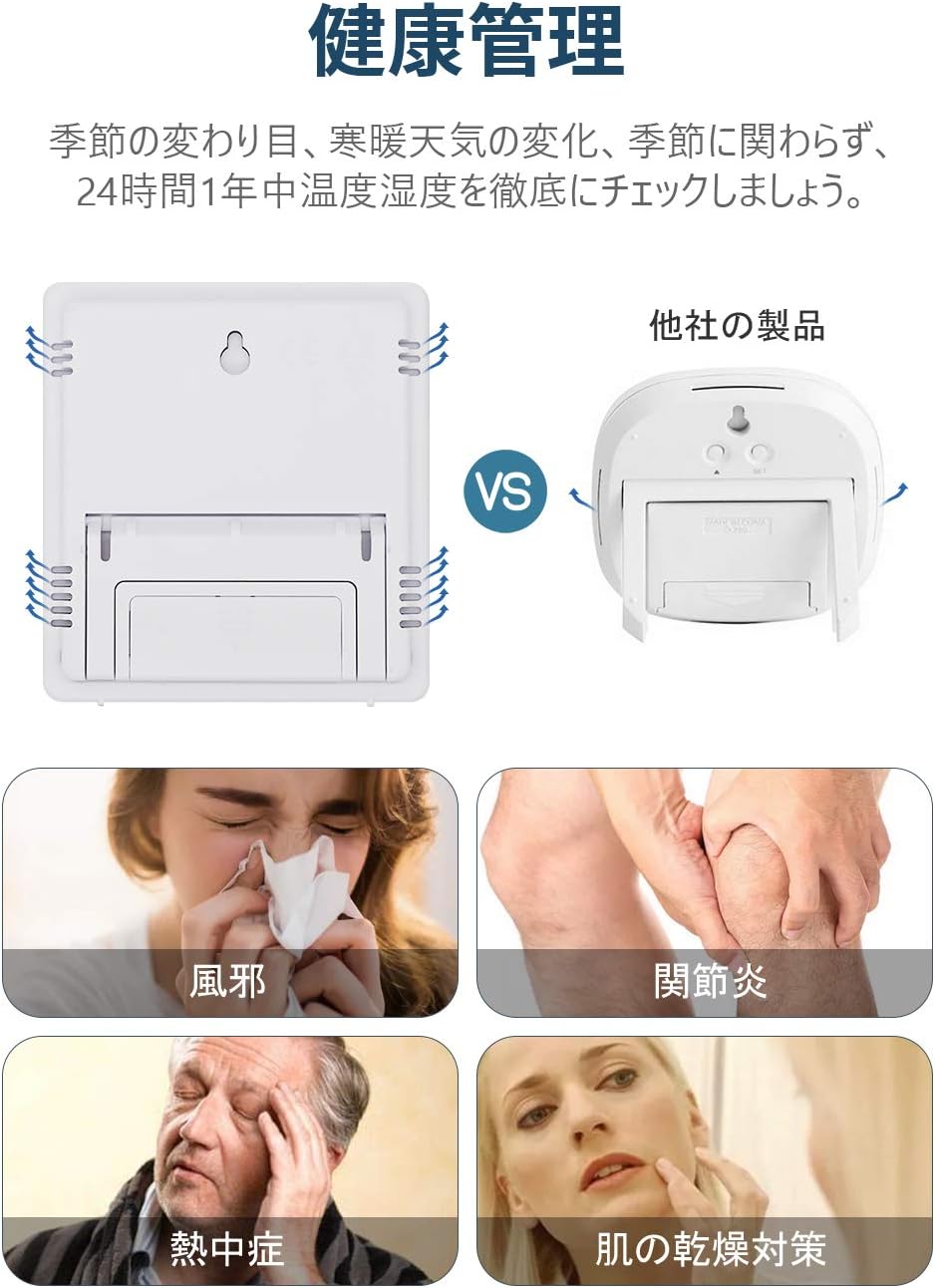
Figura 2.1: posterior view of the device, highlighting the battery compartment for easy installation.
2.3 Opcions de col·locació
The HTC-1 offers two convenient placement options:
- Suport de taula: Utilize the integrated stand on the back of the unit to place it on any flat surface, such as a desk, shelf, or nightstand.
- Muntatge en paret: Use the keyhole slot on the back to hang the device on a wall using a nail or screw.

Figure 2.2: Illustration of the device's versatile 2-way placement options: wall-mounted using the keyhole or standing on a tabletop.
3. Instruccions de funcionament
3.1 Mostra finalview
The large LCD screen displays temperature, humidity, time, and calendar information. Temperature is shown in the upper section, humidity in the lower right, and time in the lower left.

Figura 3.1: Detallada view of the easy-to-read LCD screen, clearly indicating temperature and humidity readings.
3.2 Funcions dels botons
The device has three control buttons on the front:
- Mode: Used to switch between display modes (Time, Alarm, Calendar) and enter setting modes.
- ADJ (Adjust): Used to adjust values during setting modes.
- MEMORYRIA: Used to display maximum/minimum temperature and humidity, and to clear memory.
3.3 Configuració de l'hora i la data
- En el mode de visualització de l'hora normal, premeu i manteniu premut MODE button for a few seconds until the hour digits start flashing.
- Utilitza el ADJ per ajustar l’hora.
- Premeu MODE again to move to the minute setting, then use ADJ per ajustar els minuts.
- Continueu prement MODE to cycle through year, month, and day settings, adjusting each with the ADJ botó.
- Després de configurar el dia, premeu MODE una última vegada per sortir del mode de configuració.
3.4 Configuració de l'alarma
- Des de la visualització normal de l'hora, premeu la tecla MODE button once to enter Alarm mode (indicated by an alarm icon).
- Manteniu premut el botó MODE fins que els dígits de l'hora de l'alarma parpellegin.
- Utilitza el ADJ per configurar l'hora d'alarma desitjada.
- Premeu MODE to move to the alarm minute setting, then use ADJ per ajustar els minuts.
- Premeu MODE again to exit alarm setting mode.
- Per activar/desactivar l'alarma, premeu el botó ADJ button in Alarm mode. An alarm icon will appear/disappear on the display.
3.5 Switching Between ℃/℉
To switch the temperature unit between Celsius (°C) and Fahrenheit (°F), locate the small switch or button on the back or side of the device (often labeled °C/°F). Press or slide it to toggle the display unit.
3.6 Max/Min Temperature and Humidity Display
The device records the highest and lowest temperature and humidity values over a 24-hour period. These values automatically reset every 24 hours.
- Premeu el botó MEMÒRIA button once to display the maximum (MAX) temperature and humidity recorded since the last reset.
- Premeu el botó MEMÒRIA button again to display the minimum (MIN) temperature and humidity recorded.
- Premeu el botó MEMÒRIA button a third time to return to the current real-time readings.
4. Manteniment
4.1 Neteja
- Netegeu el dispositiu amb un drap suau i sec.
- No utilitzeu netejadors abrasius ni dissolvents ni submergiu el dispositiu en aigua.
4.2 Substitució de la bateria
When the display becomes dim or the device stops functioning, it's time to replace the battery. Follow the battery installation steps in Section 2.2.
- Always use a fresh AAA battery.
- Eliminar les bateries usades de manera responsable d'acord amb la normativa local.
4.3 Emmagatzematge
If storing the device for an extended period, remove the battery to prevent leakage and damage.
5. Solució De Problemes
| Problema | Causa possible | Solució |
|---|---|---|
| Sense pantalla o pantalla tènue | Bateria baixa o gastada; instal·lació incorrecta de la bateria. | Replace the battery with a new AAA battery; Ensure correct polarity (+/-). |
| Lectures de temperatura/humitat inexactes | Sensor blocked; Device placed near heat/cold source or high humidity; Device recently moved. | Ensure sensor is clear; Relocate device to a stable environment away from direct sunlight, vents, or extreme humidity; Allow 10-15 minutes for readings to stabilize after moving. |
| L'alarma no sona o és massa silenciosa | Alarm not activated; Battery low. | Ensure alarm icon is displayed (refer to Section 3.4); Replace battery. |
| Time/Date incorrect | Not set correctly; Battery removed/replaced. | Reset time and date (refer to Section 3.3). |
6. Especificacions
- Model: HTC-1
- Color: Negre
- Visualització: LCD de 3.8 polzades
- Rang de mesura de temperatura: -50 °C a 70 °C (-58 °F a 158 °F)
- Interval de mesura de la humitat: 10% RH a 99% RH
- Entorn d'emmagatzematge: -20°C to 60°C (20% RH to 80% RH)
- Font d'alimentació: 1 x bateria AAA (inclosa)
- Dimensions: 100 mm x 92 mm x 20 mm
- Pes: 90 g
- Funcions: Thermometer, Hygrometer, Clock, Calendar, Alarm Clock, Max/Min Memory
7. Garantia i Suport
7.1 Quality Guarantee
Aquest producte ve amb un Garantia de qualitat de 3 mesos from the date of purchase. If any initial defects or malfunctions occur within this warranty period, please do not hesitate to contact our customer support team.
7.2 Atenció al client
For any questions, concerns, or warranty claims, please contact GAMRY customer support through the platform where you purchased the product. Please have your purchase details ready to assist us in providing prompt service.


