1. Introducció
The Hafele RE-AI Digital Door Lock is an advanced security solution designed for wooden doors in both home and office environments. It offers multiple access methods including fingerprint, RFID card, pincode, and a traditional mechanical key, providing enhanced convenience and security. This manual provides essential information for the proper installation, operation, and maintenance of your digital door lock.
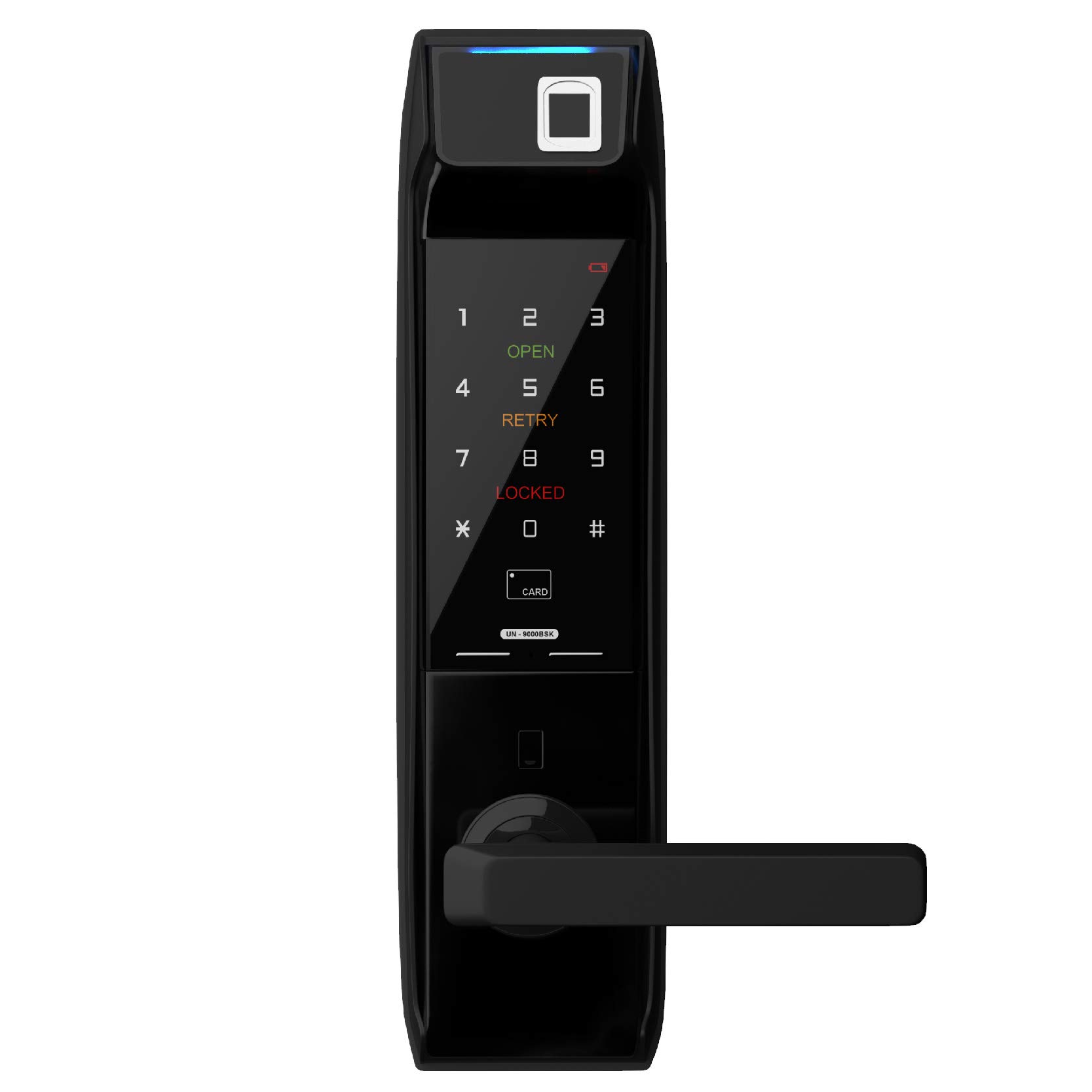
Imatge 1.1: Frontal view of the Hafele RE-AI Digital Door Lock, showcasing its sleek black design and integrated handle.
2. Característiques del producte
The Hafele RE-AI Digital Door Lock integrates several features to ensure security and user convenience:
- Múltiples modes d'accés: Capacitive Fingerprint, RFID, Key-pad/Pincode, Mechanical Key, and optional Remote Control Module.
- Smart Locking Modes: Auto Locking, Manual Locking, Privacy Locking, and Defense Locking.
- Alarmes de seguretat: Low Battery Alarm, Break-in Alarm, and Door Not Locked Alarm.
- Panic Exit Function: Allows quick exit from the inside.
- Non-handed Operation: Suitable for both left and right-handed doors.

Imatge 2.1: acabatview of smart features including Smart Password, Smart Security, Smart Freeze, Smart Video Phone, Smart Etiquettes, and Smart Voice.

Image 2.2: Detailed graphic of access modes: Capacitive Fingerprint (up to 100 unique accesses), RFID (up to 100 unique accesses), Key-pad or Password (1 master, up to 3 user accesses), Mechanical Key (up to 2 keys), and Remote Control Module (purchased separately).

Image 2.3: Explanation of locking modes: Auto Locking Mode, Manual Locking Mode, Privacy Locking Mode, and Defense Locking Mode.

Image 2.4: Additional features including Panic Exit, Non-handed Operation, Low Battery Alarm, Break-in Alarm, Door not Locked Alarm, and power source (8 AA batteries, 3,000 cycles).
3. Contingut del paquet
Si us plau, comproveu que hi hagi tots els components abans de començar la instal·lació:
- Outer Body Assembly
- Inner Body Assembly
- Cos de tancament
- Placa de vaga i caixa
- Mechanical Keys (2 pcs)
- RFID Cards/Tags (quantity may vary)
- Cargols i accessoris de muntatge
- AA Batteries (8 pcs)
- Manual d'usuari (aquest document)
4. Configuració i instal·lació
The Hafele RE-AI Digital Door Lock is designed for easy installation. However, for optimal performance and security, professional installation is recommended. Ensure the door thickness and frame are compatible with the lock specifications.
4.1 Comprovacions prèvies a la instal·lació
- Verify door dimensions and ensure sufficient clearance.
- Confirm door handing (left or right) and adjust the lock's handle direction if necessary.
- Ensure all necessary tools are available (e.g., drill, screwdriver, measuring tape).
4.2 Passos d'instal·lació (més enllà)view)
- Prepare the door by drilling necessary holes according to the provided template.
- Install the mortise lock body into the door edge.
- Mount the outer body assembly, ensuring cables are routed correctly.
- Connect the cables to the inner body assembly.
- Secure the inner body assembly to the door.
- Install the strike plate and strike box on the door frame.
- Introduïu les 8 piles AA al compartiment de les piles.
- Perform initial setup and programming (refer to Section 5).

Imatge 4.1: Interior view of the Hafele RE-AI Digital Door Lock, showing the battery compartment and manual locking switch.
5. Instruccions de funcionament
After successful installation, configure and operate your lock using the following guidelines.
5.1 Initial Setup and Master Pincode Registration
Upon first power-up, you must register a master pincode. This code is essential for managing other user access methods.
- Obriu la tapa de la bateria del cos interior.
- Premeu el botó [Registre].
- Enter a new 4-12 digit master pincode on the keypad, followed by the [#] button.
- Re-enter the same master pincode and press [#] to confirm.
- A confirmation sound indicates successful registration.
5.2 Registering User Access Methods
Use the master pincode to register fingerprints, RFID cards, and user pincodes.
5.2.1 Fingerprint Registration (Up to 100)
- Premeu el botó [Registre].
- Enter the master pincode followed by [#].
- Select the fingerprint registration option (refer to specific menu prompts).
- Place the finger on the fingerprint sensor multiple times as prompted until registration is complete.
5.2.2 RFID Card Registration (Up to 100)
- Premeu el botó [Registre].
- Enter the master pincode followed by [#].
- Select the RFID card registration option.
- Place the RFID card on the card reader until a confirmation sound is heard.
5.2.3 User Pincode Registration (Up to 3)
- Premeu el botó [Registre].
- Enter the master pincode followed by [#].
- Select the user pincode registration option.
- Enter a new 4-12 digit user pincode followed by [#].
- Re-enter the same user pincode and press [#] to confirm.
5.3 Desbloqueig de la porta
- Per empremta digital: Place a registered finger on the sensor.
- Per targeta RFID: Place a registered RFID card on the card reader.
- By Pincode: Touch the keypad to activate, enter the registered pincode, then press [#].
- Per clau mecànica: Insert the mechanical key into the emergency keyhole and turn.
5.4 Tancar la porta
- Auto Locking Mode: The lock will automatically engage after the door is closed.
- Mode de bloqueig manual: From the outside, press the [#] button. From the inside, use the manual locking switch.
- Privacy Locking Mode: Engaged from the inside to prevent entry from the outside, even with valid credentials.
- Defense Locking Mode: Activates an alarm if the inner handle is operated while the lock is engaged from the outside.
6. Manteniment
Proper maintenance ensures the longevity and reliable operation of your digital door lock.
- Substitució de la bateria: Replace all 8 AA batteries when the low battery alarm sounds. Do not mix old and new batteries.
- Neteja: Netegeu la superfície del pany amb un drap suau i sec. Eviteu utilitzar netejadors abrasius, dissolvents o productes químics agressius, ja que poden danyar l'acabat i els components electrònics.
- Keypad and Sensor: Keep the keypad and fingerprint sensor clean and free from dirt or moisture for optimal performance.
- Clau mecànica: Store the mechanical keys in a safe, accessible location outside the premises for emergency access.
7. Solució De Problemes
Consulteu aquesta secció per conèixer els problemes comuns i les seves solucions.
| Problema | Causa possible | Solució |
|---|---|---|
| Lock does not respond / No power | Bateries esgotades | Substituïu les 8 piles AA. |
| No es reconeix l'empremta digital | Finger is dirty/wet, sensor is dirty, or fingerprint not registered correctly. | Netegeu el dit i el sensor. Torneu a registrar l'empremta digital si el problema persisteix. |
| Pincode not working | Incorrect pincode entered, or keypad malfunction. | Ensure correct pincode. Try master pincode. Clean keypad. |
| Door not locking automatically | Auto-locking mode is off, or door sensor misalignment. | Check lock settings for auto-locking. Verify door sensor alignment. |
| Alarm sounds unexpectedly | Break-in attempt, door not fully closed, or low battery. | Check door status. Replace batteries. Inspect for tamperrant. |
8. Especificacions
| Marca | Hafele |
| Model | RE-AI |
| Tipus de bloqueig | Digital, Key Lock |
| Mètodes d'accés | Fingerprint, RFID, Pincode, Mechanical Key |
| Capacitat d'empremta digital | Up to 100 unique accesses |
| Capacitat RFID | Up to 100 unique accesses |
| Pincode Capacity | 1 Master, up to 3 User Pincodes |
| Claus mecàniques | 2 inclòs |
| Color | Negre |
| Font d'alimentació | 8 x AA Batteries (approx. 3,000 cycles) |
| Connectivitat | Wi-Fi (for remote control, module sold separately) |
| Ús recomanat | Seguretat |
| Estil | Modern |
| Fabricant | Hafele |
9. Garantia i Suport
For warranty information and technical support, please refer to the documentation provided at the time of purchase or contact Hafele customer service. Keep your purchase receipt as proof of purchase for warranty claims.


