1. Introducció
Thank you for choosing the Oversteel ZAMAK RGB Gaming Headset. This headset is designed to provide a high-quality audio experience for gaming across multiple platforms. It features stereo sound, an ergonomic design for comfort, RGB LED backlighting, and a retractable microphone.
This manual provides essential information for setting up, operating, and maintaining your headset. Please read it carefully before use.
2. Contingut del paquet
Assegureu-vos que tots els elements siguin presents al paquet:
- Oversteel ZAMAK RGB Gaming Headset
- Jack adapter for multi-platform use
3. Producte acabatview
Familiarize yourself with the components of your Oversteel ZAMAK headset.
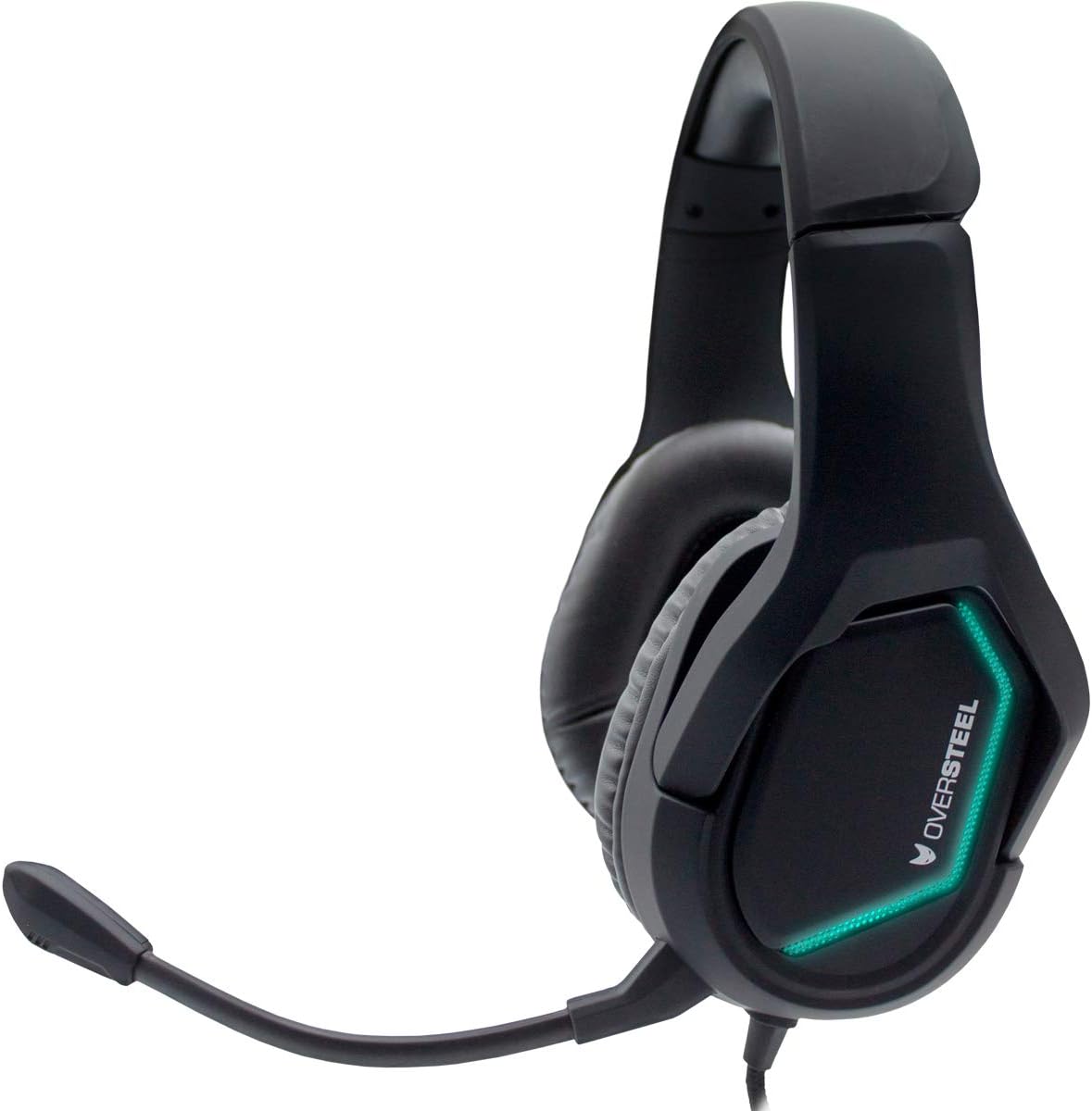
Imatge 1: Frontal view of the Oversteel ZAMAK headset, showcasing the green RGB LED lighting on the earcups and the flexible microphone arm.

Imatge 2: Lateral view of the Oversteel ZAMAK headset, highlighting the blue RGB LED lighting on the earcups and the comfortable over-ear design.

Imatge 3: Primer pla view of the headset's earcups, showing the soft faux leather material for enhanced comfort during extended use.

Image 4: Another side view of the Oversteel ZAMAK headset, displaying the purple RGB LED lighting effect.

Imatge 5: Part superior view of the Oversteel ZAMAK headset, illustrating the adjustable headband and overall robust construction.
Components clau:
- Diadema ajustable: Per a un ajust còmode en diverses mides de cap.
- Over-ear Earcups: Padded with faux leather for comfort and acoustic isolation.
- Micròfon retràctil: Flexible and can be adjusted or retracted when not in use.
- Comandament a distància en línia: For volume adjustment and microphone mute (if applicable).
- Connexió per cable: Durable cable for reliable audio transmission.
4. Instruccions de configuració
The Oversteel ZAMAK headset is compatible with multiple platforms. Follow these steps to connect your headset:
4.1 Connecting to PC/Laptop
- If your PC has separate audio (green) and microphone (pink) jacks, use the included jack adapter to split the single 3.5mm connector.
- Plug the headset's 3.5mm jack into the adapter, then plug the adapter's green connector into your PC's audio output and the pink connector into the microphone input.
- If your PC has a single combined 3.5mm audio jack, plug the headset's 3.5mm jack directly into it.
- Adjust sound settings in your operating system to ensure the headset is selected as the default audio input and output device.
4.2 Connecting to PlayStation 4 / Xbox One / Nintendo Switch / Smartphone
- Plug the headset's 3.5mm jack directly into the controller (PS4/Xbox One), console (Nintendo Switch), or smartphone's 3.5mm audio jack.
- For Xbox One, an Xbox One Stereo Headset Adapter (sold separately) may be required for older controllers without a 3.5mm jack.
- Adjust audio settings within the console or device menu to ensure the headset is recognized and functioning correctly.
5. Instruccions de funcionament
5.1 Control de volum
The headset features an inline remote control on the cable. Use the volume wheel or slider on this control to adjust the audio output level to your preference.
5.2 Ús del micròfon
- Posicionament: Adjust the flexible microphone arm so the microphone is positioned near your mouth for optimal voice pickup.
- Funció de silenci: Use the microphone mute switch on the inline remote control to quickly turn the microphone on or off.
- Retracció: When not in use, the microphone can be retracted or moved out of the way for convenience.
5.3 RGB LED Backlighting
The Oversteel ZAMAK headset features integrated RGB LED backlighting on the earcups. This lighting is typically powered via the USB connection (if available) or the 3.5mm jack, and cycles through various colors automatically. There is no specific control for changing the RGB lighting patterns or colors directly on the headset.
6. Manteniment
Una cura adequada allargarà la vida útil dels auriculars.
- Neteja: Feu servir un drap suau i sec per netejar els auriculars i la diadema. Per a la brutícia persistent, netegeu lleugerament.amp cloth can be used, but ensure no moisture enters the speaker grilles or microphone. Avoid harsh chemicals or abrasive cleaners.
- Emmagatzematge: Guardeu els auriculars en un lloc fresc i sec, allunyat de la llum solar directa i de temperatures extremes. Eviteu col·locar objectes pesats a sobre dels auriculars.
- Cura del cable: Do not pull on the cable forcefully. Always grasp the plug when disconnecting. Avoid sharp bends or kinks in the cable.
7. Solució De Problemes
If you encounter issues with your Oversteel ZAMAK headset, refer to the following common problems and solutions:
| Problema | Possible solució |
|---|---|
| No hi ha so dels auriculars |
|
| El micròfon no funciona |
|
| La il·luminació RGB no funciona |
|
8. Especificacions
| Marca | Sobreacer |
| Nom del model | Oversteel ZAMAK |
| Número de model de l'article | NAT-OV-ZAMAK |
| Tecnologia de connectivitat | Amb cable |
| Conector d'auriculars | 3.5 mm Jack |
| Dispositius compatibles | PlayStation 4, PC, Xbox One, Nintendo Switch, Smartphone |
| Col·locació de l'orella | Sobre l'orella |
| Factor de forma | Sobre l'orella |
| Insonorització | Aïllament acústic |
| Material | Imitació de pell |
| Color | Negre |
| Pes de l'article | 680 grams |
| Nivell de resistència a l'aigua | Resistent a l'aigua |
| Funció de cable | Retractable |
| Tipus de control | Volume Control (Inline Remote) |
| Característiques especials | Gaming, RGB LED Backlighting |
| País d'origen | Xina |
9. Garantia i Suport
For detailed warranty information, please refer to the documentation included with your product packaging or visit the official Oversteel weblloc web. Conserveu el comprovant de compra per a reclamacions de garantia.
If you require technical support or have questions not covered in this manual, please contact Oversteel customer service through their official channels.