Introducció
The Ultimate Ears WONDERBOOM 2 is a highly portable wireless speaker designed to deliver surprisingly big sound in any environment. It features enhanced audio for outdoor listening, extended battery life, and robust waterproofing and dustproofing, making it suitable for various activities. This manual provides essential information for setting up, operating, maintaining, and troubleshooting your WONDERBOOM 2 speaker.

Figure 1: Ultimate Ears WONDERBOOM 2 Wireless Speaker, Bermuda Blue.
Producte acabatview
Familiarize yourself with the physical components and key features of your WONDERBOOM 2 speaker.
- So de 360 graus: Delivers immersive audio in all directions.
- Outdoor Boost: A dedicated mode for louder, crisper sound optimized for outdoor environments.
- Durada de la bateria ampliada: Fins a 13 hores de reproducció amb una sola càrrega.
- Impermeable i resistent a la pols (IP67): Can be submerged in water up to 1 meter for 30 minutes and is protected against dust ingress. It also floats.
- Vinculació estèreo: Wirelessly connect two WONDERBOOM 2 speakers for true stereo sound.
- Disseny durador: Features a convenient hang loop, dirt-resistant fabric, and drop-proof construction.
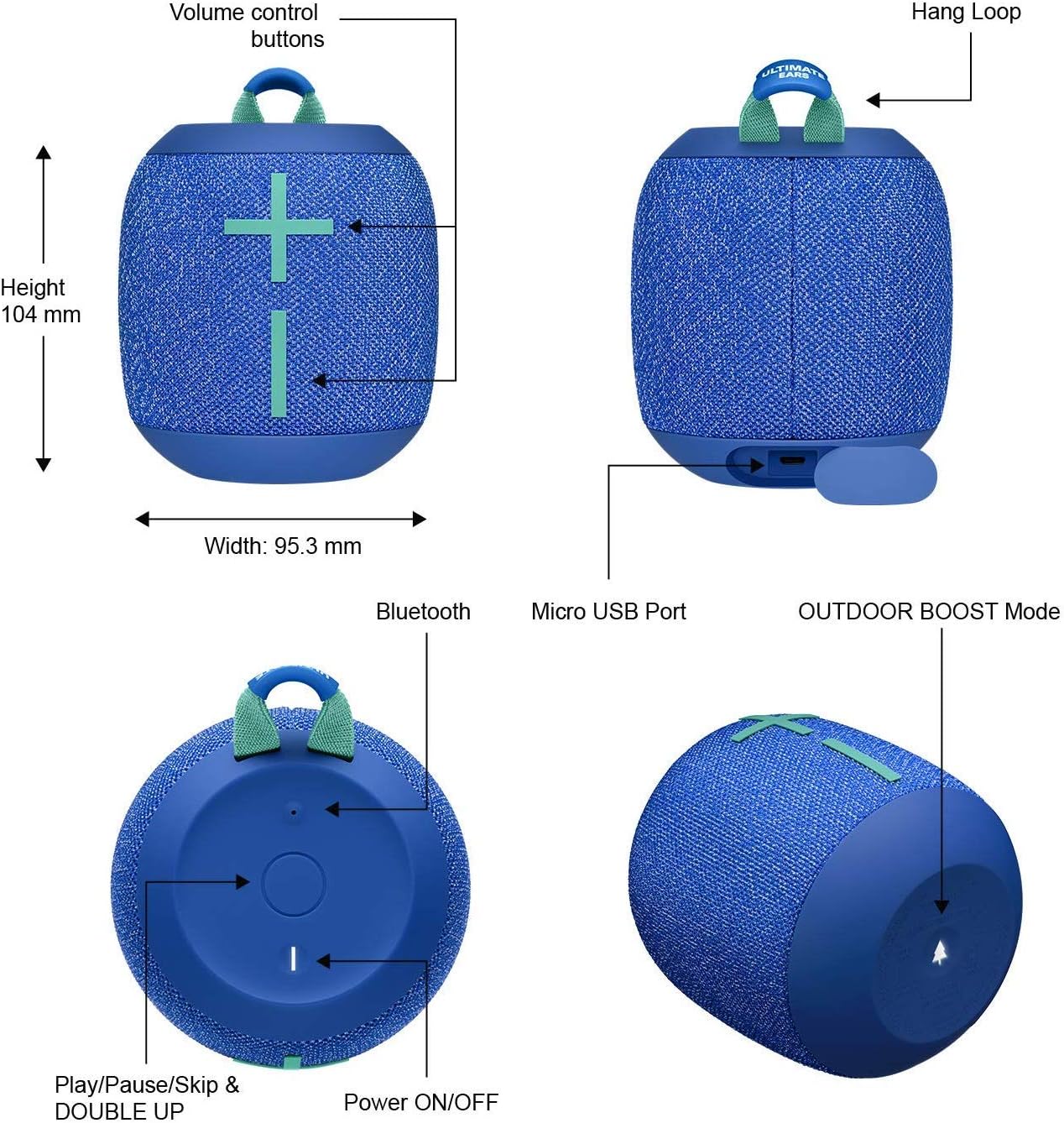
Figure 2: Key features and controls of the WONDERBOOM 2 speaker.
Configuració
1. Càrrega de l'altaveu
Before first use, fully charge your WONDERBOOM 2. The speaker comes with a charging cable.
- Locate the Micro USB port on the speaker (refer to Figure 2).
- Connect the provided charging cable to the speaker and a USB power source (e.g., wall adapter, computer USB port).
- The LED indicator will show charging status. A full charge provides up to 13 hours of battery life.
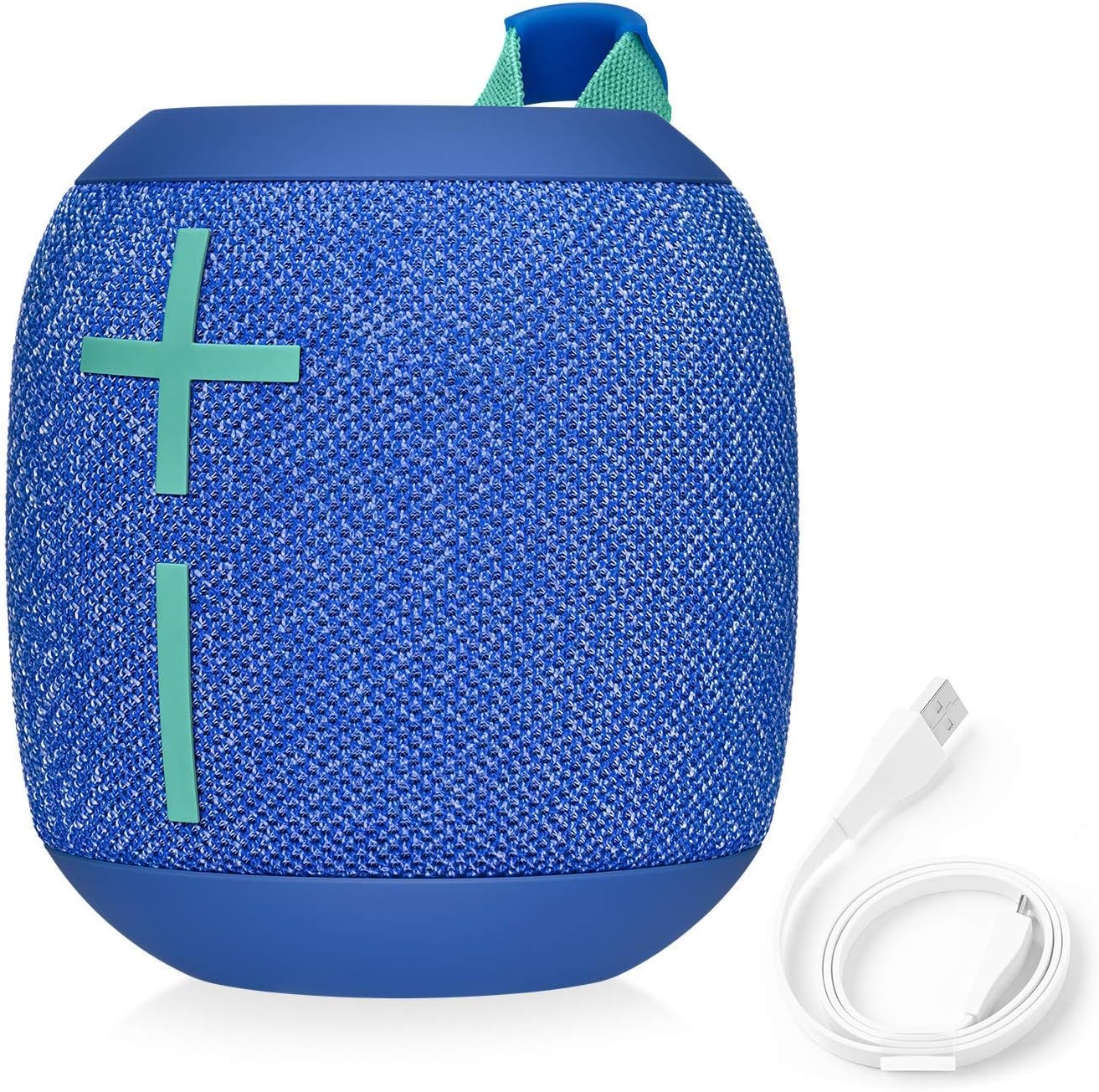
Figure 3: WONDERBOOM 2 with its charging cable.
2. Emparellament Bluetooth
Pair your WONDERBOOM 2 with your Bluetooth-enabled device (smartphone, tablet, laptop, MP3 player).
- Turn on your WONDERBOOM 2 by pressing the Power ON/OFF button (refer to Figure 2).
- Press and hold the Bluetooth button on the speaker until you hear a tone and the LED flashes rapidly. This indicates pairing mode.
- On your device, go to Bluetooth settings and select "WONDERBOOM 2" from the list of available devices.
- Once connected, you will hear a confirmation tone, and the LED will turn solid.
Instruccions de funcionament
Controls bàsics
- Encès/apagat: Premeu el botó de la part superior de l'altaveu.
- Control de volum: Use the large '+' and '-' buttons on the front of the speaker.
- Reproduir/pausa: Press the Ultimate Ears logo button on the top once.
- Omet la pista: Press the Ultimate Ears logo button twice quickly to skip to the next track.
Outdoor Boost Mode
Activate Outdoor Boost for optimized sound when listening outdoors. This mode increases loudness and clarity.
- Locate the Outdoor Boost button on the bottom of the speaker (refer to Figure 2).
- Press the button once to toggle Outdoor Boost ON or OFF. You will hear an audible cue.

Figure 4: Enjoying enhanced sound with Outdoor Boost.
Double Up (Stereo Pairing)
Connect two WONDERBOOM 2 speakers for a more expansive stereo sound experience.
- Assegureu-vos que els dos altaveus WONDERBOOM 2 estiguin encesos.
- On the first speaker, press and hold the Ultimate Ears logo button for 3 seconds until you hear a tone.
- Repeat the same action on the second speaker.
- Both speakers will connect automatically, providing true left and right stereo audio.

Figure 5: Stereo pairing with two WONDERBOOM 2 speakers.
Durada de la bateria
The WONDERBOOM 2 offers up to 13 hours of battery life, allowing for extended listening sessions.

Figure 6: Enjoying music with the long-lasting battery.
Manteniment
Característiques impermeables i resistents a la pols
The WONDERBOOM 2 has an IP67 rating, meaning it is highly resistant to water and dust. It can be submerged in water up to 1 meter for 30 minutes and is completely protected against dust. The speaker also floats, making it ideal for use around pools or at the beach.

Figure 7: WONDERBOOM 2 is waterproof and dustproof.
Neteja
Per netejar l'altaveu, feu servir un drap suau iamp cloth. Avoid using harsh chemicals or abrasive cleaners, as these may damage the speaker's finish or fabric. Ensure the charging port is dry before charging after exposure to water.
Resolució de problemes
- Sense so:
- Assegureu-vos que l'altaveu estigui encès i carregat.
- Comproveu els nivells de volum tant de l'altaveu com del dispositiu connectat.
- Verify that the speaker is properly paired via Bluetooth. Try unpairing and re-pairing if necessary.
- Problemes de connectivitat Bluetooth:
- Make sure the speaker is within the Bluetooth range (up to 10 meters).
- Desactiva i activa el Bluetooth del dispositiu.
- Reinicieu tant l'altaveu com el dispositiu.
- Esborra les connexions Bluetooth anteriors del dispositiu i torna a intentar l'emparellament.
- L'altaveu no es carrega:
- Assegureu-vos que el cable de càrrega estigui connectat correctament tant a l'altaveu com a la font d'alimentació.
- Prova un altre port USB o adaptador de paret.
- Comproveu el cable de càrrega per si hi ha danys.
- Distorsió del so:
- Baixa el volum tant de l'altaveu com del dispositiu.
- Assegureu-vos que no hi hagi obstacles entre l'altaveu i el dispositiu.
- Allunyeu l'altaveu d'altres dispositius electrònics que puguin causar interferències.
Especificacions
| Característica | Detall |
|---|---|
| Marca | Ultimate Ears |
| Nom del model | Ultimate Ears WONDERBOOM 2-S00174 |
| Número de model de l'article | UEWNDRBMGOB |
| Tecnologia de connectivitat | Bluetooth |
| Tecnologia de comunicació sense fils | Bluetooth |
| Interval Bluetooth | 10 metres |
| Tipus d'altaveu | Altaveu portàtil |
| Mode de sortida d'àudio | Omnidirectional (360-degree sound) |
| Durada de la bateria | 13 hores |
| Font d'alimentació | Funciona amb bateria |
| Classificació impermeable | IP67 (impermeable i a prova de pols) |
| Material | Silicone & Nylon |
| Dimensions del producte | 3 "P x 4" W x 3" H |
| Pes de l'article | 1.32 lliures |
| Components inclosos | Cable de càrrega |
Garantia i Suport
The Ultimate Ears WONDERBOOM 2 comes with a Limited Warranty. For specific details regarding your warranty coverage, please refer to the documentation included with your purchase or visit the official Ultimate Ears support weblloc.
For technical support, troubleshooting assistance, or warranty claims, please contact Ultimate Ears customer service through their official channels. Keep your proof of purchase handy when seeking support.
Política de devolució: This product may be subject to a 90-day refund/replacement return policy, depending on the seller and purchase conditions.


