1. Introducció
Thank you for choosing the WorkPro LED Desk Lamp. Aquest versàtil lamp is designed to enhance your workspace with adjustable illumination, convenient wireless charging, and a USB charging port. Please read this manual thoroughly to ensure proper setup, operation, and maintenance of your new desk lamp.

Image 1.1: The WorkPro LED Desk Lamp, featuring a modern brushed metal finish and adjustable arm.
2. Característiques del producte
- Il·luminació ajustable: 5 color temperatures and 6 brightness levels for customized lighting.
- Càrrega sense fils: Integrated wireless charging pad on the base for compatible mobile devices.
- Port de càrrega USB: A 2.4-amp USB port located at the back of the base for additional device charging.
- Disseny flexible: Adjustable arm, head, and rotatable base for precise light positioning.
- Controls tàctils: Intuitive touch control panel with memory function.
- Funció de temporitzador: Built-in 1-hour timer for automatic shut-off.
- Llum nocturna: Integrated night light feature.
- LED d'eficiència energètica: Pre-wired 10-watt LEDs with an average life of approximately 50,000 hours.
- Construcció duradora: Brushed metal body with a modern design.

Image 2.1: The WorkPro LED Desk Lamp integrated into a modern workspace, highlighting its functional design.
3. Contingut del paquet
Si us plau, comproveu el paquet per veure si hi ha els elements següents:
- WorkPro LED Desk Lamp Unitat
- Adaptador d'alimentació
- Manual d'usuari (aquest document)
4. Informació de seguretat
Per reduir el risc d'incendi, descàrrega elèctrica o lesions, observeu les següents precaucions de seguretat:
- No feu funcionar lamp amb un cable o un endoll danyats.
- No utilitzeu la lamp en humit o damp condicions.
- Assegureu-vos que l'adaptador de corrent sigui compatible amb la vostra font d'alimentació local.
- No intenteu desmuntar ni reparar el lamp. Contact qualified service personnel for assistance.
- Mantingueu la lamp lluny de fonts de calor i de la llum solar directa.
- The LED light source is not replaceable. Do not attempt to replace the LEDs.
- Col·loca la lamp sobre una superfície plana i estable per evitar que es bolqui.
5. Configuració
Follow these steps to set up your WorkPro LED Desk Lamp:
- Desembalar: Traieu amb cura tots els components de l'embalatge.
- Posició: Col·loca la lamp base sobre una superfície plana i estable.
- Connectar l'alimentació: Insert the power adapter cable into the power input port on the back of the lamp base. Connecteu l'adaptador de corrent a una presa de corrent estàndard.
- Ajustar: Ajusteu suaument la lamp arm and head to your desired position. The lamp features multiple pivot points for flexibility.

Imatge 5.1: Lamp adjustability, showing 90-degree head rotation, 120-degree arm articulation, 90-degree base rotation, and 145-degree head tilt.
6. Instruccions de funcionament
6.1. Touch Control Panel Overview
El lamp is operated via a touch-sensitive control panel located on the base. The icons represent various functions:
- Botó d'encesa: Gira la lamp encès/apagat.
- Ajust de brillantor: Ajusta la intensitat de la llum (6 nivells).
- Ajust de temperatura de color: Changes light color (5 modes).
- Botó del temporitzador: Activates the 1-hour timer.
- Botó de llum nocturna: Activates the night light feature.
6.2. Encendre/apagar
Toqueu Botó d'engegada una vegada per girar la lamp on. Tap it again to turn the lamp apagat. La lamp will remember your last brightness and color temperature settings.
6.3. Ajust de brillantor
Amb la lamp on, tap the Ajust de brillantor icons ( /
/  ) to cycle through the 6 available brightness levels.
6.4. Ajust de la temperatura del color
Amb la lamp on, tap the Ajust de temperatura de color icona ( ) to cycle through the 5 available color temperature modes (e.g., warm white to cool white).

Image 6.1: Visual representation of the 5 color temperature modes and 6 brightness levels.
6.5. Ús del temporitzador
Toqueu Botó del temporitzador ( ) to activate the 1-hour timer. The lamp will automatically turn off after 60 minutes. Tap again to deactivate.
6.6. Activating the Night Light
Toqueu Botó de llum nocturna ( ) to turn on the integrated night light. Tap again to turn it off.
6.7. Càrrega sense fil
Place your Qi-compatible mobile device directly onto the wireless charging pad on the lamp base. Ensure the device is centered for optimal charging. A charging indicator (if present on your device) will confirm charging has begun.

Image 6.2: A smartphone being charged wirelessly on the lampla base.
6.8. Càrrega USB
Connect your mobile device's USB charging cable to the 2.4-amp USB port located on the back of the lamp base. Plug the other end into your device to begin charging.
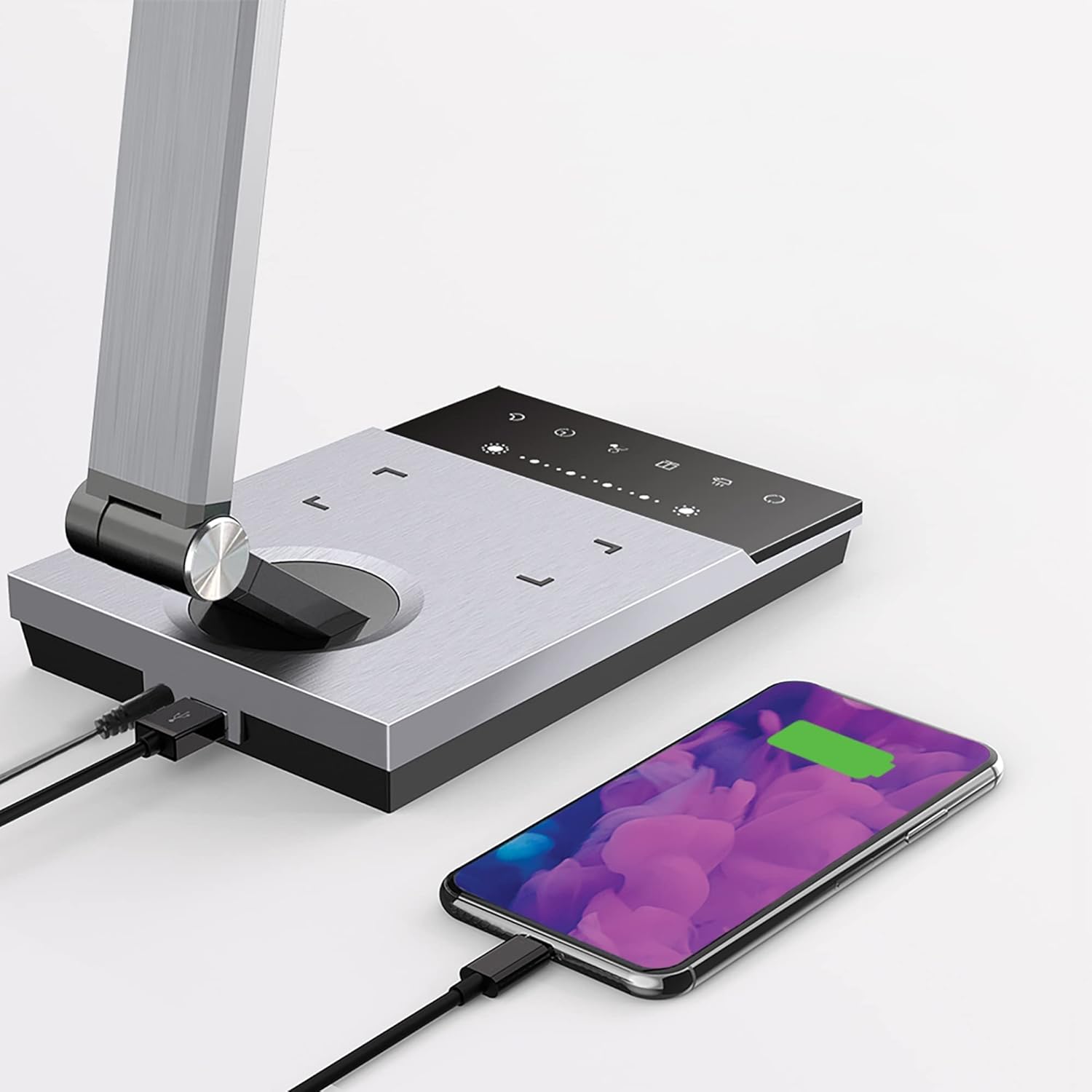
Image 6.3: Simultaneous charging of devices via the USB port and wireless charging pad.
7. Manteniment
To keep your WorkPro LED Desk Lamp en condicions òptimes:
- Neteja: Disconnect the power before cleaning. Wipe the lamp with a soft, dry cloth. Do not use abrasive cleaners, solvents, or harsh chemicals.
- Emmagatzematge: Si emmagatzema la lamp durant un període prolongat, desconnecteu-lo de l'alimentació i guardeu-lo en un lloc fresc i sec.
- Cura de LED: La font de llum LED integrada està dissenyada per a un ús a llarg termini i no requereix substitució.
8. Solució De Problemes
| Problema | Causa possible | Solució |
|---|---|---|
| Lamp no s'encén. | Sense connexió elèctrica. | Assegureu-vos que l'adaptador de corrent estigui ben connectat a la presa de correntamp i la presa de corrent. |
| La càrrega sense fil no funciona. | Device not Qi-compatible or not positioned correctly. | Verify your device supports Qi wireless charging. Reposition the device on the charging pad to ensure proper alignment. Remove any thick phone cases. |
| La càrrega USB no funciona. | USB cable or device issue. | Try a different USB cable or device to isolate the problem. Ensure the lamp està encès. |
| La llum parpelleja o és tènue. | Font d'alimentació inestable o problema intern. | Intenta connectar la lamp into a different outlet. If the problem persists, contact customer support. |
9. Especificacions
| Número de model | WP3000S |
| Font de llum | LED integrat |
| Wattage | 10 watts |
| Sortida de lumens | 600 lúmens |
| Temperatures de color | 5 nivells |
| Nivells de brillantor | 6 nivells |
| Sortida USB | 2.4 Amp |
| Material | Metall raspallat |
| Dimensions (L x A x A) | 17.5 x 6.5 x 4 polzades |
| Pes de l'article | 5.45 lliures |
| Font d'alimentació | Elèctric amb cable |
| Mètode de control | Toca |
10. Garantia i Suport
WorkPro products are manufactured to high-quality standards. For warranty information or technical support, please refer to the warranty card included with your purchase or visit the official WorkPro weblloc web. Si us plau, conserveu el comprovant de compra per a reclamacions de garantia.
For further assistance, you may contact the retailer or manufacturer directly.


