1. Introducció
The Technoline WS 8016 is a modern digital radio-controlled wall clock designed to provide accurate time, date, indoor temperature, and humidity readings. Its clear LCD display ensures excellent readability from various angles. This manual provides detailed instructions for setting up, operating, and maintaining your device.
Característiques principals:
- DCF-77 Radio-Controlled Time with Manual Setting Option
- Visualització de l'hora de 12/24 hores
- Configuració de la zona horària
- Date and Day of the Week Display (7 languages)
- Indoor Temperature Display in °C or °F
- Indoor Humidity Display in %RH
- Dues alarmes
- Muntatge a la paret o col·locació sobre una taula
2. Contingut del paquet
Si us plau, comproveu el contingut del paquet per assegurar-vos que hi hagi tots els elements:
- 1 x Technoline WS 8016 Digital Radio Wall Clock
- 2 x AA Mignon LR06 Batteries
- 1 x Manual d'instruccions (aquest document)
3. Configuració
3.1 Instal·lació de la bateria
- Localitzeu el compartiment de la bateria a la part posterior del rellotge.
- Obriu la tapa del compartiment de la bateria.
- Insert the two (2) AA Mignon LR06 batteries, observing the correct polarity (+ and - markings).
- Tanqueu bé la tapa del compartiment de la bateria.
Upon battery insertion, the clock will automatically begin searching for the DCF-77 radio signal.
3.2 Initial Radio Signal Reception
The clock will attempt to synchronize with the DCF-77 radio signal, which transmits the official time. This process may take several minutes. During this time, the radio signal icon will flash on the display.
- For best reception, place the clock near a window and away from electronic devices that may cause interference.
- Un cop rebut el senyal correctament, l'hora i la data s'establiran automàticament i la icona del senyal de ràdio apareixerà fixa.
3.3 Manual Time Setting (if radio signal is unavailable)
If the radio signal cannot be received, or if you are in a region outside the DCF-77 reception area, you can set the time and date manually. Refer to the 'Operating Instructions' section for detailed steps on manual adjustments.
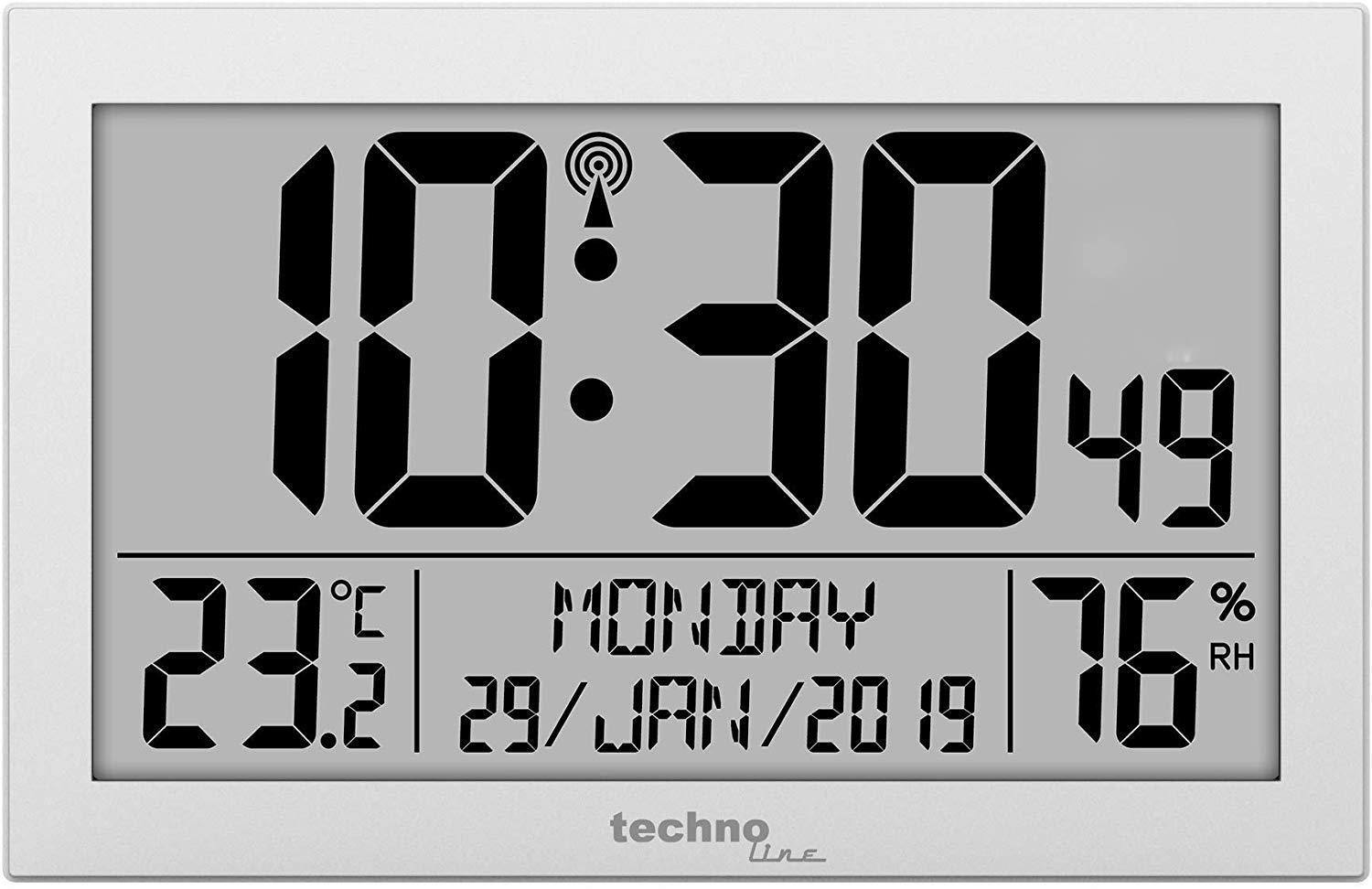
Figura 1: Davant view of the Technoline WS 8016 Digital Radio Wall Clock, displaying time, date, temperature, and humidity.
4. Instruccions de funcionament
The Technoline WS 8016 features several buttons, typically located on the back or side, for various settings. Common buttons include MODE, SET, UP/+, DOWN/-.
4.1 Setting Time and Date Manually
- Manteniu premut el botó MODE button for a few seconds to enter setting mode. The first adjustable value (e.g., time zone or hour) will flash.
- Utilitza el UP/+ or BAIX/- botons per ajustar el valor.
- Premeu MODE again to confirm the setting and move to the next adjustable value (e.g., minute, year, month, day).
- Repeat steps 2 and 3 until all desired settings (time zone, 12/24 hour format, hour, minute, year, month, day, day of week language) are configured.
- Premeu MODE one last time or wait for a few seconds for the clock to exit setting mode automatically.
4.2 Selecció de format de 12/24 hores
En el mode de visualització normal, premeu el botó UP/+ button to toggle between 12-hour (with AM/PM indicator) and 24-hour time formats.
4.3 Day of Week Language
During manual setting, you can select the display language for the day of the week from 7 available options. Cycle through the options using the UP/+ or BAIX/- buttons when the language setting is flashing.
4.4 Temperature Unit (°C/°F)
En el mode de visualització normal, premeu el botó BAIX/- button to switch the indoor temperature display between Celsius (°C) and Fahrenheit (°F).
4.5 Configuració d'alarmes
El rellotge té dues alarmes independents (Alarma 1 i Alarma 2).
- Premeu el botó MODE button repeatedly until 'AL1' or 'AL2' appears on the display.
- Manteniu premut el botó SET button (or a dedicated ALARM SET button) to enter alarm setting mode. The alarm hour will flash.
- Utilitza el UP/+ or BAIX/- botons per ajustar l'hora de l'alarma.
- Premeu SET to confirm and move to the alarm minute. Adjust with UP/+ or BAIX/-.
- Premeu SET again to confirm and exit alarm setting.
- Per activar o desactivar una alarma, premeu la tecla UP/+ or BAIX/- button while 'AL1' or 'AL2' is displayed. An alarm icon will appear when activated.
- When an alarm sounds, press any button to snooze or silence it. If no button is pressed, the alarm will sound for a set duration and then automatically turn off.
5. Opcions de muntatge
5.1 Muntatge a la paret
The Technoline WS 8016 can be easily mounted on a wall.
- Locate the hanging hole on the back of the clock.
- Insert a screw or nail into your desired wall location, ensuring it is securely fastened and protrudes sufficiently to hold the clock.
- Carefully hang the clock onto the screw/nail.
5.2 Col·locació de la taula
For tabletop use, the clock features an integrated stand.
- Extend the stand located on the back of the clock.
- Col·loca el rellotge sobre una superfície plana i estable.
6. Manteniment
6.1 Neteja
To clean the clock, use a soft, dry cloth. Do not use abrasive cleaners or solvents, as these may damage the display or casing.
6.2 Substitució de la bateria
When the display becomes dim or the clock functions erratically, it is time to replace the batteries. Follow the battery installation steps in Section 3.1. Always replace both batteries at the same time with new ones of the same type.
7. Solució De Problemes
- Sense pantalla o pantalla atenuada:
Comproveu si les piles estan inserides correctament i no estan esgotades. Canvieu les piles si cal. - Clock Not Receiving Radio Signal:
Ensure the clock is placed in an optimal location, away from electronic interference and near a window. Allow sufficient time (up to 24 hours) for initial synchronization. If the signal is consistently weak, consider setting the time manually. - Hora/data incorrecta:
Verify that the time zone setting is correct. If the radio signal is not received, manually adjust the time and date as described in Section 4.1. - Les lectures de temperatura/humitat semblen inexactes:
Ensure the clock is not exposed to direct sunlight, heat sources, or drafts, which can affect sensor readings. Allow the clock to stabilize in its environment for accurate readings.
8. Especificacions
| Model | Technoline WS 8016 |
| Dimensions (A x A x P) | 225 x 143 x 24 mm (aprox. 8.86 x 5.63 x 0.94 polzades) |
| Pes | 480 g (aprox. 1.06 lliures) |
| Font d'alimentació | 2 x AA Mignon LR06 Batteries |
| Control del temps | DCF-77 Radio Controlled |
| Interval de temperatura | Indoor (specific range not provided, typical room temperature) |
| Gamma d’humitat | Indoor (specific range not provided, typical room humidity) |
| Material | Plata |
9. Garantia i Suport
This product is covered by a standard manufacturer's warranty. Please refer to the warranty card included with your purchase or contact your retailer for specific warranty terms and conditions.
For technical support or further assistance, please contact the retailer where you purchased the Technoline WS 8016 or visit the official Technoline weblloc per obtenir informació de contacte.


