1. Introducció
Thank you for choosing the WiZ Smart Wi-Fi LED Bulb A60 E27. This smart bulb offers a full spectrum of 16 million colors, tunable warm to cool white light, and dimming capabilities, allowing you to create the perfect ambiance for any occasion. Control your lighting effortlessly using the WiZ app on your smartphone or through voice commands with compatible smart assistants like Amazon Alexa and Google Assistant. This manual provides essential information for installation, setup, operation, and maintenance of your new smart bulb.

Figura 1.1: The WiZ Smart Wi-Fi LED Bulb A60 E27, showcasing its vibrant color capabilities.
2. Informació important de seguretat
Please read all safety instructions before installing or using your WiZ Smart Bulb. Failure to follow these instructions may result in electric shock, fire, or other hazards.
- Ensure the power is turned off at the main switch before installation or removal.
- Do not use with standard dimmers. This bulb is dimmable only via the WiZ app or compatible smart devices.
- Suitable for dry locations only. Do not expose to water or moisture.
- Do not disassemble or modify the bulb. There are no user-serviceable parts inside.
- Operar dins del volum especificattagrang e (220-240V, 50Hz).
- Aquest dispositiu no està pensat per utilitzar-se amb sortides d'emergència.
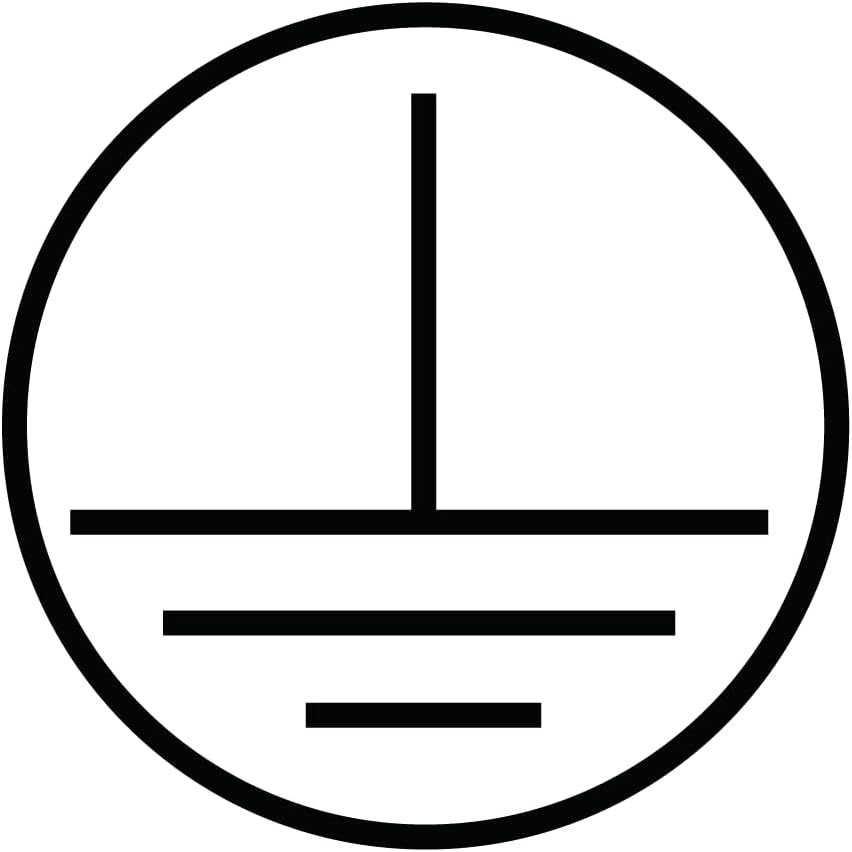
Figura 2.1: Grounding symbol, indicating the product is designed for safe electrical operation.

Figura 2.2: WEEE symbol, indicating separate collection for electrical and electronic equipment. Do not dispose with household waste.
3. Contingut del paquet
Verifiqueu que tots els elements siguin presents al paquet:
- 1 x WiZ Smart Wi-Fi LED Bulb A60 E27
- 1 x Guia d'inici ràpid (aquest manual)
4. Guia d'instal·lació
Follow these steps to physically install your WiZ Smart Bulb:
- Apagueu l'alimentació: Before replacing any bulb, ensure the power to the light fixture is turned off at the wall switch or circuit breaker to prevent electric shock.
- Traieu la bombeta antiga: Carefully unscrew the existing bulb from the light fixture.
- Install WiZ Bulb: Screw the WiZ Smart Bulb into the E27 socket. Ensure it is securely fastened but do not overtighten.
- Restaura l'alimentació: Turn the power back on at the wall switch or circuit breaker. The bulb should light up, indicating it is ready for setup.

Figura 4.1: Dimensions of the WiZ A60 E27 bulb, showing its standard size for easy installation into compatible fixtures.
5. Initial Setup and WiZ App Pairing
To unlock the full potential of your WiZ Smart Bulb, you need to connect it to your Wi-Fi network using the WiZ app.
- Descarrega l'aplicació WiZ: Cerca "WiZ Connected" in the Apple App Store (for iOS) or Google Play Store (for Android) and download the app.
- Crea un compte: Open the WiZ app and follow the on-screen instructions to create a new account or log in if you already have one.
- Afegeix una casa: If this is your first WiZ device, the app will prompt you to create a "Home." Give it a name and set up rooms within your home (e.g., Living Room, Bedroom).
- Inicia l'aparellament: In the app, tap the "+" icon to add a new device. Select "Light" and then "WiZ Light."
- Power Cycle the Bulb: The app will instruct you to power cycle the bulb (turn it off and on three times using the wall switch) until it starts pulsing white or blue. This indicates it's in pairing mode.
- Connecta't a Wi-Fi: Follow the app's instructions to connect the bulb to your 2.4 GHz Wi-Fi network. Ensure your phone is also connected to the same 2.4 GHz network during setup.
- Configuració completa: Once connected, the bulb will stop pulsing and appear in your app. You can then assign it to a room and give it a name.

Figura 5.1: The WiZ app interface, demonstrating the "Circadian Rhythm" feature which automatically adjusts light color and brightness throughout the day.
6. Operating Your WiZ Smart Bulb
Your WiZ Smart Bulb offers a variety of control options:
6.1. Basic Controls (On/Off, Dimming)
- Via WiZ App: Tap the bulb icon in the app to turn it on or off. Use the brightness slider to adjust dimming levels.
- Via interruptor de paret: You can still use your traditional wall switch to turn the bulb on and off. Note that turning it off and on quickly multiple times will initiate pairing mode.
6.2. Color and White Light Adjustment
- In the WiZ app, select your bulb. You will find options to choose from 16 million colors or adjust the white light temperature from warm (2200K) to cool (6500K).
6.3. Using Pre-set Modes and Scenes
- The WiZ app comes with a variety of pre-set dynamic light modes (e.g., Forest, Ocean, Fireplace) and static scenes (e.g., Focus, Relax, Cozy). Explore these options to instantly change the mood of your room.
- You can also create and save your own custom scenes based on your preferred colors and brightness.
6.4. Programació
- Set schedules for your lights to turn on/off, change colors, or activate scenes at specific times of the day or week. This is ideal for automating your lighting routines.
6.5. Integració del control per veu
Your WiZ Smart Bulb is compatible with Amazon Alexa and Google Assistant.
- Comptes d'enllaç: In your Alexa or Google Home app, search for the "WiZ" skill/action and enable it. Log in with your WiZ account credentials to link the accounts.
- Descobriu els dispositius: Once linked, ask your smart assistant to "Discover devices" or manually add them through the app.
- Comandaments de veu: You can now control your lights with voice commands, such as:
- "Alexa, turn on Living Room light."
- "Hey Google, set Bedroom light to blue."
- "Alexa, atenua la llum de la cuina al 50%."
- "Hey Google, activate 'Relax' scene in the study."
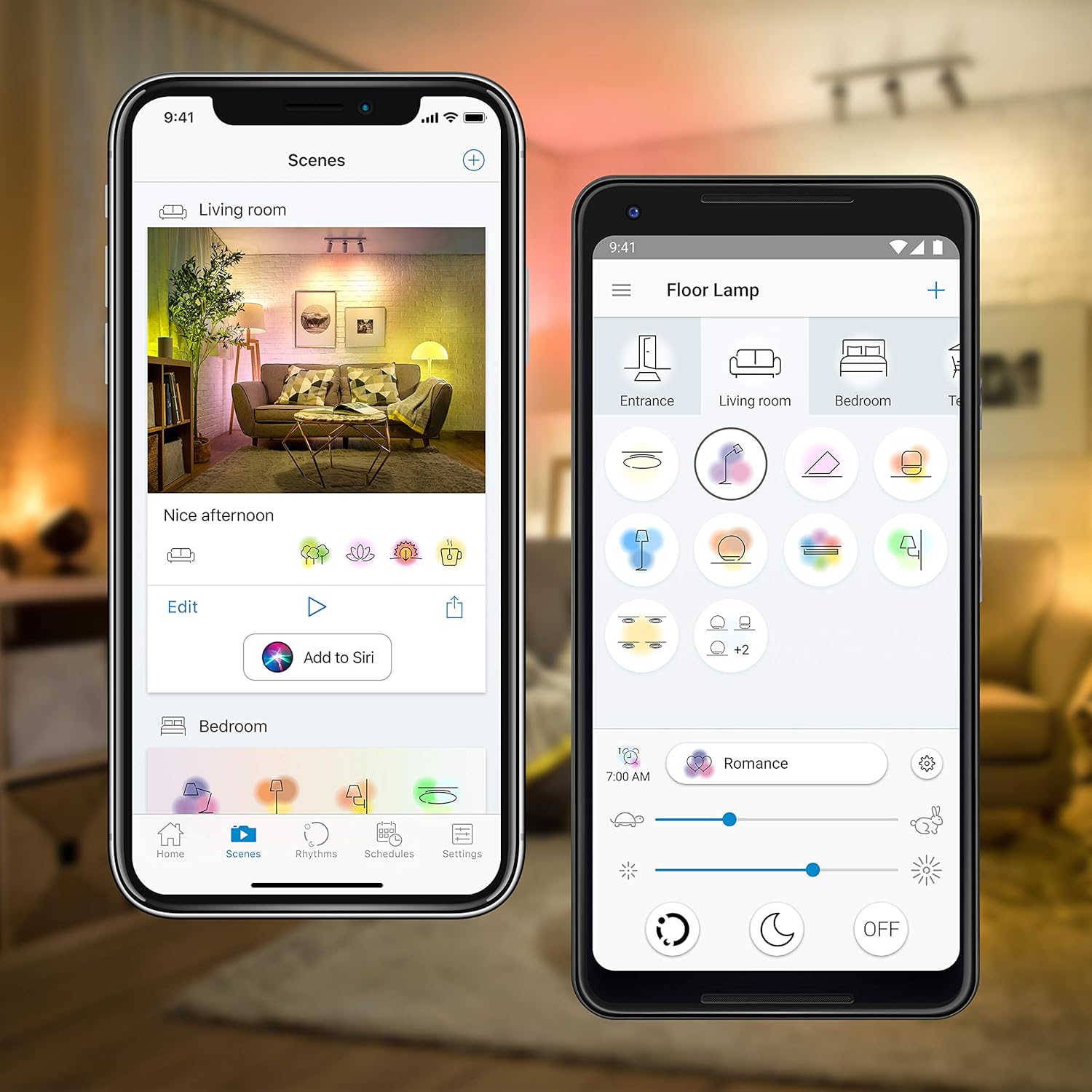
Figura 6.1: Examples of the WiZ app interface, showing options for managing scenes and controlling individual lights like a floor lamp.
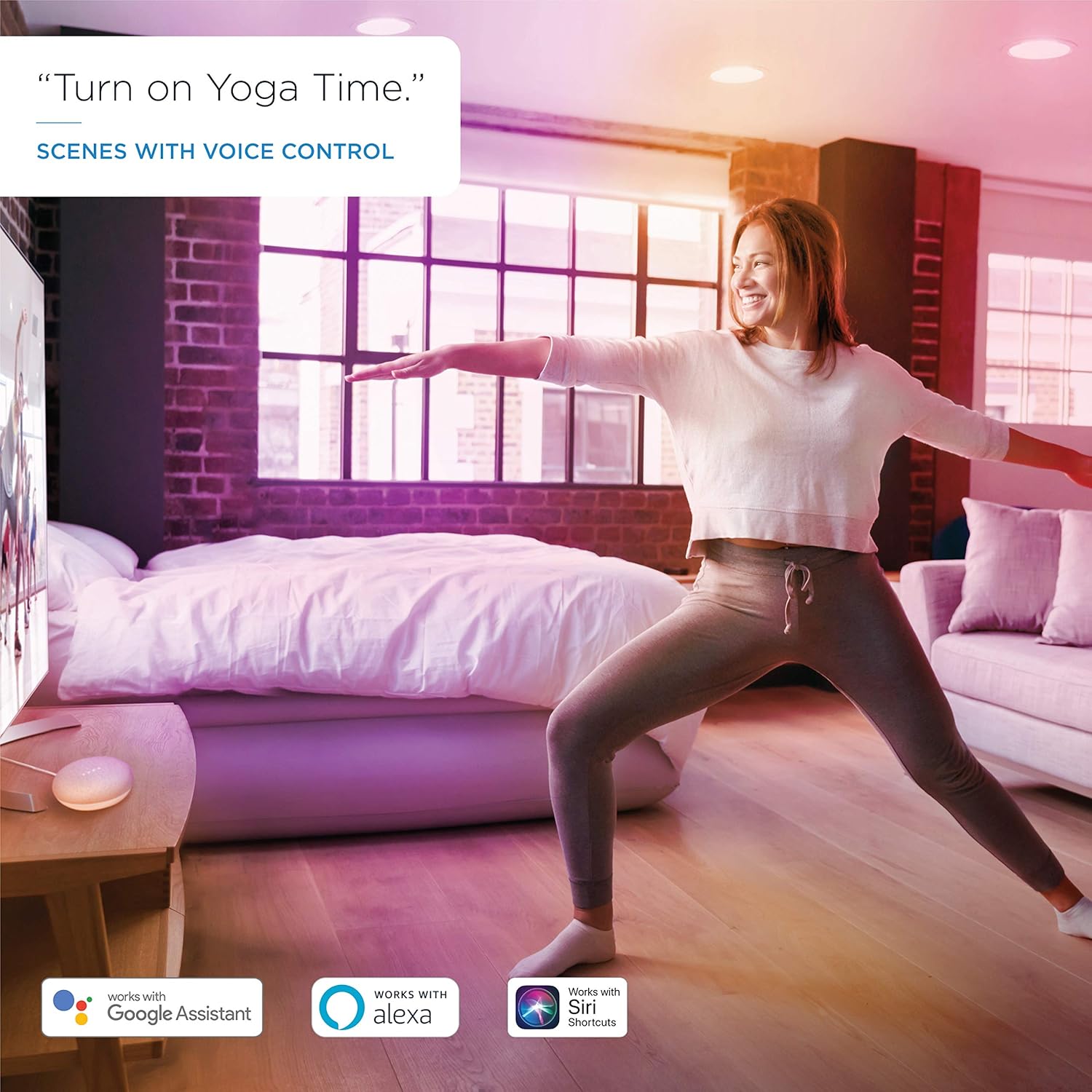
Figura 6.2: Voice control in action, demonstrating how to activate scenes like "Yoga Time" using compatible smart assistants.
7. Manteniment
The WiZ Smart Bulb requires minimal maintenance.
- Neteja: Assegureu-vos que la bombeta estigui apagada i freda abans de netejar-la. Netegeu-la amb un drap suau i sec. No utilitzeu netejadors líquids ni abrasius.
- Actualitzacions de firmware: The WiZ app will notify you of available firmware updates for your bulb. It is recommended to install these updates to ensure optimal performance and access to new features.
8. Solució De Problemes
If you encounter issues with your WiZ Smart Bulb, try the following solutions:
| Problema | Possible solució |
|---|---|
| Bulb not responding in app. |
|
| Cannot pair the bulb. |
|
| El control per veu no funciona. |
|
| Bulb is flickering or behaving erratically. |
|
9. Especificacions tècniques
| Característica | Especificació |
|---|---|
| Número de model | 09200260810 |
| Tipus de bombeta | LED A60 |
| Tipus de base | E27 |
| Wattage | 9 W (equivalent a 60 W) |
| Sortida de lumens | 806 lúmens |
| Temperatura de color | 2200K - 6500K (Tunable White) + RGB (16 Million Colors) |
| Voltage | 220-240 V, 50 Hz |
| Connectivitat | Wi-Fi 2.4 GHz |
| Tota la vida | 25,000 hores |
| CRI | 80 |
| Dimensions (L x A) | 119 mm x 60 mm (4.7 polzades x 2.4 polzades) |
| Pes | 136 grams |
| Certificacions | CE, ErP |
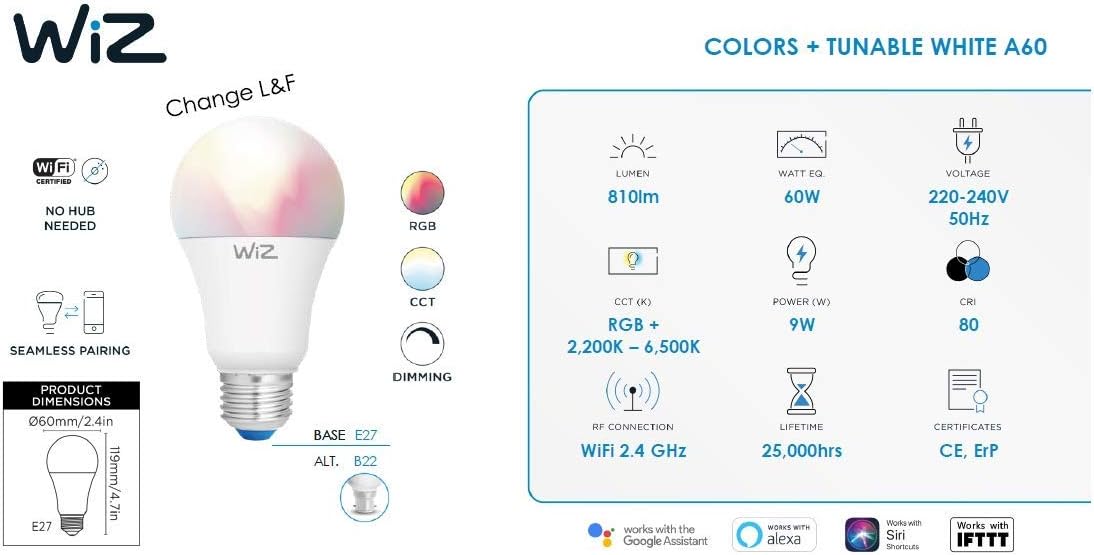
Figura 9.1: A visual summary of the WiZ Smart Bulb's key technical specifications.

Figura 9.2: The energy efficiency label for the WiZ A60 E27 bulb, showing its energy class F and consumption of 9 kWh/1000h.
View EPREL Database Entry
10. Garantia i Suport
WiZ products are designed for reliability and performance. For information regarding warranty coverage, please refer to the warranty card included with your purchase or visit the official WiZ weblloc.
For further assistance, technical support, or frequently asked questions, please visit the WiZ support page or contact their customer service directly.
- Assistència en línia: www.wizconnected.com/en-us/support
- Registre de productes: Registra el teu producte en línia per rebre actualitzacions i assistència.


