1. Introducció
This manual provides essential information for the safe and effective use of your Roland FP-30X Digital Piano. Please read these instructions thoroughly before operating the instrument and retain them for future reference. The FP-30X is a portable digital piano featuring Roland's SuperNATURAL Piano technology, an 88-note PHA-4 Standard keyboard, and various connectivity options.
2. Què hi ha a la caixa
En desembalar, assegureu-vos que hi hagi tots els elements següents:
- Roland FP-30X Digital Piano (Keyboard)
- Adaptador d'alimentació
- Descans musical
- Pedal de sosteniment
- Manual del propietari (aquest document)
- Optional accessories such as the KSC-70 stand and KPD-70 three-pedal unit are sold separately.
3. Configuració
3.1 Col·locació
Place the FP-30X on a stable, flat surface or a compatible keyboard stand. Ensure adequate ventilation around the instrument. Avoid direct sunlight, heat sources, or excessive humidity.
3.2 Connexió de potència
- Connect the included AC adapter to the DC IN jack on the rear panel of the FP-30X.
- Connecteu l'adaptador de CA a una presa de corrent estàndard.
- Ensure the power indicator light illuminates when the power button is pressed.

Figure 1: Rear panel connections, including DC IN, USB, and pedal jacks.
3.3 Connecting a Sustain Pedal
Connect the included sustain pedal to the PEDAL 1 jack on the rear panel. For the optional KPD-70 three-pedal unit, connect it to the dedicated PEDAL 2 jack.
3.4 Connectar auriculars
For private practice, connect headphones to either of the two 6.35mm (1/4-inch) HEADPHONES jacks located on the front left side of the piano. Connecting headphones will mute the internal speakers.

Figure 2: User playing the FP-30X with headphones for silent practice.
4. Instruccions de funcionament
4.1 Engegada/Apagada i Volum
- Per encendre, premeu el botó Poder botó. L'indicador lluminós s'il·luminarà.
- Per apagar-lo, manteniu premut el botó Poder botó fins que s'apagui el llum indicador.
- Ajusteu el volum general amb el botó Volum buttons (+/-). The LED indicators show the current volume level.

Figura 3: Panell de control a sobreview with power, volume, and tone selection buttons.
4.2 Selecting Tones
The FP-30X includes a variety of instrument sounds.
- Premeu el botó Piano button to select the standard acoustic piano sound.
- Premeu el botó E. Piano button for electric piano sounds.
- Premeu el botó Altres button to cycle through additional sounds such as organs, strings, and synthesizers.
4.3 Funció de metrònom
The built-in metronome assists with rhythm practice.
- Premeu el botó Metrònom button to turn the metronome on or off.
- Utilitza el Lenta i Ràpid buttons to adjust the tempo.
- Premeu el botó Beat button to change the time signature.
4.4 Connectivitat Bluetooth
The FP-30X supports Bluetooth audio and MIDI for wireless connection to mobile devices.
- To initiate Bluetooth pairing, press and hold the Funció button until the Bluetooth indicator flashes.
- On your mobile device, enable Bluetooth and select "FP-30X" from the list of available devices.
- Once paired, you can stream audio from your device through the piano's speakers or use MIDI apps like Roland's Piano App.
- Note: Bluetooth headphones are not supported for direct connection to the FP-30X.
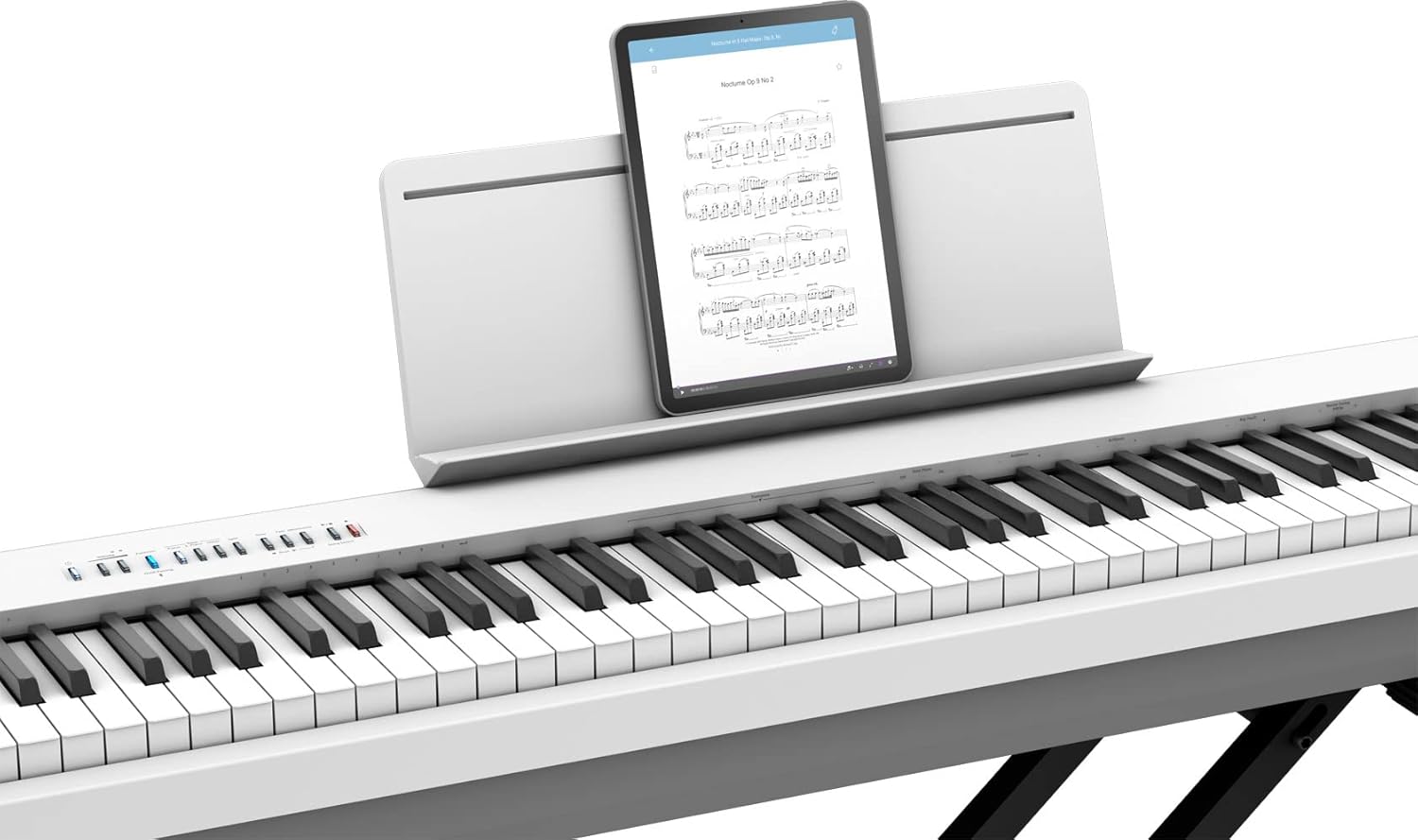
Figure 4: The FP-30X connected to a tablet for use with music apps.
4.5 Using the Roland Piano App
The Roland Piano App (available for iOS and Android) enhances your experience by allowing convenient control over sounds, metronome settings, and other functions from your smartphone or tablet.
- Download the Roland Piano App from your device's app store.
- Connect your device to the FP-30X via Bluetooth MIDI as described in Section 4.4.
- Launch the app to access advanced controls and learning features.
5. Manteniment
5.1 Neteja
- Wipe the instrument with a soft, dry cloth.
- Per a la brutícia tossuda, utilitzeu una mica damp un drap i després eixugar.
- Eviteu utilitzar netejadors abrasius, ceres o dissolvents, ja que poden danyar l'acabat.
5.2 Emmagatzematge
When not in use, store the FP-30X in a dust-free environment. If storing for an extended period, disconnect the power adapter.
6. Solució De Problemes
| Problema | Solució |
|---|---|
| No hi ha so dels altaveus/auriculars. |
|
| La connexió Bluetooth falla. |
|
| Keys feel unresponsive or produce no sound. |
|
7. Especificacions
| Característica | Detall |
|---|---|
| Nom del model | Piano digital Roland FP-30X |
| Nombre de claus | 88 |
| Tipus de teclat | PHA-4 Standard Keyboard with Escapement and Ivory Feel |
| Motor de so | Piano SuperNATURAL |
| Potència de sortidatage | 22 watts (11 W x 2) |
| Tecnologia de connectivitat | Bluetooth (àudio/MIDI) |
| Tipus de connectors | USB (Type B for Computer, Type A for Memory), DC IN, 3.5mm Jack (Output L/Mono, R), Pedal Jacks (1/4-inch, dedicated for KPD-70) |
| Conector d'auriculars | 6.35mm Jack x 2 |
| Dimensions (L x P x A) | 51.2 x 11.2 x 6 polzades (1300 x 284 x 151 mm) |
| Pes de l'article | 47 lliures (21.3 kg) |
| Font d'alimentació | Elèctric amb cable |
| Programari compatible | Roland Piano App, Apple’s GarageBand |
8. Garantia i Suport
For warranty information and customer support, please refer to the warranty card included with your product or visit the official Roland weblloc web. Conserveu el rebut de compra com a comprovant de compra.
- Assistència en línia: Visita Roland's official support page for FAQs, downloads, and service information.
- Registre de productes: Registra el teu producte en línia per rebre actualitzacions i assistència.


