
Elo E931896
Manual d'usuari del sistema de punt de venda EloPOS de 15"
Model: E931896
1. Producte acabatview
The EloPOS System is a versatile point-of-sale solution designed for commercial environments. It features a 15-inch 4:3 touchscreen display, an Intel 8th generation i3 processor, and an integrated expansion hub for connecting various peripherals. This system is built for durability and continuous public use, making it suitable for traditional POS and self-service applications.
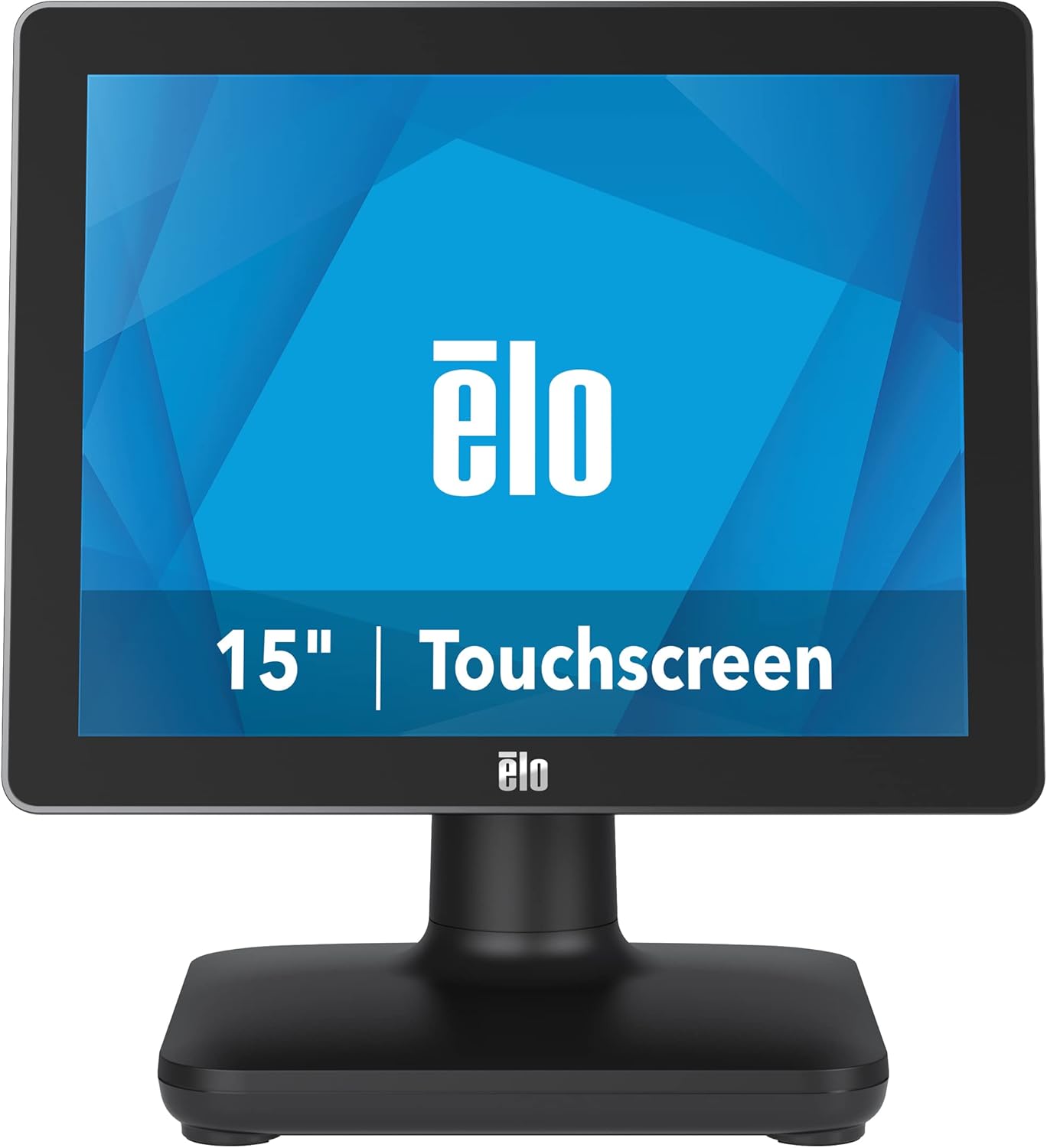
Figura 1: Frontal view of the EloPOS System.
The system's robust design ensures reliability in demanding retail environments, providing a stable platform for your business operations.
2. Contingut del paquet
Verify that all items listed below are included in your EloPOS system package:
- EloPOS System Unit
- NA Power Cord
- Cable d'alimentació de la UE
- Power Adapter - 180W
- Cable RJ-45 to DB-9
- Cable Cover Locking Screw
- Guia d'instal·lació ràpida (QIG)
3. Característiques clau
The EloPOS System is equipped with several features designed to enhance its functionality and durability:
- Integrated Expansion Hub: The included stand features an integrated expansion hub, allowing connection of various POS peripherals such as cash drawers, printers, barcode scanners, and payment devices.
- Windows 10 Operating System: Utilizes the reliable performance and security of Intel 8th Generation processors, integrated Trusted Platform Modules, Intel vPro, and the Windows 10 operating system.
- Durabilitat de grau comercial: Features a splash-proof housing and a rugged retail-hardened design, built to withstand adverse conditions common in commercial environments.
- Connectivitat USB-C: Enables easy connection of a 1302L customer-facing display, providing touch, data, and power through a single cable (second display sold separately).
- Elo Edge Connect: Allows seamless attachment of up to four peripherals (sold separately) to the edge of the touchscreen, including fingerprint scanners, EMV readers, barcode scanners, or MSRs.
4. Guia de configuració
4.1. Desembalatge i col·locació
Carefully remove the EloPOS system and all components from the packaging. Place the unit on a stable, flat surface, ensuring adequate ventilation around the device.
4.2. Potència de connexió
- Connect the 180W power adapter to the power input port on the back of the EloPOS system.
- Connect the appropriate power cord (NA or EU) to the power adapter.
- Connecteu el cable d'alimentació a una presa elèctrica amb connexió a terra.
4.3. Connexió de perifèrics
The EloPOS system features an integrated expansion hub for connecting various peripherals. Refer to the image below for port locations.

Figura 2: posterior view with connection hub.
- Ports USB: Connect USB devices such as keyboards, mice, barcode scanners, or payment terminals to the available USB 2.0 or USB 3.0 ports.
- Port Ethernet: Connecteu un cable Ethernet per a la connectivitat de xarxa.
- Ports sèrie: Use the RJ-45 to DB-9 cable for connecting serial devices if required.
- Port USB-C: For connecting compatible USB-C devices, including the Elo 1302L customer-facing display.
5. Funcionament
5.1. Encès / apagat
To power on the system, press the power button, typically located on the side or back of the display unit. To power off, use the standard Windows shutdown procedure or press and hold the power button for a few seconds.
5.2. Ús de la pantalla tàctil
The EloPOS system features a responsive touchscreen display. Use your finger or a compatible stylus for navigation and input. Ensure the screen is clean for optimal touch performance.
6. Manteniment
Regular maintenance helps ensure the longevity and optimal performance of your EloPOS system:
- Neteja de la pantalla: Utilitzeu un drap suau i sense pelusa dampNetegeu amb un netejador de vidres no abrasiu i sense amoníac. No ruixeu el netejador directament sobre la pantalla.
- Neteja de la Casing: Netegeu l'exterior casing amb un suau, damp tela. Eviteu productes químics agressius o materials abrasius.
- Ventilació: Ensure that the ventilation openings on the system are not blocked to prevent overheating.
- Actualitzacions de programari: Regularly check for and install operating system and driver updates to maintain system security and performance.
7. Solució De Problemes
This section provides solutions to common issues you might encounter with your EloPOS system.
| Problema | Causa possible | Solució |
|---|---|---|
| El sistema no s'encén. | Power cord not connected, power adapter faulty, power outlet issue. | Check power cord connections. Ensure power adapter is securely plugged in. Test the power outlet with another device. |
| La pantalla tàctil no respon. | Screen dirty, drivers not installed/corrupted, system frozen. | Clean the screen. Restart the system. Check device manager for touchscreen driver status. |
| No s'ha detectat cap perifèric (per exemple, impressora). | Incorrect port, driver issue, peripheral not powered on. | Ensure peripheral is powered on and connected to the correct port. Install or update peripheral drivers. |
| System runs slowly. | Too many applications running, insufficient RAM, overheating. | Close unnecessary applications. Check system resources. Ensure proper ventilation. |
8. Especificacions tècniques
| Característica | Especificació |
|---|---|
| Mida de la pantalla de peu | 15 polzades |
| Resolució de pantalla | 1024 x 768 |
| Resolució de pantalla màxima | 1366 x 768 |
| Processador | 3.1 GHz core_i3 (Intel 8th Generation) |
| RAM | 4 GB DDR4 |
| Disc dur | SSD de 128 GB |
| Coprocessador gràfic | Intel HD Graphics 520 |
| Sistema operatiu | Windows 10 |
| Nombre de ports USB 2.0 | 2 |
| Nombre de ports USB 3.0 | 3 |
| Número de model de l'article | E931896 |
| Pes de l'article | 11.6 lliures |
| Dimensions del producte (LxWxH) | 8.71 x 14.16 x 13.37 polzades |
| Color | Negre |
| Font d'alimentació | AC |
| Voltage | 240 Volts |
9. Informació de la garantia
The EloPOS System is backed by Elo's standard 3-year warranty. This warranty covers defects in materials and workmanship under normal use. For detailed terms and conditions, please refer to the official Elo warranty policy document or contact Elo customer support.
10. Suport i contacte
For further assistance, technical support, or service inquiries, please visit the official Elo weblloc web o poseu-vos en contacte amb el seu servei d'atenció al client. Podeu trobar més informació i recursos a Botiga Elo a Amazon.
Documents relacionatsE931896


Ask a question about this manual
Ask about setup, troubleshooting, compatibility, parts, safety, or missing instructions. Manuals+ will review the question and use this page’s manual context to help answer it.