Introducció
Gràcies per la compraasing the OneDer V3 Portable Bluetooth Speaker. This manual provides essential information for setting up, operating, and maintaining your speaker. Please read it thoroughly before use to ensure optimal performance and longevity of your device.

Image: The OneDer V3 Portable Bluetooth Speaker, red in color, shown alongside a smartphone playing music, illustrating its primary function as a portable audio device.
Contingut del paquet
Verifiqueu que tots els elements siguin presents al vostre paquet:
- OneDer V3 Portable Bluetooth Speaker
- Cable de càrrega USB
- Cable AUX
- Manual d'usuari

Imatge: Una explosió view of the OneDer V3 speaker package, clearly showing the speaker, its retail box, a USB charging cable, an AUX cable, and the user manual.
Producte acabatview
The OneDer V3 speaker features a robust design with advanced audio technology for an immersive listening experience.

360° Stereo HiFi Sound: Experience rich, immersive audio from all directions.
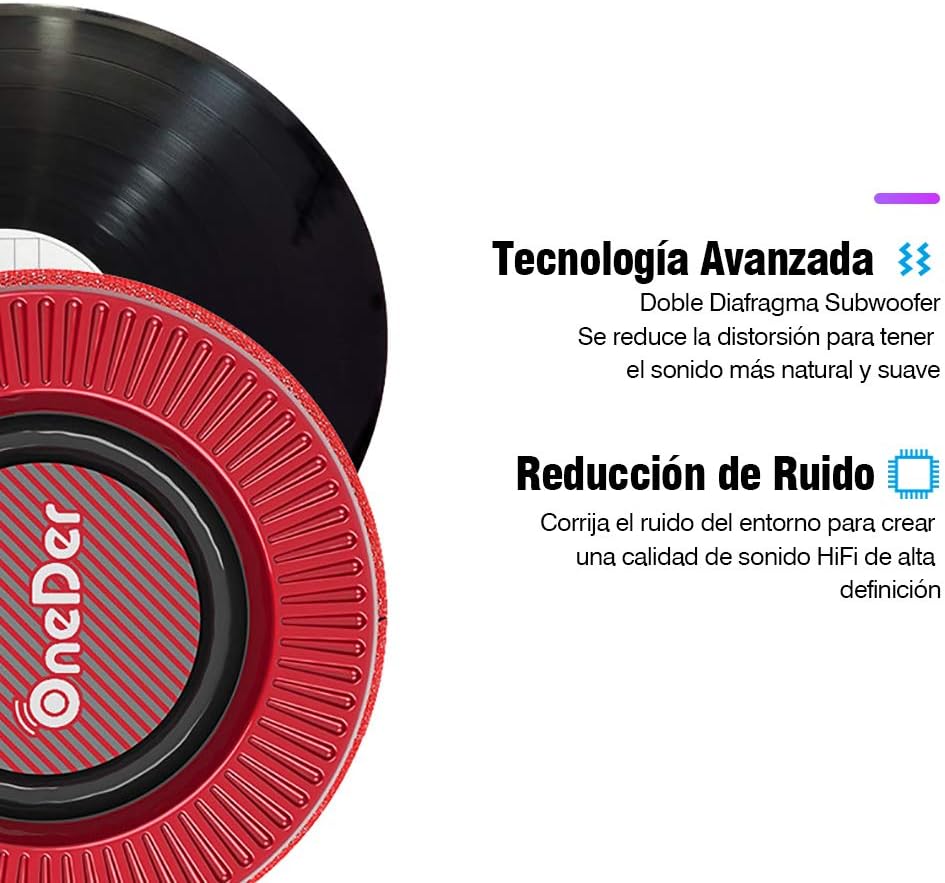
Tecnologia d'àudio avançada: Features a dual diaphragm subwoofer for natural sound and noise reduction for high-definition audio.

Durable and Elegant Design: Crafted with quality fabric material for a comfortable touch and dust resistance.

Compact Design with Hidden Ports: All ports and buttons are discreetly designed for protection and a clean visual aesthetic.
Controls i Ports
Familiaritzeu-vos amb els controls i els ports de connexió de l'altaveu:

Image: A detailed diagram showing the location and function of each button and port on the OneDer V3 speaker. These include the DC 5V charging port, USB port, TF card slot, AUX input, Volume -/Previous, Play/Pause, Mode/Next, Volume +/Next, and Power ON/OFF buttons.
- Port DC 5V: Per carregar l'altaveu.
- Port USB: Per reproduir música des d'una unitat flash USB.
- Ranura per a targetes TF: Per reproduir música des d'una targeta TF (MicroSD).
- Port AUX: Per connectar dispositius d'àudio externs mitjançant un cable d'àudio de 3.5 mm.
- Volume - / Previous: Premeu curt per a la pista anterior, premeu llargament per baixar el volum.
- Reproduir/Pausa: Premeu per reproduir o posar en pausa la música.
- Mode / Next: Short press to change modes (Bluetooth, USB, TF, AUX), long press for next track.
- Volume + / Next: Premeu curt per a la següent pista, premeu llargament per augmentar el volum.
- ON / OFF: Power button to turn the speaker on or off.
Configuració
Carregant l'altaveu
Before first use, fully charge the speaker. Connect the supplied USB charging cable to the DC 5V port on the speaker and the other end to a USB power adapter (not included) or a computer's USB port. The charging indicator light will illuminate during charging and turn off when fully charged.
Encès/Apagat
Manteniu premut el botó ON/OFF per activar o desactivar l'altaveu.
Instruccions de funcionament
Bluetooth Mode (Wireless Connection)
- Engegueu l'altaveu. Entrarà automàticament en mode d'emparellament Bluetooth, cosa que s'indicarà amb un llum LED intermitent.
- Activa el Bluetooth al teu telèfon intel·ligent, tauleta o ordinador portàtil.
- Cerca available devices and select "OneDer V3" (or similar name) from the list.
- Un cop emparellat, l'altaveu emetrà un to de confirmació i el llum LED deixarà de parpellejar.
- Ara pots reproduir àudio des del teu dispositiu a través de l'altaveu.

Image: The OneDer V3 speaker shown next to a smartphone displaying an incoming call, illustrating its hands-free calling capability via Bluetooth 4.2.
Trucades mans lliures
When connected via Bluetooth, the speaker supports hands-free calling:
- Respon a la trucada: Premeu el botó Reproduir/Pausa botó una vegada.
- Finalitzar la trucada: Premeu el botó Reproduir/Pausa button once during a call.
- Rebutja la trucada: Manteniu premut el botó Reproduir/Pausa botó.
Mode de targeta USB/TF
Insert a USB flash drive or TF (MicroSD) card into the corresponding port. The speaker will automatically detect the storage device and begin playing audio files. Utilitzar el Mode button to switch between input sources if needed.
AUX Mode (Wired Connection)
Connect one end of the 3.5mm AUX cable to the speaker's AUX port and the other end to the audio output of your device. The speaker will automatically switch to AUX mode. If not, press the Mode botó per seleccionar l'entrada AUX.
Control de volum
Premeu llargament el botó Volum + button to increase volume. Long press the Volum - botó per baixar el volum.
Navegació per pistes
Premeu breument Volum + button for the next track. Short press the Volum - botó per a la pista anterior.
Manteniment
- Mantingueu l'altaveu allunyat de l'aigua, la humitat i les temperatures extremes.
- Netegeu l'altaveu amb un drap suau i sec. No utilitzeu productes de neteja abrasius ni dissolvents.
- Eviteu deixar caure o sotmetre l'altaveu a forts impactes.
- Quan no l'utilitzeu durant períodes prolongats, guardeu l'altaveu en un lloc fresc i sec i carregueu-lo periòdicament per mantenir la bateria en bon estat.
Resolució de problemes
| Problema | Causa possible | Solució |
|---|---|---|
| L'altaveu no s'encén. | Bateria baixa. | Carregueu l'altaveu completament. |
| No es pot emparellar per Bluetooth. | Bluetooth no habilitat al dispositiu; l'altaveu no està en mode d'emparellament; massa lluny del dispositiu. | Ensure Bluetooth is on. Restart speaker to enter pairing mode. Move speaker closer to device (within 10 meters). |
| Sense so. | Volume too low; incorrect mode selected; audio cable not connected properly. | Increase volume on speaker and connected device. Press Mode button to select correct input. Reconnect audio cable securely. |
| Mala qualitat de so. | Bateria baixa; interferències; dispositiu massa lluny. | Charge speaker. Move away from other electronic devices. Move speaker closer to connected device. |
Especificacions
- Marca: OneDer
- Model: V3 Portable Bluetooth Speaker
- Versió Bluetooth: 4.2
- Potència de sortida dels altaveus: 5 watts
- Font d'alimentació: Bateria
- Durada de la bateria: Aproximadament 6 hores
- Connectivitat: Bluetooth, AUX, USB, targeta TF
- Mode de sortida d'àudio: estèreo
- Característiques especials: Hands-free calling, 360° HiFi Stereo Sound, Noise Reduction, Dual Diaphragm Subwoofer
- Dispositius compatibles: Telèfons intel·ligents, tauletes, ordinadors portàtils
- Dimensions (paquet): 16.6 x 12.6 x 12 cm
- Pes (paquet): 730 g
Garantia i Suport
For warranty information or technical support, please refer to the contact details provided with your purchase or visit the official OneDer weblloc web. Conserveu el comprovant de compra per a reclamacions de garantia.


