1. Introducció
This manual provides detailed instructions for the installation, operation, and maintenance of your ANRAN 8-Channel 5MP HD Home Security Camera System. This system is designed to provide reliable surveillance with high-definition video recording, infrared night vision, motion detection, and remote access capabilities. Please read this manual thoroughly before setup to ensure proper functionality and safety.

Image: ANRAN 8-Channel 5MP HD Home Security Camera System components including the DVR, 8 bullet cameras, and a 1TB hard drive.
2. Contingut del paquet
Verifiqueu que tots els elements siguin presents al vostre paquet:
- 1 x 8-Channel 5MP HD DVR (Digital Video Recorder)
- 8 x 5MP HD Bullet Cameras
- 1 x 1TB Hard Drive (pre-installed in DVR)
- 8 cables BNC (per a la connexió de la càmera)
- 1 x ratolí USB
- 1 x DVR Power Adapter
- Cargols i accessoris de muntatge
- Manual d'usuari (aquest document)
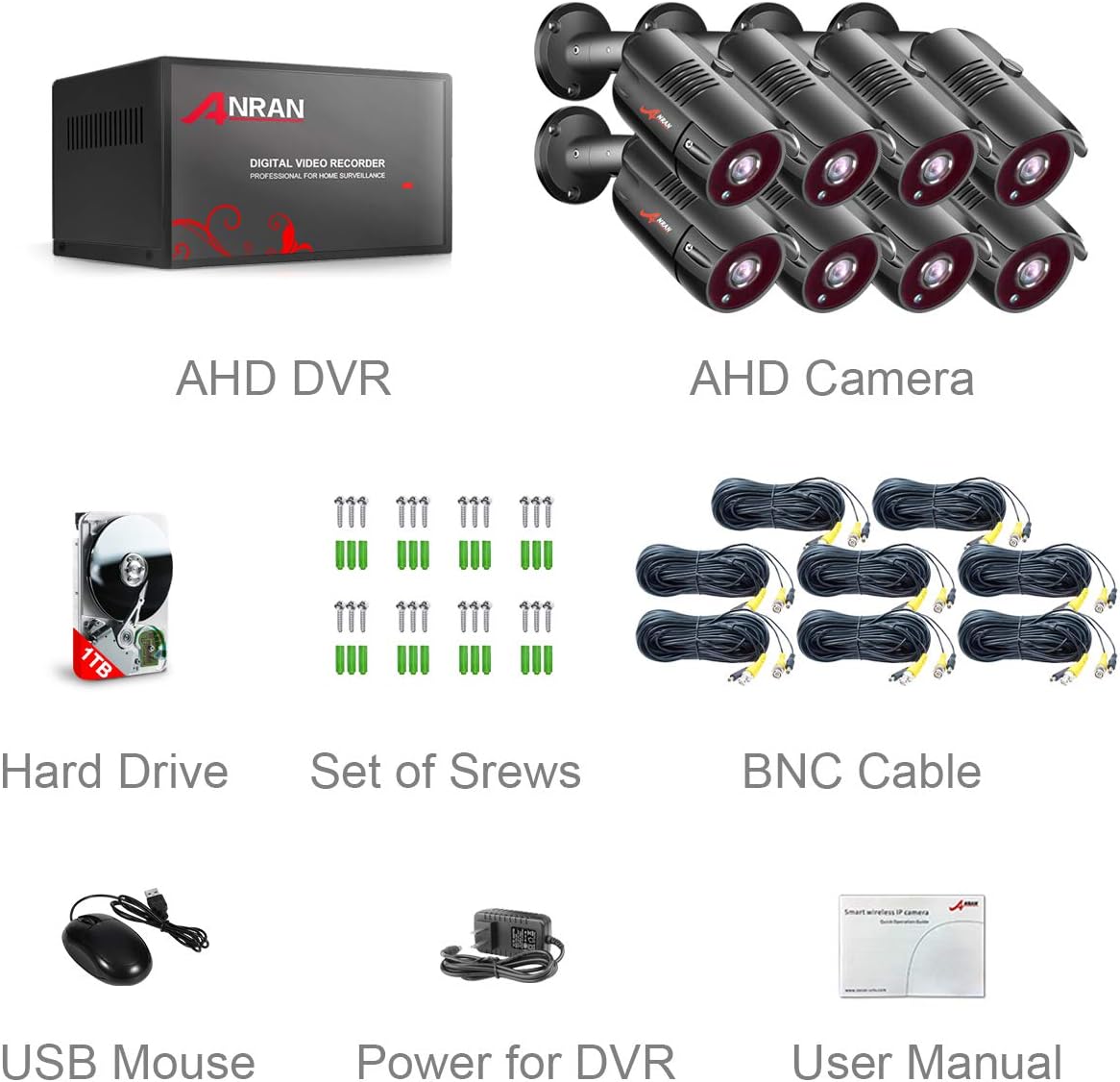
Image: A visual representation of all included components in the ANRAN security camera system package.
3. Configuració del sistema
3.1 DVR Connections
Follow these steps to connect your DVR:
- Connect the DVR power adapter to the DVR's DC12V input and then to a power outlet.
- Connect an HDMI or VGA cable from the DVR's corresponding output port to your monitor or TV.
- Connect the USB mouse to one of the DVR's USB ports.
- For remote access, connect an Ethernet cable from the DVR's LAN port to your router.
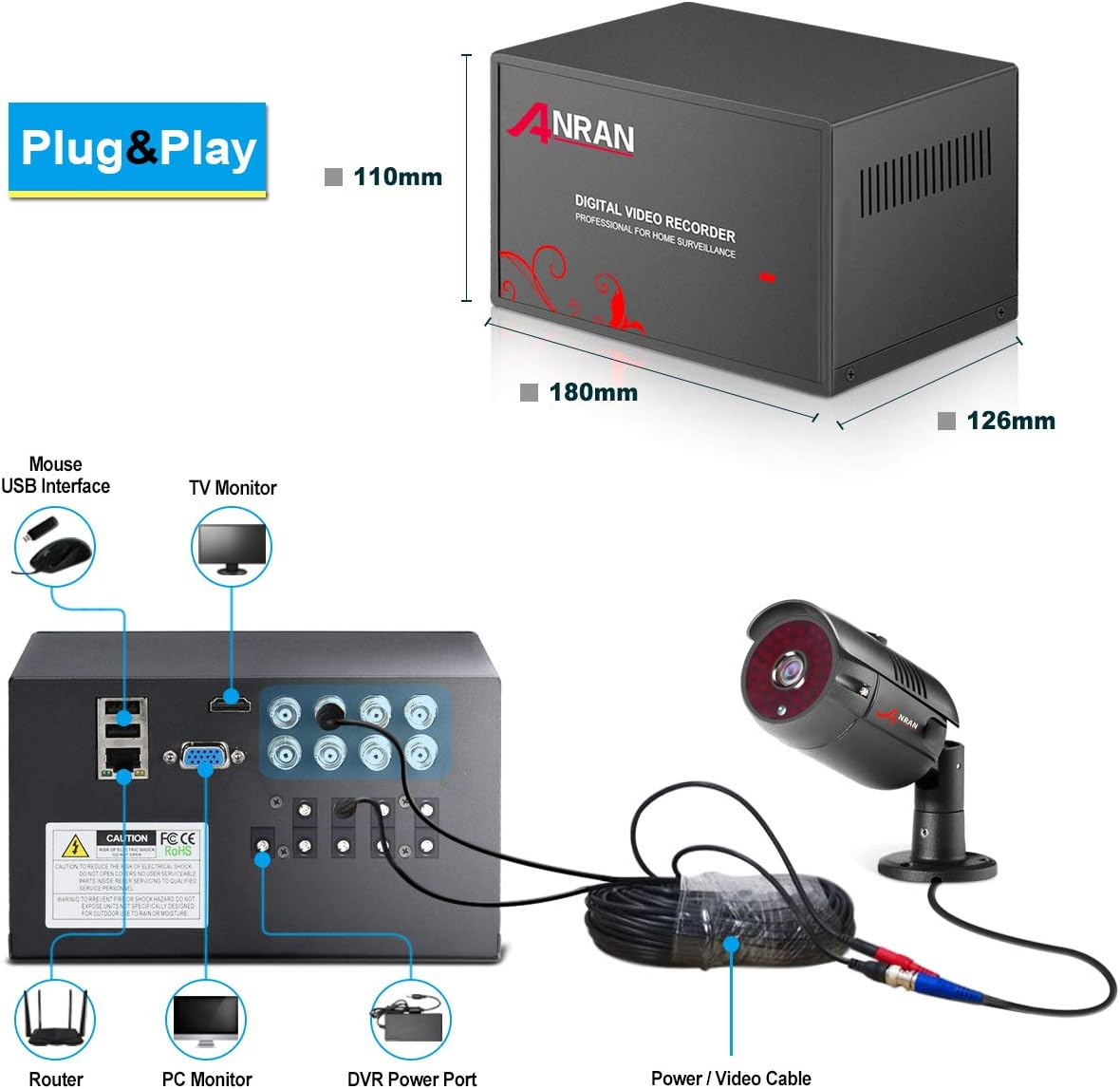
Image: Detailed diagram illustrating the various connection ports on the back of the DVR unit.
3.2 Instal·lació de la càmera
Each camera features a 3-axis mounting bracket for flexible positioning. Ensure the mounting surface is stable and secure.
- Choose a suitable location for each camera, considering the desired viewing angle and cable length.
- Use the provided screws to securely mount the camera bracket.
- Connect the BNC cable from each camera to the corresponding BNC input on the DVR.
- Connect the camera power cable to the DVR's DC output for cameras.
- Adjust the camera's angle and orientation using the 3-axis bracket. Loosen the hex screws, position the camera, then tighten the screws to secure it.

Imatge: Primer pla view of an ANRAN bullet camera highlighting its features and connection points.

Imatge: Examples of camera mounting positions and the flexibility of the 3-axis bracket.
3.3 Guia de vídeo de configuració
Watch this video for a visual guide on connecting your camera system:
Video: A step-by-step demonstration of setting up the 8-channel wired security camera system, including connecting the DVR to power, a monitor, and the cameras.
4. Funcionament del sistema
4.1 Accés remot mitjançant l'aplicació mòbil
Access your security system remotely using the Danale mobile application. Ensure your DVR is connected to your router via an Ethernet cable.
- Download the 'Danale' app from your device's app store (available for iOS and Android).
- Open the app and follow the on-screen instructions to add your device. You will typically scan a QR code displayed on your monitor from the DVR's network settings.
- Un cop afegit, podeu view live feeds, playback recordings, and receive alerts directly on your smartphone or tablet.

Image: Multiple devices displaying live camera feeds, illustrating the remote access feature.

Image: Visual steps for configuring mobile remote access, including app download links for Android and iPhone.
Download the Danale app here: Aplicació d'Android | Aplicació iOS
4.2 Visió nocturna
The ANRAN security cameras are equipped with infrared (IR) LEDs and an IR-CUT filter, allowing them to automatically switch to night vision mode in low-light conditions. This ensures clear surveillance footagi fins i tot en la foscor completa.
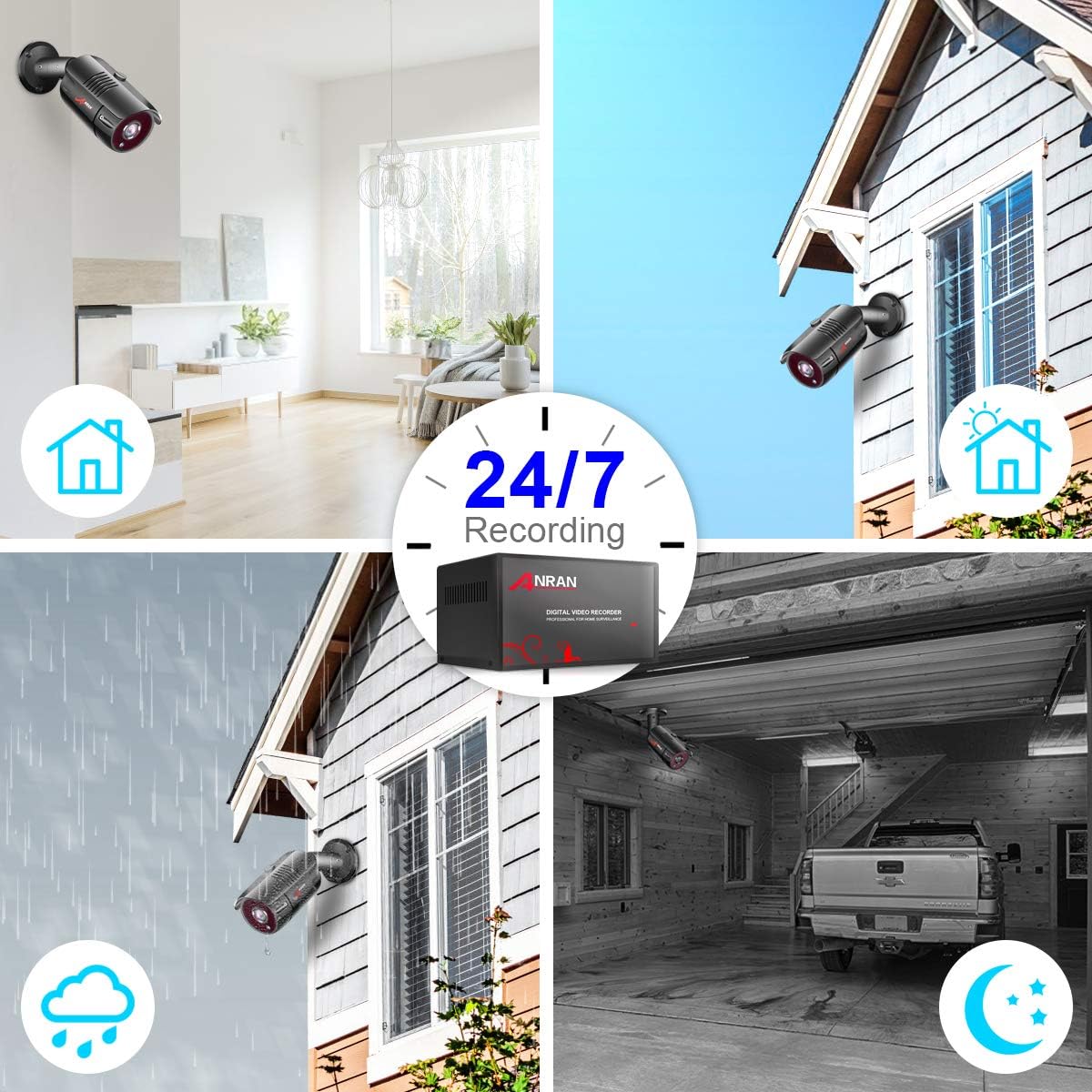
Image: Illustrates 24/7 recording capability and performance in various conditions, including night vision.
4.3 Detecció de moviment i alertes
Configure motion detection zones and sensitivity settings through the DVR interface. When motion is detected, the system can trigger recording and send push notifications to your mobile device via the Danale app.
Video: Demonstrates how the mobile application provides alarm notifications when motion is detected by the AHD home security camera system.
5. Manteniment
Regular maintenance ensures optimal performance of your security system:
- Neteja de lents: Netegeu periòdicament les lents de la càmera amb un drap suau i sec.amp drap per eliminar la pols i les taques que poden afectar la claredat de la imatge.
- Inspecció del cable: Check all cables for wear, damage, or loose connections, especially those exposed to outdoor elements.
- Actualitzacions de programari: Comproveu el del fabricant website for any available firmware or software updates for your DVR to ensure you have the latest features and security patches.
- Gestió del disc dur: El disc dur de 1 TB proporciona ample storage. The system typically overwrites the oldest footagquan la unitat estigui plena. Feu còpies de seguretat regularment dels aliments importantstage a un dispositiu extern si cal.
6. Solució De Problemes
Si teniu problemes, consulteu les solucions habituals següents:
- Sense senyal de vídeo: Ensure all camera BNC and power connections are secure. Check the DVR's video output (HDMI/VGA) connection to the monitor.
- Problemes d'accés remot: Verify the DVR is connected to the internet via Ethernet. Ensure the Danale app is correctly configured and the QR code for the device ID has been scanned. Check your router settings for any firewall restrictions.
- Mala visió nocturna: Ensure the camera lens is clean and free from obstructions. Verify that the IR LEDs are functioning (they may emit a faint red glow in the dark).
- Motion Detection False Alarms/Missed Events: Adjust the motion detection sensitivity and detection zones in the DVR settings to minimize false alarms from environmental factors (e.g., moving branches, shadows) or to ensure all desired events are captured.
- Sense àudio: This system does not support audio recording.
- Camera Recording Stops: Check the hard drive status in the DVR settings. If the hard drive is damaged or full, it may affect recording.
7. Especificacions
| Característica | Especificació |
|---|---|
| Marca | ANRAN |
| Número de model | K08A2559 |
| Tecnologia de connectivitat | Amb cable |
| Nombre de canals | 8 |
| Capacitat d'emmagatzematge de memòria | 1 TB |
| Font d'alimentació | Elèctric amb cable |
| Dimensions de l'article (L x A x A) | 13.25 x 11.75 x 9.25 polzades |
| Dispositius compatibles | Cameras, Personal Computers, TV |
| Altres funcions de la càmera | Davant |
| Tecnologia de poca llum | Visió nocturna |
| Velocitat de fotogrames | 30 FPS |
| Mode d'enregistrament | Manual, Motion Detection |
| Tipus de lent | Arreglat |
| Entrada de vídeo | HDMI, USB, VGA |
| Pes de l'article | 15.52 lliures |
8. Garantia i Suport
For warranty information, technical support, or any product-related inquiries, please contact ANRAN customer service. Refer to the contact details provided in your product packaging or on the official ANRAN weblloc.


