Introducció
This manual provides essential instructions for the safe and efficient operation, maintenance, and troubleshooting of your Xiaomi Mijia Robot 2-in-1 Sweeping and Wet Mopping Robot Vacuum Cleaner. Please read this manual thoroughly before using the product and retain it for future reference.
Informació important de seguretat
To reduce the risk of injury or damage, read and follow all safety precautions. This appliance is for household use only.
- No permeteu que els nens juguin amb l'aparell.
- Assegureu-vos que la base de càrrega estigui col·locada sobre una superfície plana contra una paret.
- Mantingueu els cabells, la roba solta, els dits i totes les parts del cos lluny de les obertures i les parts mòbils.
- Do not operate the robot in areas with open flames or explosive materials.
- No feu servir el robot per recollir deixalles grans, líquids o objectes en flames.
- Always remove the water tank and dustbin before moving or cleaning the robot.
- Feu servir només l'adaptador de corrent i la base de càrrega originals proporcionats pel fabricant.
Contingut del paquet
Verifiqueu que tots els elements siguin presents al paquet:
- 1 x Xiaomi Mijia Sweeping Mopping Robot
- 1 x 2-in-1 Water Tank
- 2 raspalls laterals
- 1 x suport de càrrega
- 1 x adaptador de corrent
- 1 x Mop Bracket
- 2 x Wiper (Mopping Pad)
Producte acabatview
Familiaritzeu-vos amb els components principals del vostre robot aspirador.

Descripció de la imatge: A dalt view of the Xiaomi Mijia Robot Vacuum Cleaner, showing the main body, the LDS laser navigation system dome, and the power/home buttons.
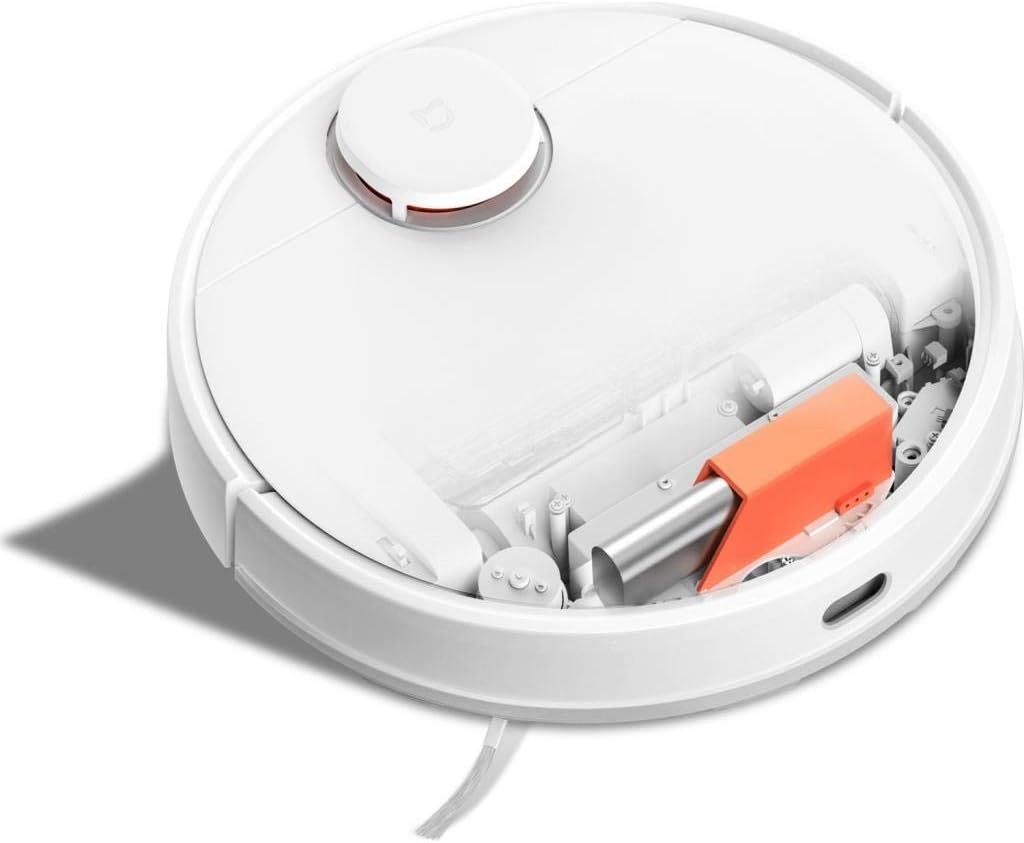
Descripció de la imatge: A dalt view of the Xiaomi Mijia Robot Vacuum Cleaner with its top lid open, revealing the dustbin compartment and internal mechanisms, including an orange component.
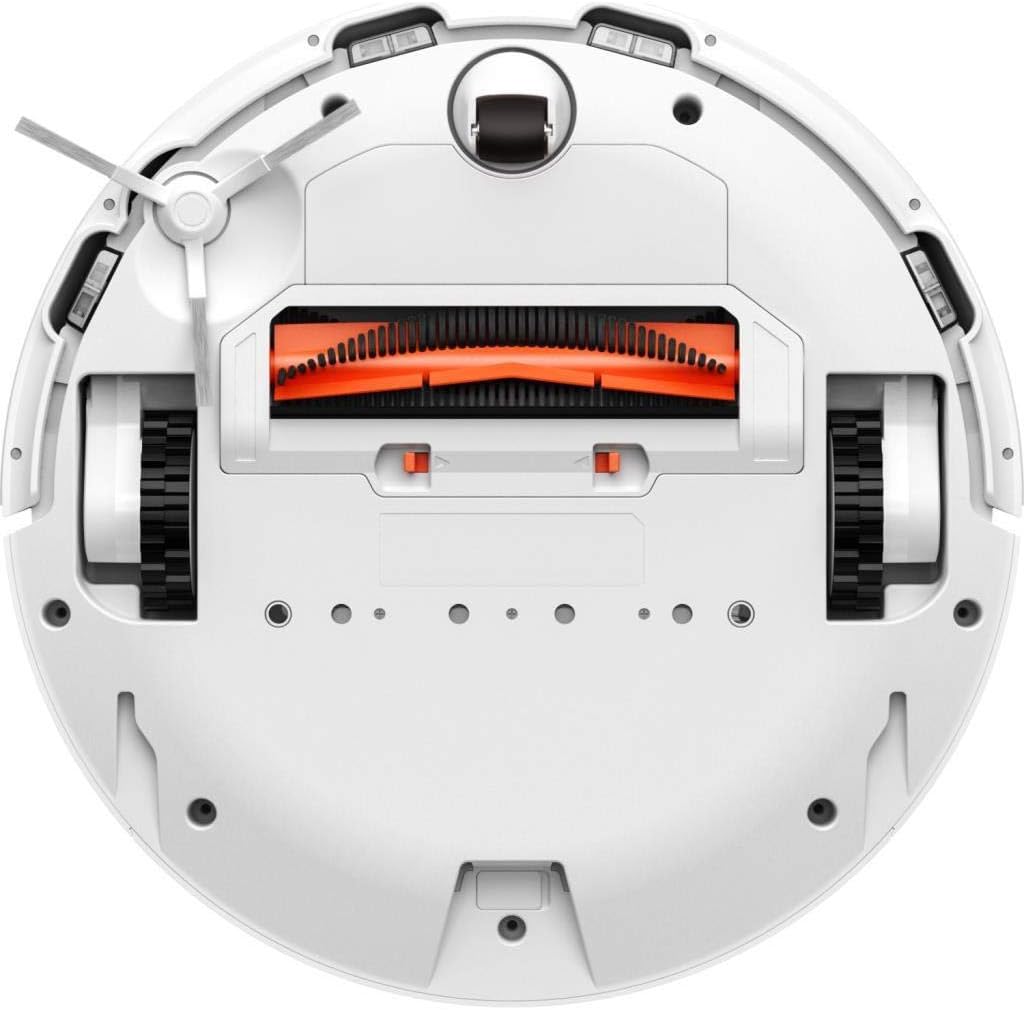
Descripció de la imatge: A baix view of the Xiaomi Mijia Robot Vacuum Cleaner, displaying the main roller brush (orange), side brushes, charging contacts, and various sensors.
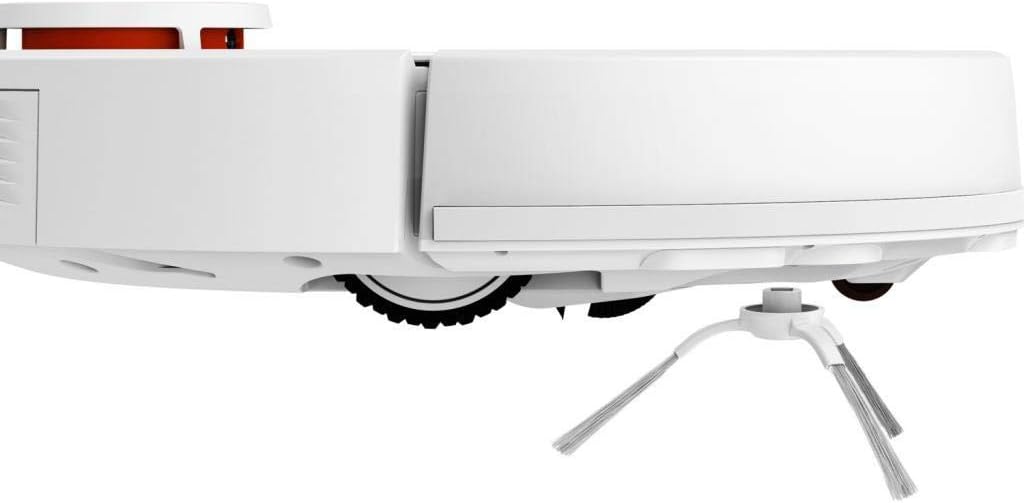
Descripció de la imatge: Side profile of the Xiaomi Mijia Robot Vacuum Cleaner, highlighting one of the side brushes and a main wheel.
Configuració
1. Col·locació de la base de càrrega
Place the charging dock against a wall on a hard, level surface. Ensure there are no obstacles within 0.5 meters (1.6 feet) to either side and 1.5 meters (4.9 feet) in front of the dock. Connect the power adapter to the charging dock and plug it into a power outlet.

Descripció de la imatge: The Xiaomi Mijia Robot Vacuum Cleaner positioned next to its compact white charging dock, ready for charging.
2. Càrrega inicial
Place the robot onto the charging dock. The robot will automatically align itself and begin charging. For first-time use, ensure the robot is fully charged before operation. A full charge typically takes several hours.
3. Instal·lació i connexió de l'aplicació
Download the "Mi Home" app from your smartphone's app store. Follow the in-app instructions to add your Xiaomi Mijia Robot Vacuum Cleaner. This process involves connecting the robot to your home's 2.4 GHz Wi-Fi network. The app allows for remote control, scheduling, and map management.
Instruccions de funcionament
1. Modes de neteja
The robot supports three cleaning modes:
- Sweeping and Mopping: The robot simultaneously vacuums and mops the floor. Ensure the 2-in-1 water tank with a mop pad is installed.
- Escombrat: The robot only vacuums. Use the dustbin for this mode.
- Fregar: The robot only mops. Ensure the 2-in-1 water tank with a mop pad is installed and the HEPA filter is removed from the water tank if only mopping is desired.
2. Inici d'un cicle de neteja
Press the power button on the robot or use the Mi Home app to start a cleaning cycle. The robot will automatically map its environment using its LDS laser navigation system and begin cleaning.

Descripció de la imatge: The Xiaomi Mijia Robot Vacuum Cleaner actively cleaning a modern room with light-colored flooring, demonstrating its compact size and ability to navigate open spaces.
3. Pausing and Stopping
Press the power button once to pause cleaning. Press it again to resume. To stop cleaning and send the robot back to its charging dock, press and hold the power button, or use the app.
4. Neteja programada
Use the Mi Home app to set up cleaning schedules. You can specify times and days for the robot to automatically start cleaning.
5. Zone Cleaning and Virtual Walls
Through the Mi Home app, you can define specific areas for cleaning (zone cleaning) or set up virtual walls and forbidden sweep areas to restrict the robot's access to certain zones.
6. Control per veu
The robot supports voice interaction via the Mi Home app and is compatible with Amazon Echo (Alexa). Follow the instructions in the Mi Home app to link your robot with your voice assistant for hands-free control.
Manteniment
Un manteniment regular garanteix un rendiment òptim i allarga la vida útil del teu robot aspirador.
1. Dustbin and Water Tank Cleaning
Empty the dustbin after each cleaning cycle. Remove the 2-in-1 water tank, empty any remaining water, and clean the mop pad. The mop pad can be washed and reused.
2. Main Brush and Side Brush Cleaning
Periodically remove the main brush and side brushes to clear any tangled hair or debris. Use the cleaning tool provided (if any) or scissors to cut tangled hair.
3. Neteja del sensor
Wipe the cliff sensors, wall sensors, and charging contacts with a soft, dry cloth to ensure they remain free of dust and debris. Clean the LDS laser navigation system dome as well.
4. Substitució del filtre
The HEPA filter in the dustbin should be cleaned regularly and replaced every 3-6 months, depending on usage. Refer to the Mi Home app for filter status and replacement reminders.
Resolució de problemes
If you encounter issues with your robot, refer to the following common solutions:
| Problema | Causa possible | Solució |
|---|---|---|
| El robot no s'engega ni respon. | Bateria baixa; botó d'engegada no premut correctament. | Ensure robot is fully charged. Press and hold the power button for a few seconds. |
| El robot no es pot connectar a Wi-Fi. | Incorrect Wi-Fi password; 5GHz network used; robot too far from router. | Ensure correct 2.4GHz Wi-Fi network and password. Move robot closer to router. Reset Wi-Fi on robot if necessary. |
| Mal rendiment de neteja. | Full dustbin; clogged brushes; dirty filter. | Buidar el contenidor de pols. Netejar el raspall principal i els raspalls laterals. Netejar o substituir el filtre. |
| El robot es queda encallat sovint. | Obstacles on the floor; high thresholds; dark surfaces (cliff sensors). | Clear floor of cables and small objects. Use virtual walls for problematic areas. Ensure sufficient lighting for dark floors. |
| La funció de fregar no funciona. | Water tank empty; mop pad not installed; water outlet clogged. | Fill water tank. Attach mop pad correctly. Clean water tank outlets. |
Especificacions
| Característica | Detall |
|---|---|
| Marca | XIAOMI |
| Nom del model | 26200 |
| Característica especial | High Precision Sensors, LDS Laser Navigation |
| Color | Blanc |
| Components inclosos | Sweeping Mopping Robot, 2-in-1 Water Tank, Side Brushes, Charging Stand, Power Adapter, Mop Bracket, Wipers |
| Tipus de filtre | Tela (HEPA) |
| Durada de la bateria | Up to 130 minutes (Sweeping), 60 minutes (Mopping) |
| Voltage | 240 volts (entrada) |
| Capacitat de la paperera | 0.3 litres |
| Font d'alimentació | Funciona amb bateria |
| Mètode de control | App (Mi Home) |
| Dispositius compatibles | Amazon Echo (Alexa) |
| Factor de forma | Robòtica |
| Dimensions del producte | 13.58 x 13.58 x 3.78 polzades (34.5 x 34.5 x 9.6 cm) |
| Pes de l'article | 4.4 lliures (2 kg) |
| Tipus de bateria | Lithium-ion (3200mAh capacity) |
| Climb Capability | 2 cm |
Garantia i Suport
Per obtenir informació sobre la garantia i assistència tècnica, consulteu la pàgina oficial de XIAOMI. weblloc web o poseu-vos en contacte amb el seu servei d'atenció al client. Conserveu el rebut de compra com a comprovant de compra.


