Introducció
This manual provides essential information for the safe and efficient operation of your BEPER P206VEN260 Multidirectional Fan. Please read these instructions carefully before use and retain them for future reference.
The BEPER P206VEN260 is an intelligent air circulator designed to eliminate stratified heat, humidity, and stagnant air. Its multidirectional rotation ensures uniform air circulation, helping to prevent condensation and improve overall air quality.

Figura 1: The BEPER P206VEN260 Multidirectional Fan, showcasing its sleek design and the accompanying remote control for convenient operation.
Instruccions de seguretat
Per reduir el risc d'incendi, descàrrega elèctrica o lesions, seguiu sempre les precaucions de seguretat bàsiques quan feu servir aparells elèctrics.
- Assegureu-vos que el voltage indicat a l'aparell correspon a la xarxa local voltage abans de connectar.
- No submergiu l'aparell, l'endoll o el cable en aigua o altres líquids.
- Desconnecteu-lo de la presa de corrent quan no utilitzeu i abans de netejar-lo.
- No feu servir cap aparell amb un cable o un endoll danyats.
- Mantingueu els nens i les mascotes allunyats del ventilador durant el funcionament.
- No introduïu els dits ni objectes estranys a la reixeta del ventilador.
- Col·loqueu el ventilador sobre una superfície estable i plana per evitar que bolqui.
- Do not use the fan in excessively humid environments or near water.
Components del producte
Familiarize yourself with the main parts of your BEPER P206VEN260 fan:
- Fan Head (with blades and grille)
- Control Panel (with LED display)
- Base
- Cable d'alimentació
- Control remot
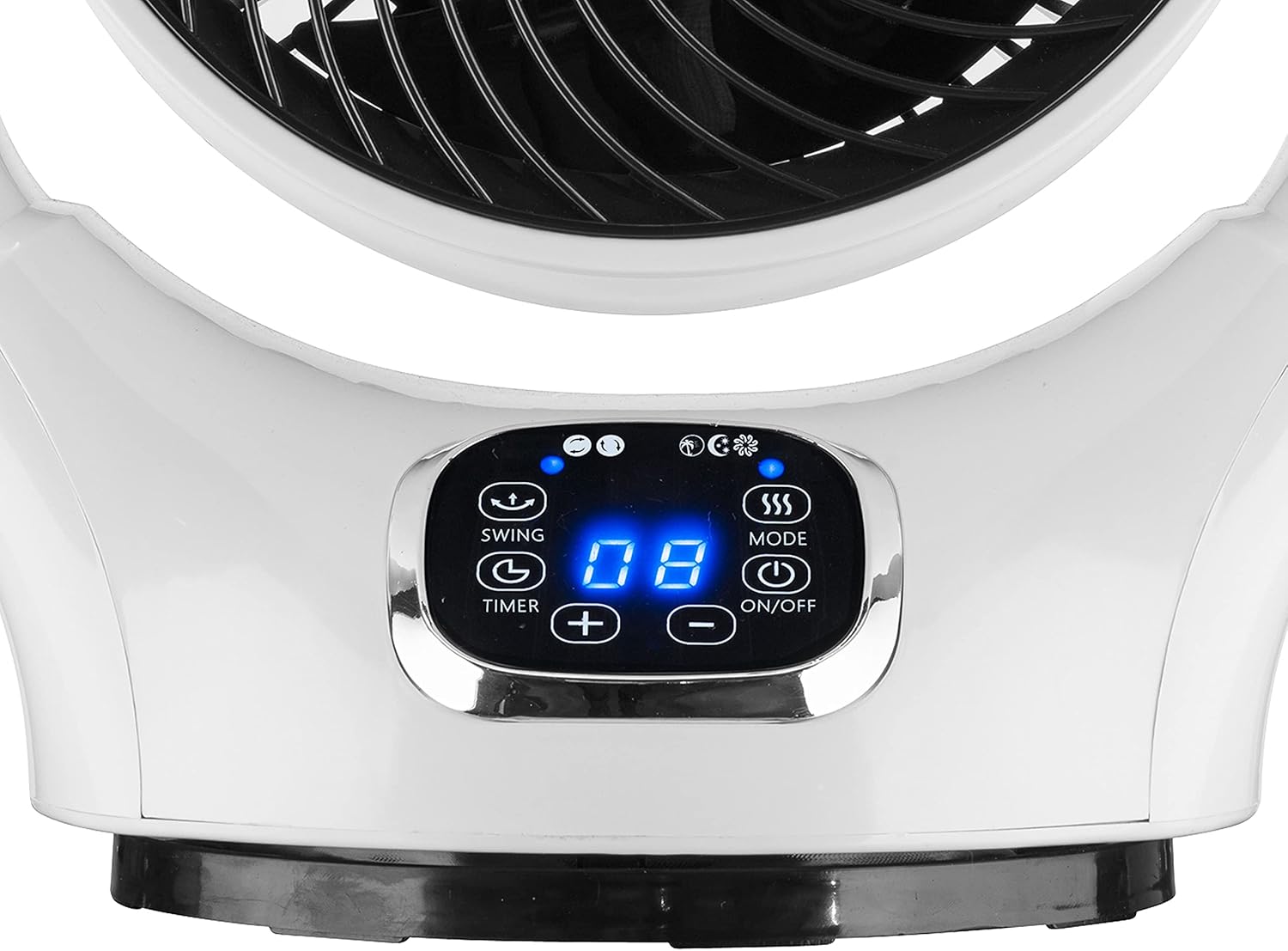
Figura 2: Detallada view of the fan's intuitive control panel, featuring a bright LED display and touch-sensitive buttons for various functions.
Configuració
- Desembalatge: Traieu amb cura el ventilador i tots els accessoris de l'embalatge. Conserveu l'embalatge per a futurs emmagatzematges o transports.
- Col·locació: Place the fan on a firm, level surface. Ensure there is adequate space around the fan for proper air circulation and oscillation. Avoid placing it directly against walls or furniture that might obstruct airflow.
- Connexió d'alimentació: Plug the power cord into a standard electrical outlet (220V).
Instruccions de funcionament
Funcions del tauler de control i del comandament a distància:
The fan can be operated using the touch control panel on the unit or the provided remote control.
| Botó/Funció | Descripció |
|---|---|
| ON/OFF | Encén o apaga el ventilador. |
| MODE | Cycles through different fan modes (e.g., Normal, Natural, Sleep). |
| OSC (oscil·lació) | Activates or deactivates the multidirectional oscillation feature (horizontal and vertical). |
| TEMPORIZADOR | Sets the automatic shut-off timer (up to 12 hours). Press repeatedly to adjust. |
| SPEED (+/-) | Adjusts the fan speed. The fan has 12 speed settings. |
Multidirectional Oscillation:
The BEPER P206VEN260 features intelligent automatic vertical and horizontal rotation, ensuring comprehensive air circulation throughout the room.

Figura 3: Illustration of the fan's capability for both horizontal and vertical automatic oscillation, providing wide-area air distribution.
Manteniment
Una neteja i un manteniment regulars garantiran la longevitat i el rendiment òptim del vostre ventilador.
- Abans de la neteja: Desendolleu sempre el ventilador de la presa de corrent abans de netejar-lo.
- Neteja exterior: Netegeu les superfícies exteriors del ventilador amb un drap suau iamp tela. No utilitzeu netejadors abrasius ni dissolvents.
- Neteja de reixes: Use a vacuum cleaner with a brush attachment to remove dust from the fan grille. For deeper cleaning, the front grille may be carefully removed if designed for user access (refer to specific product diagrams if available, otherwise consult professional service).
- Emmagatzematge: Quan no l'utilitzeu durant períodes prolongats, guardeu el ventilador en un lloc fresc i sec, preferiblement en el seu embalatge original.
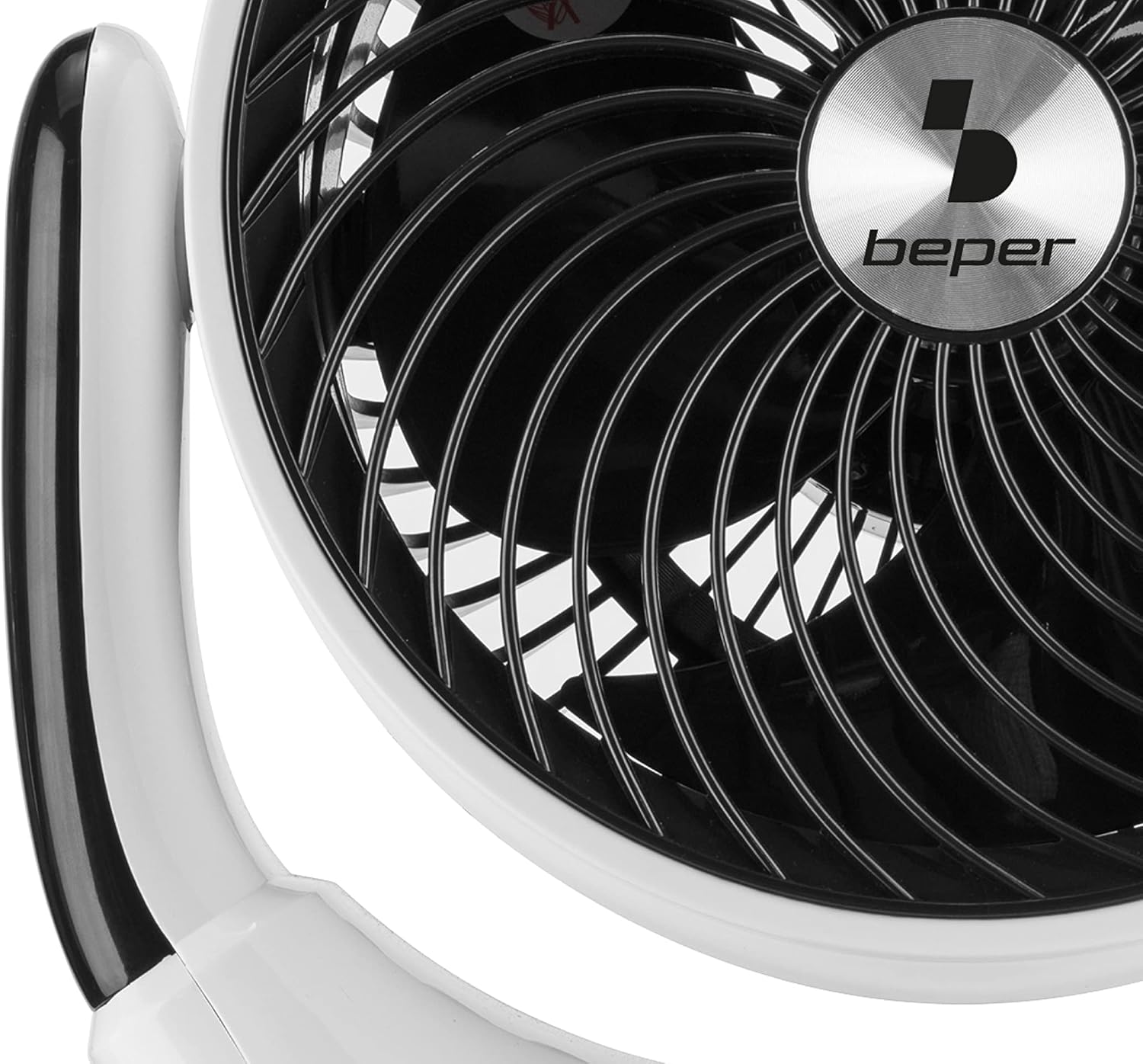
Figura 4: Un detallat view of the fan's grille and internal blades, highlighting areas that may require periodic cleaning to maintain airflow efficiency.
Resolució de problemes
Si teniu problemes amb el ventilador, consulteu els següents problemes i solucions habituals:
| Problema | Causa possible | Solució |
|---|---|---|
| El ventilador no s'encén. | Not plugged in; power outlet not working; fan is off. | Assegureu-vos que el cable d'alimentació estigui ben connectat a una presa de corrent que funcioni. Premeu el botó d'ENCÈS/APAGAT. |
| Flux d'aire feble. | Fan speed too low; grille obstructed by dust. | Increase fan speed using the SPEED button. Clean the fan grille as per maintenance instructions. |
| L'oscil·lació no funciona. | La funció d'oscil·lació està desactivada. | Press the OSC button to activate oscillation. |
| Soroll inusual. | Fan not on a stable surface; foreign object inside. | Place the fan on a stable, flat surface. Unplug and carefully check for any obstructions. If noise persists, discontinue use and contact support. |
Si el problema persisteix després d'intentar aquestes solucions, poseu-vos en contacte amb l'atenció al client.
Especificacions
| Característica | Detall |
|---|---|
| Marca | Beper |
| Número de model | P206VEN260 |
| Color | Blanc/Negre |
| Dimensions del producte | 24.5 x 34.5 x 40.5 cm |
| Pes de l'article | 2.45 quilos |
| Potència/Wattage | 25 watts |
| Voltage | 220 V |
| Material | Plàstic |
| Nombre de velocitats | 12 |
| Característiques especials | Oscillating (Multidirectional) |
| Disseny de ventilador elèctric | Ventilador de taula |
| Font d'alimentació | Elèctric amb cable |
| Ús recomanat | Circulació d'aire |

Figura 5: The product packaging, illustrating key features such as 25W power, 12 speeds, 360° oscillation, touch control, remote control, LED display, 12-hour timer, and 25cm diameter.
Garantia i Suport
Specific warranty details for the BEPER P206VEN260 Multidirectional Fan are typically provided with the product at the time of purchase or can be found on the manufacturer's official weblloc. Consulteu la documentació de compra per conèixer el període i els termes de la garantia.
For technical support, troubleshooting beyond this manual, or warranty claims, please contact Beper customer service through their official channels. Contact information can usually be found on the product packaging or the Beper official weblloc.


