Introducció
The Techbee Digital Infinite Repeat Cycle Intermittent Timer Plug is a versatile 3-in-1 device designed to automate your electrical appliances. It features daily ON-OFF timing, countdown and turn ON/OFF functions, and short ON-OFF cycle timing. This manual provides detailed instructions to help you set up, operate, maintain, and troubleshoot your timer plug effectively.

Figure 1: The Techbee Digital Timer Outlet, showcasing its key features including infinite repeat cycle ON-OFF intervals, three groups of daily ON-OFF timers, countdown and turn ON/OFF functionality, child lock to prevent misoperation, and easy access to after-sales service.
Informació de seguretat
Si us plau, llegiu i comprengui totes les instruccions de seguretat abans d'utilitzar aquest producte. Si no segueix aquestes instruccions, pot provocar descàrregues elèctriques, incendis o lesions greus.
- Només per a ús interior. No exposeu a l'aigua ni a la humitat.
- Do not exceed the maximum load capacity of 15A, 1875W.
- Assegureu-vos que el temporitzador estigui ben connectat a una presa de corrent amb connexió a terra.
- Keep out of reach of children. The child lock function should be utilized to prevent accidental operation.
- Do not disassemble or attempt to repair the device. Contact qualified personnel for service.
Producte acabatview
The Techbee Digital Timer Plug features a large LCD screen for clear display of digits and numbers, along with intuitive buttons for easy programming.

Figura 2: Frontal view of the Techbee Digital Timer Plug, displaying the LCD screen, power outlet, and control buttons for timing, countdown, and cycle settings.
Components i controls
- Pantalla LCD: Shows current time, program settings, and countdowns.
- SWITCH/OFF Button: Manually turns the timer ON or OFF.
- Botó HORA: Adjusts hour settings.
- Botó MINUT: Adjusts minute settings.
- Botó ENTER: Confirma la configuració.
- TIMING SETTING Button: Accesses daily ON-OFF timer programs.
- CTD SETTING Button: Accesses countdown timer settings.
- CYCLE SETTING Button: Accesses continuous interval timer settings.
- R (Reset) Button: Resets the timer to factory defaults (requires a pin).

Figure 3: The timer's screen may have an invisible protective film. This can be peeled off for a clearer view or left on.

Figure 4: Physical dimensions of the timer plug, measuring 2.16"D x 2.26"W x 4.33"H.
Instruccions de configuració
Initial Setup: Clock Setting
Before using the timer, ensure the internal battery is charged by plugging the timer into a live outlet for at least 30 minutes. If the display is blank or malfunctions, press the 'R' button with a pin to reset it.
- Premeu el botó SWITCH/OFF button to turn the timer OFF.
- Manteniu premut el botó ENTRAR button until the digits on the screen flash.
- Repeatedly press or press and hold the HORA button to set the hours.
- Repeatedly press or press and hold the MINUT per definir els minuts.
- Premeu ENTRAR to confirm the clock setting.
Video 1: Detailed instructions for setting the clock on the Techbee T319 timer plug (0:08 - 0:54 in video).
Important Notes on Clock Setting:
- Only 24-hour (military) time is supported. 12-hour time with AM/PM is not supported.
- This is a 24-hour programmable timer, not a 7-day weekly timer. Setting the day of the week is not supported.
- To use all features, always set the clock time before use.
Instruccions de funcionament
The timer offers multiple functions to automate your devices. Ensure the appliance's ON/OFF switch is always in the ON position for the timer to control it.
Vídeo 2: Acabatview of the Techbee T319 24 Hour Interval Cycle Timer Plug with Countdown functionality.
Daily ON-OFF Timing (Function 1)
This function allows you to set specific ON and OFF times for your appliance each day.
- Premeu SWITCH/OFF to turn the timer OFF.
- Premeu AJUSTE DE TEMPS to set the first ON time. Use HORA i MINUT per ajustar-se.
- Premeu AJUSTE DE TEMPS again to set the first OFF time. Use HORA i MINUT per ajustar-se.
- Repeat for up to 3 ON-OFF programs if needed. Leave blank if not needed.
- Premeu ENTRAR to confirm all desired timing programs.

Figure 5: Daily ON-OFF Timer applications, such as turning Christmas lights on at 7:30 PM and off at 11:30 PM every day.
Video 3: Detailed instructions for setting daily ON-OFF timing (1:13 - 2:21 in video).
Continuous Interval in Hour & Minute Mode (Function 2)
This mode allows the timer to continuously cycle between ON and OFF intervals, measured in hours and minutes.
- Premeu SWITCH/OFF to turn the timer OFF.
- Premeu CONFIGURACIÓ DEL CICLE to set the ON interval. Use HORA i MINUT per ajustar-se.
- Premeu CONFIGURACIÓ DEL CICLE again to set the OFF interval. Use HORA i MINUT per ajustar-se.
- Premeu ENTRAR to confirm. The upper screen will alternately show the remaining ON and OFF interval.
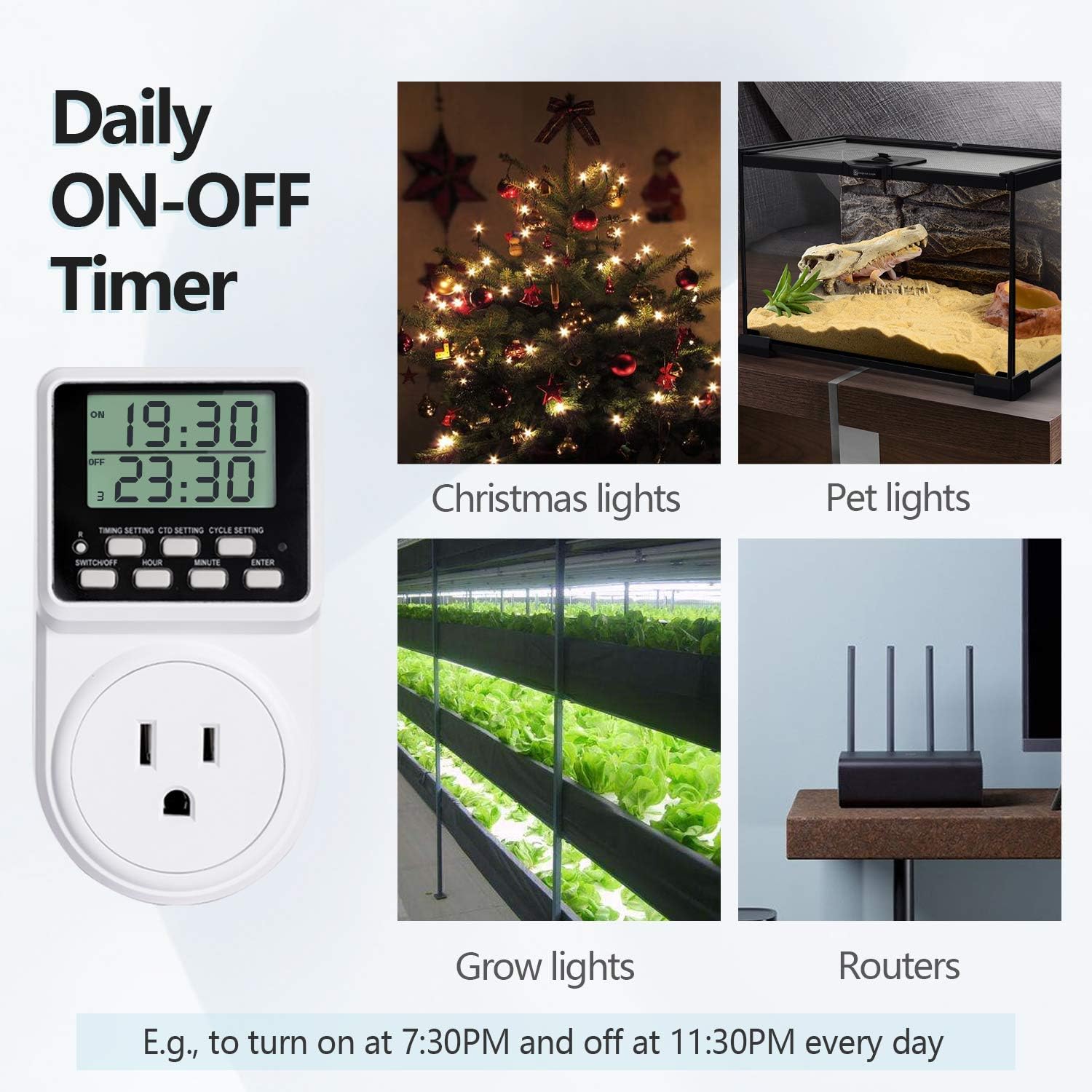
Figure 6: Countdown and Turn OFF/ON applications, such as cutting off power after 1.5 hours for chargers or hair tools.
Video 4: Detailed instructions for setting continuous interval in Hour & Minute Mode (2:21 - 3:08 in video).
Continuous Interval in Minute & Second Mode (Function 3)
This mode is similar to Function 2 but allows for shorter ON and OFF intervals, measured in minutes and seconds.
- Premeu SWITCH/OFF to turn the timer OFF.
- Mantén premut CONFIGURACIÓ DEL CICLE until the top of the screen flashes.
- Ús HORA to set minutes and MINUT to set seconds for the ON interval.
- Premeu CONFIGURACIÓ DEL CICLE again. Use HORA to set minutes and MINUT to set seconds for the OFF interval.
- Premeu ENTRAR per confirmar.

Figure 7: Repeat Cycle Timer applications, such as cycling
Documents relacionats - AUB086DN9QT3
 |
Techbee T319 Digital Programmable Outlet Timer Plug Instruction Manual Detailed instruction manual for the Techbee T319 digital programmable outlet timer plug, covering setup, various timing functions, specifications, and troubleshooting. |
 |
Manual d'usuari del temporitzador de cicle Techbee T319 The Techbee T319 Cycle Timer Plug is a versatile digital timer designed for household use, offering various programmable modes for automatic control of electrical appliances. Features include clock setting, daily on-off timing, countdown functions (turn off/on), and advanced interval cycle modes (infinite or set duration). It ensures safety with overload protection and includes features like child lock and alarm. Ideal for managing power consumption and automating device operation. |
 |
Techbee Plug-in Timer Outlet Instruction Manual - Model TE02 Comprehensive instruction manual for the Techbee Plug-in Timer Outlet (Model TE02), covering setup, programming, manual operation, countdown, and random functions. Includes safety guidelines and specifications. |
 |
Endoll del temporitzador de cicle Techbee T319: Manual d'usuari i guia de configuració Manual d'instruccions complet per al temporitzador de cicle digital Techbee T319. Apreneu a configurar el rellotge, programar cicles d'encesa/apagada diaris, intervals continus, temporitzadors de compte enrere i molt més per a un control eficient dels electrodomèstics. |
 |
Manual d'usuari del temporitzador de cicle exterior Techbee TC201 amb sensor de llum Guia completa per al funcionament del temporitzador de cicle exterior Techbee TC201 amb sensor de llum, que detalla les seves 9 funcions, configuracions i especificacions per a una il·luminació exterior eficient i un control d'electrodomèstics. |