Producte acabatview
The Hisense H9G Quantum Series 4K ULED Smart TV delivers stunning visuals and smart features for an immersive entertainment experience. Utilizing Quantum Dot technology, it produces rich colors, detailed images, and smooth motion. This TV integrates Android TV for easy access to streaming services and applications.
- Tecnologia de punts quàntics: Experience over a billion perfectly expressed colors for incredible, ultra-bright 4K detail.
- Dolby Vision HDR & Dolby Atmos: Transform your home into an entertainment powerhouse with cinematic picture and immersive audio.
- Atenuació local de matriu completa: Up to 90 local dimming zones deliver superior HDR with up to 1,000-nits peak brightness.
- Mode de joc: Significantly improves input lag for optimized gaming.
- Hand-Free Voice Control: Control the TV via the voice-enabled remote or an Alexa-enabled device (sold separately).
Instruccions de configuració
1. Desembalatge i preparació inicial
Carefully remove the TV from its packaging. It is recommended that two people handle the TV due to its size and weight. Ensure you have a flat, stable surface for assembly.
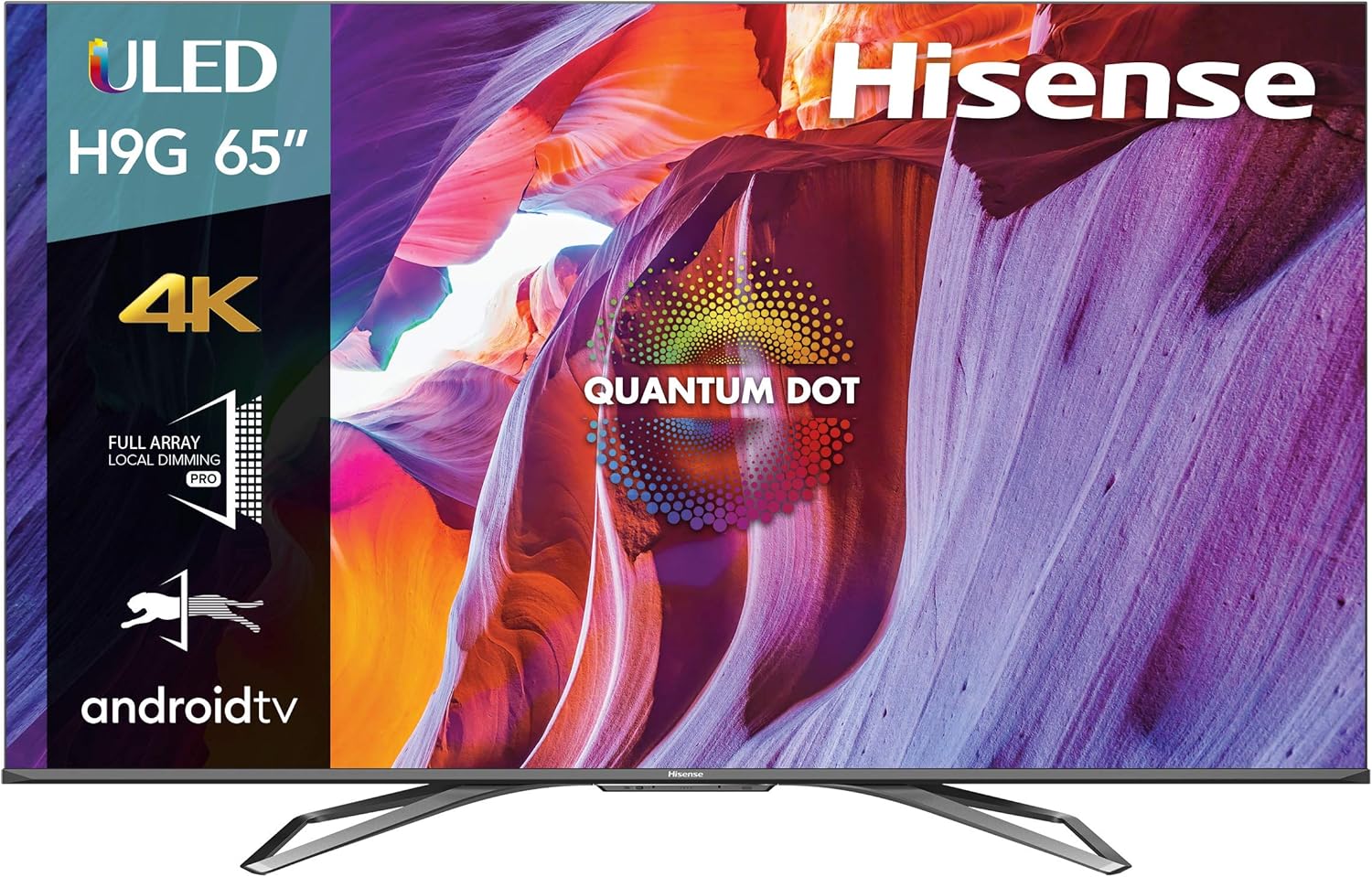
Figure 1: Hisense 65-inch H9G Quantum Series 4K ULED Smart TV.
Video: Official Hisense guide on unboxing your TV. This video demonstrates the safe removal of the TV from its packaging and initial setup steps.
2. Fixació del suport de TV
Locate the two stand legs and the provided screws. Align each stand leg with the corresponding slots on the bottom of the TV. Secure them firmly with the screws. Ensure the stand is stable before proceeding.

Figure 2: Hisense TV securely placed on its stand on a media console.
3. Connecting Power and External Devices
Connect the power cable to the TV and a power outlet. Use HDMI cables to connect external devices such as cable boxes, gaming consoles, or Blu-ray players to the HDMI ports on the TV. The TV features multiple HDMI 2.0 ports, with one supporting eARC for enhanced audio return.

Figura 3: posterior view of the Hisense TV, highlighting the various input ports for connectivity.
4. Initial Setup (Android TV)
Upon first power-on, the TV will guide you through the Android TV setup process. This typically involves connecting to your Wi-Fi network, signing into your Google account, and installing preferred streaming applications. The setup is designed to be user-friendly.
Instruccions de funcionament
1. Ús del control remot
The included voice-enabled remote allows for easy navigation and control. It features quick access buttons for popular streaming services like Netflix and YouTube, along with standard navigation and volume controls. Voice commands can be used to open apps, control volume, switch inputs, and search for content.

Figure 4: The Hisense voice-enabled remote control, showing its layout and quick access buttons.
2. Navigating the Android TV Interface
The Android TV interface provides a personalized home screen with recommendations, quick access to installed apps, and live TV options. You can customize the app layout and access settings directly from the home screen. The interface is responsive and integrates well with Apple's ecosystem, supporting HomeKit and AirPlay 2.
Video: Official Hisense video showcasing the features of ULED Android TVs, including interface navigation.
3. Configuració d'imatge i so
El televisor ofereix diversos modes d'imatge per optimitzar viewing for different content types (e.g., Standard, Movie, Game). Adjust brightness, contrast, and color settings to your preference. The built-in 4.2.1 speaker system provides enhanced audio, but external soundbars can be connected for a more immersive experience.

Figura 5: Pro lateralfile of the Hisense TV, illustrating its design and speaker placement.
Manteniment
To ensure the longevity and optimal performance of your Hisense TV, regularly clean the screen with a soft, dry, lint-free cloth. Avoid using harsh chemicals or abrasive materials. Keep the ventilation openings clear to prevent overheating. Periodically check for software updates to ensure your TV has the latest features and performance improvements.
Resolució de problemes
Si teniu problemes amb el televisor, proveu els passos bàsics següents per resoldre problemes:
- Sense energia: Assegureu-vos que el cable d'alimentació estigui connectat correctament tant al televisor com a la presa de corrent. Proveu una altra presa de corrent.
- Sense imatge/so: Check all HDMI connections. Ensure the correct input source is selected on the TV.
- El comandament a distància no respon: Substituïu les piles del comandament a distància. Assegureu-vos que no hi hagi cap obstacle entre el comandament a distància i el televisor.
- Problemes de connexió a Internet: Check your Wi-Fi router and ensure it is working correctly. Restart the TV and the router.
- Rendiment lent: Restart the TV. Close any unused applications running in the background.
For more complex issues, refer to the detailed troubleshooting section in the full user manual or contact Hisense customer support.
Especificacions
| Característica | Detall |
|---|---|
| Marca | Hisense |
| Número de model | 65H9G |
| Mida de la pantalla | 64.5 polzades (classe de 65 polzades) |
| Tecnologia de visualització | 4K ULED (Quantum Dot) |
| Resolució | 4K (3840 x 2160) |
| Freqüència d'actualització | 120 Hz |
| Lluminositat màxima | Up to 1,000-nits |
| Zones d'atenuació local | Fins a 90 |
| Sistema operatiu | Android TV |
| Control de veu | Alexa integrada, Assistent de Google |
| Connectivitat | Bluetooth, Ethernet, HDMI, USB, Wi-Fi |
| Ports HDMI | 3 (with 1 eARC) |
| Tipus d'altaveu | Integrat |
| Dimensions (sense suport) | 57.1 x 33.1 x 4.1 polzades |
| Pes (sense suport) | 52.7 lliures |
| Components inclosos | TV, Power Cable, Stand, Remote Control (with batteries), Quick Start Guide |
Garantia i Suport
The Hisense 65H9G TV is backed by a 1-year manufacturer's warranty. For technical assistance, troubleshooting, or warranty claims, please refer to the Quick Start Guide included with your TV or visit the official Hisense support weblloc.
També podeu visitar el Botiga Hisense a Amazon per obtenir informació addicional sobre el producte i recursos d'assistència.